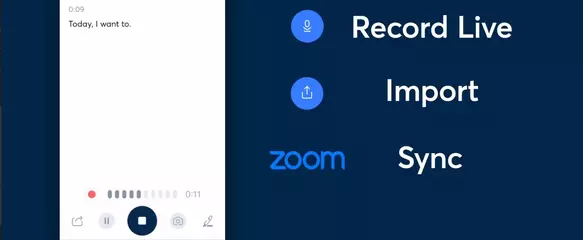
New: - Search results show matching content and jump to the relevant text, image, attachment, transcript, or PDF. - Navigate between inline tags from Find in Note. - Tables: easy copying, Excel/Google Sheets compatibility, improved image handling. - Tags, Shortcuts, and Search visual refresh. Fixed: - Live transcription losing content on network interruptions. - Note link previews failing to show content. - Callout formatting when deleting blank lines. - Typing Japanese text in Find in Note.
New features: - You can now find notes by title from iOS Spotlight, without opening Evernote. Fixes: - Fixed notebooks moved to a stack not appearing there immediately.
New features: - Evernote MCP is now available! - You can now ask the AI Assistant to pin notes to Home, pin notes in a notebook, add notes to Shortcuts and it can help you manage stacks. Bug fixes: - Fixed the dynamic date field being hidden behind the keyboard. - Improved matching of localized date mentions.
New features: - You can now rename attached files, images, and PDFs in a note. - You can now leave a note and lock your phone while recording: the recording will continue nonstop. Bug fixes: - Fixed renaming a speaker hiding the input field behind the keyboard.
APKFab.com和該應用的下載連結是100%安全的。APKFab.com上列出的所有應用下載連結均來自Google Play Store或由用戶提交。對於來自Google Play商店的應用,APKFab.com不會對其進行任何形式的修改。對於用戶提交的應用,APKFab.com會在網站上發佈之前驗證其APK簽名的安全性。