Total Calculator (Package Name: app.kwc.math.totalcalc) is developed by woosungsft and the latest version of Total Calculator 20.0 was updated on November 18, 2026. Total Calculator is in the category of Tools. You can check all apps from the developer of Total Calculator and find 200 alternative apps to Total Calculator on Android. Currently this app is for free. This app can be downloaded on Android 9.0+ on APKFab or Google Play. All APK/XAPK files on APKFab.com are original and 100% safe with fast download.
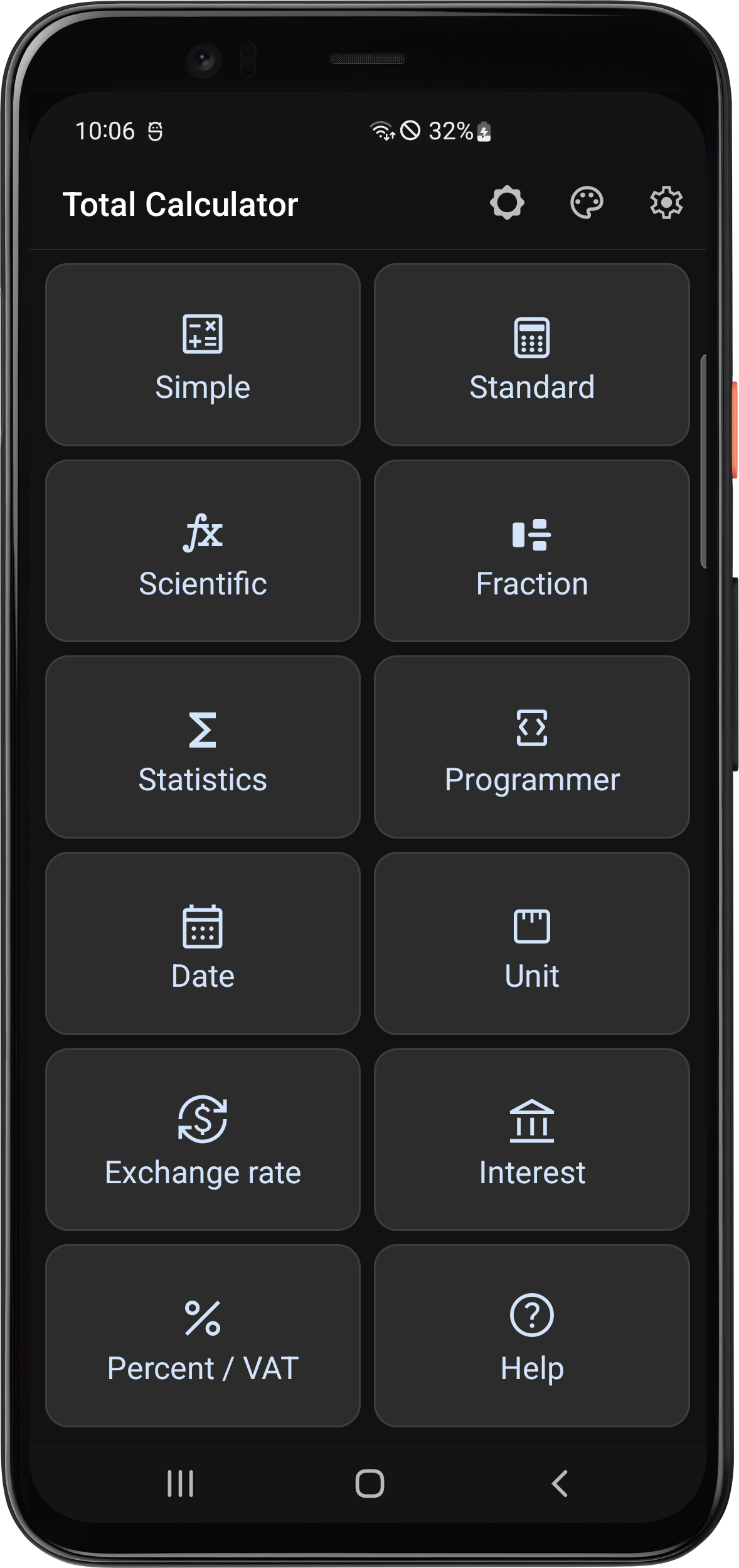
Total Calculator ★ All the calculators you need in one app. ★ From everyday math and scientific calculations to fractions, unit conversions, and date calculations. ★ A simple interface with powerful tools. ★ Convert currencies from 100 countries. ★ Customize your calculator with color themes and button styles. ★ Revisit past calculations, store values in memory, and undo or redo your last steps. Included calculators 1. Simple Calculator 2. Standard Calculator 3. Scientific Calculator 4. Fraction Calculator 5. Statistics Calculator 6. Programmer Calculator (number base conversion) 7. Date Calculator 8. Unit Converter 9. Currency Converter 10. Interest Calculator (deposits, recurring savings, and loans) 11. Percentage and VAT Calculator ※ The free version displays ads.
Total Calculator 20.0 Update
• Move the side buttons left or right, or hide them, in Simple and Standard. • Show or hide the center control bar across five calculators with one setting. • View, copy, and share details for one or more entries in History or Storage. • In Standard, long-press to select, cut, copy, or paste. The expression stays in place when you switch operators. • Reduced repeated trig, log, and hyperbolic calculations as you type.
• You can now search for units. Long unit names and conversion results fit the screen width. • Large amounts are easier to read in the loan repayment table. The table stays in place when the keyboard opens or closes. • Swiping the table header to expand or collapse results now works more reliably in the loan and date calculators. • The last field stays visible when editing a calculation template. Calculator buttons now follow your vibration setting consistently.
• Added a fraction calculator with support for mixed numbers, parentheses, and step-by-step solutions you can view and share. • Calculations are now saved to history as soon as you tap =. Fixed an issue that could save the same entry twice. • Organize calculations and memos in notes. Save frequently used formulas as templates and reuse them with new values. • Improved calculation precision and how small numbers appear in decimal and scientific notation.
• Improved intermediate result display while entering and editing expressions • Improved trigonometric function input and calculation error messages in the scientific calculator • Added tap and long-press sound effects to tutorials • Improved title and icon layout on tutorial introduction screens
APKFab.com and the download link of this app are 100% safe. All download links of apps listed on APKFab.com are from Google Play Store or submitted by users. For the app from Google Play Store, APKFab.com won't modify it in any way. For the app submitted by users, APKFab.com will verify its APK signature safety before release it on our website.