Keyguard (Package Name: com.artemchep.keyguard) is developed by Artem Chepurnyi and the latest version of Keyguard 2.12.0 was updated on May 26, 2026. Keyguard is in the category of Productivity. You can check all apps from the developer of Keyguard. Currently this app is for free. This app can be downloaded on Android 8.0+ on APKFab or Google Play. All APK/XAPK files on APKFab.com are original and 100% safe with fast download.
A third-party client for a bitwarden/vaultwarden server. This product is not associated with the Bitwarden project nor Bitwarden, Inc. Bitwarden® is a registered trademark of Bitwarden Inc. Keyguard highlights: • A beautiful rich Material You user interface. • A powerful and fast search. • A watchtower that finds items with Reused passwords, Inactive two factor authentication, Unsecure Websites as well as Duplicate, Incomplete and Expiring items. • Amazing native performance. • Android Autofill Framework support. • Multi-account support with secure login and two-factor authentication support. • Add items, modify, and view your vault offline. • Download large attachments in background. • Beautiful Light/Dark theme. • Chrome OS support. • And much more! On top of that, Keyguard features eye-catching animations and that buttery smoothness you should expect from the latest and most excellent apps! How app uses declared permissions: • QUERY_ALL_PACKAGES: when a user links an app to the secret, the user wants to see the list of all apps to choose from. When a user opens the linked apps section, the user wants to see the app's label and icon and know that he can directly open it. The user does not want to see the app's identifier instead.
Keyguard 2.12.0 Update
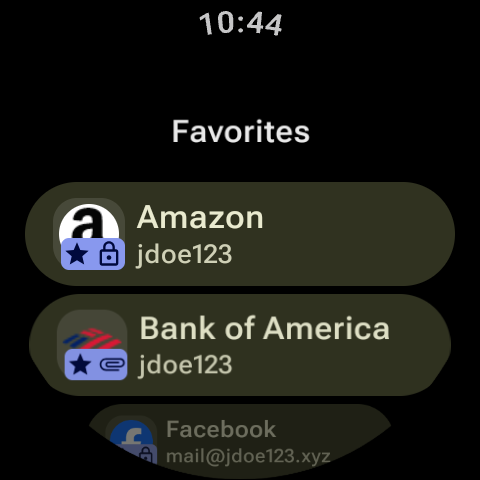
In-app previews are now available for image and text attachments, including on WearOS. The clipboard can now be configured to clear automatically, and the desktop app can be set to minimize after copying an item. Watchtower now supports using a custom HIBP token for username breach checks. This release also improves Bitwarden sync compatibility and fixes a potential crash on Android when launching the Large Type activity.
The SSH agent now features a key approval window and maintains a request history; its settings have been moved to a new Developer section. The password generator adds support for Cloudflare and Fastmail email forwarders, displaying service logos in the list. When merging vault items, you can now choose to keep, archive, or trash the originals, and password history is preserved through the process. For Bitwarden users, TOTP changes are now stored in password history.
This update introduces support for file attachments and Bitwarden Sends. Passkey authentication is now enforced if the authentication mode is set to preferred or higher. Performance for lists has been updated, and UI animations now use the Material 3 motion scheme. This release also resolves an autofill crash on pre-Android 10 devices, clears the password field when the unlock screen is moved to the background, and addresses various issues with Bitwarden file uploads and the new Send feature.
APKFab.com and the download link of this app are 100% safe. All download links of apps listed on APKFab.com are from Google Play Store or submitted by users. For the app from Google Play Store, APKFab.com won't modify it in any way. For the app submitted by users, APKFab.com will verify its APK signature safety before release it on our website.