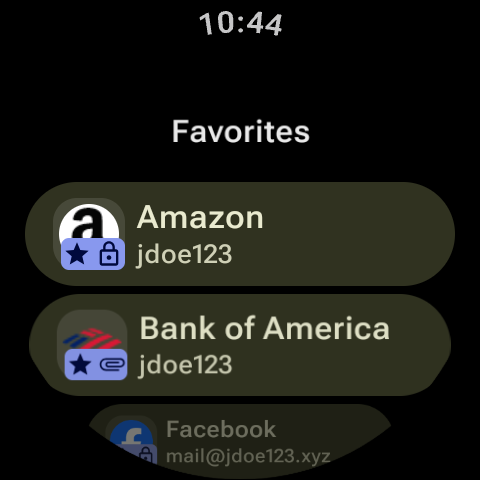
Import credentials directly from other password managers into your vault, and synchronize data using newly added mutual TLS (mTLS) support. Passkeys now support the WebAuthn PRF extension, attachments can be dragged into file managers or previewed as JSON trees, and the SSH agent adds bookmark fields to auto-configure SSH setups. This release also resolves an issue where popup autofill failed to display suggested logins while inline autofill functioned normally.
Attachment preview now supports GPG certificates, includes a table mode for CSV and TSV files, and adds preview support for many other text and archive file extensions. This release updates internal data records, including the list of websites with two-factor authentication, the public suffix list, account deletion links, and data access request links. Additionally, application translations have been updated to ensure all supported languages reflect current text.
Keyguard adds experimental native passkey support on Windows, previews for ZIP archive attachments, and the Environment item type. Android introduces a Termux addon for the GPG agent, while GPG details now display expiry, keygrip, and keyserver status alongside multiple User ID management. Security improvements require integrity verification for SSH agent PPK imports and reject unsigned cleartext OpenPGP headers, while desktop Watchtower scrolling crashes are fixed.
Keyguard adds single sign-on support for Bitwarden accounts, allowing users to log in to their vault using SSO authentication. For the desktop application, this update fixes an issue that prevented cipher detail items with vault URI icons from opening properly, ensuring these items open correctly. This release ensures reliable access to Bitwarden SSO logins and restores the expected behavior when opening vault URI cipher detail items across desktop platforms.
APKFab.com和該應用的下載連結是100%安全的。APKFab.com上列出的所有應用下載連結均來自Google Play Store或由用戶提交。對於來自Google Play商店的應用,APKFab.com不會對其進行任何形式的修改。對於用戶提交的應用,APKFab.com會在網站上發佈之前驗證其APK簽名的安全性。