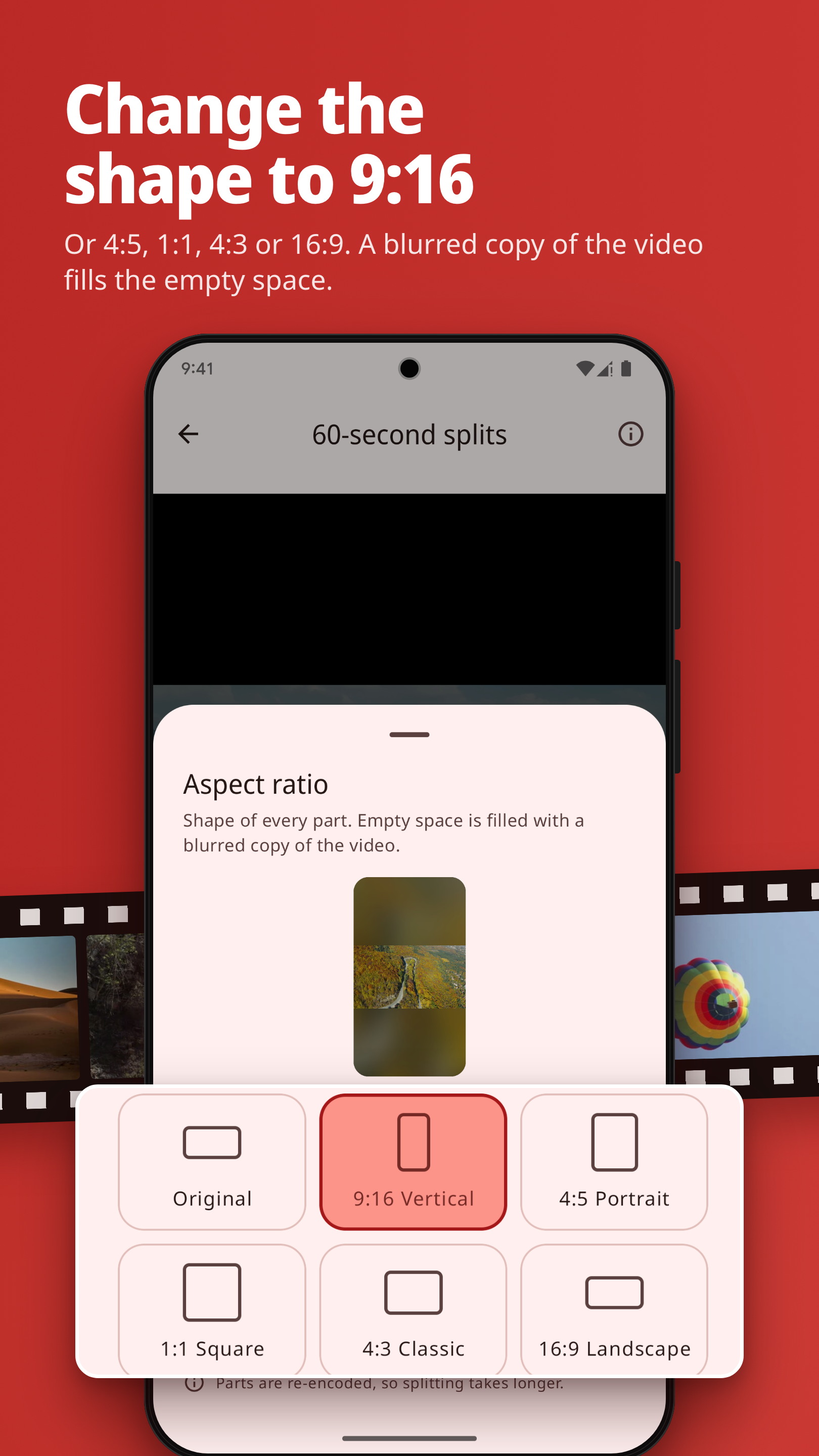
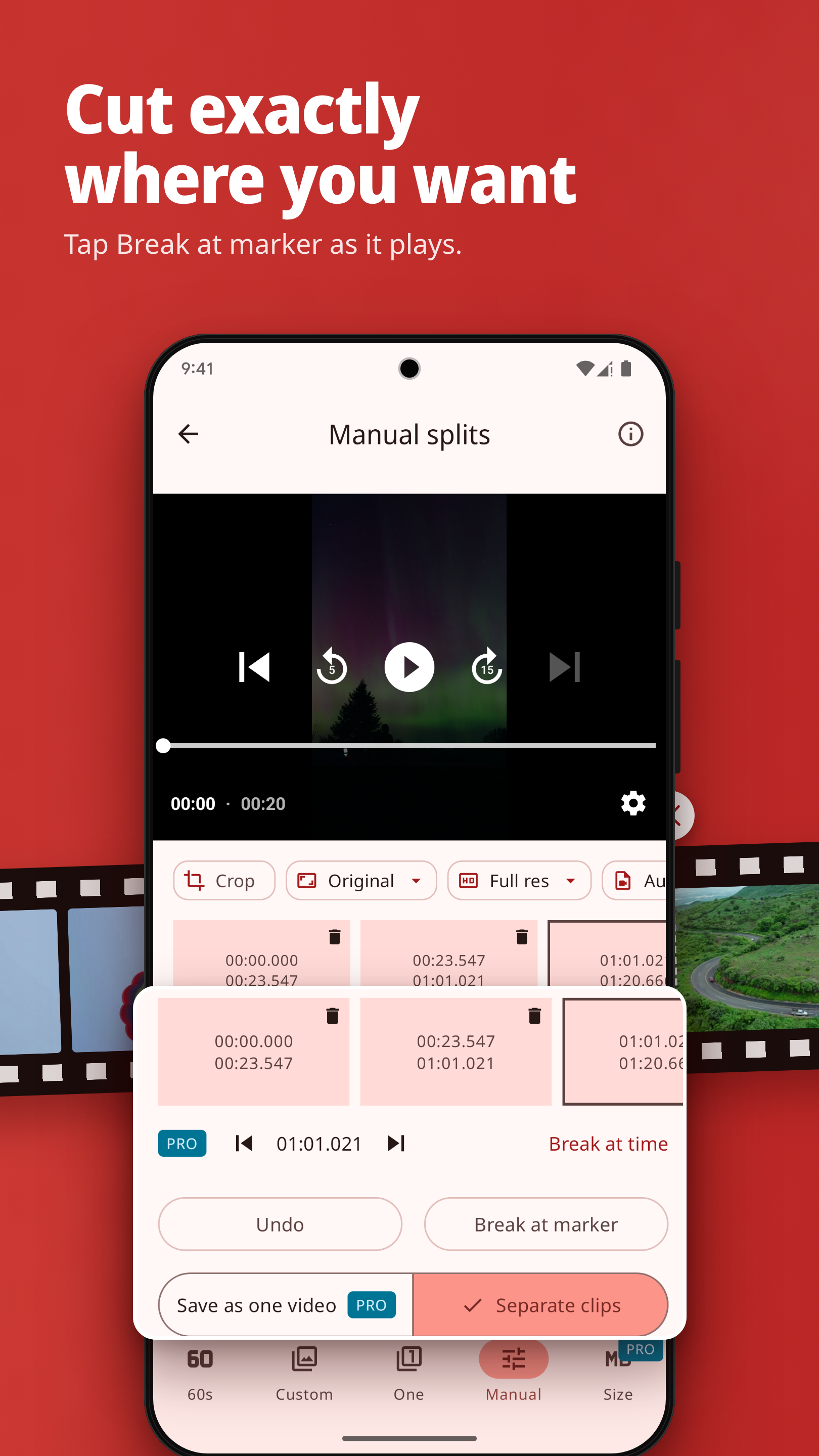
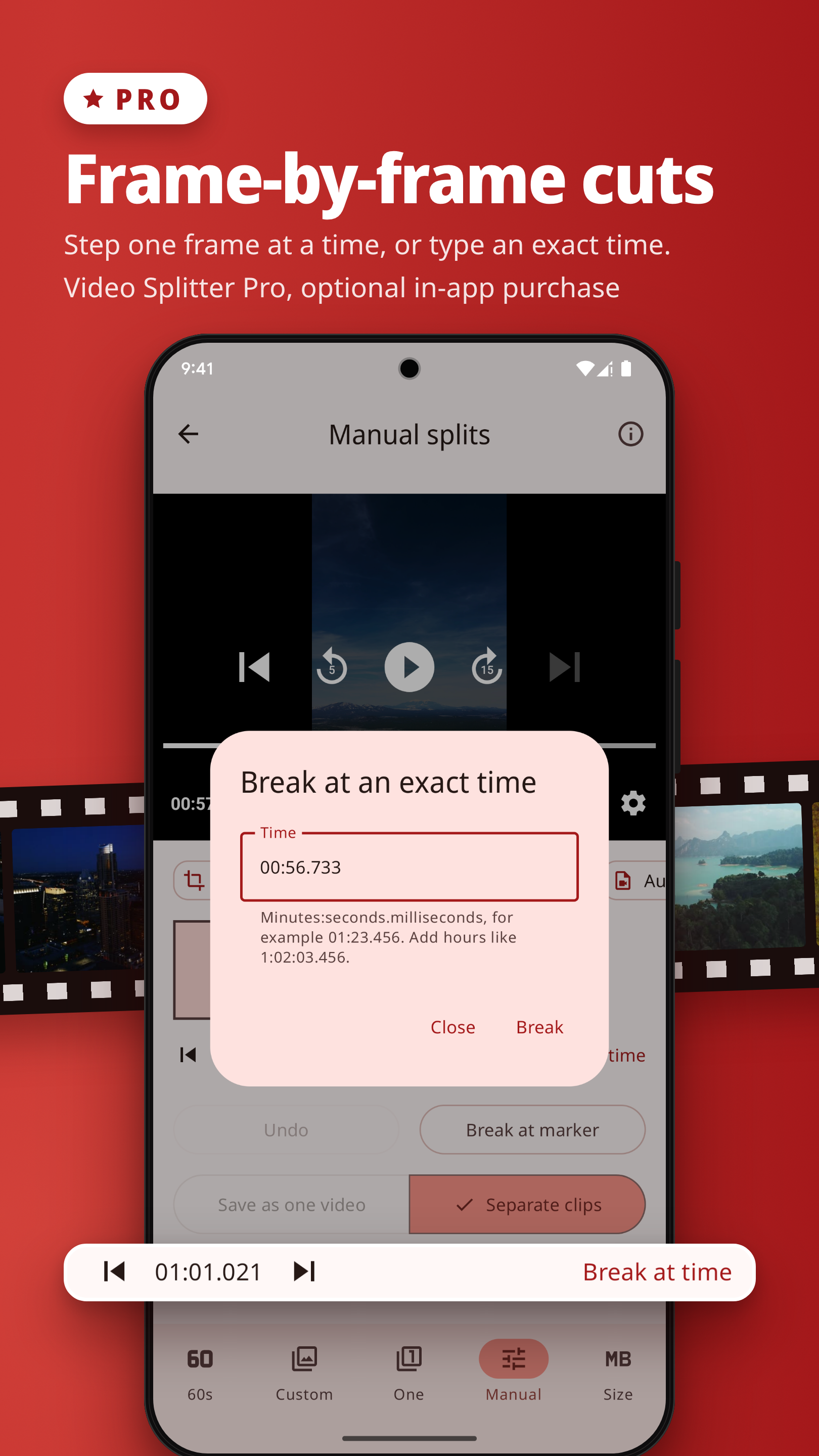
Video Splitter taglia i video lunghi in brevi clip in pochi secondi, pronti per essere pubblicati come aggiornamenti di stato, storie o Reels, oppure inviati nelle chat di gruppo. Perfetto per lo stato di WhatsApp, le storie di Instagram e altro ancora. QUATTRO MODI PER DIVIDERE • Divisioni da 60 secondi: taglia automaticamente un video lungo in parti da un minuto. • Divisioni personalizzate: scegli la durata della clip, da pochi secondi a diversi minuti, e dividi l'intero video in parti uguali. • Una sola divisione: imposta un punto di inizio e di fine per tagliare solo la parte migliore. • Divisioni manuali: riproduci il video e tocca "Interrompi" nel punto desiderato. Puoi annullare l'operazione in qualsiasi momento. RITAGLIA E RIMODELLA • Ritaglia: mantieni solo la parte dell'immagine che desideri. L'app cerca le barre nere e può rimuoverle automaticamente, oppure puoi ritagliare manualmente. • Proporzioni: cambia le proporzioni delle parti in 9:16, 4:5, 1:1, 4:3 o 16:9. Una copia sfocata del video riempie lo spazio vuoto. IDEALE PER VIDEO LUNGHI • Continua a dividere i video in background mentre usi altre app, mostrando l'avanzamento in una notifica. Su Android 14, tieni l'app aperta: Android lo consente solo per circa tre minuti dopo l'avvio della divisione. • Se Android interrompe la divisione, completa le parti rimanenti alla successiva apertura dell'app. • Esporta fino a 4K o mantieni la risoluzione originale. • Scegli H.264 per la massima compatibilità o H.265 (HEVC) per file di dimensioni inferiori. • La modalità veloce opzionale ricodifica la minor quantità possibile di video (sperimentale). • Le clip vengono salvate in Film/Video Splitter e organizzate per progetto nella Libreria. • Seleziona una o più clip e condividile in un colpo solo. • Temi chiaro e scuro. • Le schermate dell'app sono disponibili in inglese, arabo, francese, tedesco, hindi, indonesiano, marathi, portoghese (Brasile), spagnolo (America Latina), turco e vietnamita. Su Android 13 e versioni successive, puoi scegliere la lingua dell'app nelle Impostazioni, separatamente dalla lingua del telefono. L'Informativa sulla privacy e i Termini e condizioni sono in inglese. I TUOI VIDEO RIMANGONO SUL TUO TELEFONO • Divisione, ricodifica e salvataggio avvengono interamente sul tuo dispositivo. I tuoi video non vengono mai caricati. • La divisione funziona offline. Non è necessaria alcuna registrazione. VIDEO SPLITTER PRO (ACQUISTO IN-APP UNA TANTUM OPZIONALE) Gli strumenti sopra descritti non richiedono la versione Pro. Video Splitter Pro ne aggiunge altri cinque: • Divisione di più video uno dopo l'altro senza dover attendere il completamento di ciascuno. Divisione dei video in parti in base alle dimensioni del file in MB. Riproduzione dei video fotogramma per fotogramma con tagli precisi. Rimozione delle parti indesiderate e salvataggio del resto come un unico video. Apertura dei video direttamente dal menu di condivisione di altre app. Il prezzo è visualizzato nell'app prima dell'acquisto. Acquisto una tantum, non abbonamento. Il pagamento viene gestito da Google Play e richiede una connessione a Internet. Video Splitter è un prodotto di Mikasa Labs LLC. Informativa sulla privacy: https://mikasa-labs.com/VideoSplitter/privacy.html Termini e condizioni: https://mikasa-labs.com/VideoSplitter/terms.html WhatsApp e Instagram sono marchi registrati dei rispettivi proprietari. Video Splitter non è affiliato né approvato da essi.
Aggiornamento Video Splitter 3.12.0
New: a More apps page in About. It lists other apps from Mikasa Labs. New: in the Library, the menu of a clip can send the clip to Offline Voice to Text Recorder to get its text. This choice shows only if that app is installed. Also: the "Full res" label is now "Original quality".
New: a More apps page in About. It lists other apps from Mikasa Labs. New: in the Library, the menu of a clip can send the clip to Offline Voice to Text Recorder to get its text. This choice shows only if that app is installed. Also: the "Full res" label is now "Original quality".
Screens now slide in and out, and the back gesture follows your finger the same way the back button animates. Lists scroll edge to edge behind the bars, and the custom size field stays above the keyboard. Also: Back now leaves selection in the library first, and the About screen shows Mikasa Labs LLC.
Screens now slide in and out, and the back gesture follows your finger the same way the back button animates. Lists scroll edge to edge behind the bars, and the custom size field stays above the keyboard. Also: Back now leaves selection in the library first, and the About screen shows Mikasa Labs LLC.
New: crop videos, with automatic black-bar detection (free). Change the aspect ratio to 9:16, 4:5, 1:1, 4:3 or 16:9, with a blurred copy of the video filling the empty space (free). Save as one video: remove the parts you don't want from a manual split and save the rest as one video (Pro). The app is now also in Spanish, French, German, Arabic, Turkish and Vietnamese. On Android 13 and later, choose the app's language in Settings. Also: a cleaner crop editor, clock times, right-to-left fixes.
New: crop videos, with automatic black-bar detection (free). Change the aspect ratio to 9:16, 4:5, 1:1, 4:3 or 16:9, with a blurred copy of the video filling the empty space (free). Save as one video: remove the parts you don't want from a manual split and save the rest as one video (Pro). The app is now also in Spanish, French, German, Arabic, Turkish and Vietnamese. On Android 13 and later, choose the app's language in Settings. Also: a cleaner crop editor, clock times, right-to-left fixes.
New: Video Splitter Pro, an optional one-time in-app purchase. It adds a split queue for several videos, split by file size in MB, frame-by-frame cuts, and opening videos from the share menu of other apps. The price is shown in the app before you buy; payment is handled by Google Play. Existing features are unchanged in this update. Also: videos shared from browsers and messaging apps open correctly; Brazilian Portuguese added; updated Terms and Privacy Policy, effective October 17, 2026.
New: Video Splitter Pro, an optional one-time in-app purchase. It adds a split queue for several videos, split by file size in MB, frame-by-frame cuts, and opening videos from the share menu of other apps. The price is shown in the app before you buy; payment is handled by Google Play. Existing features are unchanged in this update. Also: videos shared from browsers and messaging apps open correctly; Brazilian Portuguese added; updated Terms and Privacy Policy, effective October 17, 2026.
New: Video Splitter Pro, an optional one-time in-app purchase. It adds a split queue for several videos, split by file size in MB, frame-by-frame cuts, and opening videos from the share menu of other apps. The price is shown in the app before you buy; payment is handled by Google Play. Existing features are unchanged in this update. Also: videos shared from browsers and messaging apps open correctly; Brazilian Portuguese added; updated Terms and Privacy Policy, effective October 17, 2026.
APKFab.com e il link per il download di questa app sono sicuri al 100%. Tutti i link per il download delle app elencate su APKFab.com provengono da Google Play Store o sono inviati dagli utenti. Per le app da Google Play Store, APKFab.com non le modificherà in alcun modo. Per le app inviate dagli utenti, APKFab.com verificherà la sicurezza della firma APK prima di rilasciarle sul nostro sito web.