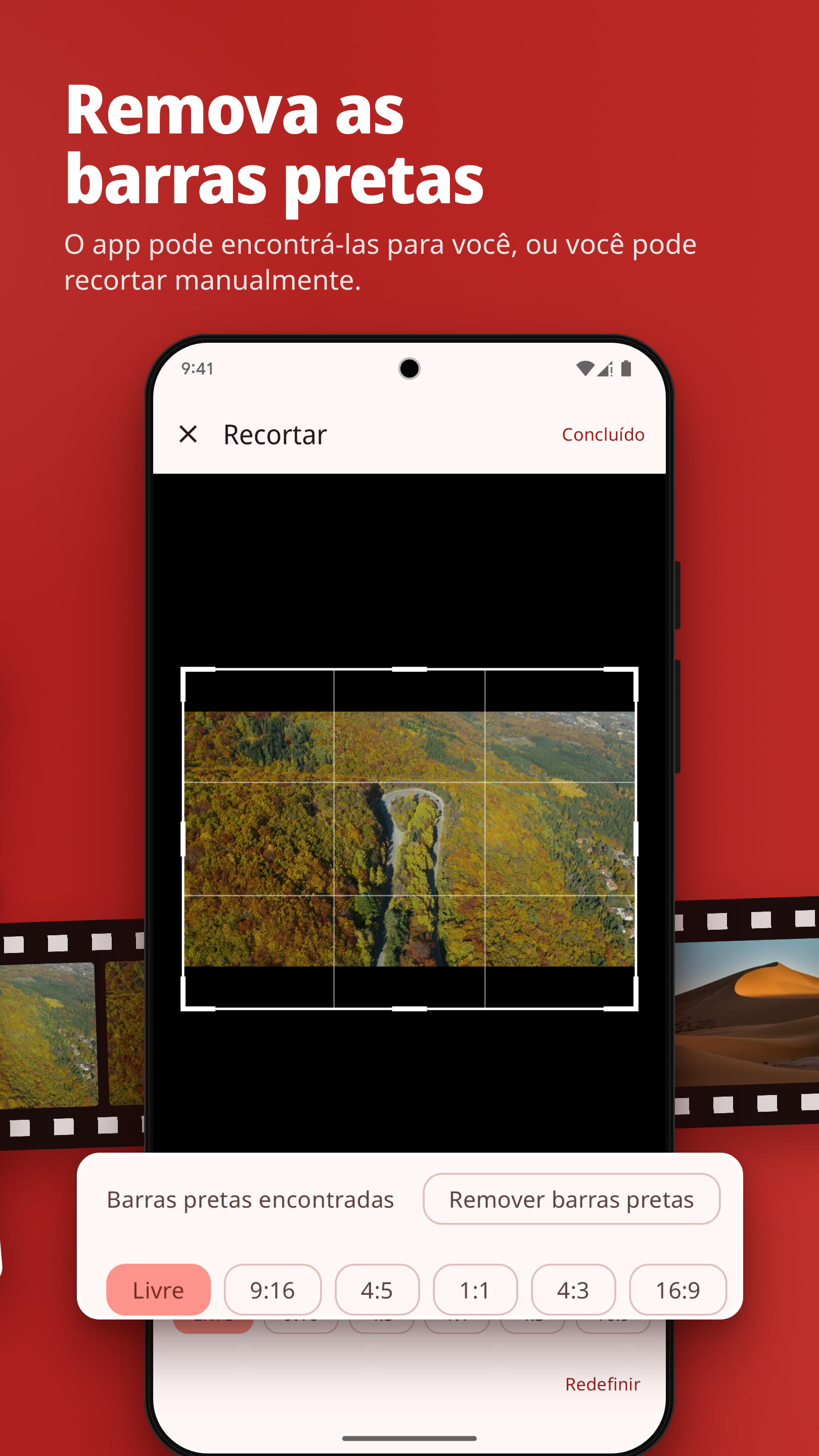
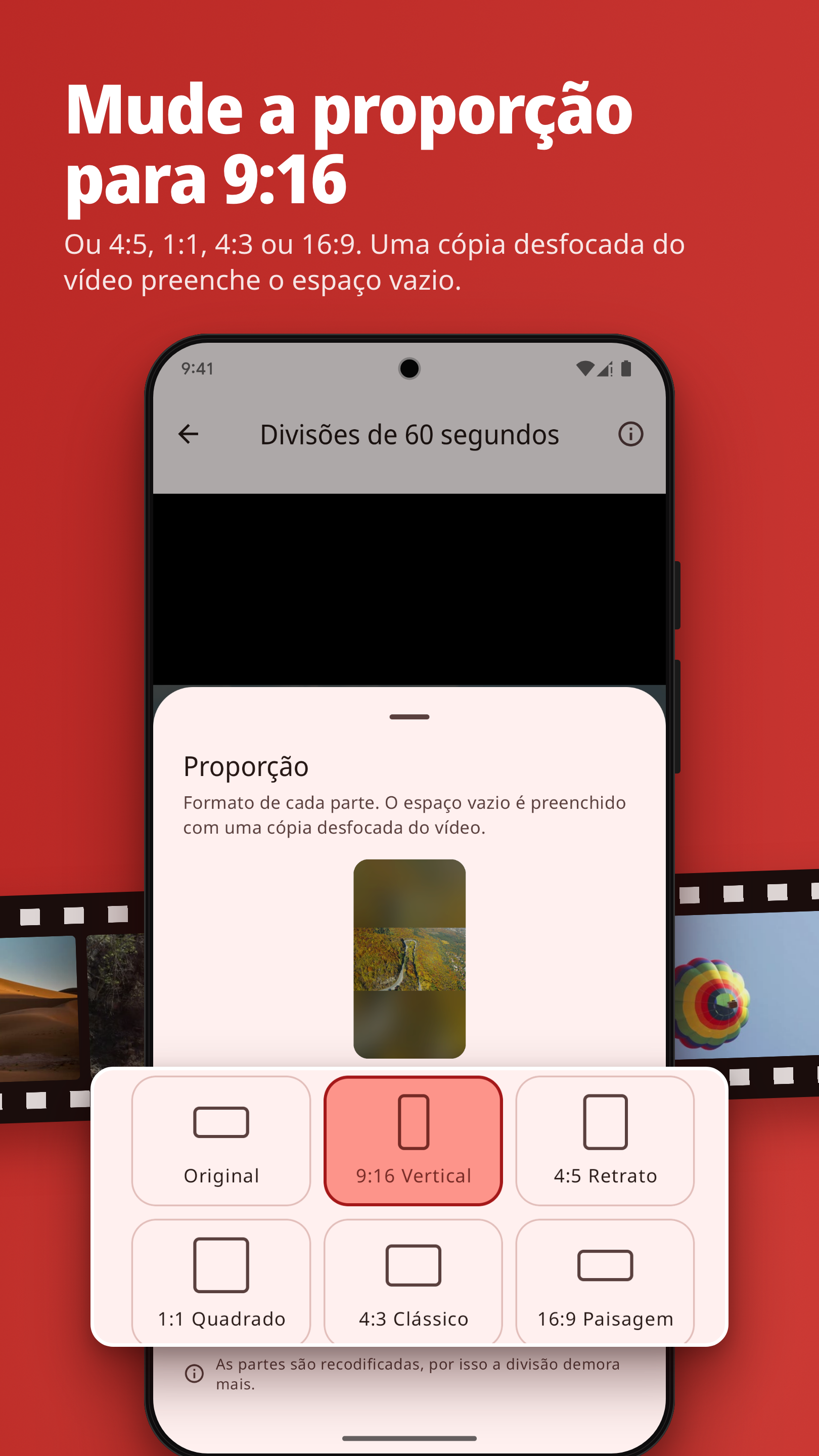
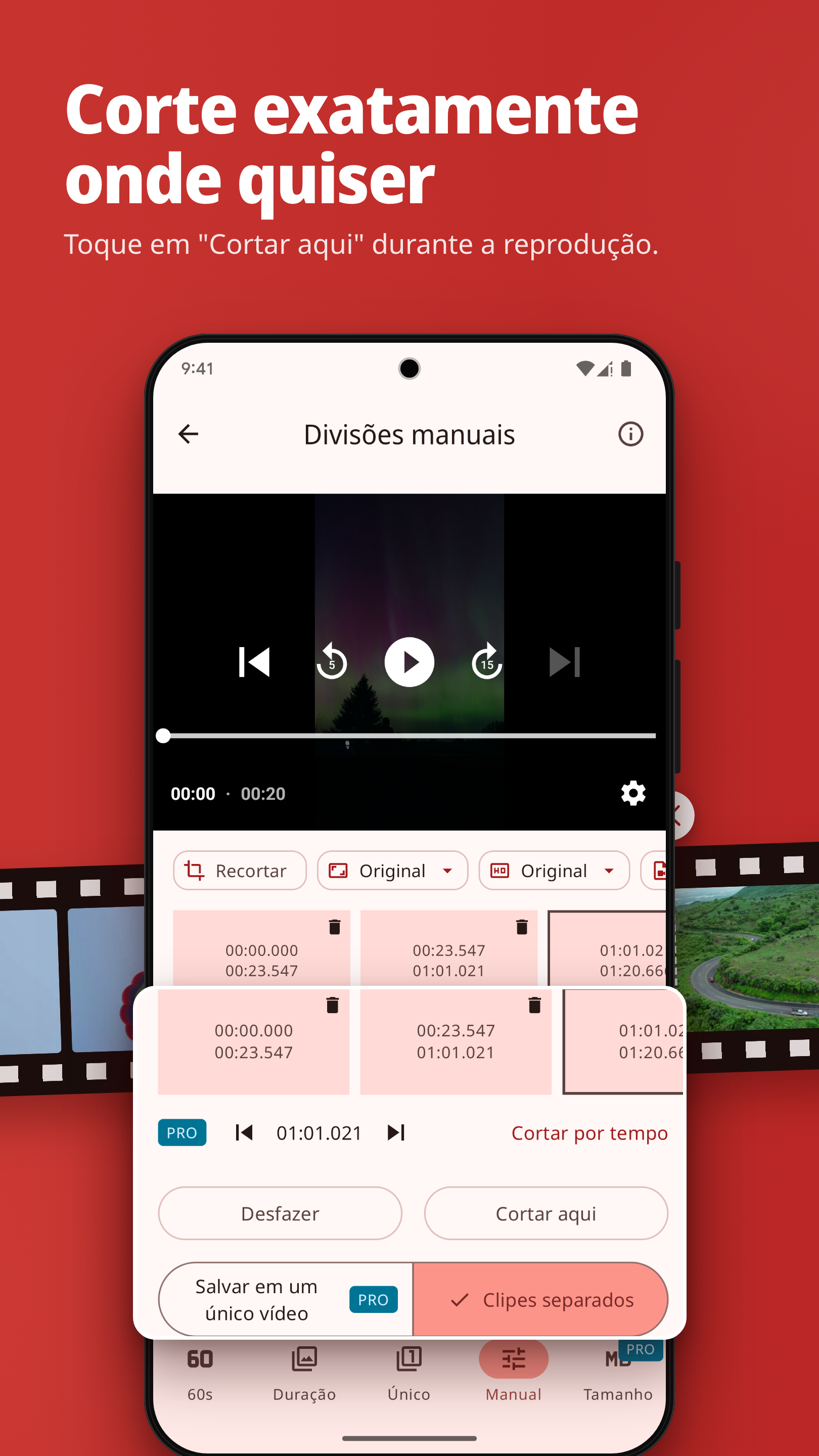
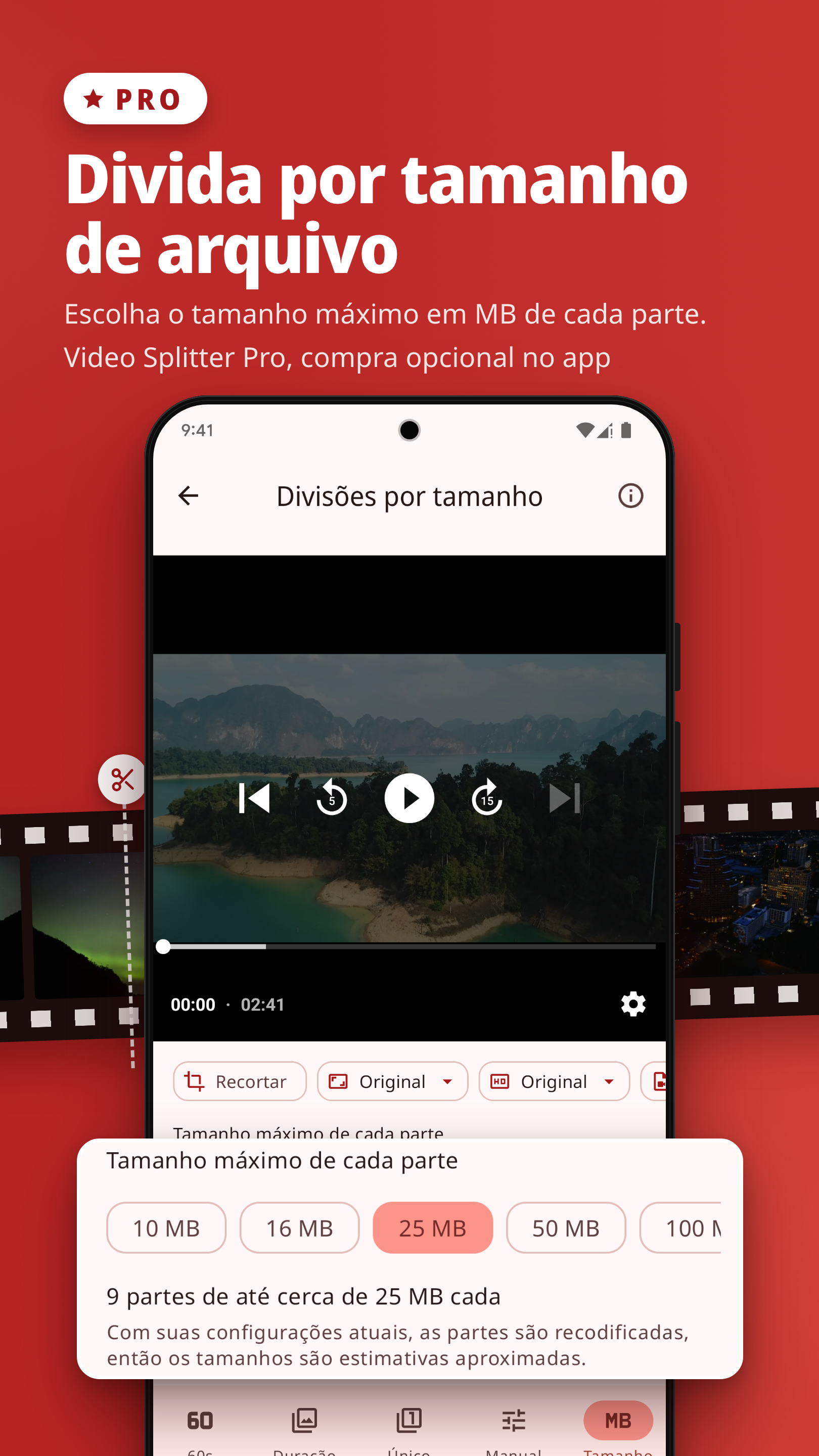
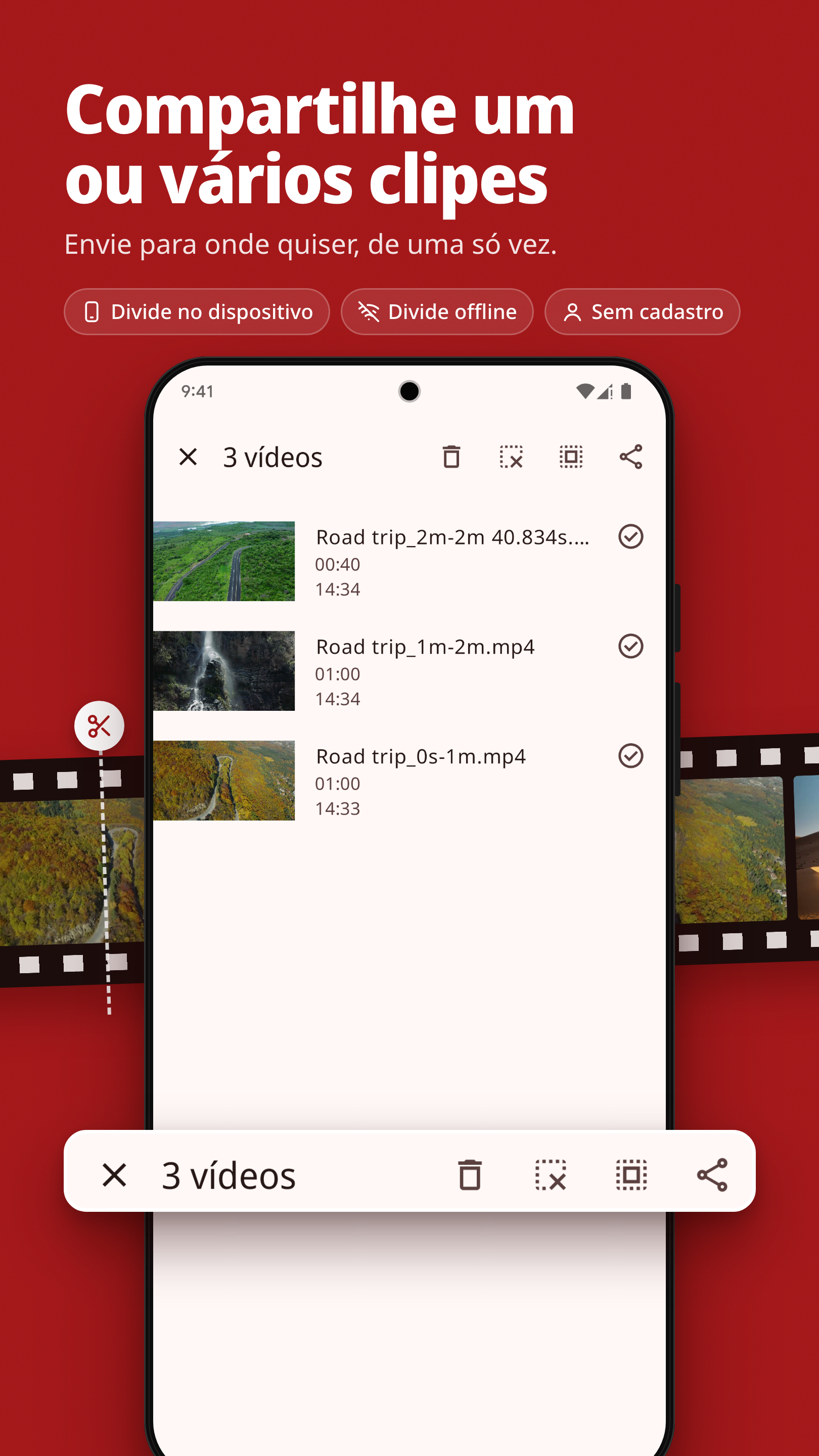
O Video Splitter corta vídeos longos em clipes curtos em segundos, prontos para postar no Status, nos Stories ou nos Reels, ou para enviar em conversas em grupo. Ótimo para o Status do WhatsApp, os Stories do Instagram e muito mais. QUATRO FORMAS DE DIVIDIR • Divisões de 60 segundos: corte automaticamente um vídeo longo em partes de um minuto. • Divisões por duração: escolha qualquer duração de clipe, de alguns segundos a vários minutos, e divida o vídeo inteiro em partes iguais. • Trecho único: defina um início e um fim para cortar só a melhor parte. • Divisões manuais: reproduza o vídeo e toque em "Cortar aqui" onde quiser um corte. Use "Desfazer" a qualquer momento. RECORTE E FORMATO • Recortar: mantenha só a parte da imagem que você quer. O app procura barras pretas e pode removê-las por você; se preferir, recorte manualmente. • Proporção: mude o formato das partes para 9:16, 4:5, 1:1, 4:3 ou 16:9. Uma cópia desfocada do vídeo preenche o espaço vazio. FEITO PARA VÍDEOS LONGOS • A divisão continua em segundo plano enquanto você usa outros apps, com o progresso em uma notificação. No Android 14, mantenha o app aberto: o Android permite isso apenas por cerca de três minutos depois do início da divisão. • Se o Android interromper uma divisão, termine as partes restantes na próxima vez que você abrir o app. • Exporte em até 4K ou mantenha a resolução original. • Escolha o H.264 para a compatibilidade mais ampla ou o H.265 (HEVC) para arquivos menores. • O modo rápido opcional recodifica o mínimo possível do vídeo (experimental). • Os clipes são salvos em Movies/Video Splitter e organizados por projeto na Biblioteca. • Selecione um ou vários clipes e compartilhe de uma só vez. • Temas claro e escuro. • As telas do app estão em inglês, alemão, árabe, espanhol (América Latina), francês, hindi, indonésio, marati, português (Brasil), turco e vietnamita. No Android 13 e versões mais recentes, você pode escolher o idioma do app nas Configurações, sem alterar o idioma do seu celular. A Política de Privacidade e os Termos e Condições estão em inglês. SEUS VÍDEOS FICAM NO SEU CELULAR • A divisão, a recodificação e o salvamento acontecem no seu dispositivo. Seus vídeos nunca são enviados para nenhum servidor. • A divisão funciona offline. Não é preciso se cadastrar. VIDEO SPLITTER PRO (COMPRA ÚNICA E OPCIONAL NO APP) As ferramentas acima não precisam do Pro. O Video Splitter Pro adiciona mais cinco: • Divida vários vídeos em sequência, sem esperar cada um terminar. • Divida vídeos em partes por tamanho de arquivo em MB. • Percorra os vídeos quadro a quadro e corte em instantes exatos. • Remova as partes que você não quer e salve o restante como um único vídeo. • Abra vídeos direto do menu de compartilhamento de outros apps. O preço aparece no app antes de você comprar. Compra única. Não é uma assinatura. O pagamento é processado pelo Google Play e precisa de conexão com a internet. O Video Splitter é feito pela Mikasa Labs LLC. Política de Privacidade: https://mikasa-labs.com/VideoSplitter/privacy.html Termos e Condições: https://mikasa-labs.com/VideoSplitter/terms.html WhatsApp e Instagram são marcas comerciais de seus respectivos proprietários. O Video Splitter não é afiliado a eles nem endossado por eles.
Atualização de Video Splitter 3.11.1
Screens now slide in and out, and the back gesture follows your finger the same way the back button animates. Lists scroll edge to edge behind the bars, and the custom size field stays above the keyboard. Also: Back now leaves selection in the library first, and the About screen shows Mikasa Labs LLC.
Screens now slide in and out, and the back gesture follows your finger the same way the back button animates. Lists scroll edge to edge behind the bars, and the custom size field stays above the keyboard. Also: Back now leaves selection in the library first, and the About screen shows Mikasa Labs LLC.
Screens now slide in and out, and the back gesture follows your finger the same way the back button animates. Lists scroll edge to edge behind the bars, and the custom size field stays above the keyboard. Also: Back now leaves selection in the library first, and the About screen shows Mikasa Labs LLC.
New: crop videos, with automatic black-bar detection (free). Change the aspect ratio to 9:16, 4:5, 1:1, 4:3 or 16:9, with a blurred copy of the video filling the empty space (free). Save as one video: remove the parts you don't want from a manual split and save the rest as one video (Pro). The app is now also in Spanish, French, German, Arabic, Turkish and Vietnamese. On Android 13 and later, choose the app's language in Settings. Also: a cleaner crop editor, clock times, right-to-left fixes.
New: crop videos, with automatic black-bar detection (free). Change the aspect ratio to 9:16, 4:5, 1:1, 4:3 or 16:9, with a blurred copy of the video filling the empty space (free). Save as one video: remove the parts you don't want from a manual split and save the rest as one video (Pro). The app is now also in Spanish, French, German, Arabic, Turkish and Vietnamese. On Android 13 and later, choose the app's language in Settings. Also: a cleaner crop editor, clock times, right-to-left fixes.
New: Video Splitter Pro, an optional one-time in-app purchase. It adds a split queue for several videos, split by file size in MB, frame-by-frame cuts, and opening videos from the share menu of other apps. The price is shown in the app before you buy; payment is handled by Google Play. Existing features are unchanged in this update. Also: videos shared from browsers and messaging apps open correctly; Brazilian Portuguese added; updated Terms and Privacy Policy, effective October 17, 2026.
New: Video Splitter Pro, an optional one-time in-app purchase. It adds a split queue for several videos, split by file size in MB, frame-by-frame cuts, and opening videos from the share menu of other apps. The price is shown in the app before you buy; payment is handled by Google Play. Existing features are unchanged in this update. Also: videos shared from browsers and messaging apps open correctly; Brazilian Portuguese added; updated Terms and Privacy Policy, effective October 17, 2026.
New: Video Splitter Pro, an optional one-time in-app purchase. It adds a split queue for several videos, split by file size in MB, frame-by-frame cuts, and opening videos from the share menu of other apps. The price is shown in the app before you buy; payment is handled by Google Play. Existing features are unchanged in this update. Also: videos shared from browsers and messaging apps open correctly; Brazilian Portuguese added; updated Terms and Privacy Policy, effective October 17, 2026.
APKFab.com e o link para download deste app são 100% seguros. Todos os links para download de apps listados em APKFab.com são da Google Play Store ou enviados por usuários. Para o app da Google Play Store, APKFab.com não o modificará de nenhuma forma. Para o app enviado pelos usuários, APKFab.com verificará a segurança da assinatura do APK antes de lançá-lo em nosso site.