wifi panorama camera guide (Package Name: com.m9ddev.appguide.wifipanoramacamera) is developed by MAHRAN and the latest version of wifi panorama camera app guide 2.0.0 was updated on November 11, 2026. wifi panorama camera app guide is in the category of Tools. You can check all apps from the developer of wifi panorama camera app guide. Currently this app is for free. This app can be downloaded on Android 7.0+ on APKFab or Google Play. All APK/XAPK files on APKFab.com are original and 100% safe with fast download.
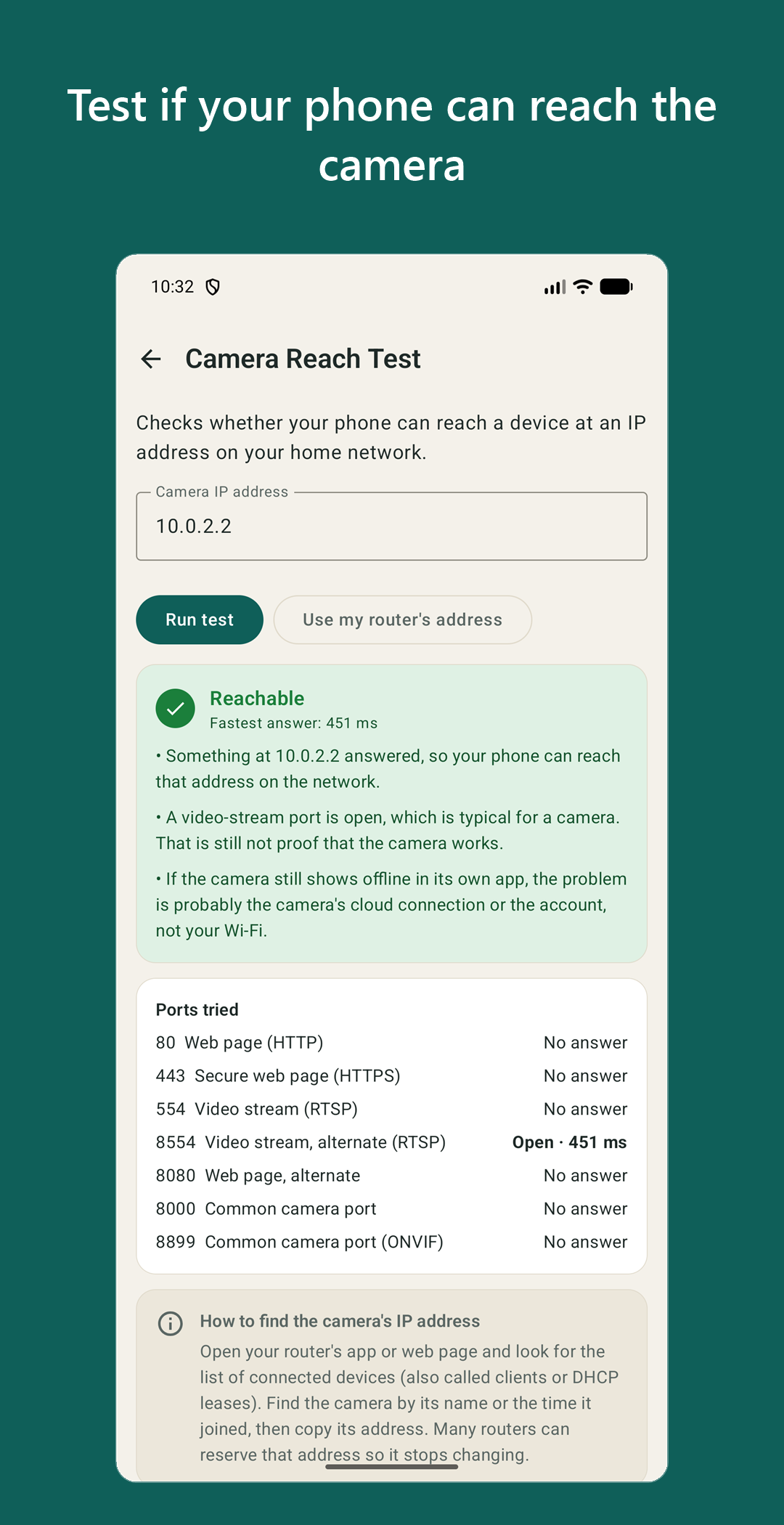
Wifi panorama camera app guide with tools: find out why your wifi panorama camera or Wi-Fi bulb camera is offline, stuck while pairing, or not scanning the QR code. This free wifi panorama camera app tests the part you can actually check, your phone and your home network, and walks you through the fix. TOOLS THAT WORK WITH ANY WIFI CAMERA APP, EVEN WITHOUT OWNING THE CAMERA • Connection check (why is my camera offline?): reads your phone's Wi-Fi state. Wi-Fi on, connected band (2.4 GHz or 5 GHz), signal strength, mobile data fallback, VPN, Battery Saver and Private DNS. Every problem comes with the exact fix and a button to the right Android setting. • Band & signal meter: live signal strength in dBm, link speed, channel and a trend. Walk to the spot where the camera will hang before you install it. An optional nearby-networks list shows crowded 2.4 GHz channels. • Camera reach test: type the camera's IP address, or use your router's, and see whether your phone can reach it on your home network, with response times. Only home-network addresses are allowed. • QR setup helper: scan the QR code on the camera, its sticker or its manual and see what it contains, including where a link goes, before you open anything. Includes a checklist for a camera that will not scan a QR code. • Setup wizard: seven steps from choosing the spot to securing the camera. Your progress is saved on your phone. • Fix finder: pick a symptom (offline, QR not scanning, no motion alerts, night vision, SD card, new router or password, reset) and get short numbered steps plus the check to run. • SD & recording calculator: how many hours or days a microSD card holds at your resolution and bitrate, with the formula shown. • Guide: eight short, original articles. What a bulb camera is, E27 and E26 socket and power safety, QR code or hotspot pairing, router basics (2.4 GHz, WPA2), microSD cards, motion alerts, reset, and privacy. WHO IT IS FOR Owners of a wifi panorama camera, Wi-Fi light bulb cameras (E27 or E26 socket), panoramic and 360 degree home cameras and other low-cost Wi-Fi cameras that are set up with a bulb camera app or another phone app. GOOD TO KNOW • This is not a wifi camera viewer. It does not show your camera's picture and cannot control the camera. Live video, settings and alerts stay in the camera maker's own app. • The tools test your phone and your network. A clean result does not prove the camera itself works. • Independent app. Not affiliated with, endorsed by or sponsored by any camera maker. • No account and no sign-up. The app interface is in English. PERMISSIONS, EXPLAINED BEFORE YOU ARE ASKED • Camera: only on the QR helper screen, to read a code. Pictures are analysed on the phone and never saved or sent. • Nearby devices (or Location on older Android): only if you open the optional nearby-networks list. The app does not use your location. • Internet and network state: for network checks, for the reach test (a plain connection attempt to the address you type) and for ads. Start with the connection check. If it passes, open the signal meter at the spot where the camera will hang.
APKFab.com and the download link of this app are 100% safe. All download links of apps listed on APKFab.com are from Google Play Store or submitted by users. For the app from Google Play Store, APKFab.com won't modify it in any way. For the app submitted by users, APKFab.com will verify its APK signature safety before release it on our website.