Thortspace: 3D Mind Mapping

7.9 5

v1.6.953.2 von Gooisoft Limited

Thortspace: 3D Mind Mapping APK Herunterladen Thortspace: 3D Mind Mapping APK Herunterladen

Bewertung der Redaktion

Thortspace builds a 3D space-map of your thoughts.The 3-D linkages generated by Thortspace spheres facilitated both new insights and new lines of data management, and – almost magically.Thortspace is an invaluable aid to brainstorming prediction.

Über Thortspace

Thortspace (Paketname: thortspace.thortspace) wird von Gooisoft Limited entwickelt und die neueste Version von Thortspace: 3D Mind Mapping 1.6.953.2 wurde am 8. November 2026 aktualisiert. Thortspace: 3D Mind Mapping liegt in der Kategorie von Effizienz. Sie können alle Apps von dem Entwickler der Thortspace: 3D Mind Mapping durchsuchen und 148 alternative Apps zu Thortspace: 3D Mind Mapping auf Android finden. Derzeit ist diese APP kostenlos. Diese App kann auf Android 6.0+ auf APKFab oder Google Play heruntergeladen werden. Alle APK/XAPK Dateien auf APKFab.com sind original und 100% sicher, schnell herunterzuladen.
Thortspace verwandelt verworrenes Denken in Klarheit.
Erfassen Sie alles, was Sie über ein schwieriges Problem wissen – jede Idee, jeden Konflikt, jede offene Frage – und ordnen Sie es dann an, gruppieren und verbinden Sie es, bis die Lösung sichtbar wird. Allein oder gemeinsam mit Ihrem Team in Echtzeit.
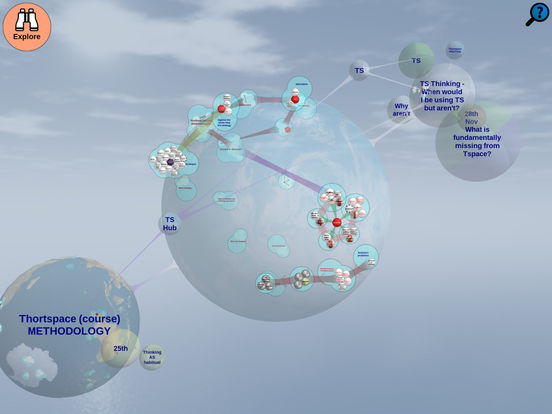
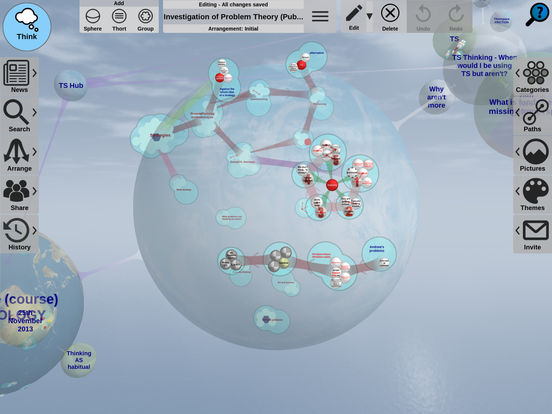
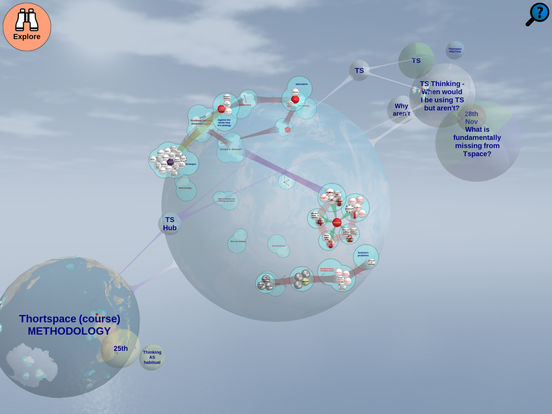
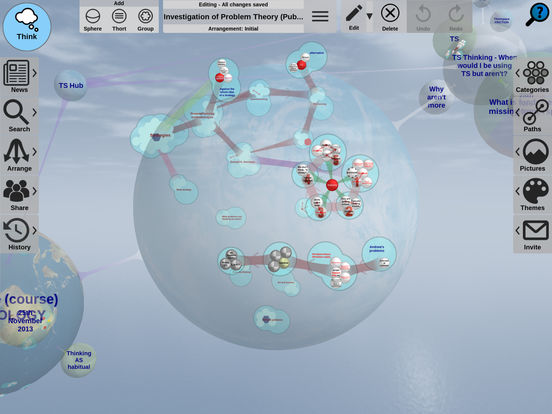
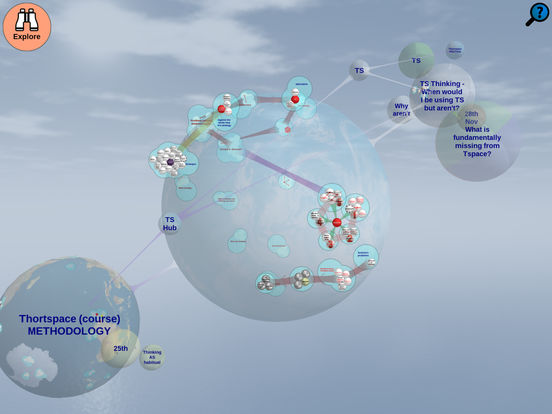
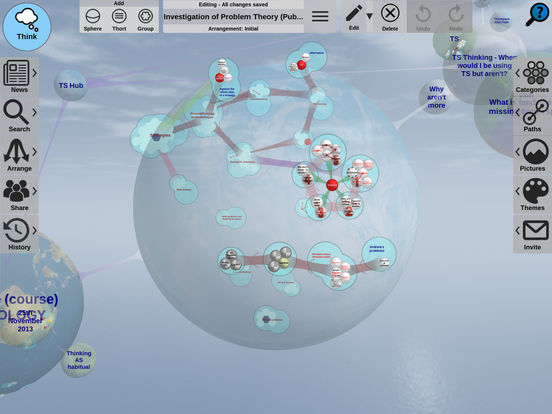
Diese Mindmap basiert auf der Funktionsweise des Denkens. Anstelle eines flachen Baums oder Diagramms auf Papier befinden sich Ihre Ideen auf der Oberfläche von Kugeln, die Sie drehen, erkunden und neu anordnen können – ein visueller Denkraum, in dem Sie sich nicht auf eine Hierarchie festlegen müssen, bevor Sie das Problem verstanden haben.
WAS ES BESONDERS MACHT
* Ideen (genannt „Thorts“) befinden sich auf den Oberflächen einer oder mehrerer Kugeln und werden in 3D dargestellt.
* Gruppierung nach Nähe und expliziter Verbindung – die Position ist bedeutungstragend.
* Pfade verbinden alles mit allem: Thort mit Thort, Thort mit Gruppe, Gruppe mit Gruppe, Kugel mit Kugel.
* Speichern Sie verschiedene Anordnungen derselben Ideen und wechseln Sie zwischen ihnen.
* „Reisen“ zeichnen eine Abfolge von Perspektiven auf und verwandeln eine fertige Karte in eine Präsentation.
* Zusammenarbeit in Echtzeit – gemeinsam denken, von überall, auf derselben Kugel.
FUNKTIONEN
* Online und offline nutzbar
* Gemeinsame Bearbeitung in Echtzeit
* Dieselbe Benutzeroberfläche und dieselben Daten auf allen gängigen Plattformen und Geräten
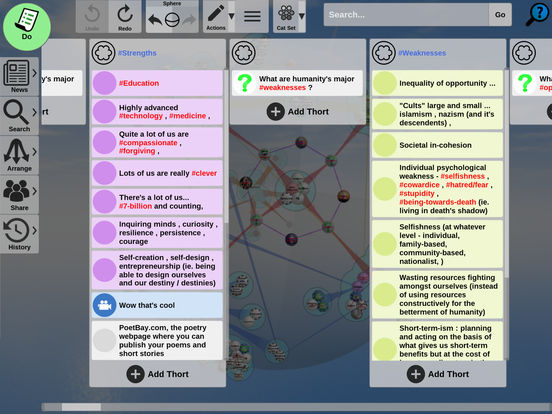
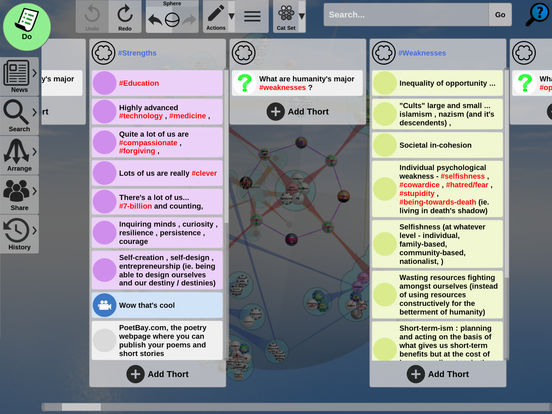
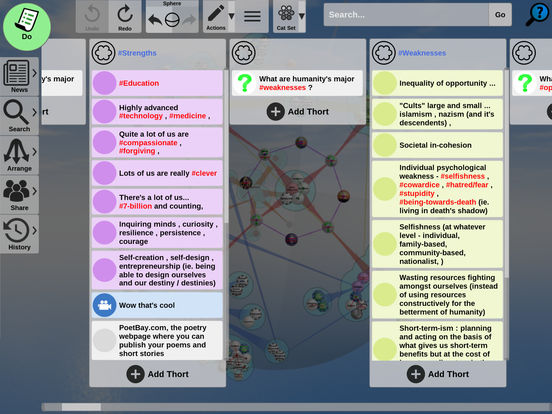
* Thorts enthalten Notizen, Bilder und Links und können in mehreren Kategorien gleichzeitig farblich gekennzeichnet werden.
* Teilen per E-Mail, privatem Link oder mit einem Klick im Web veröffentlichen.
* Ein Newsfeed verfolgt Ihre eigenen und die Beiträge anderer Nutzer auf den gemeinsamen Kugeln.
WER NUTZT ES? FÜR
Brainstorming und Whiteboard-Sitzungen, Problemlösung, Concept Mapping, Recherche, Lernen und Überarbeiten, Erstellen von Gliederungen und Essayplanung, Strategieentwicklung, Teamarbeit, Retrospektiven – und das Durchdenken komplexer Sachverhalte bis zum Ende.
Thortspace ist für experimentelles, multiperspektivisches Denken konzipiert; für die Erstellung wiederverwendbarer Denkbausteine; für Synthese ebenso wie für Analyse; und für den Weg, nicht nur für das Ziel.
Thortspace ist urheberrechtlich geschützt © Gooisoft Ltd 2008–2026 und durch Patente in Großbritannien, den USA, Kanada und Hongkong: GB2494520, US9684426, CA2847602 und HK1183135.
Alles ist möglich. #Real_Intelligence

Thortspace 1.6.953.2 Update

• New to Thortspace? The AI helper now starts with you on your very first visit.
• After you close a tip, the next one waits a while instead of following straight away.
• The AI waits until you have written something of your own before it makes suggestions.
Mehr lesen
Thortspace Besonderheiten
Ähnliche Videos
Frühere Versionen Mehr
Thortspace: 3D Mind Mapping
Thortspace: 3D Mind Mapping 1.6.953.2 APK
8. November 2026 78.81 MB

Requires Android: Android 6.0+

Architecture: arm64-v8a, armeabi-v7a, x86, x86_64

Screen DPI: nodpi

SHA1: da94d777feabf5bf46d3dd09ffca063f9be4db60

Size: 78.81 MB

What's New:

• New to Thortspace? The AI helper now starts with you on your very first visit.
• After you close a tip, the next one waits a while instead of following straight away.
• The AI waits until you have written something of your own before it makes suggestions.
Thortspace: 3D Mind Mapping
Thortspace: 3D Mind Mapping 1.6.952.2 APK
3. November 2026 78.88 MB

Requires Android: Android 6.0+

Architecture: arm64-v8a, armeabi-v7a, x86, x86_64

Screen DPI: nodpi

SHA1: cc71eed978d5c9bbfc25370d5cbf956313f6b1d1

Size: 78.88 MB

What's New:

• Public journeys can be read aloud: the Voice button is under the Next arrow. Steps that lift a Thort lift it to the same place every time.
• Zoomed out among linked spheres: smoother on phones, and a drag anywhere turns the network.
• Touching a sphere highlights it and its links; other links are fainter.
• Editing a Thort while zoomed in close lifts it in front of you, without zooming out.
• A sphere that could not be saved to the cloud now says so until you answer.
Thortspace: 3D Mind Mapping
Thortspace: 3D Mind Mapping 1.6.944.2 APK
18. Oktober 2026 78.36 MB

Requires Android: Android 6.0+

Architecture: arm64-v8a, armeabi-v7a, x86, x86_64

Screen DPI: nodpi

SHA1: d8bd1d090f561fc4c9da3ebfc2be1fc43e0e6423

Size: 78.36 MB

What's New:

• Do mode: the + that adds a card sits at the right of the selected column's name, leaving room for more cards.
• A sideways drag on a column slides the board.
• A Thort dragged into a group stays under your finger instead of jumping to the middle of the group.
• New lessons show how to drag Thorts and groups and how to link spheres together.
• The AI knows more of the less obvious gestures.
Thortspace: 3D Mind Mapping
Thortspace: 3D Mind Mapping 1.6.942.2 APK
13. Oktober 2026 78.08 MB

Requires Android: Android 6.0+

Architecture: arm64-v8a, armeabi-v7a, x86, x86_64

Screen DPI: nodpi

SHA1: a0777ac946ea466815d631ee367b71d18bb164c3

Size: 78.08 MB

What's New:

• Turning your phone now always shows Thortspace the right way up. Before, it could get stuck showing landscape when held upright, and vice versa.
• Editing a thort in landscape: it rises smoothly into the space above the keyboard, at a size that fits.
• Do mode: the card you are editing stays above the keyboard, its text shows in full afterwards, and the columns reach the dots below.
• Present mode: tapping a thort's text reminds you thorts can't be edited there, and points to Think mode.
Mehr Information

Paketnamen:

thortspace.thortspace

Verfügbar bei:

Effizienz Apps

Aktualisierungsdatum:

Letzte Version:

1.6.953.2

Erwerben:

Google Play

Anforderungen:

Android 6.0+