WiFi Monitor: network analyzer

9.1 3K+

v3.1.1 by Alexander Kozyukov
WiFi Monitor: network analyzer XAPK download WiFi Monitor: network analyzer XAPK download

Editor's Review

WiFi Monitor is a powerful tool that allows you to analyze the state of Wi-Fi networks and gather data about its parameters (signal strength, frequency, connection speed, etc). Useful for setting up a router and checking devices connected to WLAN.

About WiFi Monitor

WiFi Monitor (Package Name: com.signalmonitoring.wifimonitoring) is developed by Alexander Kozyukov and the latest version of WiFi Monitor: network analyzer 3.1.1 was updated on October 27, 2026. WiFi Monitor: network analyzer is in the category of Tools with the feature Network Monitoring. You can check all apps from the developer of WiFi Monitor: network analyzer and find 200 alternative apps to WiFi Monitor: network analyzer on Android. Currently this app is for free. This app can be downloaded on Android 10.0+ on APKFab or Google Play. All APK/XAPK files on APKFab.com are original and 100% safe with fast download.
WiFi Monitor is a powerful Wi-Fi analyzer and network monitor that helps you check the state of wireless networks and track every important parameter: signal strength, frequency, channel, connection speed and more. It is the essential tool for setting up a router, improving Wi-Fi coverage and monitoring the devices connected to your WLAN.
Whether you want to find the best Wi-Fi channel, measure signal strength (RSSI) in dBm, track Wi-Fi receive and transmit speed over time or scan for unknown devices on your network, WiFi Monitor gives you clear graphs and detailed information in a single app.
Key features:
• Detailed info about your current WiFi connection
• Wi-Fi analyzer with real-time signal strength graphs
• Channel spectrum graphs for the 2.4 GHz, 5 GHz and 6 GHz bands
• Network scanner to discover connected devices
• Router and vendor detection by MAC address (OUI)
• Ping and latency test to the gateway and internet hosts
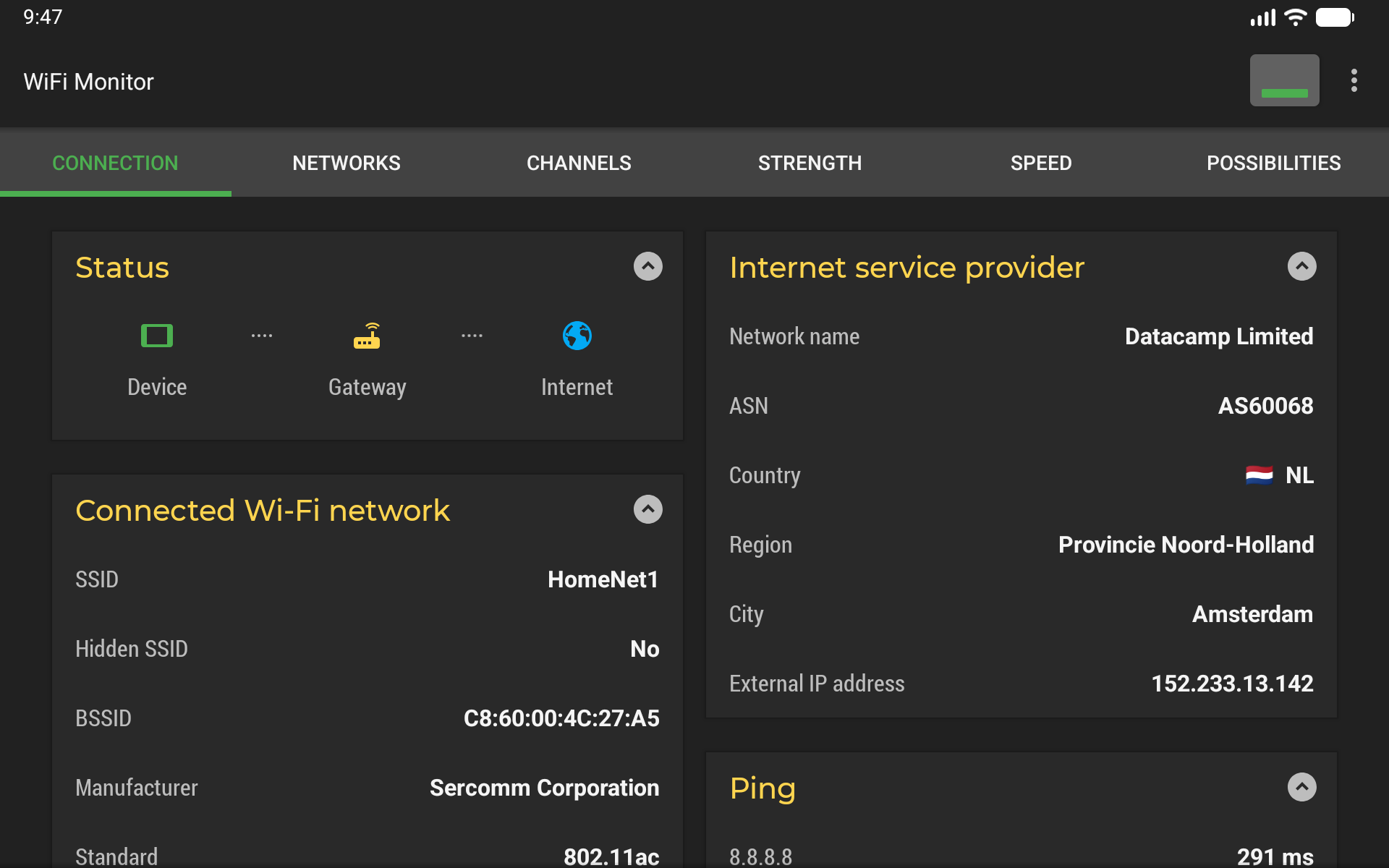
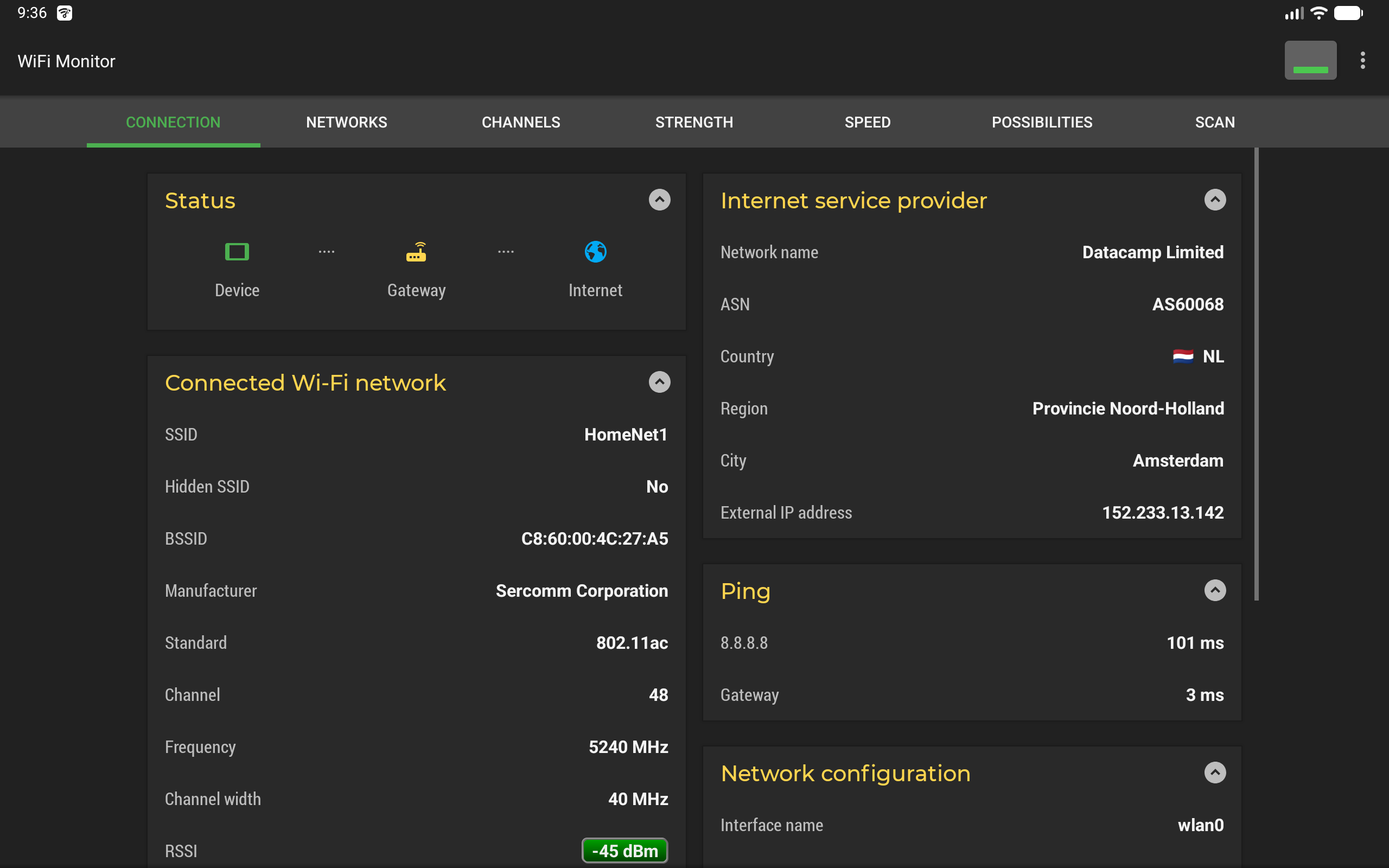
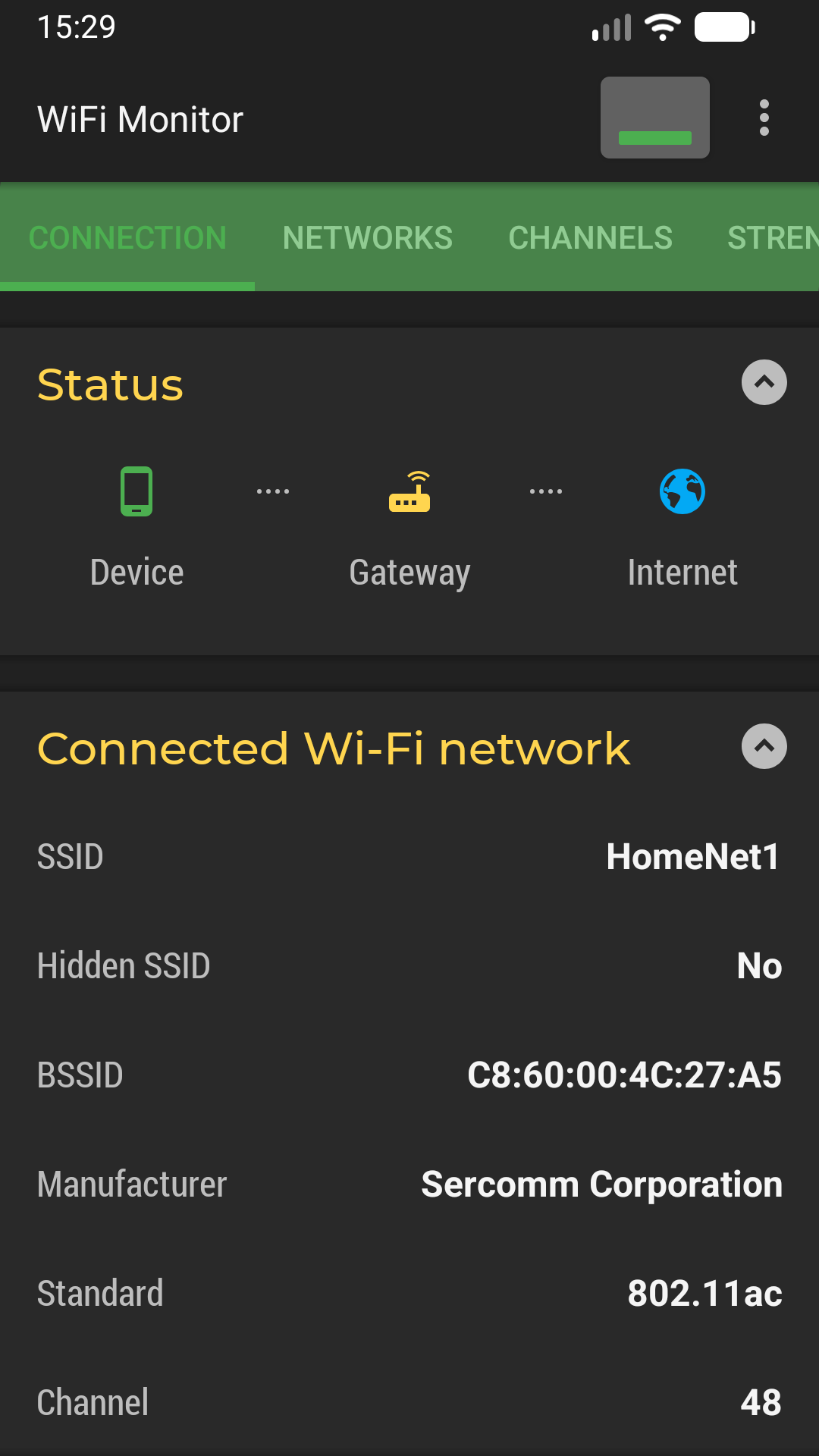
"Connection" tab shows information about the connected WiFi hotspot:
• name (SSID) and identifier (BSSID)
• router manufacturer (vendor)
• connection speed
• signal strength (RSSI)
• frequency, channel number, channel width and Wi-Fi standard
• security options (WPA, WPA2, WPA3)
• ping and latency to the gateway and the internet
• internet provider info: network name, description, ASN, country, region and city when available
• IP address of your device
• subnet mask, default gateway and DNS address
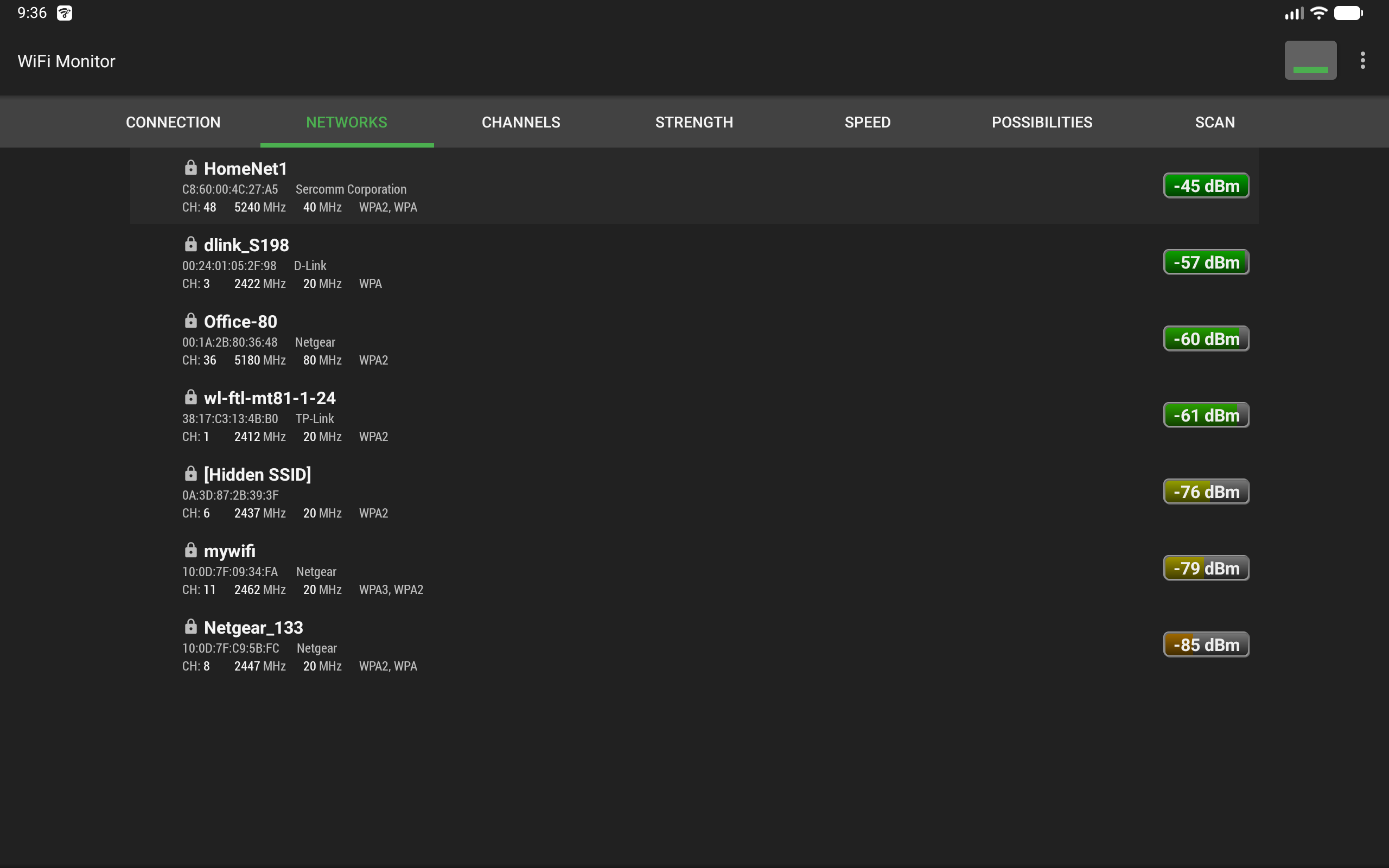
"Networks" tab lets you analyze all available Wi-Fi networks by type, equipment manufacturer, signal level and security protocol. Access points with the same name (SSID) are grouped together, and the list can be filtered by name, band or security and sorted by strength, name or channel.
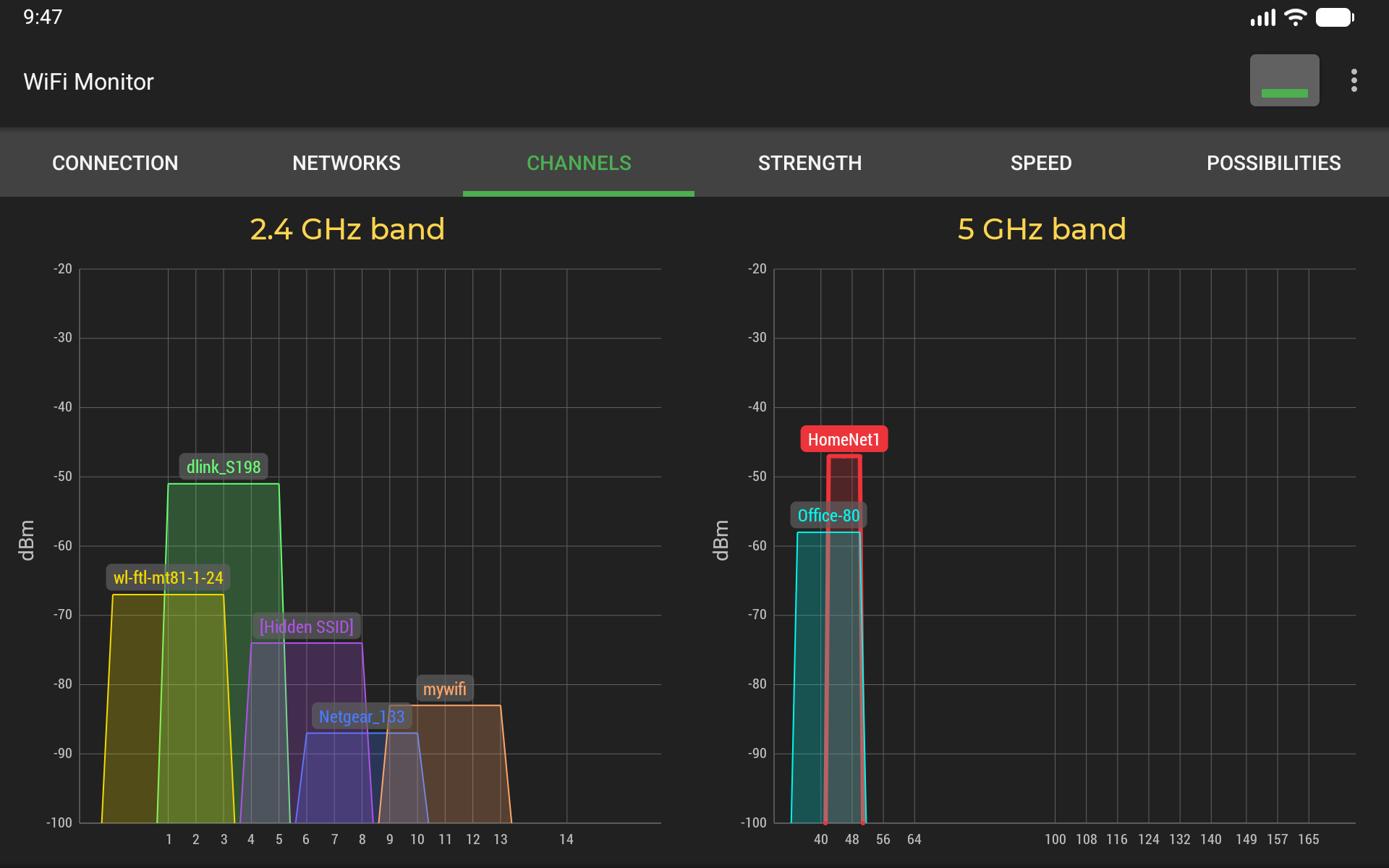
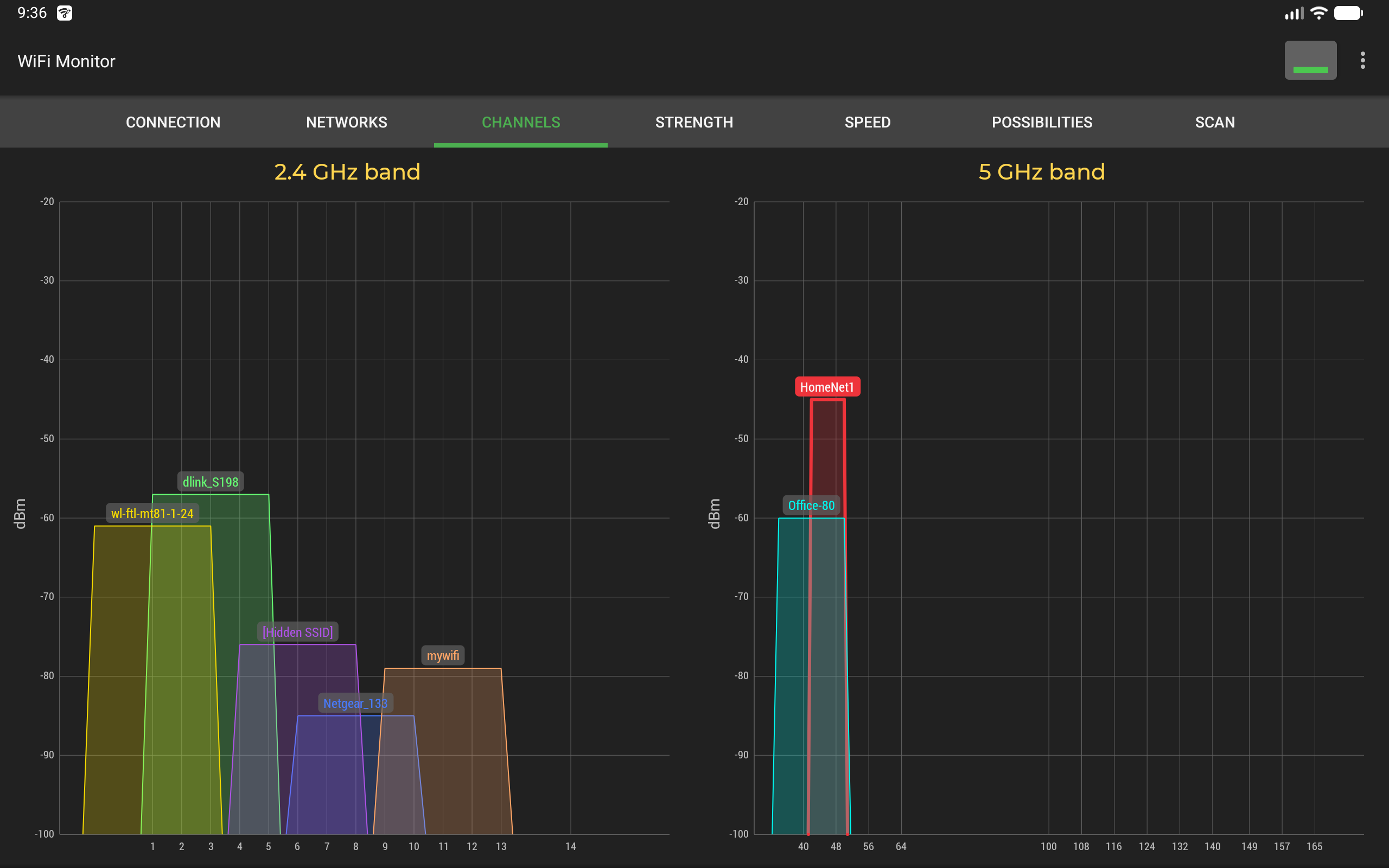
"Channels" tab displays how available access points are spread across channels in the 2.4 GHz, 5 GHz and 6 GHz bands. Routers using the same or overlapping frequencies reduce Wi-Fi quality, so choosing a free channel is the key to a fast and stable wireless connection.
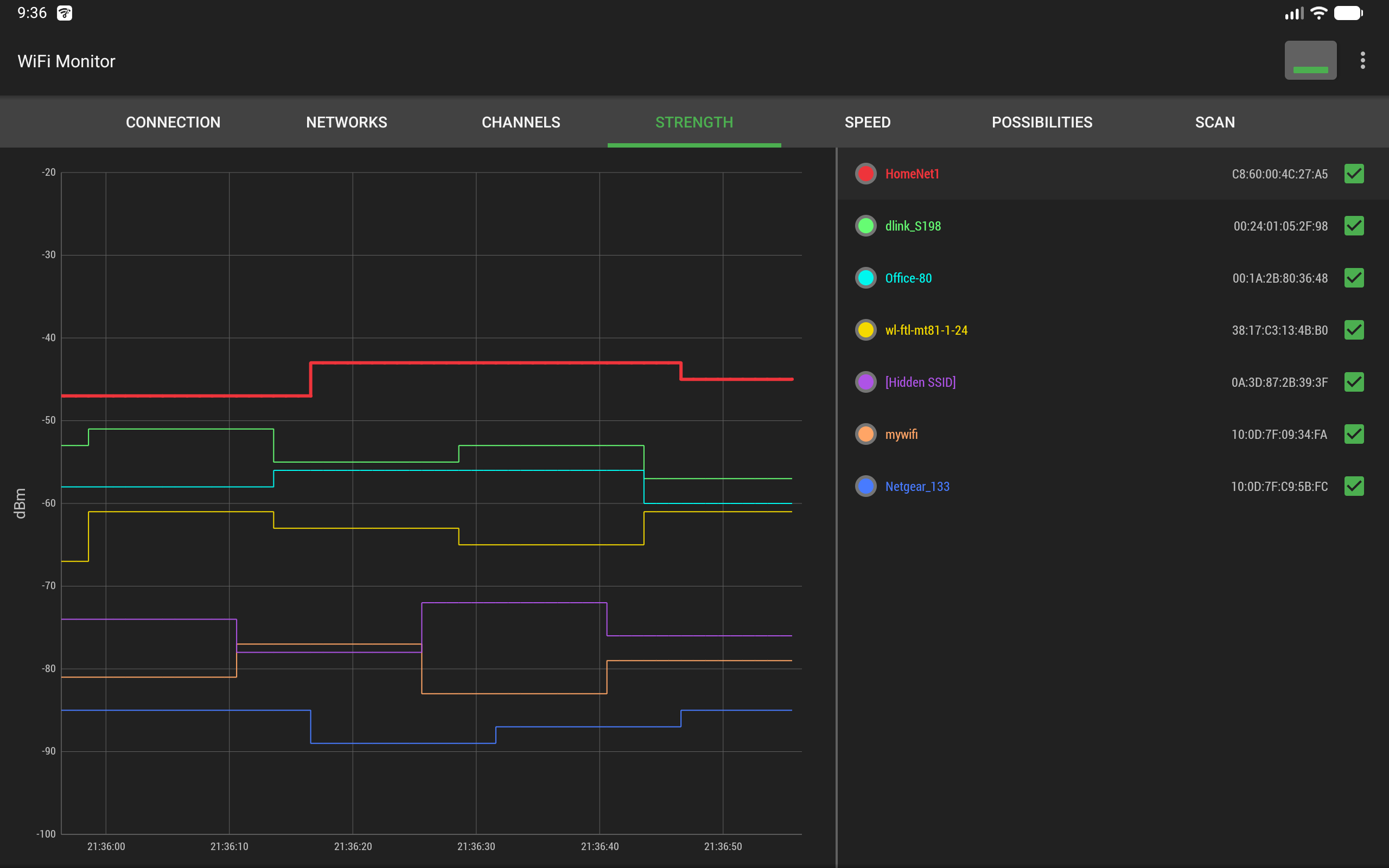
"Strength" chart compares the received power levels (RSSI) of nearby Wi-Fi hotspots and tracks their dynamics over time. The higher the router signal strength, the better the quality of your wireless connection.
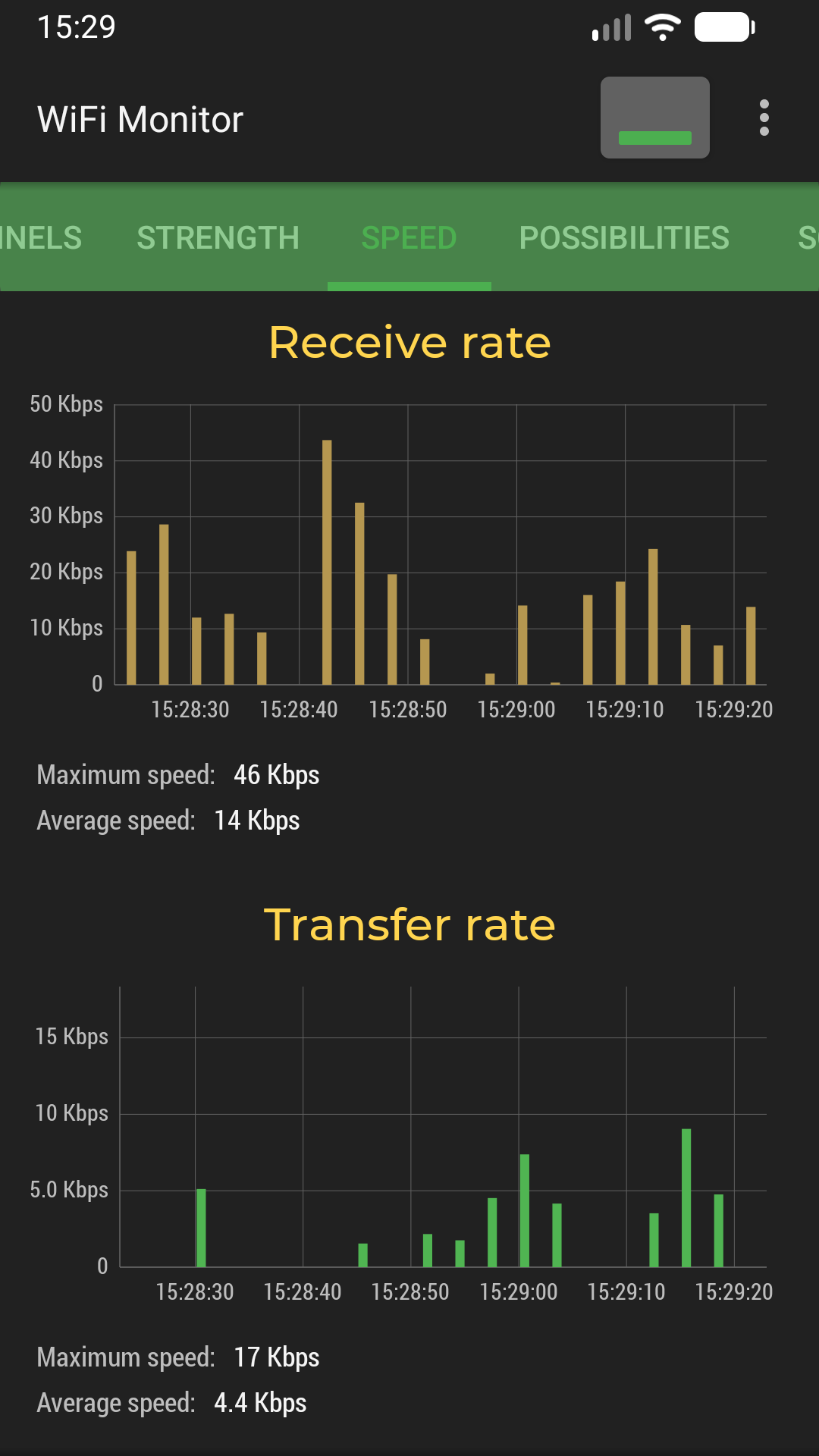
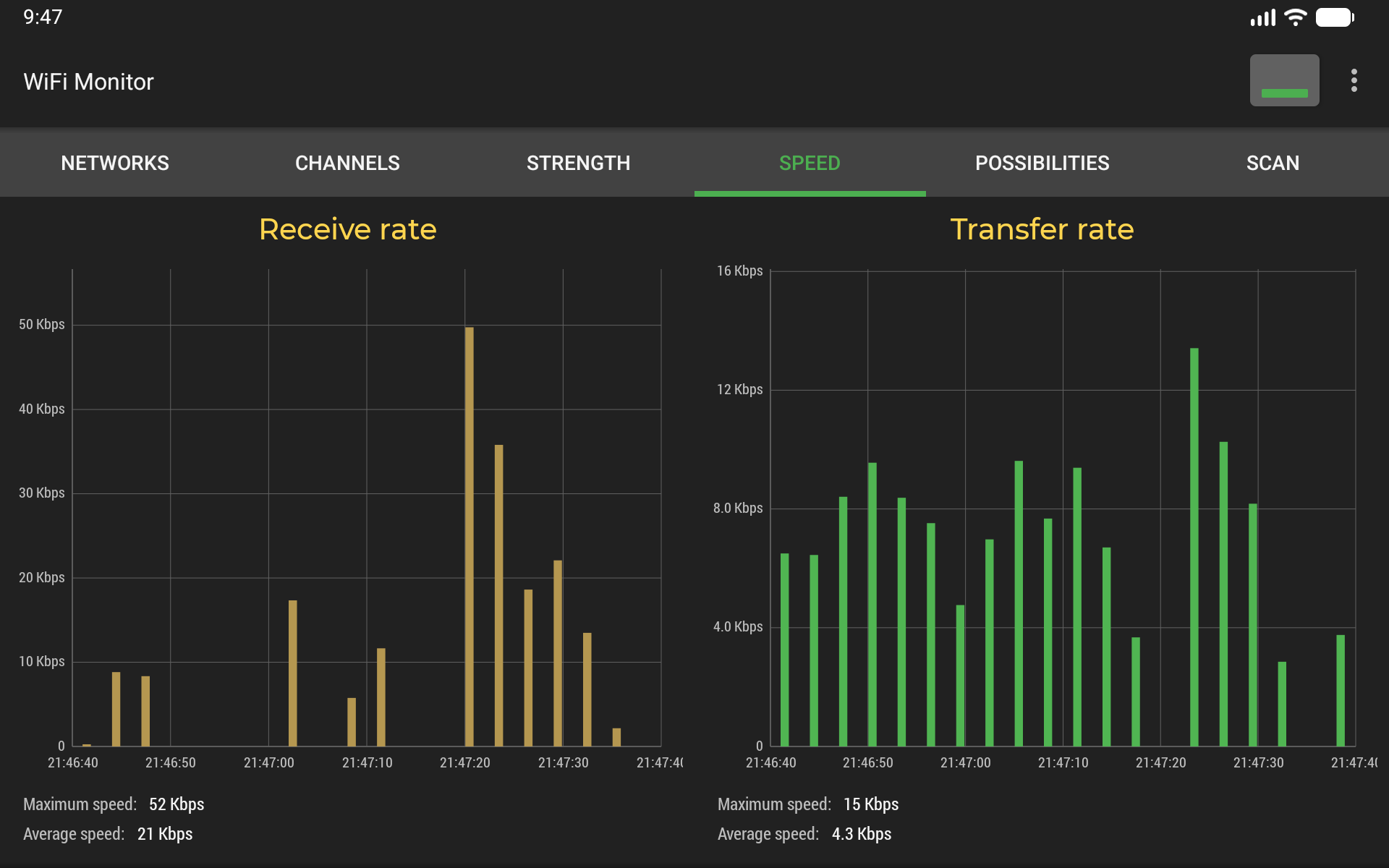
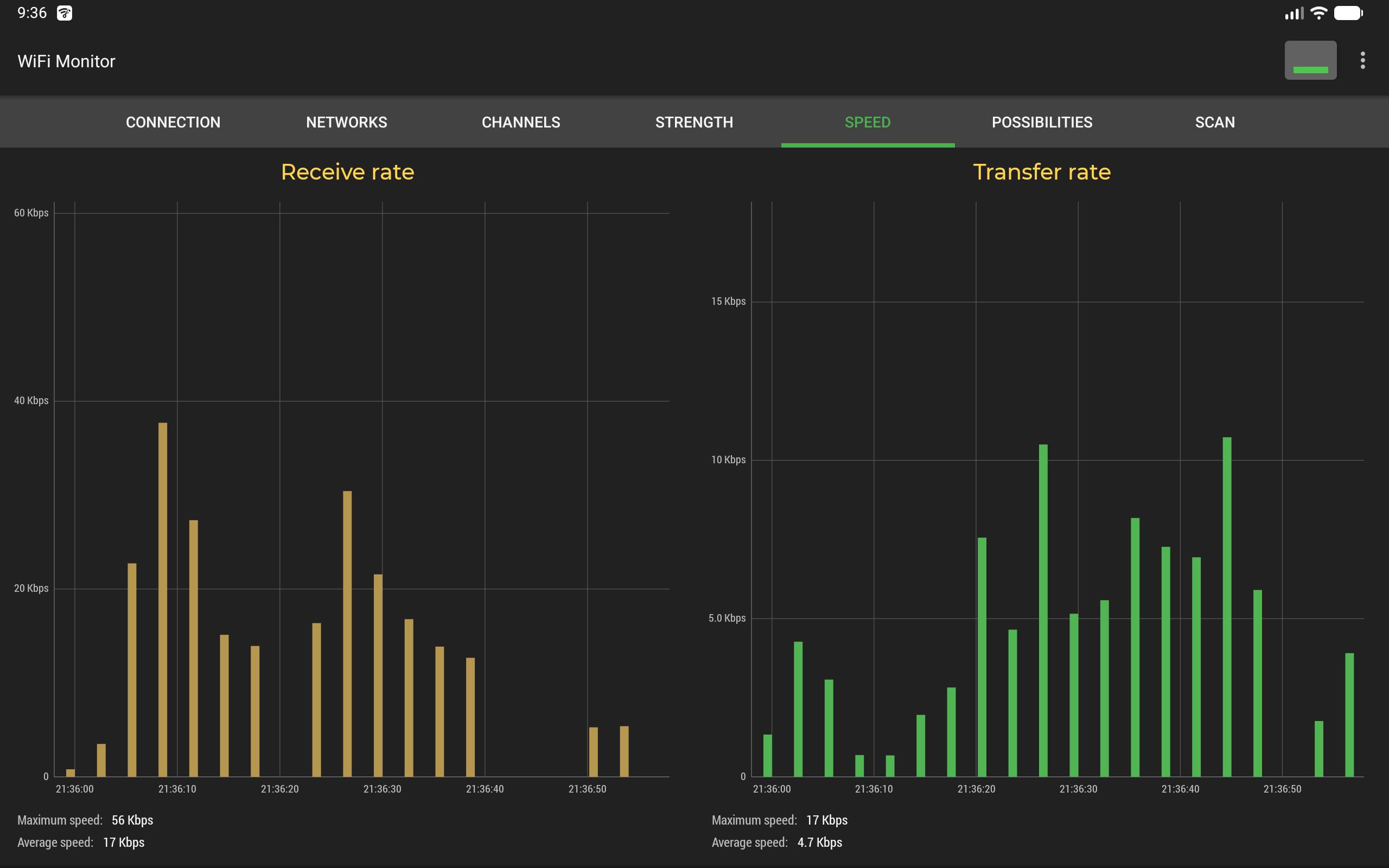
"Speed" chart displays the real amount of transmitted and received data in the connected network, including average and maximum upload and download speed, so you can analyze your traffic and hotspot performance.
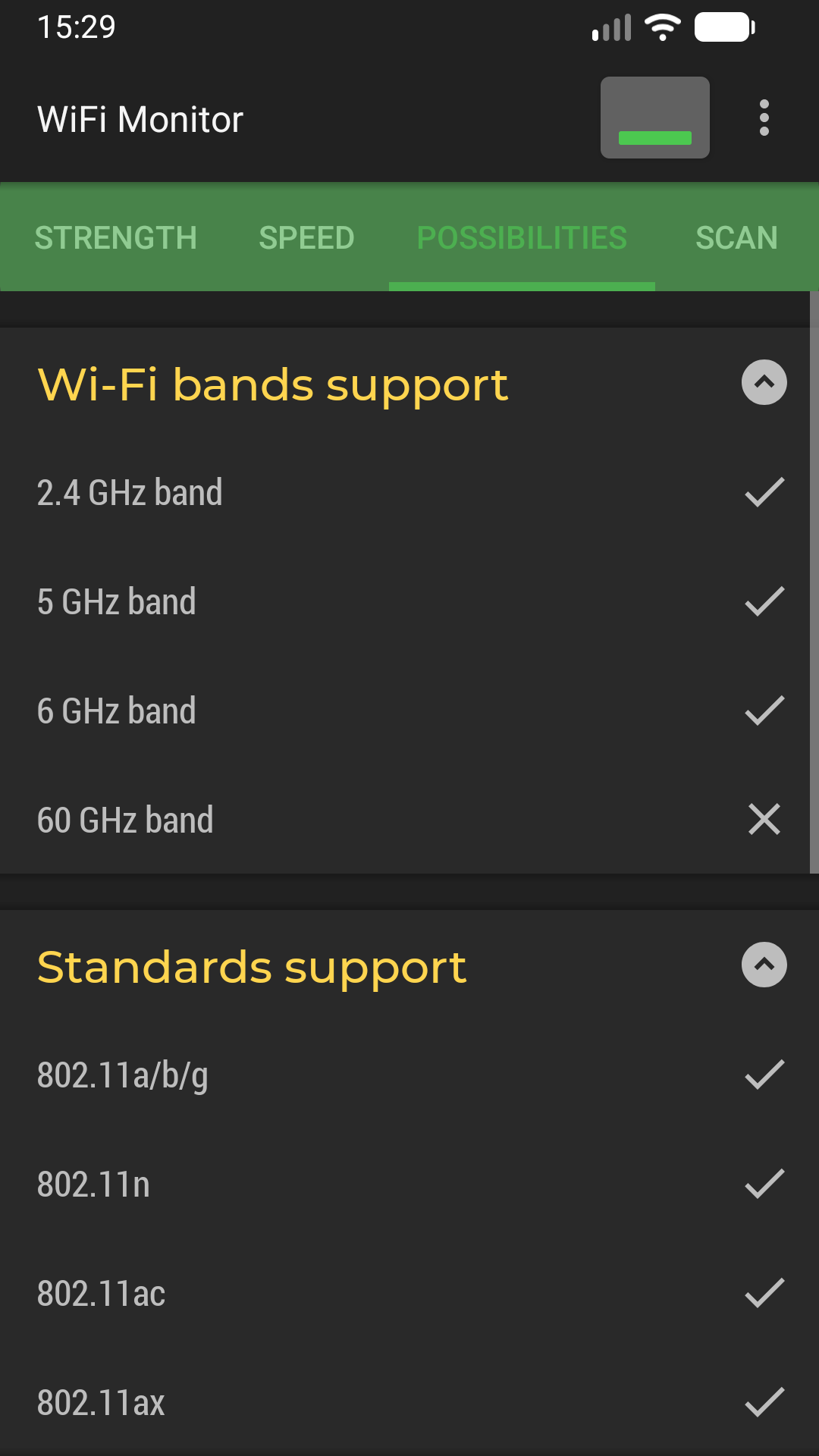
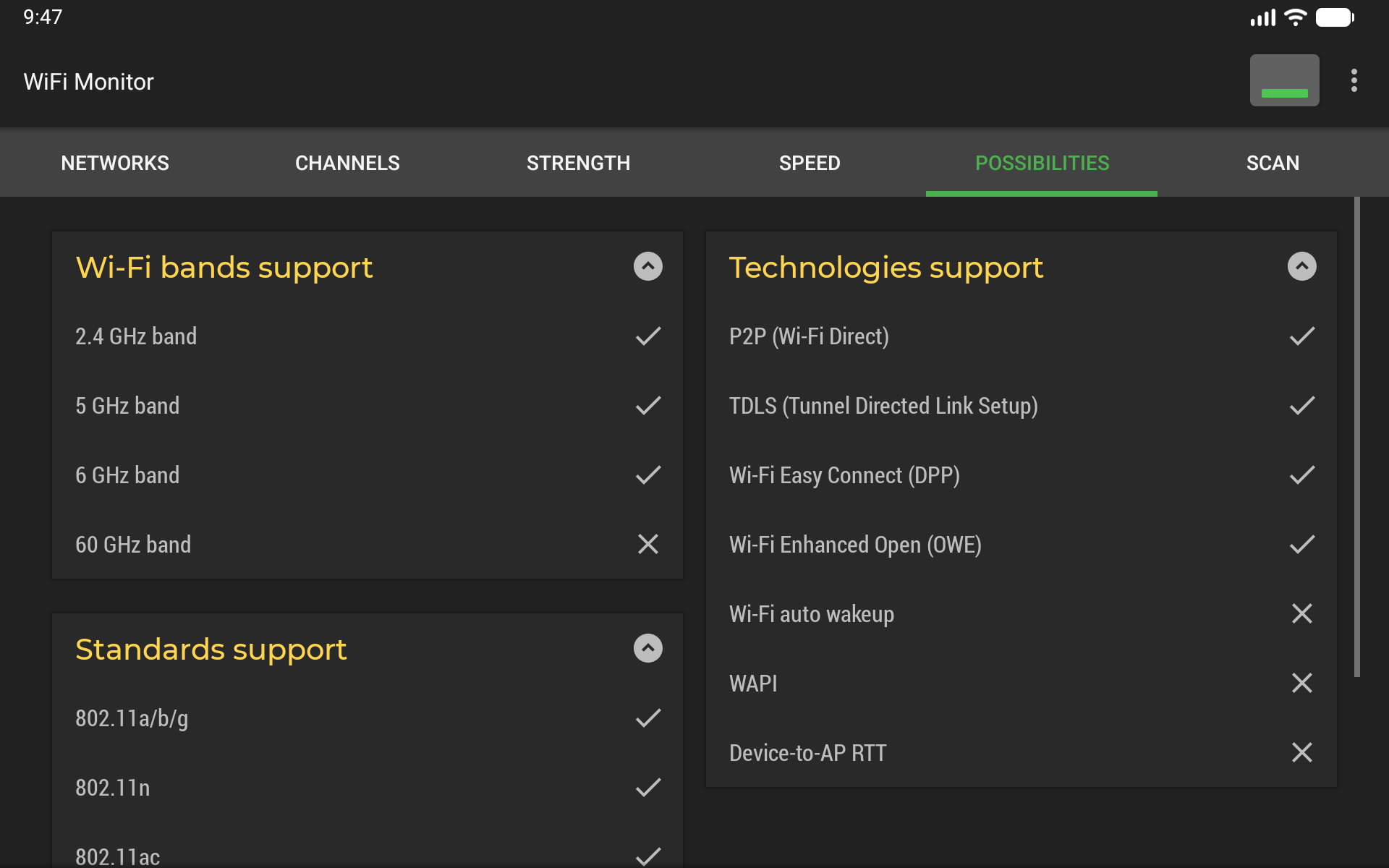
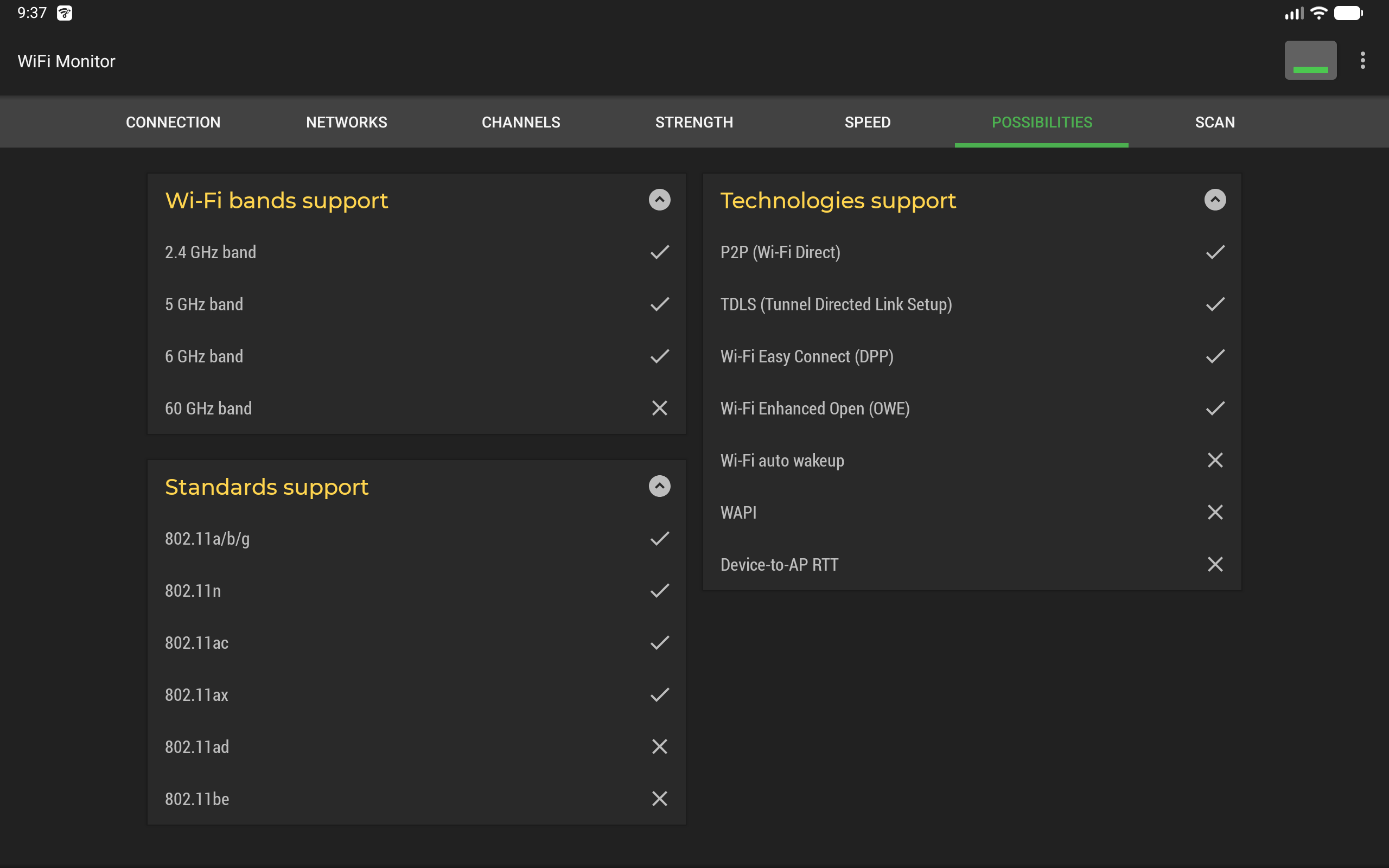
"Capabilities" tab shows the WiFi standards (802.11n/ac/ax and more), frequency bands and technologies (P2P, TDLS, RTT) supported by your device.
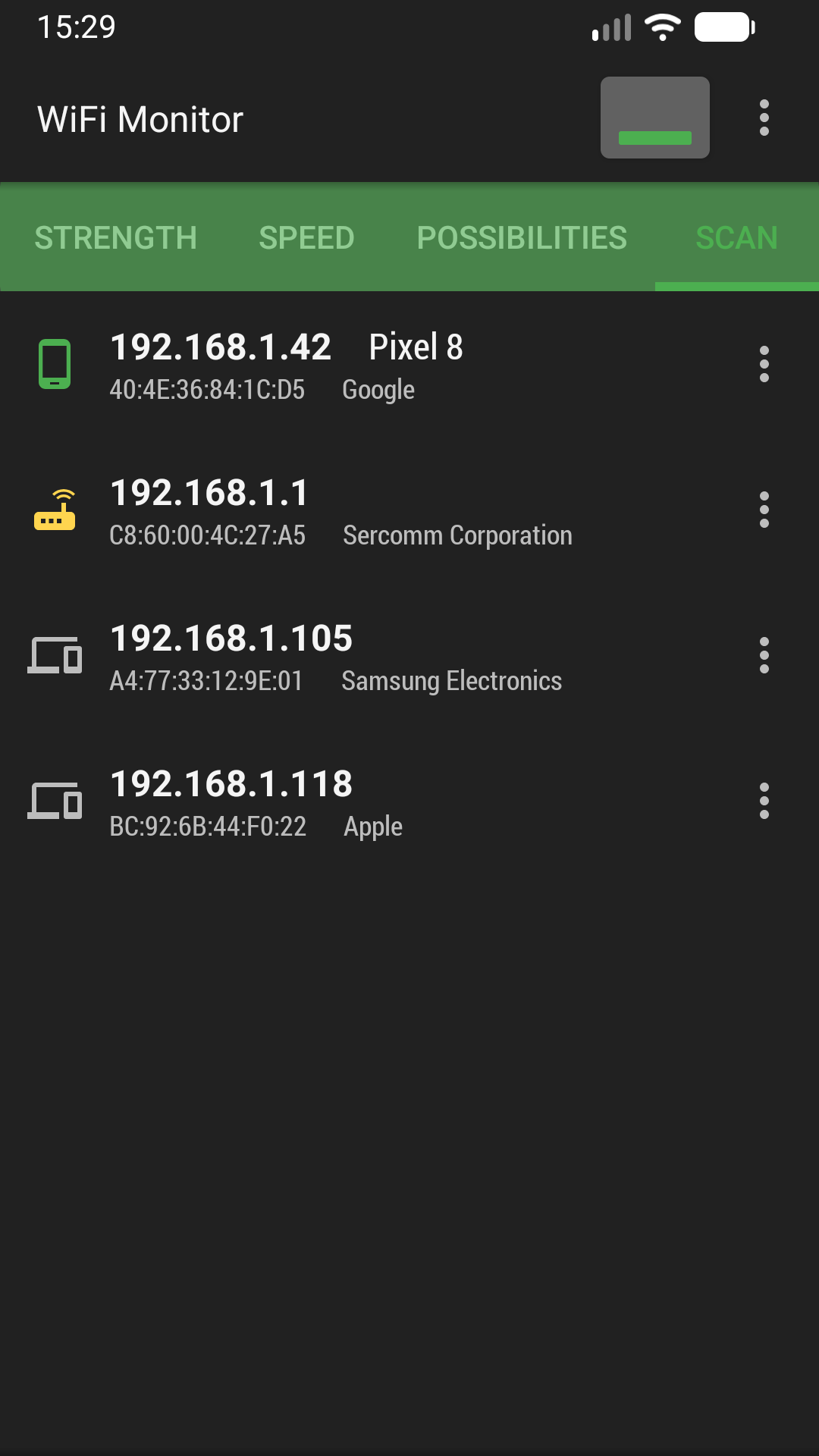
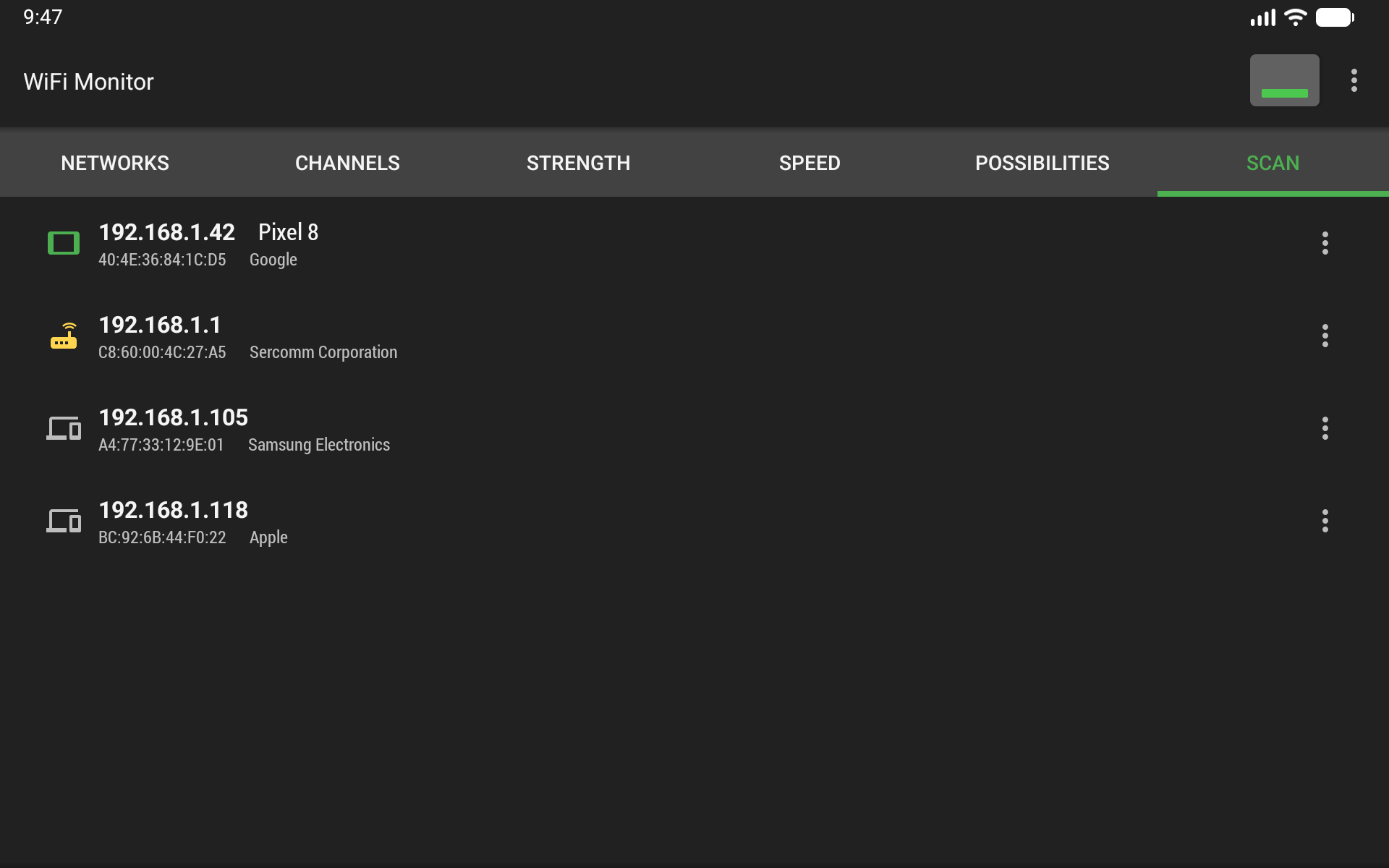
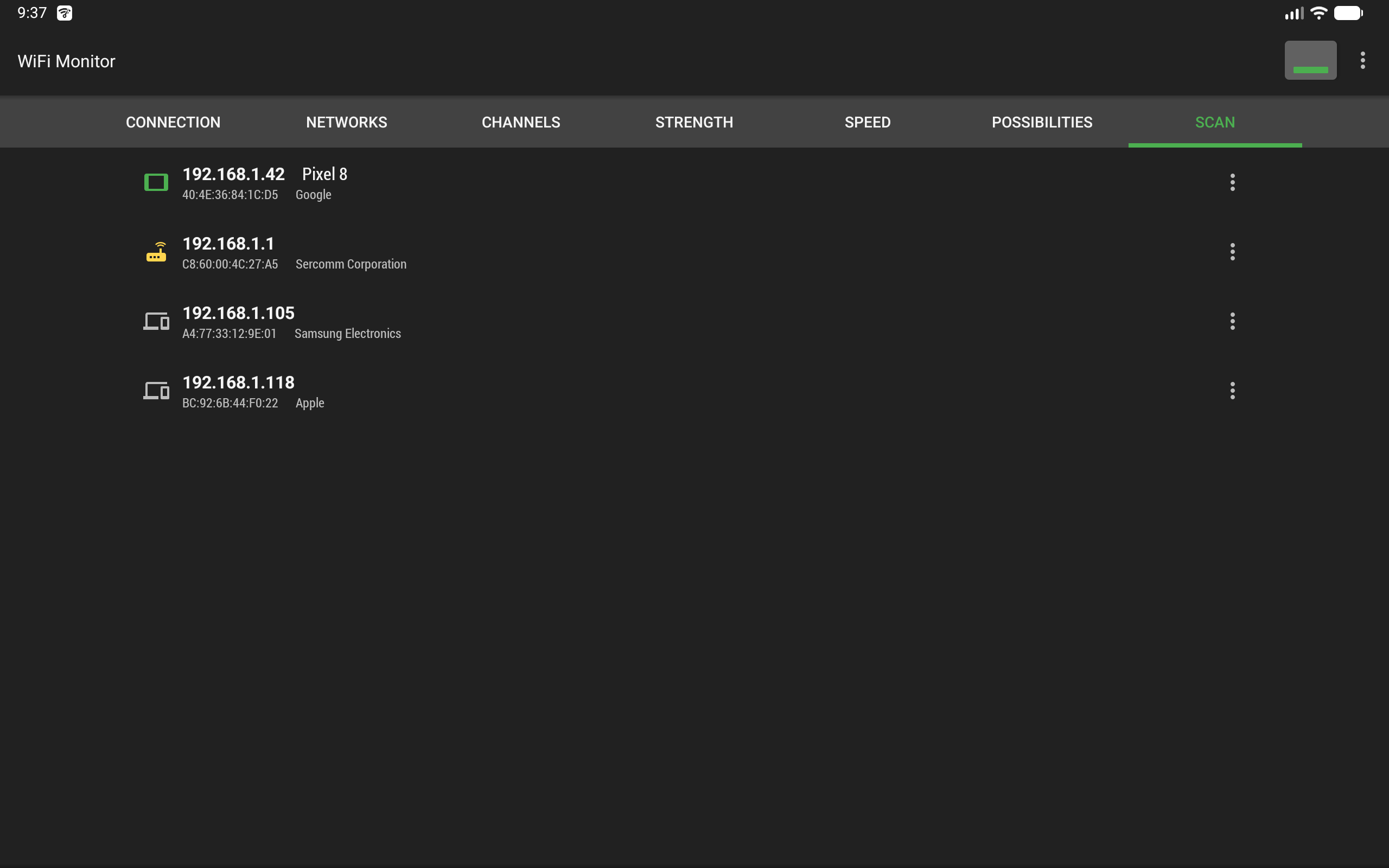
"Scanning" section searches for devices connected to your current WiFi network and shows their IP address, MAC address and manufacturer (vendor by OUI). If the scanner reports unknown or foreign devices in your WLAN, you can block them in your router settings.
Collected data can be saved to a log file and exported to other applications.
WiFi Monitor is useful for everyone who wants to:
• test and improve Wi-Fi signal strength and coverage
• find the least busy WiFi channel
• measure connection speed and network latency
• scan the LAN and see all connected devices
• check network security (WPA / WPA2 / WPA3)
In settings you can choose a light, dark or system theme.

WiFi Monitor 3.1.1 Update

Recommendations for channel selection have been added
Read More
WiFi Monitor Features
Previous Versions More
WiFi Monitor: network analyzer
WiFi Monitor: network analyzer 3.1.1 XAPK APKs
October 27, 2026 23.73 MB

Requires Android: Android 10.0+

Architecture: armeabi-v7a

Screen DPI: 160-640dpi

SHA1: 61081c1b1ed83afd38ffaee0342fa228ec4bd481

Size: 23.73 MB

What's New:

Recommendations for channel selection have been added
WiFi Monitor: network analyzer
WiFi Monitor: network analyzer 3.0.0 XAPK APKs
September 24, 2026 25.04 MB

Requires Android: Android 6.0+

Architecture: armeabi-v7a

Screen DPI: 160-640dpi

SHA1: 46f3635f79b17dc7a9f9965792b5d251871e7357

Size: 25.04 MB

What's New:

- Choice of a light, dark, or system theme.
- More informative notification.
- New data on the "Connection" tab (channel width, security protocols, network interface name).
WiFi Monitor: network analyzer
WiFi Monitor: network analyzer 2.16.4 XAPK APKs
August 5, 2026 24.7 MB
Variant
Arch
Version
DPI
arm64-v8a
Android 6.0+
160-640dpi
armeabi-v7a
Android 6.0+
160-640dpi
WiFi Monitor: network analyzer
WiFi Monitor: network analyzer 2.16.3 XAPK APKs
February 17, 2026 24.78 MB

Requires Android: Android 6.0+

Architecture: armeabi-v7a

Screen DPI: 160-640dpi

SHA1: 78fb2557e36c4179dcc0b110194b24066071b704

Size: 24.78 MB

What's New:

Bug fixes
More Information

Category:

Tools Apps

Update Date:

Latest Version:

3.1.1

Need Update:

Submit latest version

Available on:

Google Play

Requirements:

Android 10.0+