Internet Speed Monitor (Package Name: com.andcreate.app.internetspeedmonitor) is developed by Lufesu Inc. and the latest version of Internet Speed Monitor 1.1.6 was updated on June 19, 2026. Internet Speed Monitor is in the category of Tools. You can check all apps from the developer of Internet Speed Monitor and find 66 alternative apps to Internet Speed Monitor on Android. Currently this app is for free. This app can be downloaded on Android 7.0+ on APKFab or Google Play. All APK/XAPK files on APKFab.com are original and 100% safe with fast download.
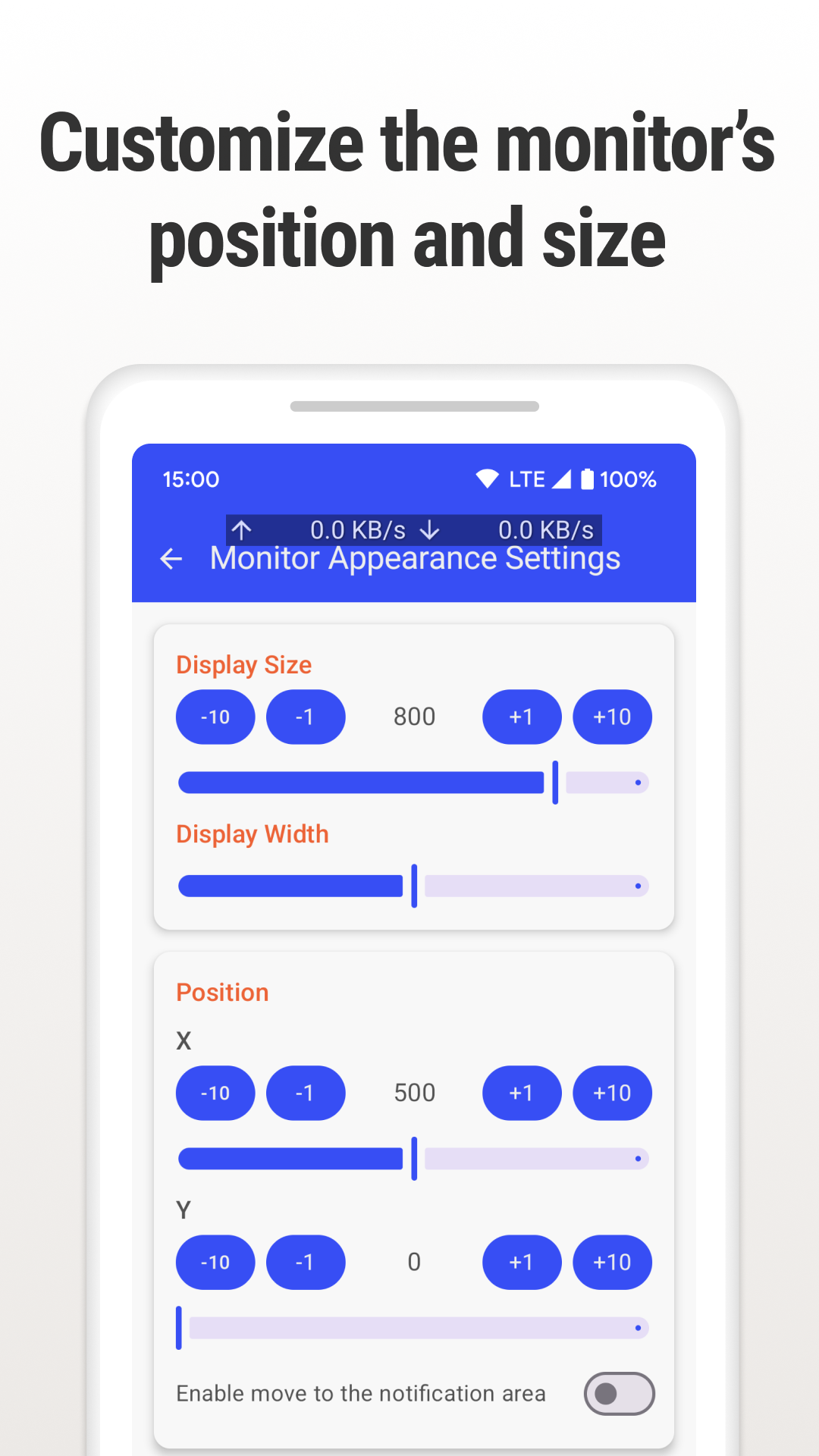
Monitor internet speed in real time with a customizable overlay. Internet Speed Monitor shows your current network speed on screen while you use other apps. Check upload and download speed during video calls, streaming, games, downloads, mobile hotspot use, or Wi-Fi troubleshooting without switching to a separate speed test app. Always-visible speed overlay Keep a lightweight internet speed meter on top of other apps. The overlay display helps you notice slow connections, unstable Wi-Fi, or mobile data speed changes as they happen. Useful for everyday network checks Use Internet Speed Monitor when you want to: • Watch real-time internet speed during video calls • Check bandwidth while streaming or gaming • Monitor Wi-Fi and 4G/5G mobile data speed • See upload and download speed separately • Track connection changes while using a mobile hotspot • Troubleshoot slow network performance without opening a speed test each time Customize the floating monitor Adjust the overlay to fit your screen and your apps: • Display position, size, width, color, and transparency • Upload and download speed display • Measurement units and display format • Update interval and notification settings • Auto-start after device boot • Pause from the notification when needed Lightweight network speed meter The app is designed for continuous real-time monitoring. It gives you a simple floating speed monitor for daily use without adding unnecessary tools or complicated screens. Free version features • Real-time internet speed monitoring • Customizable overlay display • Upload and download speed measurement • Wi-Fi and mobile data detection • Notification panel controls • Battery-efficient lightweight design PRO version features • Identify which apps are using the network • Remove ads Privacy and permissions Internet Speed Monitor only uses the information needed to show network speed. It does not read your internet communications or personal browsing content. The overlay feature requires permission to display over other apps. Android may restrict password input in some apps while an overlay is visible. If that happens, pause the monitor from the notification panel and turn it on again when you need it. Why use Internet Speed Monitor? Speed test apps are useful for one-time checks. Internet Speed Monitor is for continuous monitoring: a real-time network speed meter that stays visible while you work, watch, play, call, or troubleshoot your connection.
Internet Speed Monitor 1.1.6 Update
Ver 1.1.6 - Improved the UI of the top screen - Added a feature to hide the overlay when using specific apps - Added settings for decimal display in the overlay - Various other bug fixes If you enjoy the Internet Speed Monitor, please consider rating the app to show your support.
Ver 1.1.3.a - Fix crash Ver 1.1.3 - Adjusted the speed display for the overlay - Improved the color customization feature - Other minor bug fixes Ver 1.1.2 - Added an option to hide the internet speed monitor when the speed is low. - Simplified the display of Wi-Fi frequency. - Added an option for a shortened display of internet speed units. - Other minor bug fixes. If you like the Internet Speed Monitor, please support us with a 5-star rating.
APKFab.com and the download link of this app are 100% safe. All download links of apps listed on APKFab.com are from Google Play Store or submitted by users. For the app from Google Play Store, APKFab.com won't modify it in any way. For the app submitted by users, APKFab.com will verify its APK signature safety before release it on our website.