SC OBD2 (Package Name: it.smartapps4me.smartcontrol) is developed by Nicola Santini and the latest version of Smart Control OBD2 Scanner 7.1.12 was updated on November 23, 2026. Smart Control OBD2 Scanner is in the category of Auto & Vehicles with the feature Communication. You can check all apps from the developer of Smart Control OBD2 Scanner and find 200 alternative apps to Smart Control OBD2 Scanner on Android. Currently this app is for free. This app can be downloaded on Android 6.0+ on APKFab or Google Play. All APK/XAPK files on APKFab.com are original and 100% safe with fast download.
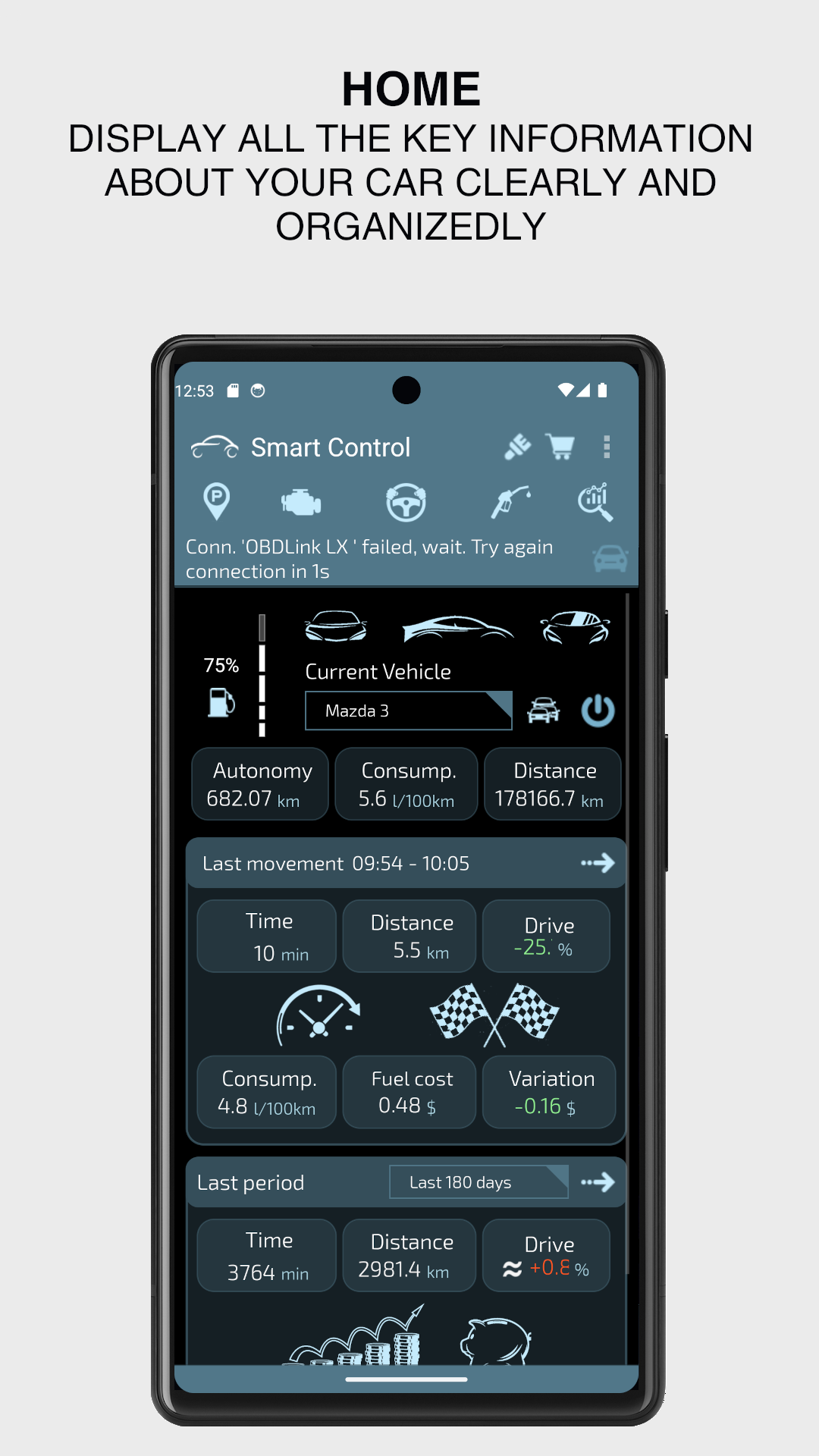
Smart Control OBD2 helps you understand your car, check fault codes and build a history of trips, fuel consumption and estimated driving costs. Connect a compatible OBD2 adapter to monitor live engine data. After each recorded trip, you can look back at the route and see how your fuel use changes over time. OBD2 SCANNER AND CHECK ENGINE INFORMATION • Read diagnostic trouble codes (DTCs) available from the control unit. • Consult available descriptions to understand a warning better and discuss it with your mechanic when needed. • Clear codes where supported and available with your licence. Clearing a code does not repair the underlying fault. MAKE VEHICLE DATA EASIER TO UNDERSTAND View engine speed, vehicle speed, coolant temperature and other supported parameters. Dashboards, values and graphs help you follow how readings change during a session. The app shows information accessible through OBD; it does not inspect every vehicle component. TRIPS, FUEL USE AND HISTORY Review duration, distance and available information for recorded trips. Explore history and selected-period totals. Fuel and cost estimates put vehicle use in context; they are not certified measurements. CSV export is available in the views that support it. Version 7.1.11 improves OBD2 connection reliability, live telemetry and diagnostic reports. It also refines trip destinations and fixes crashes when recording a refuelling or opening photo and 2D views. PERSONALISATION AND MEASUREMENTS Adjust colours and instruments to your preferences. Explore the app’s stopwatch measurement options. Without a real vehicle profile, results remain in the current RAM session and do not create a saved history. USEFUL FOR THE CAR YOU ALREADY OWN You do not need a connected car or a modern infotainment system. SmartControl can also be useful for older vehicles that support OBD2/EOBD and work with your adapter. Available readings depend on the vehicle and its control unit. WHAT YOU NEED An Android phone, an OBD2/EOBD-compatible vehicle and a compatible adapter, purchased separately. Check the exact model and connection type: an ELM327 label alone does not guarantee compatibility. Vehicles do not all expose the same sensors or control units. Core OBD functions use the local adapter connection. Maps and online services may need Internet access. Some functions require a Full licence; check the options on the app’s Licences page. Set up and consult the app while parked. Diagnostic information helps you understand available readings and does not replace professional inspection when needed. START FREE, WITHOUT IN-APP ADVERTISING Use the free edition to check your connection and try the supported basic reading functions. Some features and records have limits. The Full licence is a one-time purchase for this app, without monthly or annual renewal; check the included features in the app. CODE GUIDES AND SUPPORT The website offers explanations and examples, separate from the app’s functions: https://smartcontrol-obd2.com/en/guide/
SC OBD2 7.1.12 Update
Restored Flat, Logarithmic and Graph PID display modes while preserving saved choices. Clearer license comparison, improved translations and a smaller app download.
- Performance Optimizations: Enhanced background execution. - Menu Updates: Refined route management and position loading. - Map Display: Improved map loading and position updates. - New Quick Guide: We've introduced a dedicated Quick Guide section to help you set up the app and easily access all its main features.
- UI and Layout Enhancements: Improved graphics and lighter styles. - Performance Optimizations: Enhanced background execution. - Menu Updates: Refined route management and position loading. - Map Display: Improved map loading and position updates.
- UI and Layout Enhancements: Improved graphics and lighter styles. - Performance Optimizations: Enhanced background execution. - Menu Updates: Refined route management and position loading. - Map Display: Improved map loading and position updates.
APKFab.com and the download link of this app are 100% safe. All download links of apps listed on APKFab.com are from Google Play Store or submitted by users. For the app from Google Play Store, APKFab.com won't modify it in any way. For the app submitted by users, APKFab.com will verify its APK signature safety before release it on our website.