OS26 Dark Theme (Package Name: com.theme.os15.darktheme) is developed by Android Universe and the latest version of OS 27 Dark Icon Pack 3.8 was updated on October 24, 2026. OS 27 Dark Icon Pack is in the category of Personalization. You can check all apps from the developer of OS 27 Dark Icon Pack. Currently this app is for free. This app can be downloaded on Android 6.0+ on APKFab or Google Play. All APK/XAPK files on APKFab.com are original and 100% safe with fast download.
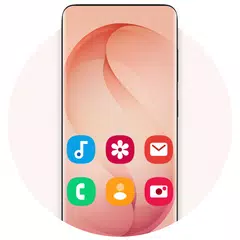
Transform your home screen with the ultra-sleek OS 27 Dark Icon Pack! Immerse yourself in a premium, modern aesthetic inspired by OS 27 with the OS 27 Dark Icon Pack, a dark icon pack and FHD+ wallpaper collection for Android. Its 950+ black icons with clean white symbols are paired with crisp, minimal black & white wallpapers, so your home screen gets a unique look that reflects your style. Perfect for dark mode lovers, this launcher theme delivers a clean, sophisticated look on phones and tablets. Every element is optimized for modern edge-to-edge displays, including the Galaxy S26 Ultra, Galaxy S25 Ultra, Galaxy S24 Ultra, and Note20. 🚀 Key Features: • 950+ Dark Icons: A black icon pack of meticulously crafted OS 27 style icons, each a clean white symbol on a black rounded background, for a unified, elegant look. • AMOLED Friendly: Pure black icons look deep and sharp on OLED and AMOLED screens. • Calendar Date Icons: 31 calendar icons, so supported launchers can show today's date on the calendar app. • Black & White Wallpapers in FHD+: High-resolution minimal backgrounds, free to use, that bring dramatic clarity to your screen, including tall aspect ratio displays. • Home & Lock Screen Wallpapers: Set your favorite wallpaper as your home screen or lock screen background in one tap. • Offline Access & Storage: Save your favorite HD wallpapers directly to your device for quick, data-free access anytime. • One-Tap Sharing: Seamlessly share your favorite wallpapers and the app with friends. • Icon Requests: Missing an app? Request its icon from inside the app with an optional paid plan: one payment for the period you choose, with no automatic renewal. • Wide Compatibility: Works on Android phones and tablets running Android 7.0 and above. 🛠️ Supported Launchers: This dark icon pack is fully compatible with a wide range of popular Android launchers, including: • Desktop Launcher • OS Launcher 27 • Galaxy S26 Ultra Launcher • Android 17 Style Launcher • Nova Launcher • ADW Launcher • Action Launcher • Smart Launcher • Go Launcher 💡Note: This icon pack also works with many other launchers that support third-party themes. If your launcher isn't listed, simply apply OS 27 Dark Icon Pack through your launcher's internal "Icon" or "Theme" settings. ✨ Quick & Effortless Setup: 1. Open OS 27 Dark Icon Pack. 2. Tap Apply Icon Pack and choose your launcher. 3. Enjoy your new dark OS 27 style home screen. ✨ Looking for a dark theme, a black icon pack, an OS 27 dark icon pack, or a fresh launcher theme for Android? The OS 27 Dark Icon Pack brings it all together to customize your home screen. Give your phone a premium dark makeover today. Download the OS 27 Dark Icon Pack now!
OS26 Dark Theme 3.8 Update
— v3.8 • 10 new OS 27 dark wallpapers • New animated splash screen • Supports Android 17 Style Launcher and OS Launcher 27 • Ready for Android 17 • Bug fixes and performance improvements
— v3.7 • Desktop Launcher support, with themed This PC, Recycle Bin and Start button icons • Calendar date icons: supported launchers show today's date on your calendar app • Redesigned wallpaper viewer with quick download, share and set-as-wallpaper controls • Fixed a crash when saving a wallpaper on older Android versions • Clearer confirmation after subscribing to icon requests • Performance and stability improvements
— v3.6 • Fresh new design across every screen • Icon requests are now marked as sent only after you confirm — if the email didn't go through, you can request the icon again • Added Go Launcher support • Fixed wallpapers and icons occasionally showing the wrong image • Smaller download and faster startup • Improved translations
APKFab.com and the download link of this app are 100% safe. All download links of apps listed on APKFab.com are from Google Play Store or submitted by users. For the app from Google Play Store, APKFab.com won't modify it in any way. For the app submitted by users, APKFab.com will verify its APK signature safety before release it on our website.