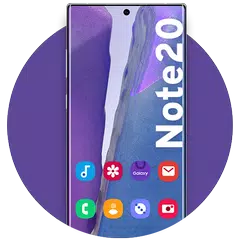
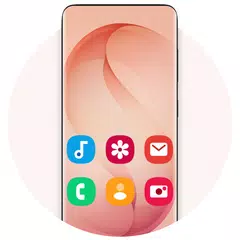
Galaxy S26 Launcher (Package Name: com.launcher.galaxys20.ultra) is developed by Android Universe and the latest version of Galaxy S26 Ultra Launcher 14.8 was updated on September 7, 2026. Galaxy S26 Ultra Launcher is in the category of Personalization. You can check all apps from the developer of Galaxy S26 Ultra Launcher and find 200 alternative apps to Galaxy S26 Ultra Launcher on Android. Currently this app is for free. This app can be downloaded on Android 7.0+ on APKFab or Google Play. All APK/XAPK files on APKFab.com are original and 100% safe with fast download.
Experience the Galaxy S26 Ultra Launcher – the ultimate galaxy launcher for a sleek, premium, and professional look. Transform your Android device with the modern aesthetics of the latest flagship series, designed for elegance, speed, and high performance. Our smartphones are our most used tools. We check our home screens hundreds of times a day, and a beautiful, organized interface can significantly enhance your mood and productivity. The Galaxy S26 Ultra Launcher gives a unique and attractive look to your edge-to-edge display. It is perfectly optimized for devices such as the Galaxy S25 Ultra, S25+, S25, Galaxy S24 Ultra, S24, and the Note 20 series, as well as all other modern Android smartphones. 🚨 Core Functionality: To provide a complete system-style experience, Galaxy S26 Ultra Launcher includes the following core features as part of its primary use case: • Launcher: A fully customizable home screen. • File Management: Access, edit, and manage files across internal and external storage (MANAGE_EXTERNAL_STORAGE permission is required for Android 11+ devices). • App Package Installation: User-initiated installation of app packages (APKs) directly through the built-in file explorer. • Backup & Restore: Securely save and reload your launcher settings and layout. Key Features Launcher Features: • Premium UI: Iconic S26 Ultra design with paged desktops and scrollable backgrounds. • High Customization: Full support for Third-Party Icon Packs, hidden apps, and custom desktop shortcuts. • Smart Navigation: Choose between vertical or paged app drawers, use intuitive gestures, and find apps instantly with a streamlined search bar. • Backup & Restore: Save your home screen configurations and restore them anytime. • Optimized Performance: Fast, lightweight, and compatible with all mobile phone types. • Desktop Widgets: Real-time updates right on your home screen. • Sidebar Access: Quick access to your favorite tools. • Notification Badges: Never miss an update with intuitive status icons. Professional File Management & Core Utilities • Full File Access: Access, edit, and manage files and folders across Internal storage, SD cards, and USB drives. • Advanced Management: Perform actions like create folders, cut, copy, paste, and share. • Media Support: Open pictures, audio, and video files directly from the file manager. • Built-in Archive Support: Zip and unzip files with ease. • Recycle Bin: Safely manage deleted files with a built-in recycle bin feature. • App Installation: Supports user-initiated installation of app packages (APK/APKS). Note: The Galaxy S26 Ultra Launcher requires MANAGE_EXTERNAL_STORAGE permission for Android 11+ devices to enable comprehensive file management features outside of app-specific storage. Download Galaxy S26 Ultra Launcher today and redefine your smartphone experience!
Galaxy S26 Launcher 14.8 Update
Redesigned for One UI • File manager, Home screen, app drawer, folders and menus rebuilt • Live blur and smoother animations Widgets • New picker with search, live previews and sizes • Drag & drop a widget where you want it Icons • New System icons option keeps your phone's own icons • Square icons reshaped to match the grid • Icons no longer sit on a white square on some devices More • Global search bar, app shortcuts on long press • Now in 19 languages • Many freeze and crash Fixes
Redesigned for One UI • File manager, Home screen, app drawer, folders and menus rebuilt • Live blur and smoother animations Widgets • New picker with search, live previews and sizes • Drag a widget where you want it, then resize it there Icons • New System icons option keeps your phone's own icons • Square icons reshaped to match the grid More • Global search bar, app shortcuts on long press • Now in 19 languages • Many freeze and crash fixes Ads can be removed monthly, yearly or once.
version 14.5 Redesigned for One UI • File manager, Home screen, app drawer, folders and menus rebuilt • Live blur and smoother animations Widgets • New picker with search, live previews and sizes • Drag a widget to the spot you want, then resize it there • Resizing rebuilt; names and settings on long press More • New global search bar • App shortcuts on long press • Bigger grids and landscape on tablets • Many freeze, crash and icon fixes Ads can now be removed monthly, yearly or once.
APKFab.com and the download link of this app are 100% safe. All download links of apps listed on APKFab.com are from Google Play Store or submitted by users. For the app from Google Play Store, APKFab.com won't modify it in any way. For the app submitted by users, APKFab.com will verify its APK signature safety before release it on our website.