Oops! AppLock

8.5 2K+

v3.3.0 by Keybotivated

Oops! AppLock APK download Oops! AppLock APK download

About K Note

K Note (Package Name: com.keybotivated.applock) is developed by Keybotivated and the latest version of Oops! AppLock 3.3.0 was updated on January 12, 2026. Oops! AppLock is in the category of Tools. You can check all apps from the developer of Oops! AppLock and find 116 alternative apps to Oops! AppLock on Android. Currently this app is for free. This app can be downloaded on Android 5.1+ on APKFab or Google Play. All APK/XAPK files on APKFab.com are original and 100% safe with fast download.
★★★★★
Addictive tips, lifehacker reviews the app as unique.
"Hilariously brilliant and effective." - Android Authority.
★★★★★
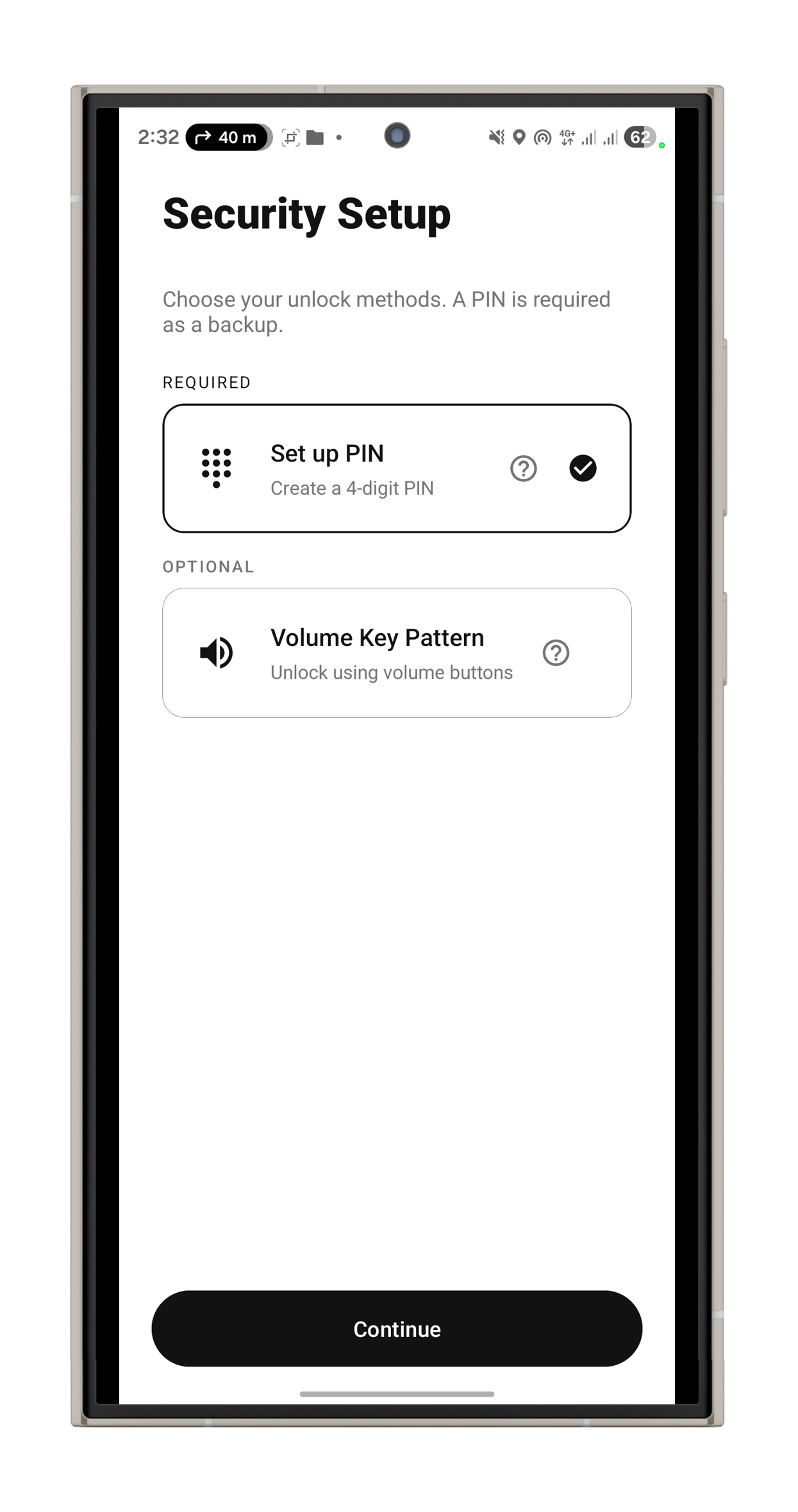
Oops! application locker does not use any on screen password ie. pin based or a pattern based locking system.
We use volume key pattern as the password. You can make any pattern using volume keys, like UP UP DOWN UP.
- Oops Applock is undetectable to others.
- Using Oops Applock ScreenLock nobody can unlock your phone.
- Using Oops Applock ScreenLock nobody even notice phone is locked.
- Oops Applock ScreenLock has different styles to choose.
- Oops Applock is Most secure way to lock apps.
- Nobody even notice your app is locked with Oops Applock.
- Oops Applock is Simple.
- Oops Applock is Fun to use.
- Oops Applock can lock any applications.
- You can set different background for lock screen on every locked App with Oops Applock.
- Transparent and Black background makes as if your application is stuck.
- Fool friends with custom backgrounds using Oops Applock.
Tip- While choosing custom background, make sure it matches with your screen size to avoid clarity of the image.
Detailed How to by wonder how to
http://nexus5.wonderhowto.com/how-to/protect-apps-with-secret-volume-button-code-android-0158406/
App discussion forum,
http://forum.xda-developers.com/android/apps-games/app-oops-applocker-applocker-pin-t2960898
Please report bug at xda forum, so i can keep in touch with you.
Help me Translate to other languages
https://keybotivated.oneskyapp.com/collaboration/project?id=55522
Oops AppLock uses the Device Administrator permission.
Please activate AppLock as "device administrator". It's only used for preventing intruders from uninstalling Oops AppLock.
Oops AppLock uses the Accessibility service.
You may turn on the Accessibility service for Oops Applock to reduce battery consumption by utilizing the screen state change event to detect the opening of an application and lock it.
The service is only used to reduce battery usage, improve unlocking efficiency, and ensure AppLock works.
Happy Locking.

K Note 3.3.0 Update

Improve application performance.
Fix Android 13 support
Read More
K Note Features
Related Videos
Previous Versions More
Oops! AppLock
Oops! AppLock 3.3.0 APK
January 12, 2026 3.48 MB
Variant
Arch
Version
DPI
Android 5.1+
120-640dpi
Android 4.1+
120-640dpi
Oops! AppLock
Oops! AppLock 3.2.0.2 APK
July 6, 2019 3.94 MB

Requires Android: Android 4.1+

Screen DPI: 120-640dpi

SHA1: 20e51bbc3b59b53408c7089b26e16d3480f5eb76

Size: 3.94 MB

What's New:

- Fix search issue
- New UI change
- Faster and performance improvement
- Permission fix
- Bug fixes
Oops! AppLock
Oops! AppLock 3.2 APK
July 2, 2019 3.71 MB

Requires Android: Android 4.1+

Screen DPI: 120-640dpi

SHA1: 670124da1f86a319fcaaddf263607ffbb5db4d18

Size: 3.71 MB

What's New:

- New UI change
- Faster and performance improvement
- Permission fix
- Bug fixes
Oops! AppLock
Oops! AppLock 3.1.4 APK
March 18, 2019 3.89 MB

Requires Android: Android 4.0+

Screen DPI: nodpi

SHA1: 23c9b4e9ad5d13a5a000a41426dc50c32ed706e7

Size: 3.89 MB

What's New:

- Fixed locked app not getting removed
- Made notification persistent since android is killing background service.
- Minor improvements.
More Information

Package Name:

com.keybotivated.applock

Category:

Tools Apps

Update Date:

Latest Version:

3.3.0

Need Update:

Submit latest version

Available on:

Google Play

Requirements:

Android 5.1+