Remote Utilities is a remote PC access program for connecting to a remote PC over LAN or via the Internet.
Su Remote Utilities
Remote Utilities Viewer ti offre un accesso remoto sicuro ai tuoi computer Windows, macOS e Linux dal tuo dispositivo Android, tramite Internet o LAN, senza alcuna configurazione di rete. Visualizza il desktop remoto, controlla a distanza mouse e tastiera, trasferisci file e gestisci l'alimentazione, tutto da un'unica app. Gratuito per uso personale e aziendale, senza pubblicità. Gratuito per uso personale e aziendale. CONTROLLO REMOTO • Modalità Controllo completo e Visualizzazione con una comoda barra degli strumenti: azioni e comandi rapidi a portata di mano • Due metodi di input in Controllo completo: trackpad (puntatore del mouse, con inerzia del cursore opzionale) o touch: scegli quello più adatto alle tue abitudini • Supporto multi-monitor: passa a un singolo monitor remoto o visualizzali tutti contemporaneamente • Codec di acquisizione schermo di nuova generazione per prestazioni desktop remoto veloci e reattive, con codec classico disponibile come opzione • Oscura lo schermo remoto e blocca l'input remoto per la privacy • Blocca il computer remoto e chiudi la sessione in un solo passaggio TRASFERIMENTO FILE • Copia e sposta file in entrambe le direzioni tra il tuo dispositivo e il computer remoto • Riprendi download e upload interrotti CONTROLLO ALIMENTAZIONE • Spegni, riavvia, blocca, sospendi o iberna il PC remoto CONNETTIVITÀ E SICUREZZA • Connettiti direttamente tramite indirizzo IP o istantaneamente tramite ID Internet: accesso remoto senza configurazione di router o firewall • Tre modalità di autenticazione: password singola, nome utente e password o sicurezza server personalizzata RUBRICA • Rubrica completa Rubrica con cartelle e proprietà per connessione • Imposta le proprietà di connessione predefinite come modello per le nuove voci • Più rubriche di diversi tipi: locali o sincronizzate • Funzionalità complete di importazione, esportazione e sincronizzazione SERVER AUTONOMO • Supporto completo per il tuo server Remote Utilities: sincronizzazione della rubrica, autenticazione basata su server e inoltro tramite la tua infrastruttura Che tu fornisca assistenza remota ai clienti, amministri server o desideri semplicemente accedere da remoto al tuo computer di casa o dell'ufficio quando sei fuori, Remote Utilities Viewer ti permette di avere sempre i tuoi computer a portata di mano. Per connetterti, installa il modulo Host gratuito sul computer remoto, disponibile per Windows, macOS e Linux all'indirizzo https://www.remoteutilities.com
Aggiornamento Remote Utilities 14.3.0
New: Terminal mode, a command line on the remote computer. Requires Host 7.9+ on Windows or 2.1.1+ on macOS/Linux. Choose the shell and user context; key bar with Esc, Tab, Ctrl, Alt and arrows; copy, paste, pinch to zoom. Also: a changed password is no longer re-asked in synced address books; zoom and position kept after reconnection; File Transfer skips files the Host cannot provide; background clipboard text reaches the Host; new Terminal and Clipboard help.
New: Terminal mode, a command line on the remote computer. Requires Host 7.9+ on Windows or 2.1.1+ on macOS/Linux. Choose the shell and user context; key bar with Esc, Tab, Ctrl, Alt and arrows; copy, paste, pinch to zoom. Also: a changed password is no longer re-asked in synced address books; zoom and position kept after reconnection; File Transfer skips files the Host cannot provide; background clipboard text reaches the Host; new Terminal and Clipboard help.
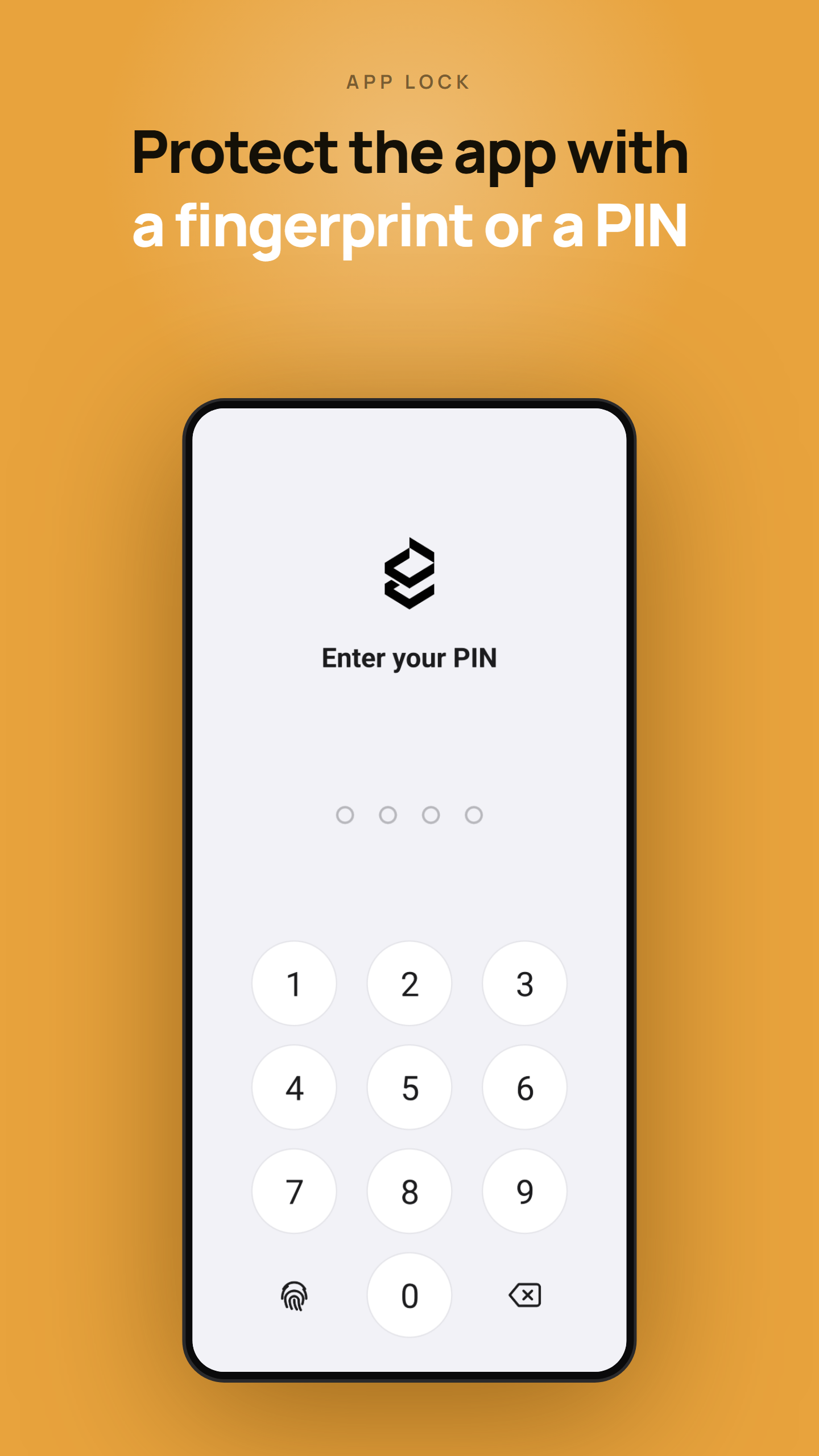
- App lock — protect the app with a PIN or biometrics. - Internet-ID server settings in connection properties now match the desktop Viewer. - Proxy server settings can now be configured for connections. - Fixed: connections through a self-hosted server failed when "Enable permission-based Internet-ID access" was enabled on the server. - Minor fixes and improvements.
- App lock — protect the app with a PIN or biometrics. - Internet-ID server settings in connection properties now match the desktop Viewer. - Proxy server settings can now be configured for connections. - Fixed: connections through a self-hosted server failed when "Enable permission-based Internet-ID access" was enabled on the server. - Minor fixes and improvements.
• Mouse cursor is now shown for remote computers that have no physical mouse or trackpad attached • Redesigned 'Add new connection' screen, now closer to its desktop version counterpart • Updated Properties screen: the Direct or Internet-ID connection type can now be chosen explicitly, matching the desktop version • Fixed reconnection issues after the phone wakes from sleep
• Mouse cursor is now shown for remote computers that have no physical mouse or trackpad attached • Redesigned 'Add new connection' screen, now closer to its desktop version counterpart • Updated Properties screen: the Direct or Internet-ID connection type can now be chosen explicitly, matching the desktop version • Fixed reconnection issues after the phone wakes from sleep
APKFab.com e il link per il download di questa app sono sicuri al 100%. Tutti i link per il download delle app elencate su APKFab.com provengono da Google Play Store o sono inviati dagli utenti. Per le app da Google Play Store, APKFab.com non le modificherà in alcun modo. Per le app inviate dagli utenti, APKFab.com verificherà la sicurezza della firma APK prima di rilasciarle sul nostro sito web.