Canon Mobile File Transfer

5.0 71

v1.5.0.20 by Canon Inc.

Canon Mobile File Transfer XAPK download Canon Mobile File Transfer XAPK download

About Mobile File Transfer

Mobile File Transfer (Package Name: jp.co.canon.ic.mft) is developed by Canon Inc. and the latest version of Canon Mobile File Transfer 1.5.0.20 was updated on August 4, 2024. Canon Mobile File Transfer is in the category of Tools. You can check all apps from the developer of Canon Mobile File Transfer. Currently this app is for free. This app can be downloaded on Android 10.0+ on APKFab or Google Play. All APK/XAPK files on APKFab.com are original and 100% safe with fast download.
With the launch of the new service "Content Transfer Professional", the current service "Canon Mobile File Transfer" will be terminated.
Canon Mobile File Transfer is an application for professional photographers to transfer photographed images to FTP, FTPS, or SFTP servers via mobile devices.
[Key Features]
- Transfer camera images to mobile devices.
- Upload camera images to FTP, FTPS, or SFTP servers.
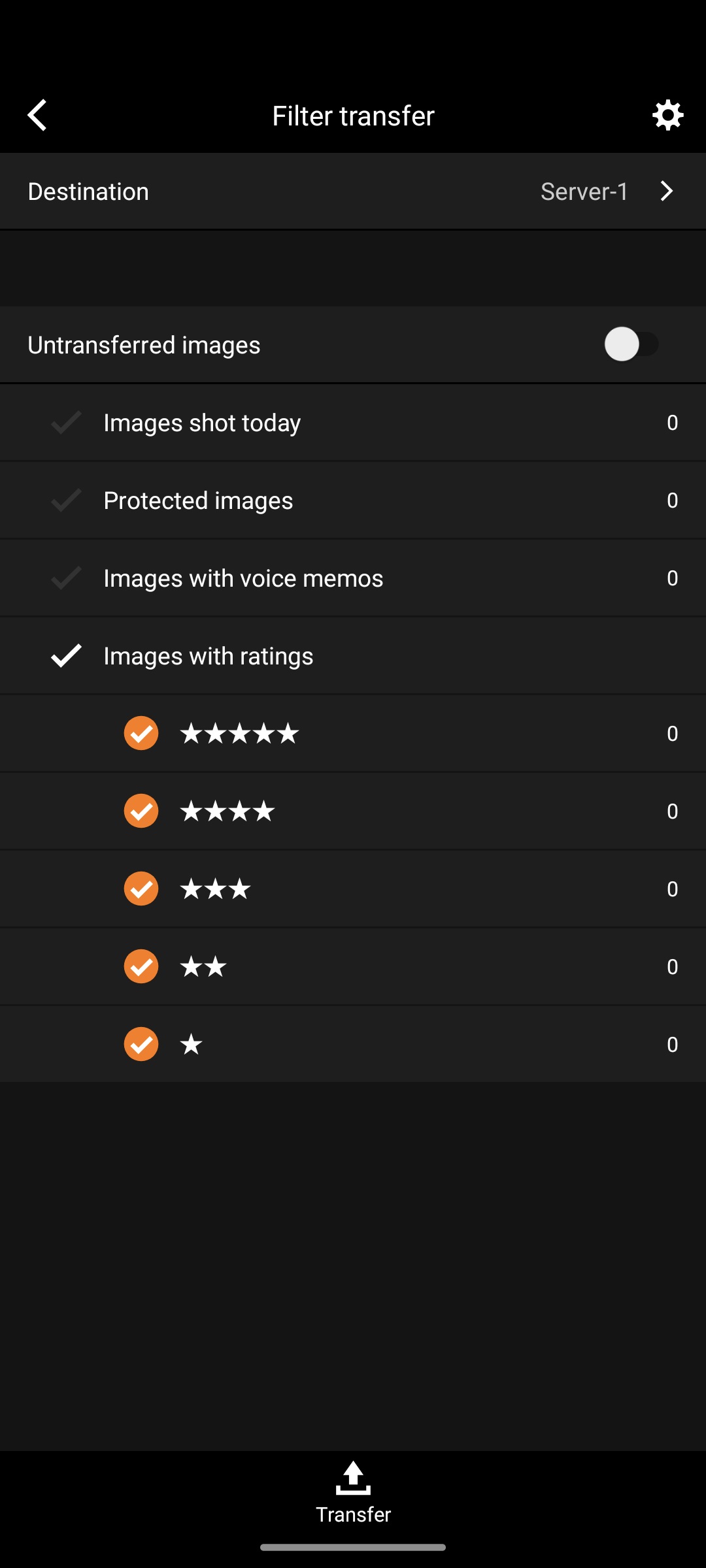
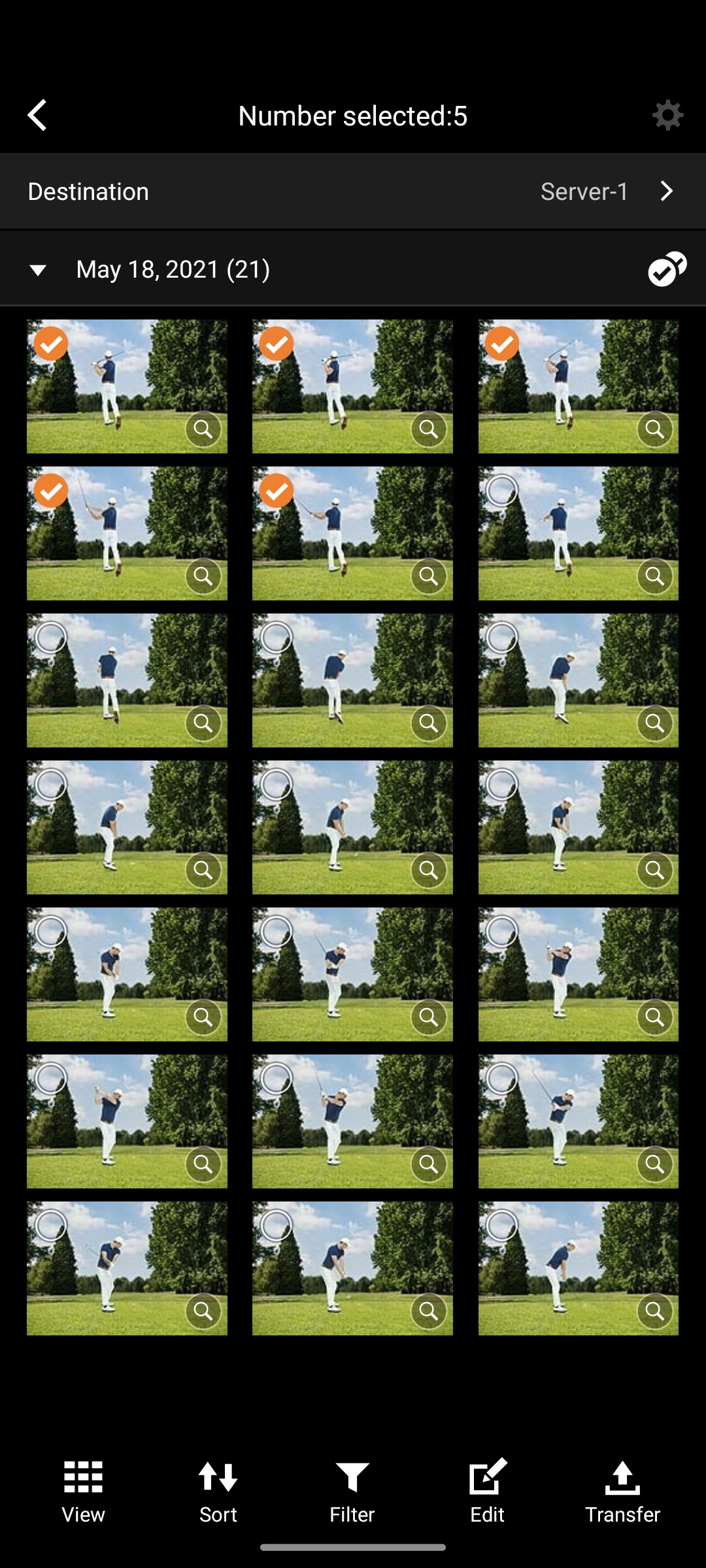
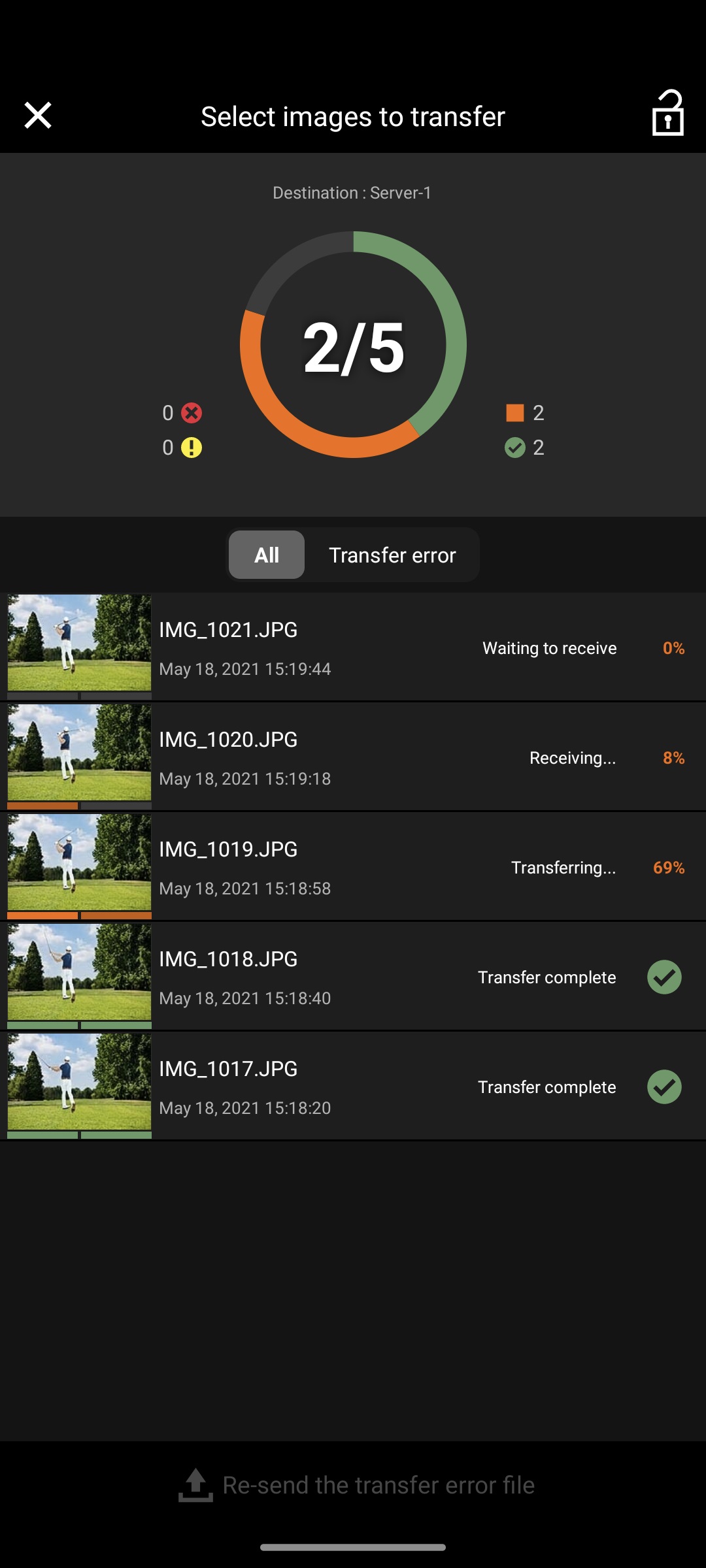
- "Auto transfer" for capturing and transferring images captured by the camera as they are, "Filter transfer" for transferring images based on set conditions, and "Select images to transfer" for transferring images by selecting specific images from the images in the camera are possible.
- Metadata, such as the photographer's name and image license information, can be added to images based on standards established by the IPTC*.
- For images to be transferred to FTP, SFTP, or FTPS servers, voice memos can be added and IPTC* metadata can be edited in the application.
[Supported Products]
- EOS-1D X Mark II (Firmware Version 1.1.0+) attached WFT**
- EOS-1D X Mark III (Firmware Version 1.2.0+)
- EOS R3
- EOS R5
- EOS R5 C
- EOS R6
- EOS R6 Mark II
[System requirement]
Android 10/11/12/13/14
[Supported Images]
JPEG
[Important Notes]
- If application does not operate properly, try again after shutting down the application.
- Visit your local Canon Web pages for more details.
*IPTC: International Press Telecommunications Council
**WFT: Wireless File Transmitter
For customers using the Mobile File Transfer
Please make sure that you confirm and understand the following Cautions on Purchase and Use before installing this application.
Cautions on Purchase and Use
• The Delete Image on Camera Function in Camera Connect cannot be used on terminals installed with both this application and Camera Connect.
When deleting images stored on the camera (including any stored on inserted storage media) you must delete the images either by using the camera itself or by uninstalling this application on the terminal in question and using the Delete Image on Camera Function in Camera Connect.
Mobile File Transfer is not available unless you purchase a subscription.
The offer will begin immediately after purchasing a subscription.
Mobile File Transfer is a subscription-based application. Upon initial registration, after your free trial period of 30 days, a fee per month will be charged to your Google account. The next date to be charged for this application can be found in Manage Subscription in your Google account. If it is during the free trial period, you will be charged on the renewal date.
Payment will be charged to your Google account at the confirmation of purchase. The subscription automatically renews unless it is canceled before the end of the current period, and you will continue to be charged. You can manage and cancel your subscriptions by going to Manage Subscription in your Google account after purchase.
*To customers who have already subscribed to a Canon Imaging App Service Plans plan, there is a difference between subscribing to a Google Play subscription and subscribing to a Canon Imaging App Service Plans plan.
If you have already subscribed to a Canon Imaging App Service Plans plan, note that you will be charged additionally when you subscribe to a Google Play subscription.
* Customers who cannot find the Android app on Google Play or who would like to a use payment method aside from the app should visit here.
https://sas.image.canon/st/mft.html

Mobile File Transfer 1.5.0.20 Update

Information about the transition to new application Content Transfer Professional is available.
Read More
Mobile File Transfer Features
Previous Versions More
Canon Mobile File Transfer
Canon Mobile File Transfer 1.5.0.20 XAPK APKs
August 20, 2024 5.48 MB

Requires Android: Android 10.0+

Architecture: arm64-v8a

Screen DPI: 160-480dpi

SHA1: 9a36d0c3cf747434b7e9656f2b4c3142d5ee83ba

Size: 5.48 MB

What's New:

Information about the transition to new application Content Transfer Professional is available.
Canon Mobile File Transfer
Canon Mobile File Transfer 1.4.10.13 XAPK APKs
March 26, 2024 5.44 MB

Requires Android: Android 10.0+

Architecture: arm64-v8a

Screen DPI: 160-480dpi

SHA1: cdb3113deaf77141779dc50a25ee31d44a6537b7

Size: 5.44 MB

What's New:

Minor bug fixes
Canon Mobile File Transfer
Canon Mobile File Transfer 1.4.0.12 APK
March 28, 2023 8.16 MB

Requires Android: Android 10.0+

Architecture: arm64-v8a, armeabi-v7a

Screen DPI: 120-640dpi

SHA1: 03945b504e183e504149cb3ee1730cda1e6d8cde

Size: 8.16 MB

What's New:

Se ha añadido la función de bloqueo de pantalla para evitar operaciones accidentales.
Se ha añadido una función para cambiar/editar el servidor FTP antes de la transferencia.
Visualización del progreso de transferencia mejorada.
Se ha añadido una función de filtro para obtener resultados de transferencia.
Ajustes mejorados para transferencias selectivas y filtradas.
Se ha añadido compatibilidad con los metadatos en formato IIM.
Canon Mobile File Transfer
Canon Mobile File Transfer 1.3.30.14 APK
November 8, 2022 8.16 MB

Requires Android: Android 9.0+

Architecture: arm64-v8a, armeabi-v7a

Screen DPI: 160-640dpi

SHA1: 3fc3b99d8fa2247817913c3408fb90425d96c340

Size: 8.16 MB

What's New:

Added support for new Canon cameras (EOS R6 Mark II)
More Information

Package Name:

jp.co.canon.ic.mft

Category:

Tools Apps

Update Date:

Latest Version:

1.5.0.20

Need Update:

Submit latest version

Requirements:

Android 10.0+