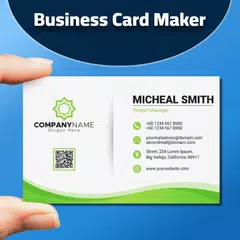
Business Card Creator (Package Name: com.thinkpeak.businesscardcreator) is developed by ThinkPeak Studio and the latest version of Business Card Creator Scanner 3.3.0 was updated on March 13, 2026. Business Card Creator Scanner is in the category of Business. You can check all apps from the developer of Business Card Creator Scanner and find 17 alternative apps to Business Card Creator Scanner on Android. Currently this app is for free. This app can be downloaded on Android 6.0+ on APKFab or Google Play. All APK/XAPK files on APKFab.com are original and 100% safe with fast download.
Business Card Creator is very lightweight and easy to use application that let you create your business card digitally. Now you can create custom business card according to your requirements using our custom card creator. Please checkout and let us know about what you think! You need to provide your information that you want to display on your business card. Then the app will let you choose different card design, different font, different color, etc. Then you can save the card to your gallery or share it to your friends and family via apps installed on your device. Required Information You need to provide following information for creating card: • First Name • Last Name • Post/Designation • Email • Phone • Business Title • Business Subtitle • Website • Address You can also add user image as well as your company logo to your profile, it will be displayed on your business card. Transparent company logo (png file) will give you better result in your business cards. Business Card Scanner The app also includes a powerful business card scanner feature that allows you to: • Scan physical business cards using your device's camera • Automatically extract text information from the scanned card • Map the extracted data to your profile fields • Create a new profile directly from a scanned business card • Edit and refine the extracted information before saving On-Device AI Description • The app can now generate an AI-powered description of business cards using an on-device model (Gemini Nano) when available on your device. • AI description helps summarize the card design and key contact highlights to speed up mapping and review. • AI features are only shown on devices with the on-device model available; the app will continue to work with OCR-only on other devices. Contact Integration Seamlessly integrate your business cards with your phone contacts: Import from Contacts: Quickly import existing phone contacts as profiles to create business cards • Automatically imports contact details including name, phone, email, organization, job title, website, and address • Profile pictures from contacts are also imported and saved to your profile Export to Contacts: Save any profile in the app to your phone contacts for easy access • Smart account selection ensures compatibility with Google and other cloud-based contact accounts • All profile information is exported including business details and contact information • Bridge the gap between your digital business cards and your phone's contact list • Sync your professional network across all your devices QR Code Scanner The app now includes a powerful barcode scanner that enables you to: • Scan QR codes and various barcode formats in real-time using your device's camera • Support for multiple barcode formats including QR Code, Code 128, PDF 417, Code 39, EAN-13, UPC-A, Aztec, Data Matrix, and more • Automatically detect and decode codes without manual capture • Open URLs directly from scanned QR codes • Copy code content to your clipboard for easy sharing • Switch seamlessly between business card and QR code scanning modes • Quick access via app shortcuts: long-press the app icon to directly launch "Scan Business Card" or "Scan QR Code" These features make it easy to digitize existing business cards and quickly access information from various types of barcodes and QR codes. Feedback Checkout the app and please let us know if you find any bug or have any suggestion for us.
Business Card Creator 3.3.0 Update
- New: Added 3 new horizontal business card designs.
- New: Import contacts from your phone to quickly create business cards - including profile pictures! - New: Export profiles to phone contacts for easy sharing and access across all your devices. - Enhancement: Business card scanner improvements and QR code support. - Tip: Long-press the app icon to quickly access "Scan Business Card" or "Scan QR Code" features.
- New: Business card scanner added! Scan physical business cards with your camera and automatically create digital profiles. - New: QR code scanner! Scan QR codes in real-time, open URLs, and copy content to clipboard. - New: Seamlessly switch between business card and QR code scanning modes.
APKFab.com and the download link of this app are 100% safe. All download links of apps listed on APKFab.com are from Google Play Store or submitted by users. For the app from Google Play Store, APKFab.com won't modify it in any way. For the app submitted by users, APKFab.com will verify its APK signature safety before release it on our website.