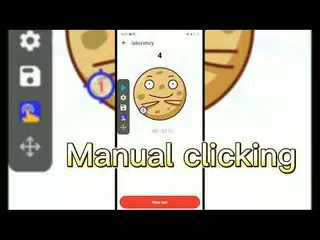
GC Auto Click (Package Name: com.speed.gc.autoclicker.automatictap) is developed by gc auto clicker and the latest version of Auto Click - Automatic Clicker 2.4.13 was updated on October 16, 2026. Auto Click - Automatic Clicker is in the category of Tools. You can check all apps from the developer of Auto Click - Automatic Clicker. Currently this app is for free. This app can be downloaded on Android 7.0+ on APKFab or Google Play. All APK/XAPK files on APKFab.com are original and 100% safe with fast download.
Auto Click - Automatic Clicker helps you create customizable tap, swipe, and long-press sequences at positions you set, with custom timing and duration.
Set up an auto clicker, clicker, click assistant, auto click, or auto tapper workflow for permitted repetitive screen tasks you start yourself.
AUTO CLICK - AUTOMATIC CLICKER - QUICK TOUCH SETUP
• Build an auto click automatic clicker sequence with tap points, swipe paths, long-press duration, intervals, and repeat cycles.
• Use auto clicker quick touch timing for personal routines that need clear interval control.
• Adjust auto click and auto tap positions for selected screen areas with precise custom controls.
AUTO CLICK - AUTOMATIC CLICKER - CLICK ASSISTANT MODES
• Save auto clicker click assistant presets for tap, swipe, and long press sequences.
• Use click assistant auto clicker controls to coordinate selected screen areas in one user-started workflow.
• Multi-touch click mode taps target points in sequence, with separate cycle counts for each point.
• Combined gesture mode brings tap, swipe, and long press into one clear workflow.
AUTO CLICK - AUTOMATIC CLICKER - AUTO TAPPER PRESETS
• Adjust auto clicker auto tapper settings with custom intervals, duration, and repeat cycles.
• Save custom tap and swipe configurations for selected apps.
• Load the matching preset when a chosen app is active, then start it manually from the floating control panel.
• App list access is used only to help match the preset you selected.
AUTO CLICK - AUTOMATIC CLICKER - CONTROL AND BACKUP
• Import and export saved configurations with local storage permission.
• Change click target skins to match your visual preference.
• Adjust floating control panel transparency so controls stay visible without blocking your screen.
• Full-screen coverage helps place interaction points near screen edges.
Try Auto Click - Automatic Clicker to create your own auto clicker quick touch setup for permitted personal repetitive tasks.
Important Note: Auto Clicker uses the AccessibilityService API for core functionality. For detailed usage, please refer to the privacy policy or the in-app instructions.
1.Why use the AccessibilityService API service?
✓A: We use the AccessibilityService API to implement core features, such as simulating clicks, swipes, and identifying the package name of the active foreground app locally to match your presets. The app does not automatically start or trigger any actions.
2. Does AccessibilityService collect personal data?
✓A: No. We do not collect personal data through AccessibilityService. Other data processing for ads, analytics, purchases, synchronization, diagnostics, or feedback is described in our Privacy Policy and Google Play Data Safety section.
3.Only support Android 7.0 and above
4.No ROOT permission is required
Feedback
- If you have any suggestions or usage questions, please email
[email protected].
Privacy policy: https://www.gcautoclicker.com/privacypolicy/
Terms: https://www.gcautoclicker.com/recoverdeleted_terms.html