always visible mouse

6.7 784

v3.17 by OkSoft

always visible mouse XAPK download always visible mouse XAPK download

About Always visible mouse

Always visible mouse (Package Name: com.alwaysmouse) is developed by OkSoft and the latest version of always visible mouse 3.17 was updated on January 26, 2026. always visible mouse is in the category of Tools. You can check all apps from the developer of always visible mouse. Currently this app is for free. This app can be downloaded on Android 7.0+ on APKFab or Google Play. All APK/XAPK files on APKFab.com are original and 100% safe with fast download.
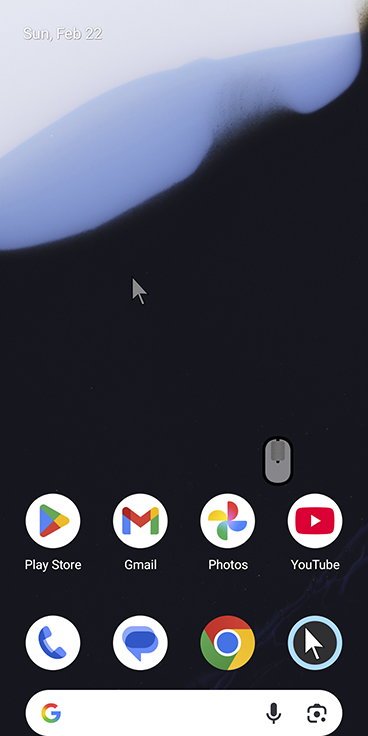
Can be used when clicking with only one hand.
Using the mouse keys allows you to click without dragging.
You can change the mouse color in various ways.
Important:
Accessibility Services: The Accessibility Services permission is required to allow users to simulate clicking and scrolling the screen based on user selection. This application does not use accessibility to access or read user data.
Download Windows 10: https://mega.nz/file/2hl2UZwY#9qXqQuEIqKWTIgObJCwOuMI3vADw_uD51cdm-WuFbiI
Download Android mouse remote control: https://play.google.com/store/apps/details?id=com.alwaysmouseremote
When using a tablet with a large screen or a smartphone with one hand, you can click all the way to the corner with the mouse.
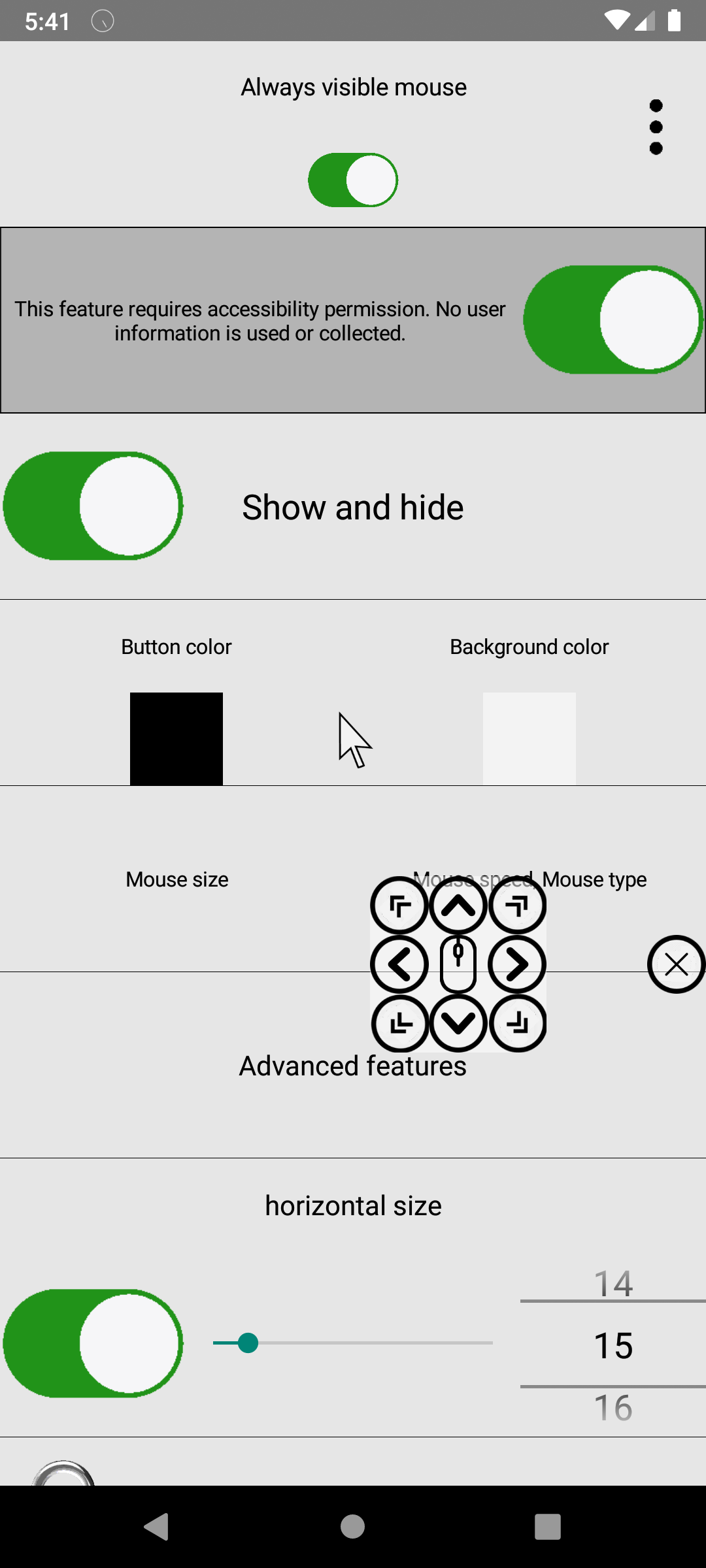
Mouse key allows you to move the mouse by pressing a key.
The gliding cursor is clickable with precision and can be clicked via sound.
manual:
1: Click the second line permission and click OK. You need to find the app in the permission settings and allow it to be able to click the mouse.
2: Click the Advanced Features button on the 6th line. Of the mouse types, the voice mouse clicks with sound and the gliding cursor can be fine-tuned using a moving bar. The mouse key can move the mouse cursor precisely.
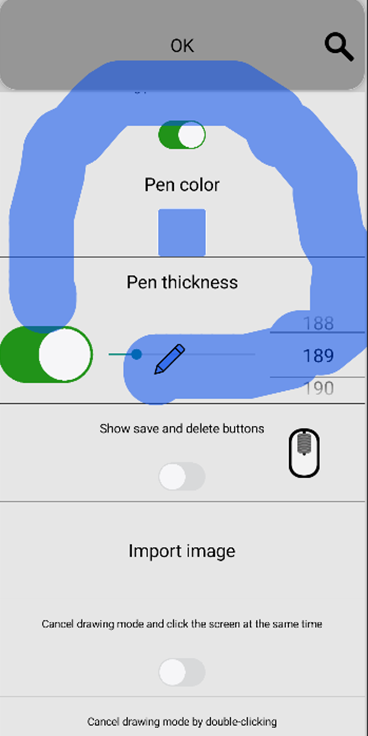
3: Long click option If you press and hold the mouse for more than 1 second, the drawing mode is activated, and if you press and hold for a longer time, it can be hidden.
4: Auto-click allows you to click after a few seconds after the mouse cursor moves and stops.
5: Clicking one button moves only the cursor, which is useful when giving a lecture.
6: There are other decoration options, such as changing the mouse color and changing the image. You can turn the mouse on and off through the widget, and you can also turn it on and off from the notification bar.
Read More
Always visible mouse Features
Related Videos
Previous Versions More
always visible mouse
always visible mouse 3.17 XAPK APKs
January 27, 2026 11.52 MB

Architecture: arm64-v8a

Screen DPI: 160-640dpi

SHA1: 6abace72c8e80e9a74e3197ff82f0d3d9eacf36d

Size: 11.52 MB

always visible mouse
always visible mouse 3.16 XAPK APKs
January 26, 2026 11.52 MB

Architecture: arm64-v8a

Screen DPI: 160-640dpi

SHA1: 2a100074d895cfa3ee0451a915ed442bbaad27ad

Size: 11.52 MB

always visible mouse
always visible mouse 3.05 XAPK APKs
November 24, 2023 5.96 MB

Requires Android: Android 7.0+

Screen DPI: 160-640dpi

SHA1: 475cd71d436f18616ccf78c880c933f40cc5481c

Size: 5.96 MB

What's New:

Fixed a bug where the "Show edge bar after a few seconds" option did not work on mouse click.
Minimum specifications changed from Android 6.0 to Android 7.0.
always visible mouse
always visible mouse 3.03 XAPK APKs
November 17, 2023 6.07 MB

Requires Android: Android 6.0+

Screen DPI: 160-640dpi

SHA1: df163aa04977ea7df223cff742e2bae36fc002d7

Size: 6.07 MB

What's New:

Pressing and holding the corner button of the mouse key saves the current mouse cursor position. A bug where the position of the mouse key corner button added in the previous update was not saved has been fixed.
More Information

Package Name:

com.alwaysmouse

Category:

Tools Apps

Update Date:

Latest Version:

3.17

Need Update:

Submit latest version

Available on:

Google Play

Requirements:

Android 7.0+