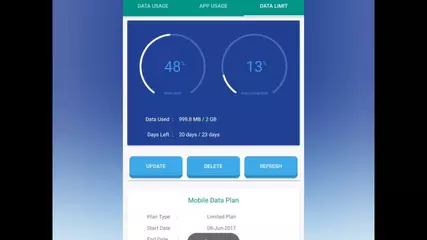
Data Manager & App Usage

8.4 458

v4.4.0 by TecDroid Developer

Data Manager & App Usage XAPK 下載 Data Manager & App Usage XAPK 下載

關於 Data Manager and App Usage

Data Manager and App Usage(包名:com.techdev.internetspeedmeter)開發者是TecDroid Developer,Data Manager and App Usage的最新版本4.4.0更新時間為2026年10月19日。Data Manager & App Usage的分類是工具。您可以查看Data Manager & App Usage的開發者下的所有應用並找到Data Manager & App Usage在安卓上的74個相似應用。目前這個應用免費。該應用可以從APKFab或Google Play下載到Android 7.0+。APKFab.com的所有APK/XAPK文檔都是原始文檔並且100%安全下載的資源。
資料管理器會在狀態列中即時顯示哪些應用程式正在使用您的行動數據和 Wi-Fi,您使用手機的長度以及即時網路速度。所有數據均來自 Android 自身的流量統計信息,並在您的手機上進行處理。無需註冊,無需登入。
每個應用的數據使用情況
• 每個應用程式的行動數據和 Wi-Fi 數據使用:下載、上傳以及應用程式關閉時的數據使用情況
• 今日、昨日、本週、本月、您的帳單週期或任何自訂日期
• 按小時、每日和每週的圖表
• 裝置總計資料來自與 Android 設定相同的 Android 統計資料(預設 1 GB = 1000 MB,選用 1024 MB 單位)
• 顯示後台使用資料的應用,並提供限制背景應用的捷徑
• 顯示熱點和漫遊使用情況,並提供每日一次漫遊提醒
即時網速
• 線上時,狀態列會顯示下載和上傳速度
• 通知欄會顯示今日的行動數據和 Wi-Fi 使用情況
• 快速設定磁貼和啟動器捷徑,可開啟或關閉此功能
數據套餐和提醒
• 提供每月、週度和日度套餐(例如每日 1.5 GB)或 28 天、56 天和 84 天有效期套餐
• 「今日安全」:今日可用流量,直至套餐續約
• 流量使用量達到 50%、80% 及 100% 時發出提醒
• 應用資料使用量遠超平常或首次連網時發出提醒
• 輸入您的套餐價格,即可查看數據費用
螢幕使用時間和應用程式使用情況
• 每個應用程式的螢幕使用時間、解鎖次數、通知次數和應用程式啟動次數
• 細分、套用啟動次數、通知次數和解鎖次數頁面,包含會話時間長度和尖峰時段
• 您的每日使用節奏:按小時統計畫面使用時間、解鎖次數、通知次數和應用程式啟動次數
• 每週熱力圖與手機使用日曆
• 最容易幹擾使用的應用和類別
• 使用歷史記錄:單一應用程式或所有應用程式的每次會話時間軸
• 每個應用程式的使用限制,達到限制時會發出通知
應用詳情
點擊任何應用程式即可查看其使用圖表、螢幕使用時間、會話次數、Wi-Fi 和行動數據使用量、下載和上傳資料、前台和背景資料、權限和應用程式詳情提供系統設定資訊及捷徑。
洞察與總結
• 智慧洞察:異常峰值、與上週的趨勢對比、後台數據和計劃進度
• 按日、週或月查看資料、時間和應用程式的總和
• 可分享為圖片的「我的一週」卡片,以及可選的每週報告
• 每日總結通知
• 可選的連續使用天數、徽章、目標和休息提醒(預設為關閉)
小工具及更多功能
• 適用於小、中、大三種尺寸的手機主螢幕小工具,用於顯示資料使用情況、螢幕使用時間或兩者兼有
• 將報告匯出為 PDF 或 CSV 文件
• 將您的歷史記錄、計劃和設定備份到檔案(例如 Google 雲端硬碟),並在新手機上恢復
• 淺色和深色主題,10 種強調色或您的壁紙顏色
• 支援 19 種語言
• 適用於手機、平板電腦和折疊螢幕設備
隱私至上
• 您的使用資料在您的手機上處理,不會被上傳
• 無需帳戶或登入
• 使用情況存取權限僅用於讀取資料使用情況和螢幕使用時間統計數據
權限
• 使用情況存取權限:讀取每個應用程式的資料使用量和螢幕使用時間
• 通知權限:用於速度計、套餐提醒和摘要
• 電話權限(僅限 Android 7 至 9):讀取您 SIM 卡的行動數據總量
此應用程式免費,但包含廣告。一次性應用程式內購買即可移除廣告。
如有任何疑問或建議,請發送郵件至 [email protected]

Data Manager and App Usage 4.4.0 更新

What's new in 4.4
• App lock: open the app with your phone's fingerprint, face, PIN or pattern (Settings → Privacy)
• "Pro" badge in the menu after removing ads
• Tidier menu header that no longer sits under the status bar
查看更多
Data Manager and App Usage 資訊
相關視頻
歷史版本 更多
Data Manager & App Usage
Data Manager & App Usage 4.4.0 XAPK APKs
2026年10月23日 10.65 MB

Architecture: arm64-v8a

Screen DPI: nodpi

SHA1: f0945b6c10fc8dc15d9507e8f62643f580753a4c

Size: 10.65 MB

What's New:

What's new in 4.4
• App lock: open the app with your phone's fingerprint, face, PIN or pattern (Settings → Privacy)
• "Pro" badge in the menu after removing ads
• Tidier menu header that no longer sits under the status bar
Data Manager & App Usage
Data Manager & App Usage 4.3.4 XAPK APKs
2026年10月20日 8.09 MB

Requires Android: Android 7.0+

Architecture: arm64-v8a

Screen DPI: nodpi

SHA1: 8d219f31ee2490b0f627fa2c56787e415d582a41

Size: 8.09 MB

What's New:

What's new in 4.3.2
• Time tab: 4 new pages – app breakdown, app launches, notifications and unlocks
• Home: "Your daily rhythm" – screen time, unlocks, notifications and launches by hour
• Switch charts between columns and lines
• Cleaner charts with rounded bars
• Fixed crashes when usage access or phone permission is missing
• Now in Marathi (मराठी)
• Faster Home screen and other bug fixes
Data Manager & App Usage
Data Manager & App Usage 4.1.1 XAPK APKs
2026年10月15日 10.11 MB

Architecture: arm64-v8a

Screen DPI: 160-640dpi

SHA1: 914c73b378defc35c05638f542cd42ef81314776

Size: 10.11 MB

What's New:

Bug fixes:
• Fixed a crash on start on some Android 14+ devices
• Fixed ad card that kept growing taller on some screens
• Stability improvements
Data Manager & App Usage
Data Manager & App Usage 4.0.0 XAPK APKs
2026年10月12日 6.39 MB

Requires Android: Android 7.0+

Architecture: arm64-v8a

Screen DPI: 160-640dpi

SHA1: 8acf890ca31d847ea4cea5a9c7c0360088f31e45

Size: 6.39 MB

What's New:

Big update – version 4.0!
• Fresh, clean design with light/dark mode and your choice of accent colour
• New Home: today's data and screen time, a 5-week usage calendar and top apps
• New timeline: repeat uses of the same app are grouped; tap to see each one
• Calendar shows daily data or screen time, coloured low/medium/high
• Faster start-up and better stability
• Live speed and data notification is now optional – turn it on in Settings
• Your history and settings are kept
更多資訊

更新日期:

最新版本:

4.4.0

請求更新:

提交最新版本

Available on:

Google Play

系統要求:

Android 7.0+