Barcode to Sheet(包名:com.vel.barcodetosheet)開發者是velsof,Barcode to Sheet的最新版本8.5.7更新時間為2026年11月21日。Barcode to Sheet的分類是商業。您可以查看Barcode to Sheet的開發者下的所有應用並找到Barcode to Sheet在安卓上的200個相似應用。目前這個應用免費。該應用可以從APKFab或Google Play下載到Android 7.0+。APKFab.com的所有APK/XAPK文檔都是原始文檔並且100%安全下載的資源。
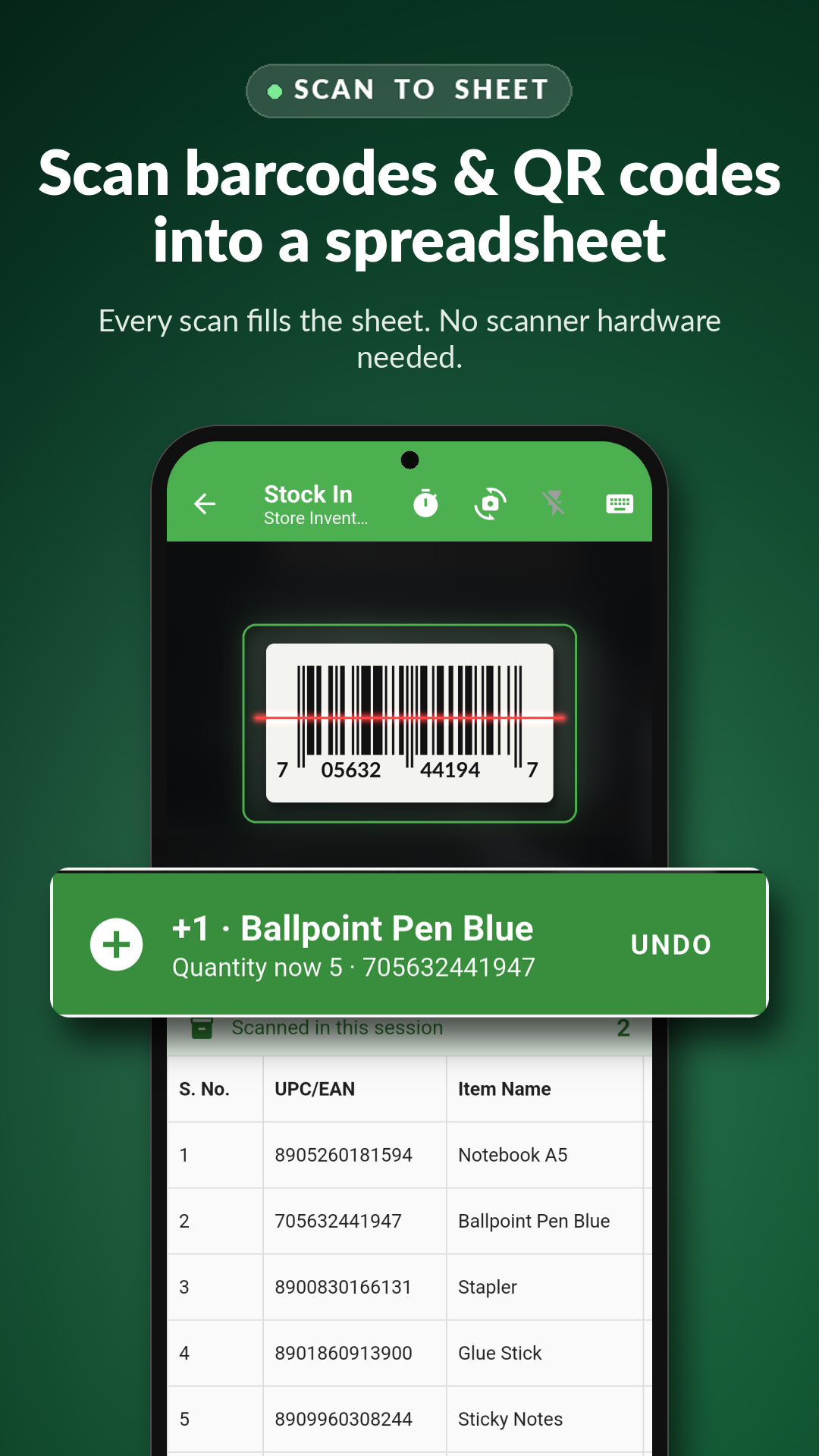
Barcode to Sheet is a barcode scanner and QR code scanner that saves every scan straight into a spreadsheet on your phone. Use it for inventory management, stock counts, asset tracking, attendance or any data collection form, then export to Excel or CSV in one tap. No barcode scanner hardware needed: your Android phone camera reads the codes.
BARCODE SCANNER TO SPREADSHEET
• Scan a barcode or QR code and it fills the next row of your sheet
• Build custom data collection forms with text, number, dropdown, radio buttons, e-mail, web link, date, time, GPS latitude and longitude, photo and calculated columns
• Required and unique fields stop blank and duplicate barcode entries
• Calculation rules: scan the same barcode again and its quantity goes up or down automatically
• Start from scratch, a ready-made template, or an existing Excel or CSV file
• Sort, filter and bulk-delete rows
INVENTORY AND STOCK MANAGEMENT
• Turn an Inventory Management template sheet into a stock sheet
• Stock in: every barcode scan adds one; unknown barcodes can be added as new products
• Stock out: every scan removes one and stock never goes below zero
• Stock Log shows a summary and full history by day or week
• A simple inventory app for stock rooms, warehouses and retail shops
BARCODE LOOKUP
A second app, built in, for daily barcode scan lists.
• Every scan lands in today's column, so each day keeps its own list
• Search or scan a barcode to see the day and time it was scanned
• Allow or block duplicate scans on each board
• Export to Excel or CSV; data stays on your device
EXPORT TO EXCEL AND CSV
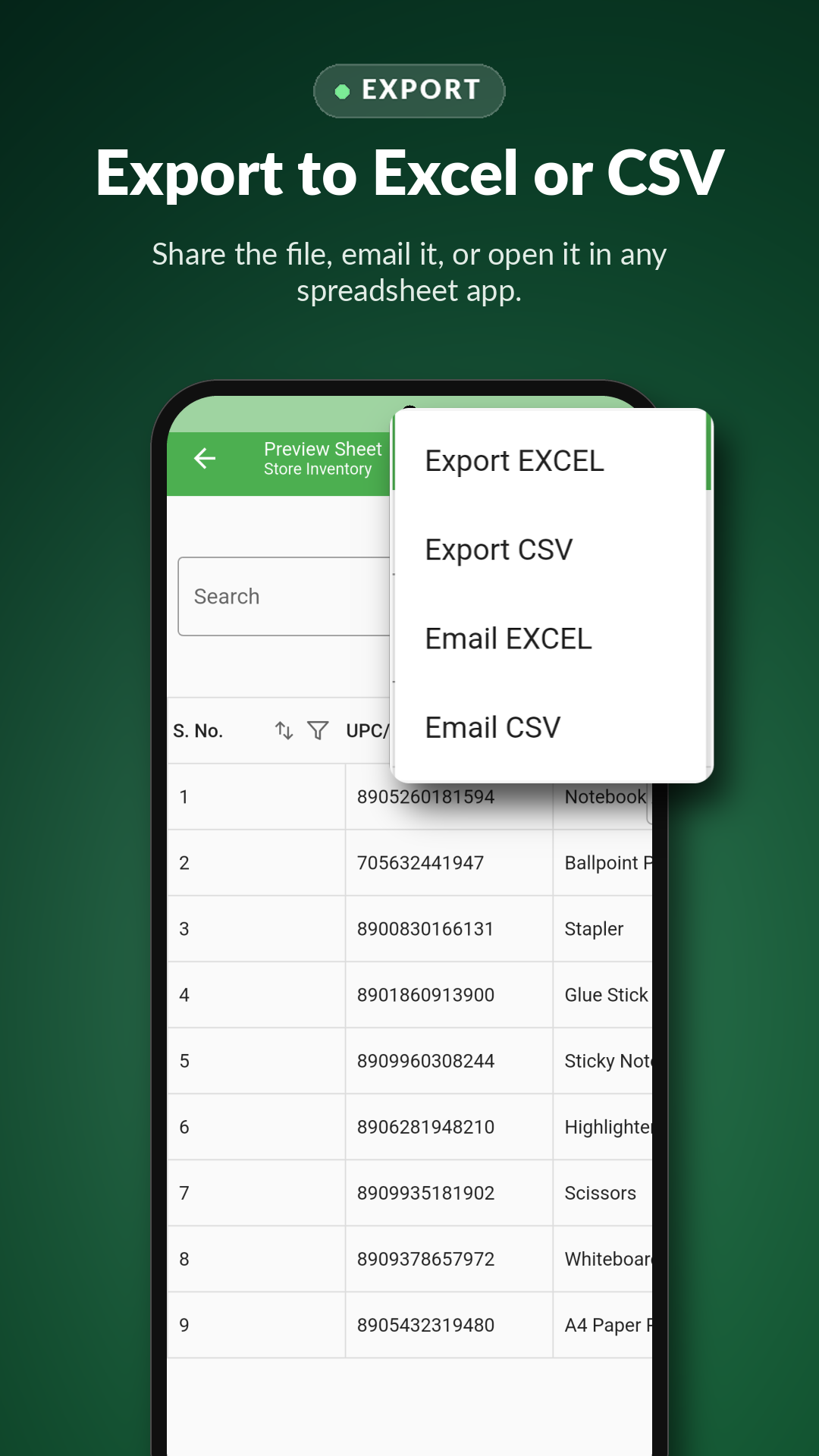
• Export any sheet to Excel (XLSX) or CSV, or e-mail it from the app
• Open the exported file in Microsoft Excel, Google Sheets or any spreadsheet app
• Put photos inside the Excel file or in a separate ZIP (Pro+)
ENTERPRISE: TEAM COLLABORATION
• Create your enterprise, invite users and choose who is an admin
• Share sheets for real-time collaboration: every barcode scan appears on every phone at once
• Shared stock: the whole team scans stock in and out on one sheet; the log shows who changed what
PLANS
• Free: barcode scanning and export, with ads and limited sheets and rows
• Pro+: one-time purchase for unlimited sheets and rows, no ads, Excel/CSV import and photo export
• Enterprise: subscription for teams working on the same sheets
BUILT FOR REAL WORK
• Replaces a dedicated barcode scanner: no extra hardware, fewer typing errors
• Your own sheets work offline and stay on your phone
• Fast barcode reader with torch, scan sound and left-hand mode
• Available in English, Hindi, Indonesian, Filipino and Romanian
SUPPORTED BARCODE FORMATS
QR Code, Data Matrix, PDF417, Aztec, EAN-13, EAN-8, UPC-A, UPC-E, ISBN, Code 128, Code 39, Code 93, ITF and Codabar.
WHO USES BARCODE TO SHEET
• Retail and wholesale: inventory management and stock audits in shops, supermarkets, pharmacies and clothing stores
• Warehouse management and logistics: receiving, cycle counts, order picking, shipment and delivery tracking
• Manufacturing: raw materials, spare parts and finished goods
• Asset tracking and equipment tracking: laptops, IT hardware, serial numbers, tools, furniture and vehicles
• Healthcare and laboratory data collection: medical supplies, medicine stock and samples
• Schools, colleges and offices: attendance tracking with ID card barcodes or QR codes, library books by ISBN
• Events: log QR tickets and visitor badges at the door
• Restaurants and cafés: food and beverage stock
• Construction and maintenance: site materials, inspections and equipment checks
• Field data collection: field surveys, audits and custom business forms
• At home: home inventory, book and game collections, moving boxes
From retail counters to warehouse shelves, Barcode to Sheet is the barcode scanner app that turns every scan into an organized spreadsheet.
Questions or feature requests? Write to
[email protected]