關於 AALinQ
AALinQ(包名:com.gromaudio.aalinq)開發者是GROM Audio,AALinQ的最新版本2.1.6.6更新時間為2016年08月31日。AALinQ Car Music Player的分類是音樂與音效。您可以查看AALinQ Car Music Player的開發者下的所有應用並找到AALinQ Car Music Player在安卓上的30個相似應用。目前這個應用免費。該應用可以從APKFab或Google Play下載到Android 2.3.4+。APKFab.com的所有APK/XAPK文檔都是原始文檔並且100%安全下載的資源。
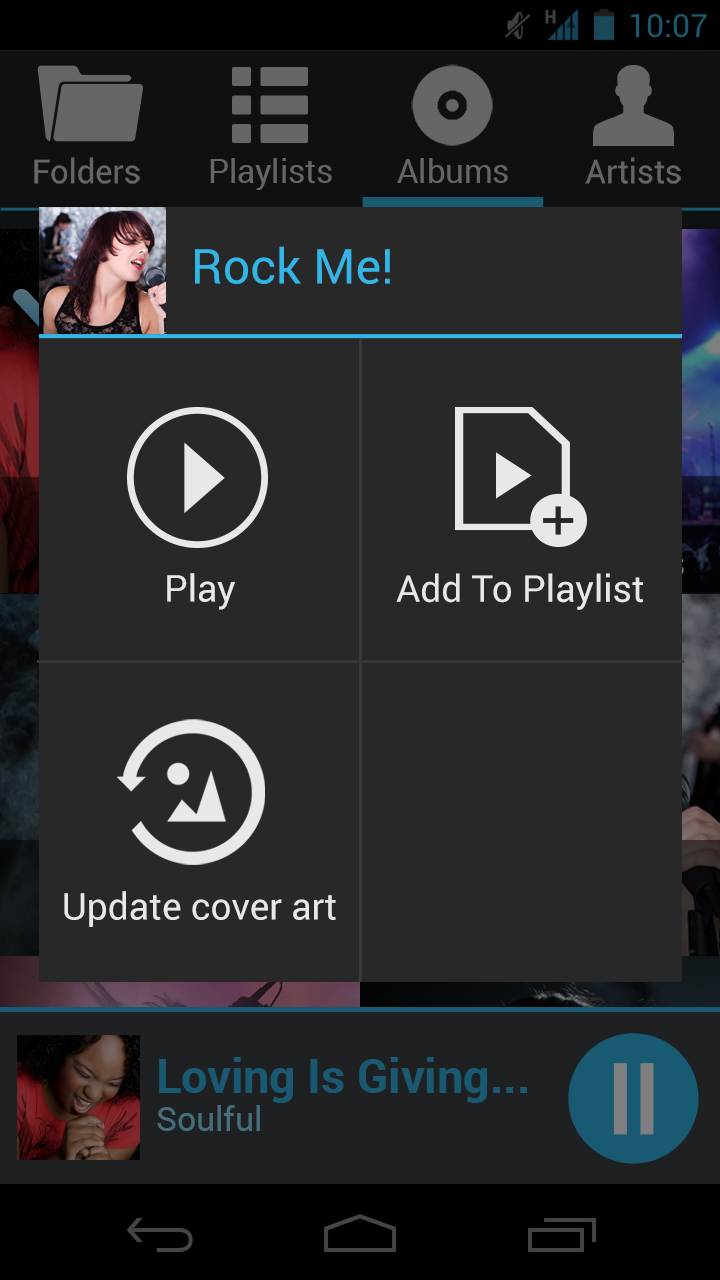
AALinQ is a new way to use Android mobile device in the car. Large fonts, vivid colors make it simple to navigate your music in the car!
Use it through AUX jack, Bluetooth or GROM car specific hardware.
Features:
- No advertising or spying. Free to use.
- 5 band equalizer on all supported devices (2.3+)
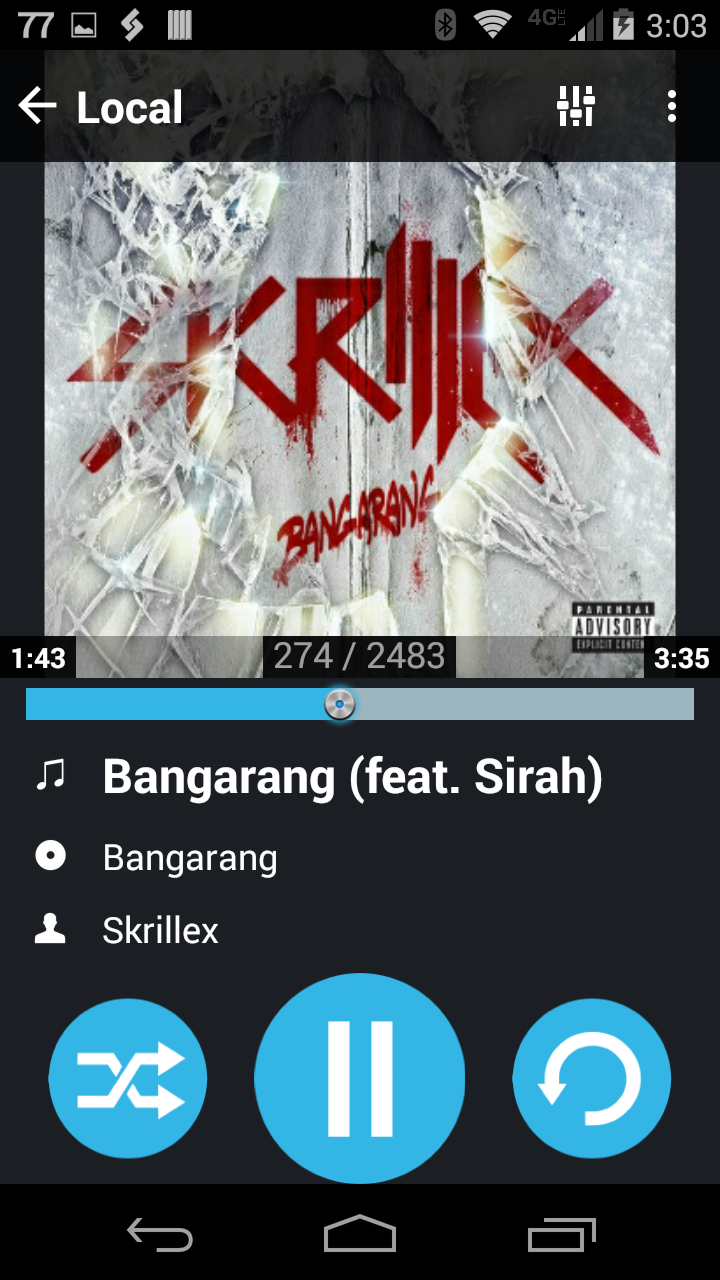
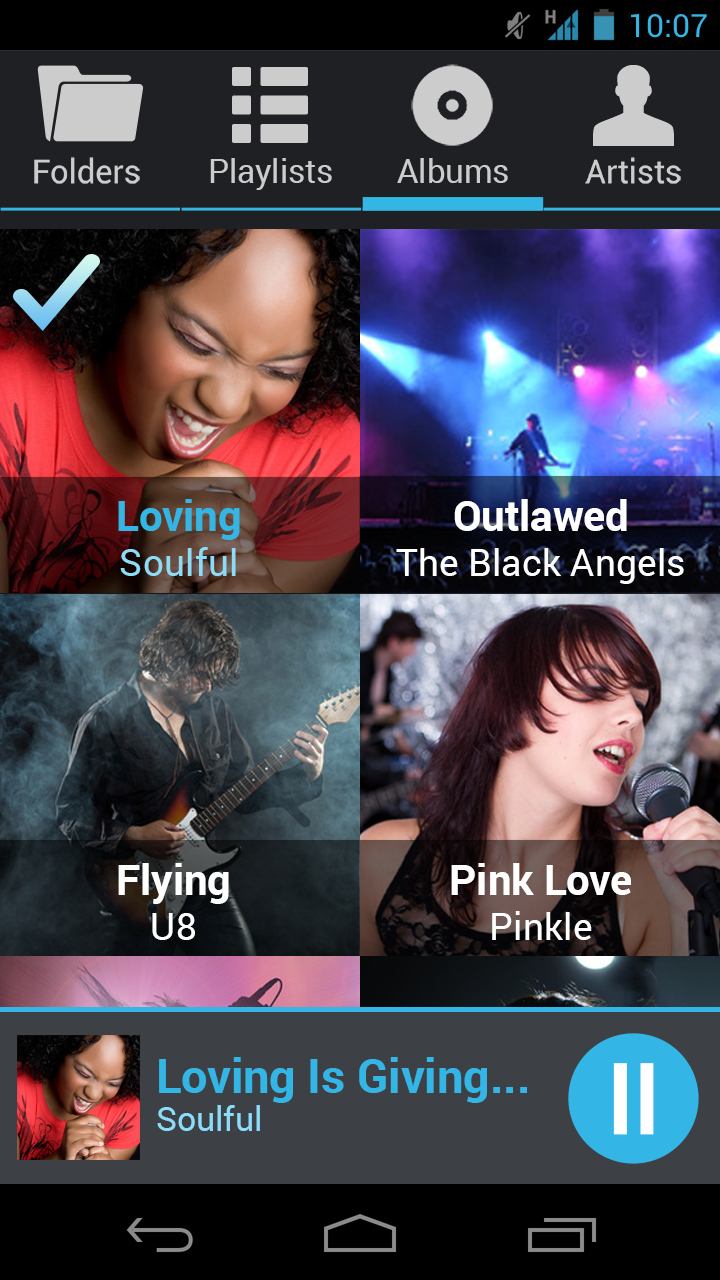
- Large fonts and icons, bright colors for in car use
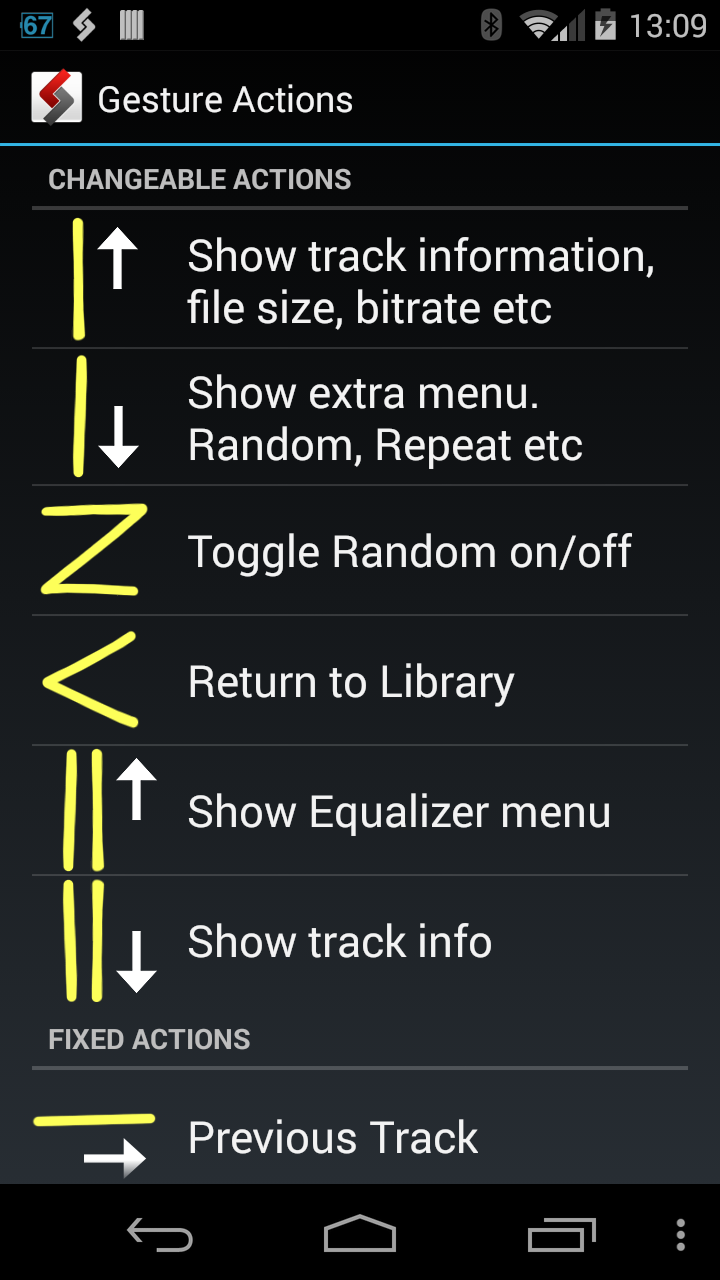
- Gestures/swipe control of the playback, random and other functions
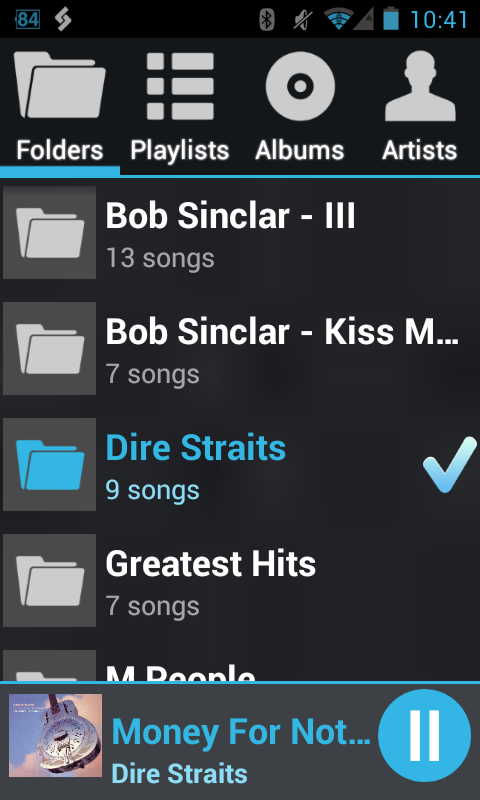
- Create dynamic (on-the-go) playlists from any folder(s) or stations
- Swipe left right for track change
- Large track seeking bar
- 3D cover art animation
- Auto switch to Playing Now screen
- Bluetooth controls supported
- Lock screen controls displayed
- Non-ASCII charsets supported
- When connected to GROM HW and Bluetooth, choose which quality of the stream you want (icon next to time slider)
- FLAC, WMA, AAC, OGG, AAC, MP3 supported
- Automatic cover art download
- Gapless (almost) playback
- Browsing available by: Folders, Artists, Albums, Playlists and All Songs
- Fast navigation by Folders, Artists, Albums, Playlists via gesture up and down in Playing Now screen
For best integration with your car stereo- use GROM hardware interface (http://gromaudio.com) and get digital clear sound, charge and full control from the factory radio.
Hints:
To enable USB Streaming to GROM HW simply exit the AALinQ app and run your favorite music app.
To enable GROM connect: Attach phone to GROM USB device and start any song in AALinQ
When connected to GROM via USB and Bluetooth, use route button next to time slider to switch between digital USB and Bluetooth A2DP streaming.
With GROM direct car interface the operation is simple for music tracks:
1. Disk 1 is a On-The-Go playlist. Disk 2 is the first playlist, Disk 3 is second and so on
2. Titles and cover art displayed in player in portrait in and landscape mode
3. Full control from either AALinQ or GROM. Player stays in sync with stereo all the time
Troubleshooting when used with GROM interface:
1. Make sure you have latest firmware installed from http://gromaudio.com/software-usb2.html or http://gromaudio.com/software-usb3.html
2. On older phones (2.3.x) to operate you will need to turn USB Debugging option ON (Settings->Application->Development), follow suggestions from AALinQ
3. Submit support ticket if nothing helps http://gromaudio.com/support.html
Note: AALinQ works best with GROM-USB2P, GROM-AND2 or GROM-MST3 module installed in your vehicle.
Note: GROM-USB2P and GROM-MST3 must be updated to the latest firmware for all features to work
Permissions:
WRITE_SETTINGS - changes in Media DB for non ASCII characters support
WRITE_EXTERNAL_STORAGE - cover art extraction
INTERNET - GROM connection and cover art update
AALinQ 2.1.6.6 更新
OGG parsing fixed
查看更多