About UCCW
UCCW (Package Name: in.vineetsirohi.customwidget) is developed by VasuDev and the latest version of UCCW - Ultimate Custom Widget 4.11.5 was updated on October 26, 2026. UCCW - Ultimate Custom Widget is in the category of Personalization. You can check all apps from the developer of UCCW - Ultimate Custom Widget and find 117 alternative apps to UCCW - Ultimate Custom Widget on Android. UCCW - Ultimate Custom Widget is listed in Best 10 Android Widgets for Homescreen. Currently this app is for free. This app can be downloaded on Android 7.0+ on APKFab or Google Play. All APK/XAPK files on APKFab.com are original and 100% safe with fast download.
Design your own custom widgets—or transform your homescreen in 1 tap with 50+ built-in templates and curated OTA Skin Packs & HD Wallpapers!
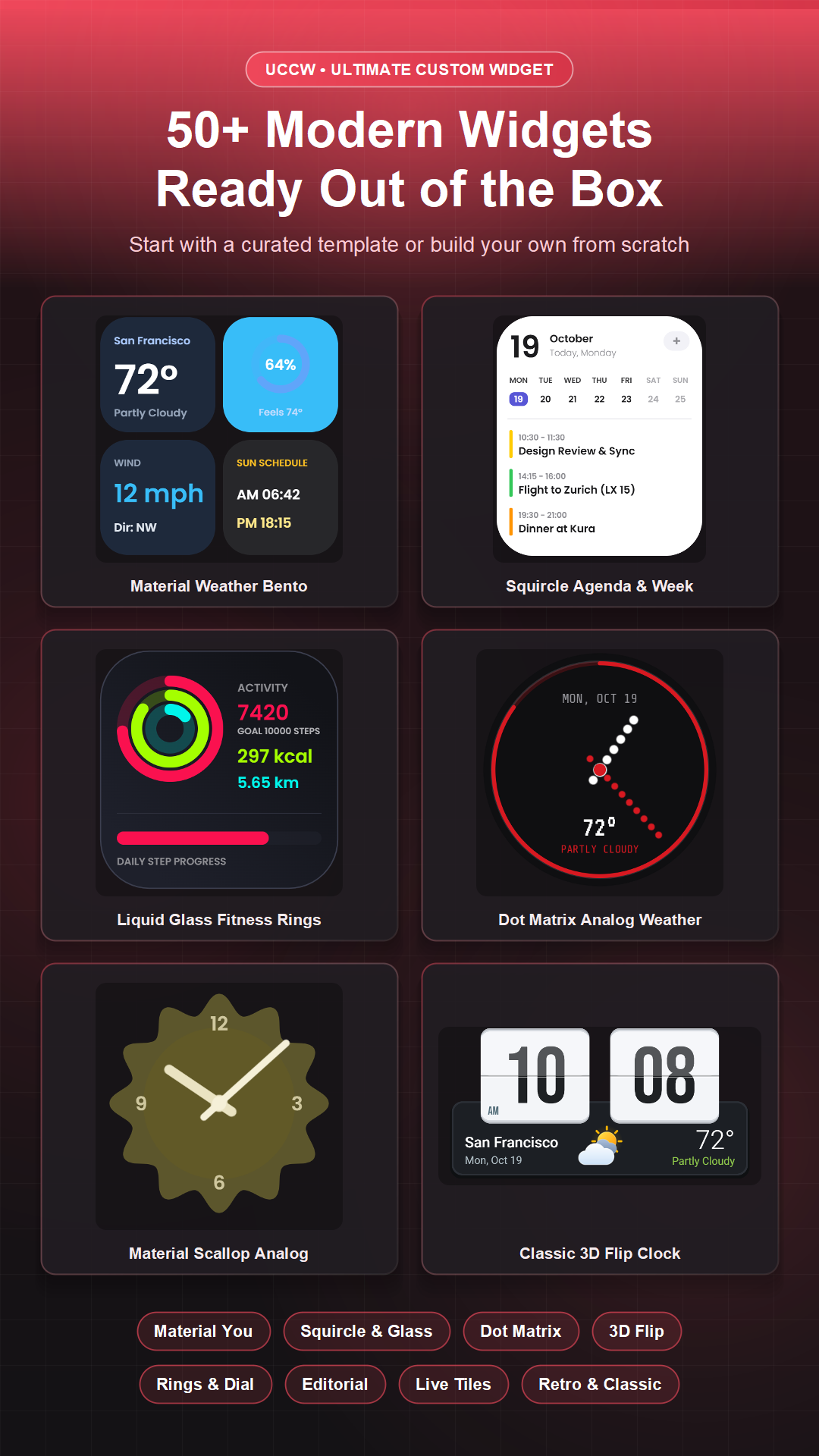
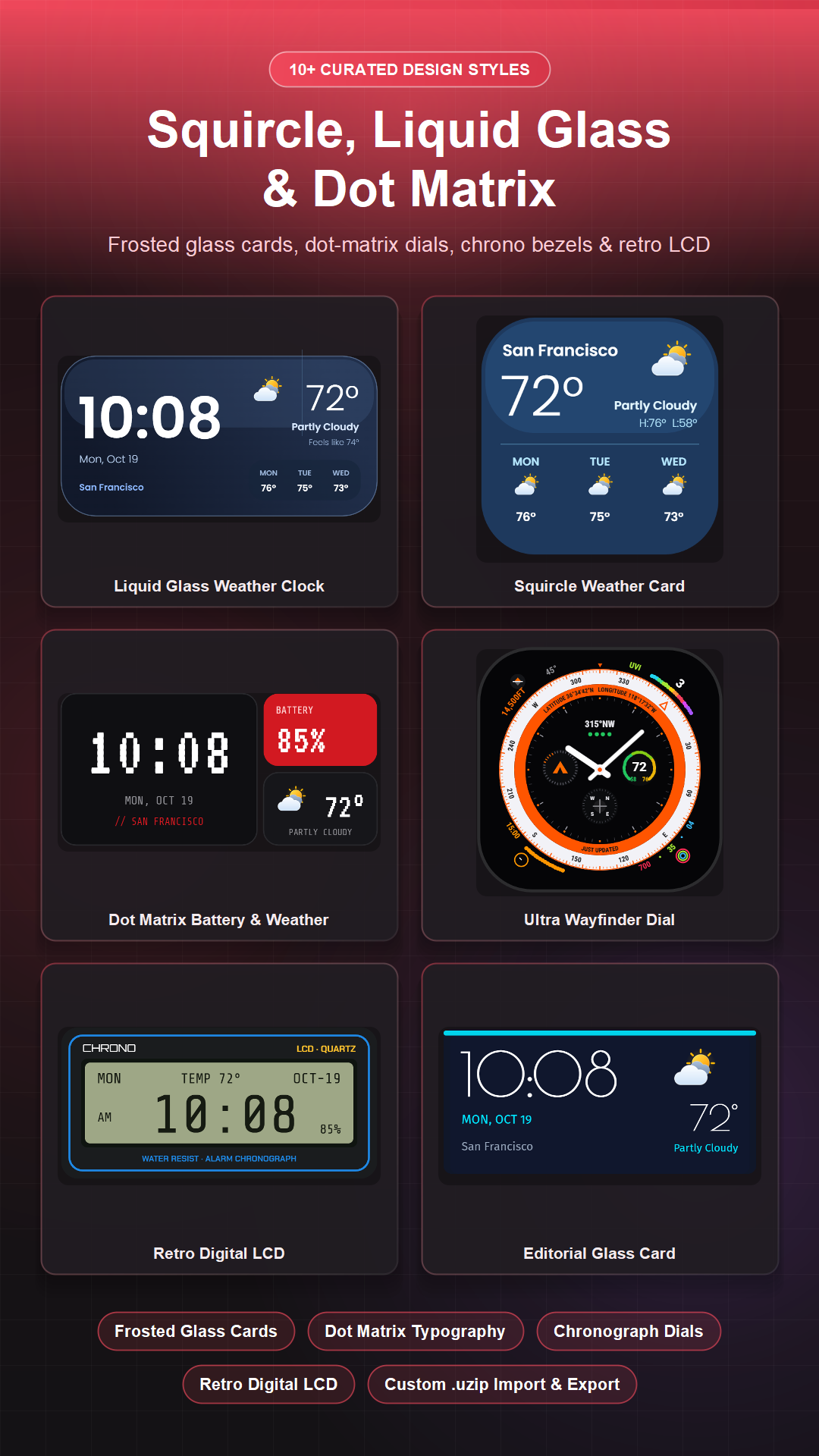
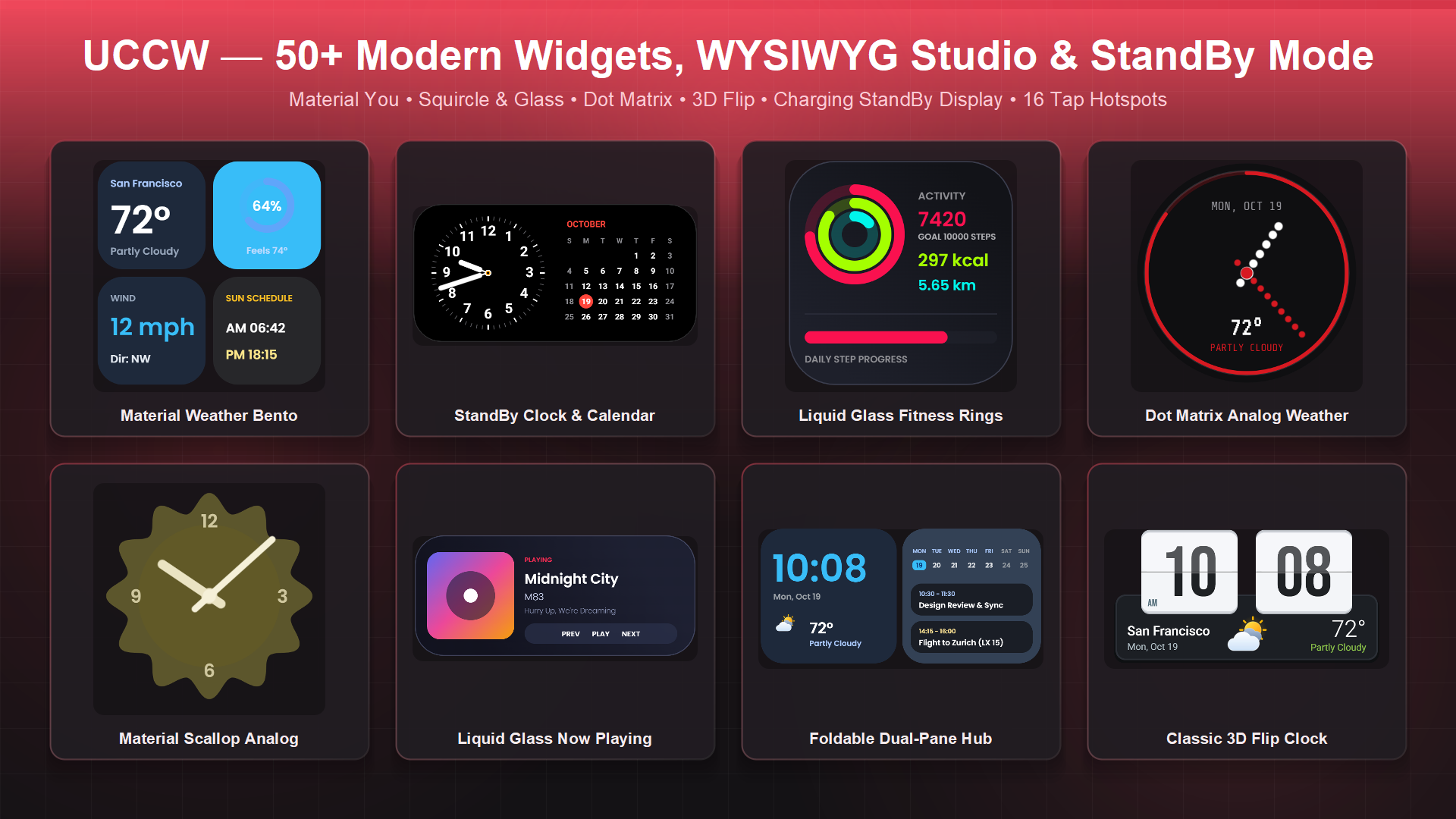
UCCW (Ultimate Custom Widget) is a powerful WYSIWYG widget maker, skin pack gallery, and charging StandBy display for Android. Build everything from clean minimalist clocks and Material You dashboards to dot-matrix cards, 3D flip clocks, fitness rings, and live media players.
📦 Curated Skin Packs & Matching Wallpapers
Browse online widget collections—including Dot Matrix OS, Cyberpunk Neon HUD, Retro Tactile & Bauhaus, Obsidian & Gold, and seasonal packs—complete with matching full-screen HD wallpapers and 1-tap installation.
✨ 50+ Built-in Templates Ready to Use
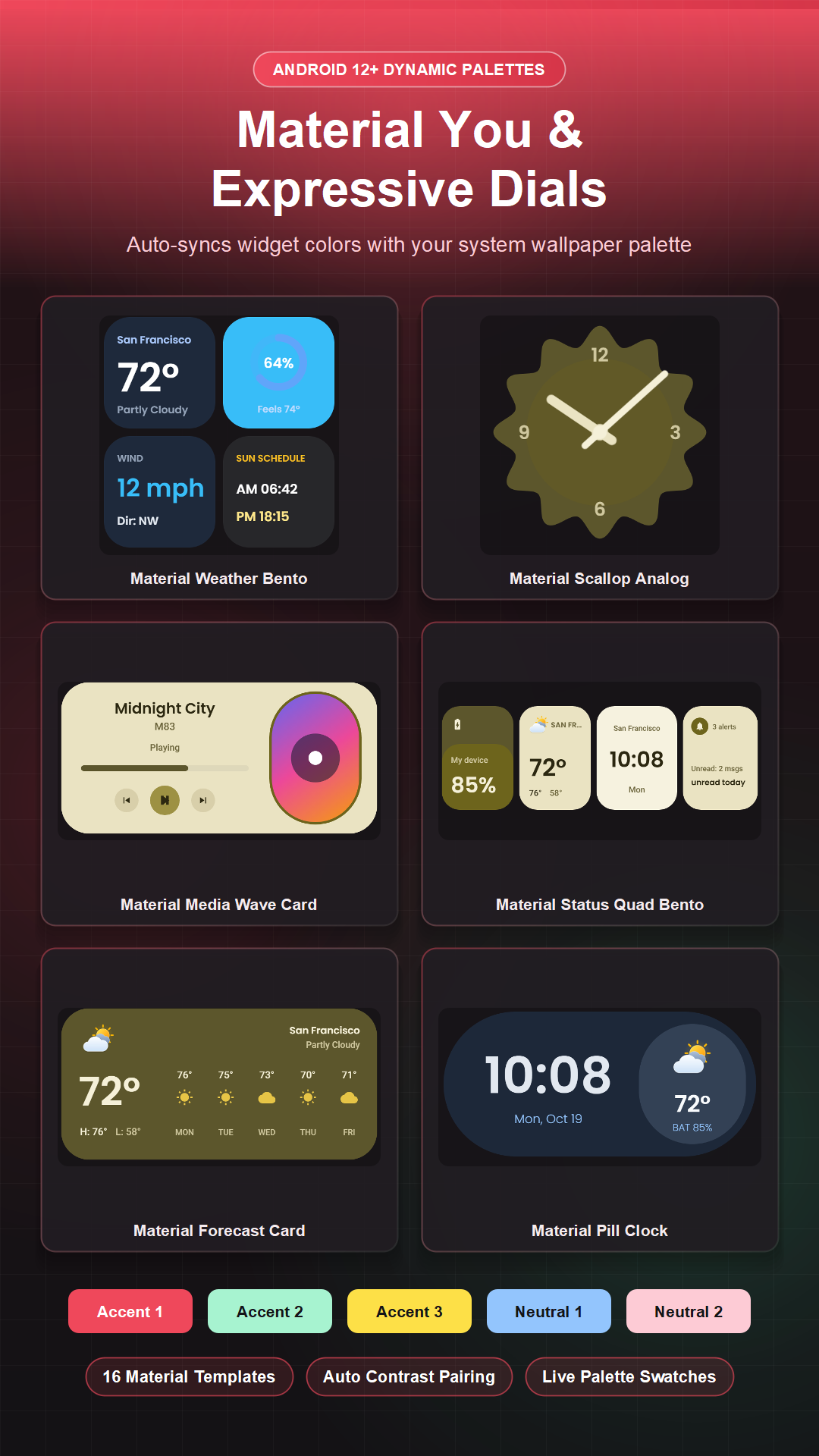
Pick from categorized templates including Material (with Material You dynamic wallpaper colors), Squircle & Glass, Modern UI, Dot Matrix, Flip Clock, Rings & Dial, Editorial, Live Tiles, Retro, and Classic—or import and share .uzip skin files.
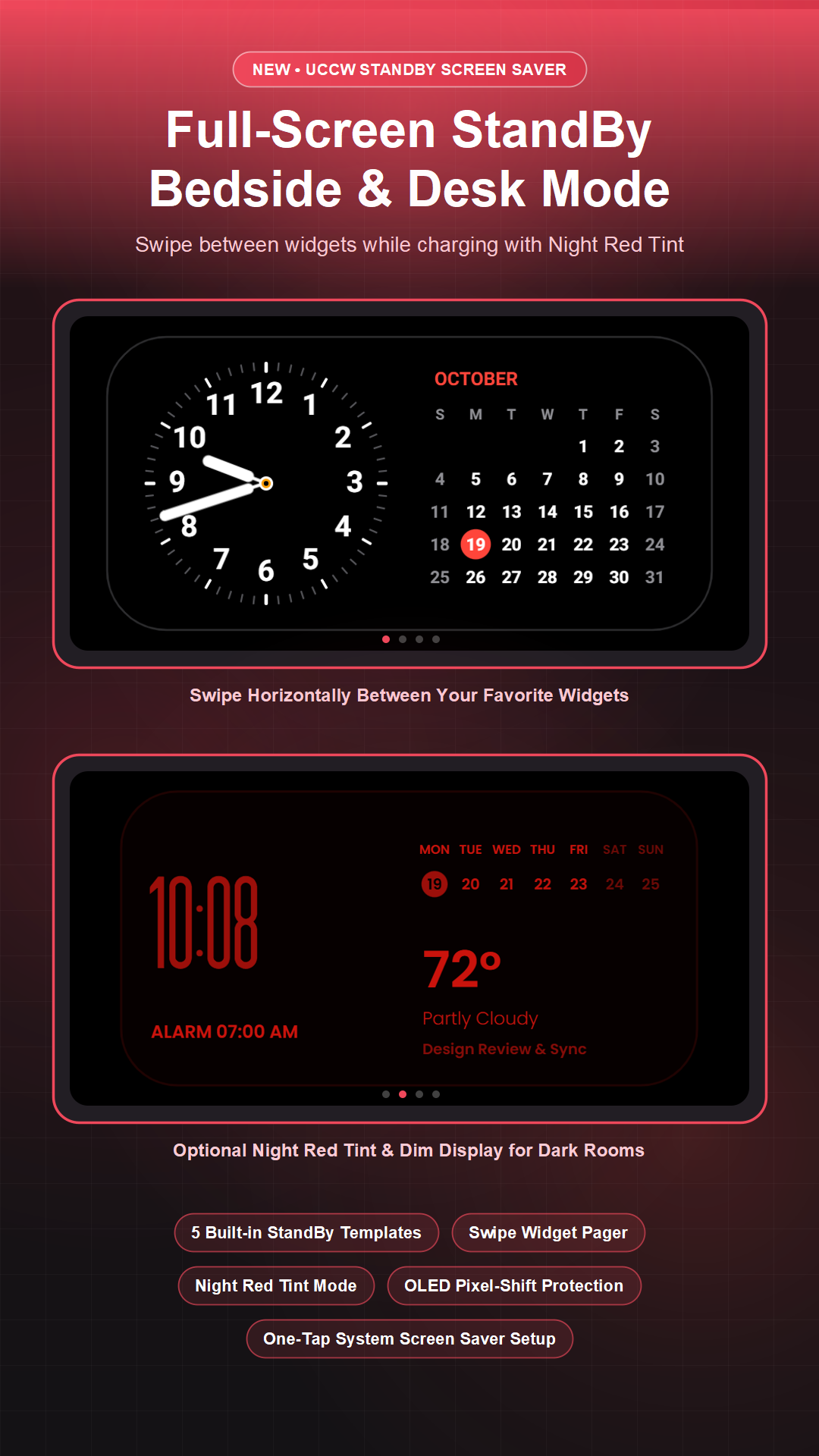
🌙 UCCW StandBy Mode (Screen Saver)
Turn your phone or tablet into a full-screen bedside or desk display while charging or docked:
• Swipe horizontally between your favorite UCCW widgets
• Optional Night Red Tint and Dim Display for dark rooms
• Automatic pixel-shift burn-in protection for OLED screens
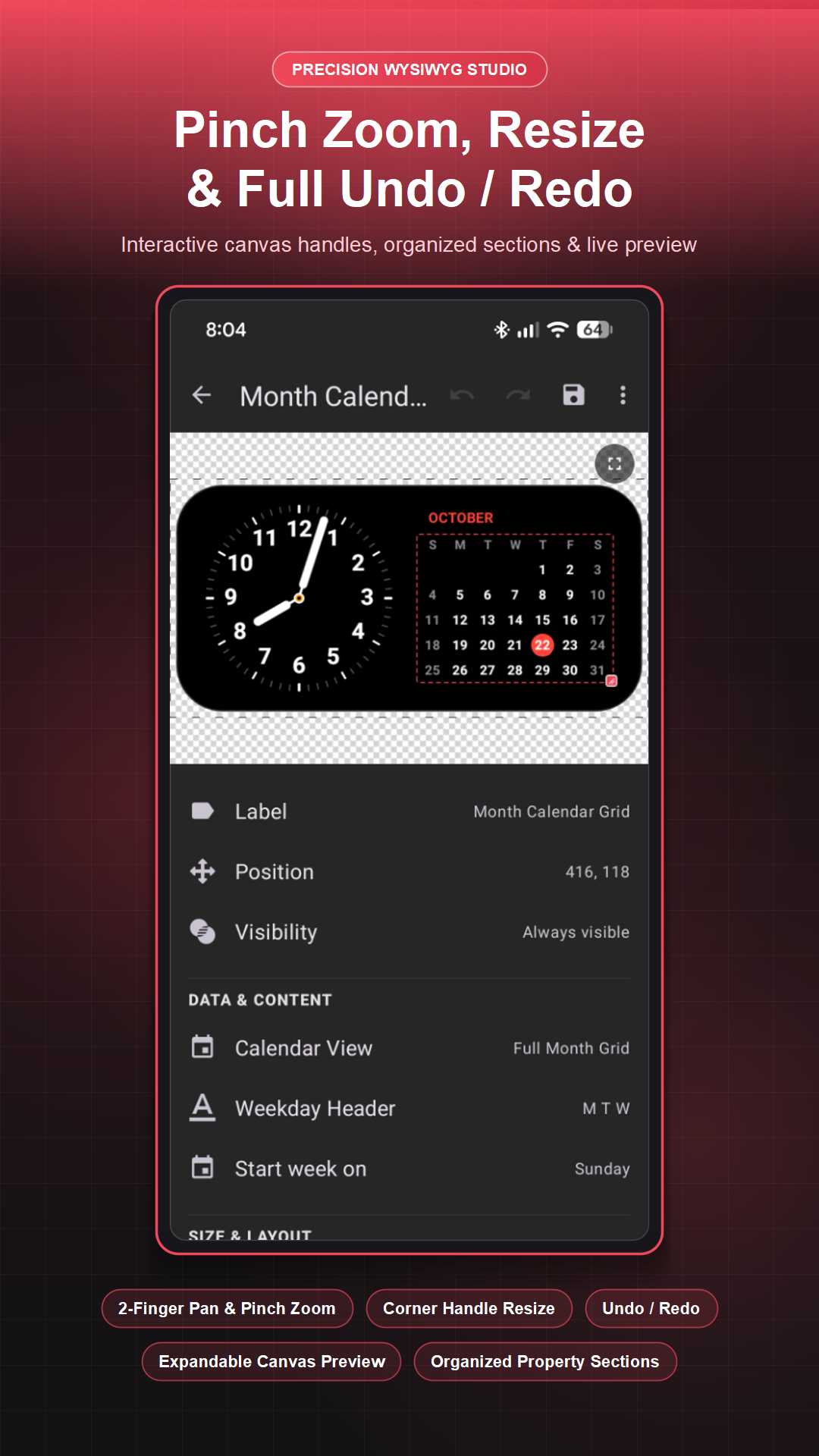
🎨 Powerful WYSIWYG Widget Editor
• Smooth Canvas Controls: 2-finger pan & pinch-to-zoom (up to 4×), corner resize handles, live wallpaper preview, and full Undo / Redo history.
• Cross-Skin Copy & Format Painter: Copy and paste multiple objects or transfer visual styles (colors, gradients, fonts, shadows) across different skins.
• Instant Widget Reassignment: Swap skins on your existing homescreen widgets anytime without deleting or recreating them.
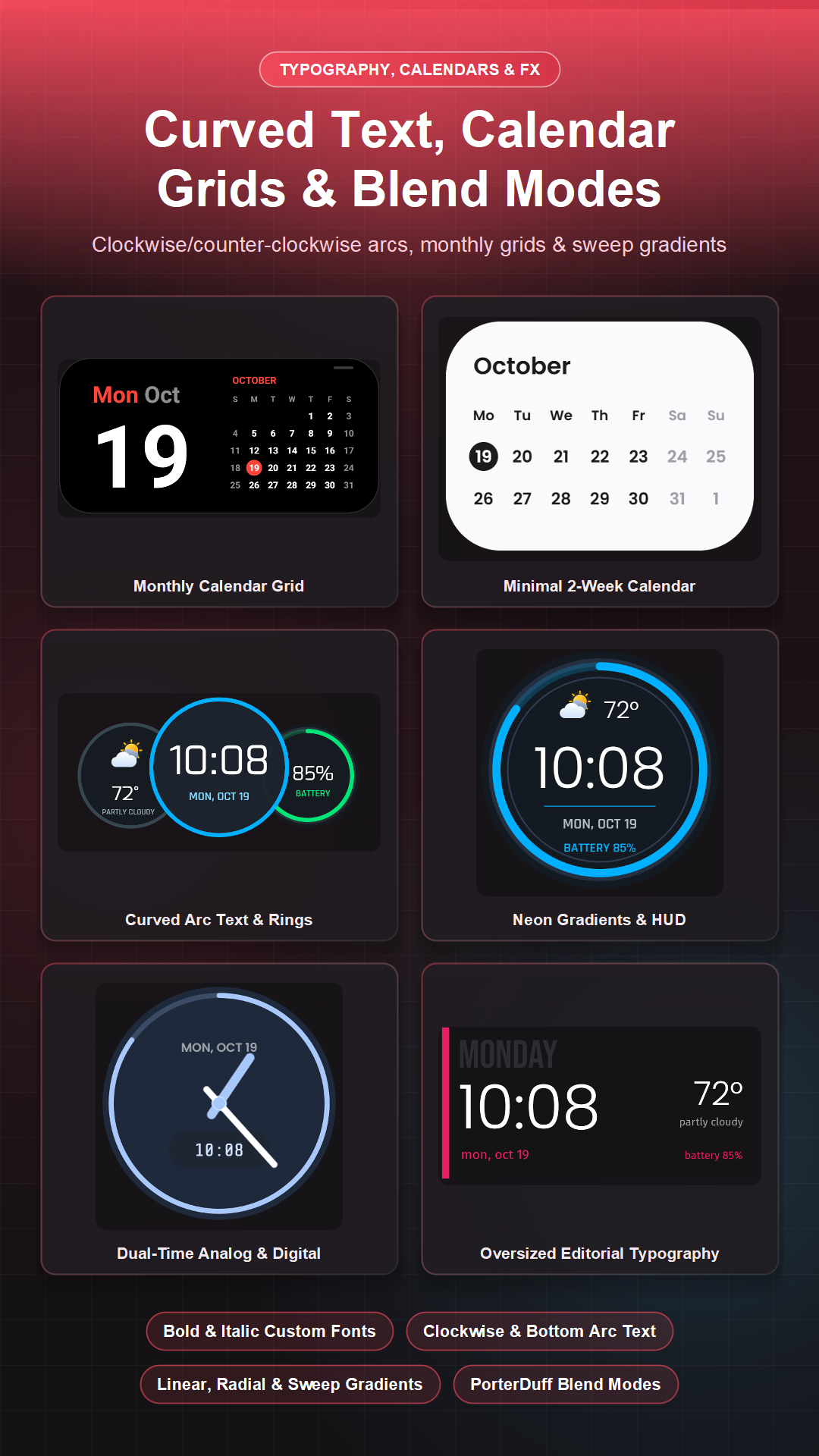
• Rich Typography: Custom fonts, Bold & Italic styles, Curved Text (top/bottom arcs), and Monthly Calendar Grids.
• Shapes, Gradients & Blend Modes: Rectangles, rounded cards, ovals, triangles, polygons (3–12 sides), linear/radial/sweep gradients, PorterDuff blend modes, and Material You dynamic colors.
• Smart Images: Custom photos, Live Album Art (Now Playing), built-in Vector Icons, installed App Icons, and Web Image URLs with fixed Width × Height framing and rounded corners.
• Conditional Visibility: Automatically show or hide any layer when charging, playing music, when an alarm is set, or during active calendar events.
📊 Live Data & Providers
• Time & Calendar: Digital/analog clocks, Series Clocks, Week Bars, Calendar Grid, and next calendar events.
• Weather: Live conditions, temperature, multi-day forecast, and customizable weather icon sets.
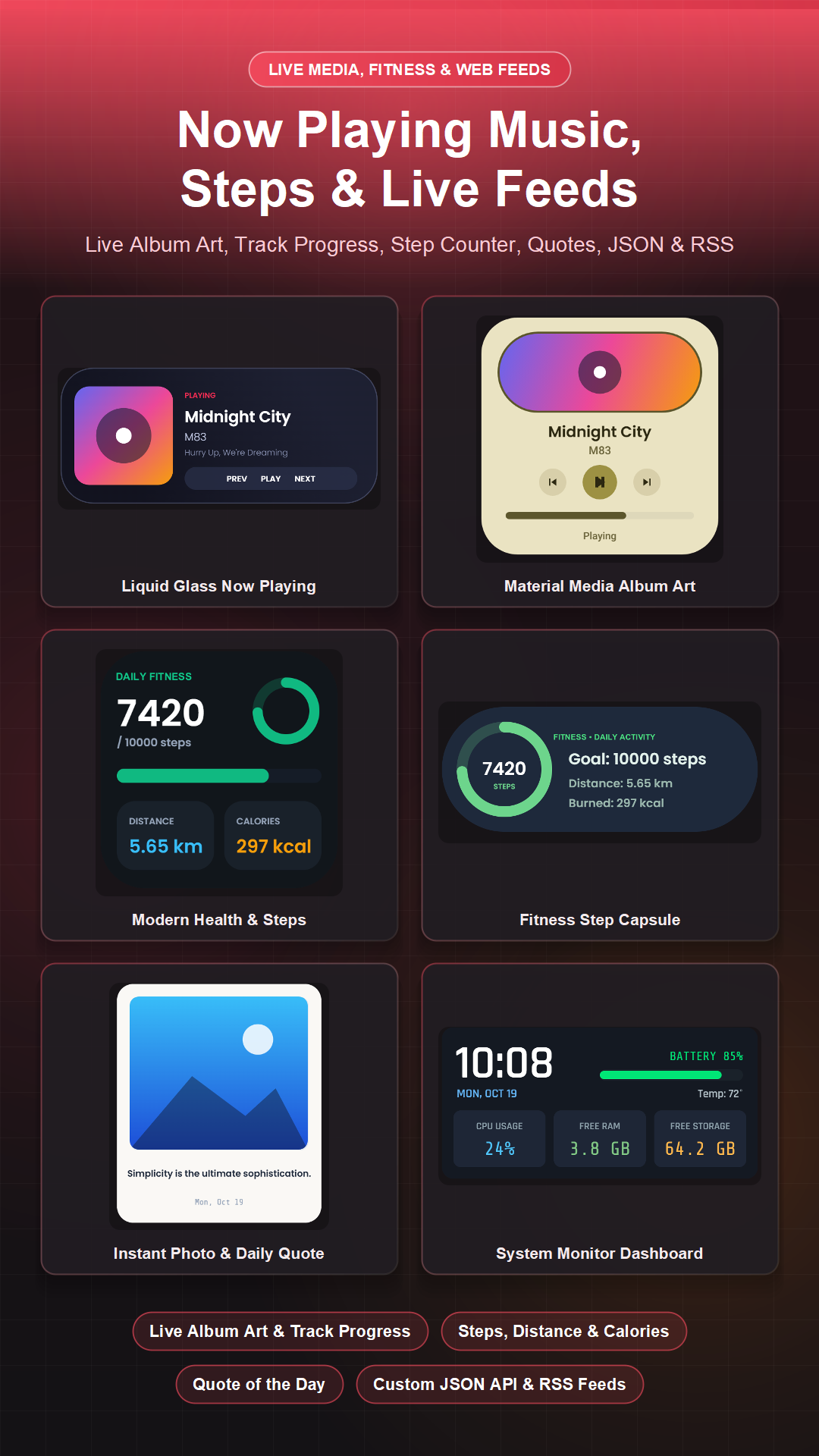
• Music & Media: Now Playing track title, artist, album art, playback status, and live track progress bars/rings.
• Fitness & Steps: Daily step count, step goal %, distance, and calories burned.
• System & Feeds: Battery level/temp/voltage, RAM & storage rings, Wi-Fi SSID, Quote of the Day, custom JSON API paths, RSS Feed headlines, and Tasker variables.
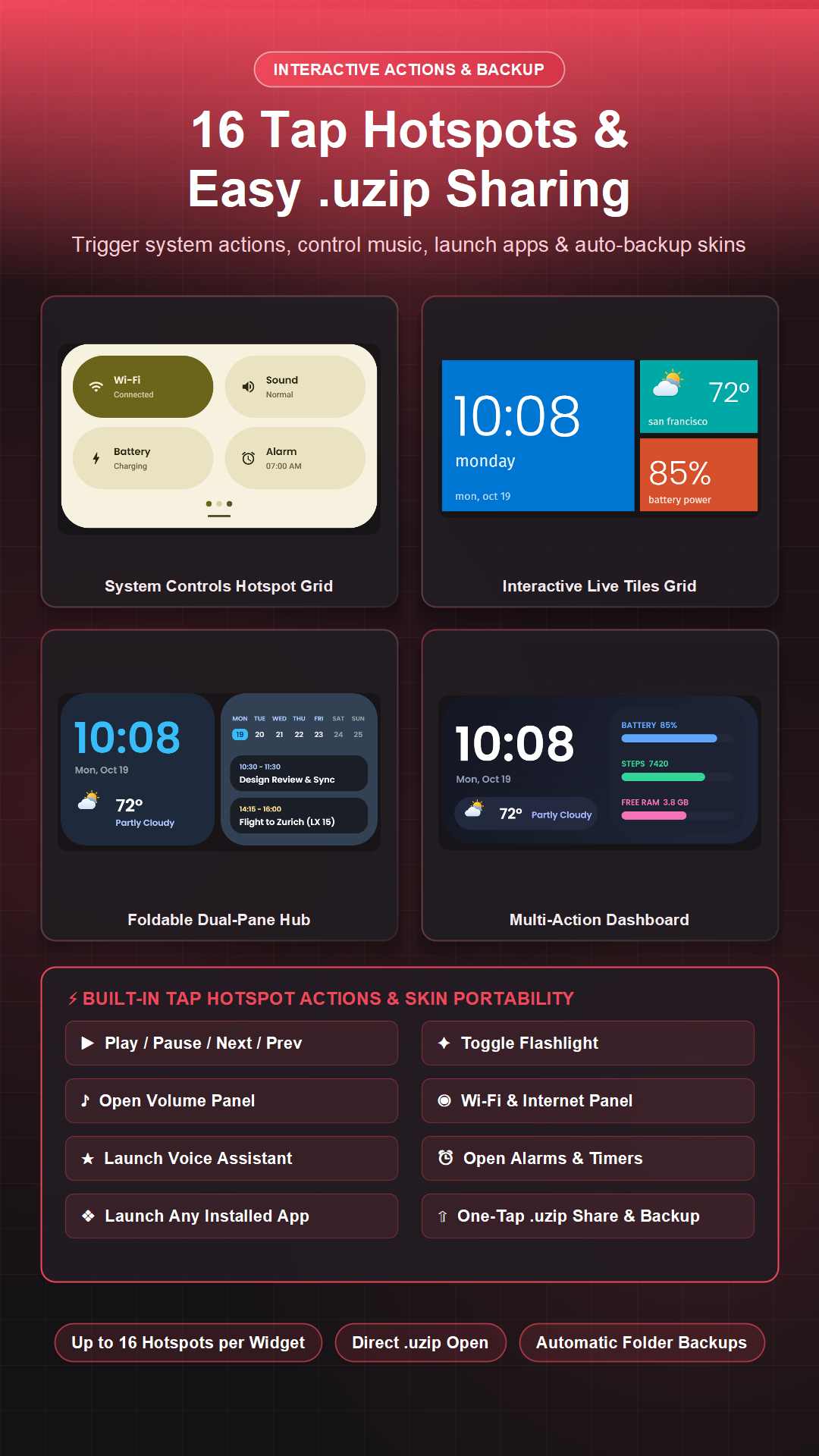
⚡ Interactive Hotspots (Up to 16 per Widget)
Attach tap actions anywhere on your widget: launch apps, control music (Play/Pause, Next, Previous), toggle the flashlight, open the volume or Wi-Fi panel, trigger your voice assistant, open alarms/timers, or refresh weather.
🔄 Easy Sharing & Cloud-Friendly Backup
Export any widget as a portable .uzip skin to share, or configure automatic skin backups to your preferred folder.
UCCW 4.11.5 Update
Massive update packed with new features, Skin Packs & improvements!
• OTA Skin Packs & Wallpapers: Browse, preview & apply curated widget collections, matching HD wallpapers & deep links.
• Installed Skins Sorting: Sort your skins by Name (A–Z, Z–A) or Date modified (Newest/Oldest first).
• UCCW StandBy Mode: Charging/dock screen saver (swipe widgets, night tint & dim mode) + StandBy templates.
• Music, Steps & Feeds: Now Playing media/album art, step counter, Quotes, JSON & RSS feeds.
Read More