Touch Protector (Package Name: biz.obake.team.touchprotector) is developed by Team Obake Biz and the latest version of Touch Protector 4.11.0 was updated on November 7, 2021. Touch Protector is in the category of Personalization. You can check all apps from the developer of Touch Protector and find 200 alternative apps to Touch Protector on Android. Currently this app is for free. This app can be downloaded on Android 5.0+ on APKFab or Google Play. All APK/XAPK files on APKFab.com are original and 100% safe with fast download.
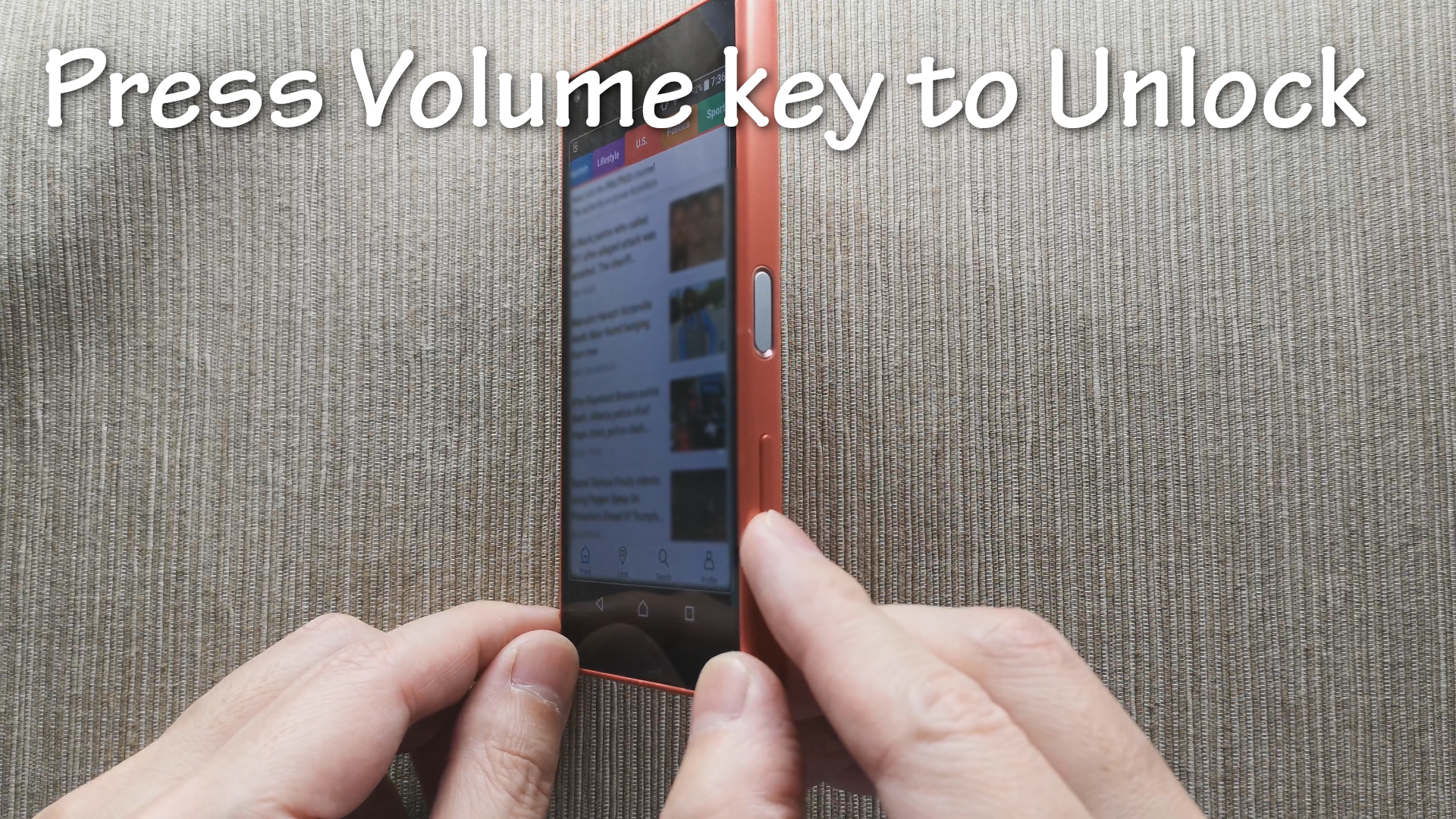
Lock the touch screen while playing games, videos, and music. A well-established app for preventing accidental operation, continuously developed since 2013. Rich customization, free, no ads. Touch Protector is different from ordinary screen lock apps. Please watch the video below to check it out. Touch Protector https://youtu.be/-c0OCz73gkY Features https://www.youtube.com/playlist?list=PL3Z87q9q7WZ88GUW4A1znpyhod-IuVXxr Donation Features https://www.youtube.com/playlist?list=PL3Z87q9q7WZ8ksNHaKODqvTg3UCZQ3Yjc Convenient Use Cases Touch Protector is a simple app that disables touch screen and physical button operations, but it has many useful uses. - When walking while looking at a map app, the map does not shift even if you touch the screen. - Walking with the music video playing in your pocket. - Locking the camera during video recording allows you to enjoy various camera work without worrying about accidental operation. - When using your phone as a navigation system for motorcycles, you can prevent accidental operation due to raindrops. - When tracing a displayed image, you can lock it and place a piece of paper on it. - When you show a photo to someone, you can lock it and give it to them to prevent them from seeing the other photos. - etc. If you have other interesting ways to use it, I would appreciate it if you could write them in the comments. Basic Usage - Lock the screen with notification bar, shake, etc. - Unlock the screen with the volume key. - It's easier to understand if you watch the video above. Recommended Settings - SHAKE > Shake locking > ON - SHAKE > Shake sensitivity > Adjust the sensitivity - PROXIMITY > Proximity covered locking > ON - UPSIDE DOWN > Upside down locking > ON - UPSIDE DOWN > Right side up unlocking > ON - HARD KEYS > Volume up key unlocking > ON - HARD KEYS > Volume down key unlocking > ON Emergency Unlock If you are unable to unlock your phone, please try the following. - Press the volume button. - Connect your phone to a power source. - Make a call to the phone and touch the screen. - Touch the screen 5 times to display the other unlock methods. - Remove the SIM card to force reboot your phone. - Restart your phone forcibly according to the method found by searching for "force restart your-phone-name". Randomly Terminated! Your phone's battery control feature may be forcing Touch Protector to terminate. You may want to exclude Touch Protector from the phone's battery control. The following website is helpful for setting exclusion. Don't kill my app https://dontkillmyapp.com/ Restrictions for Android 8 and later Due to additional restrictions in Android OS 8 or later, Touch Protector can no longer disable the notification bar (top edge of the screen) and navigation bar (bottom edge of the screen). Therefore, Touch Protector will close the notification bar and navigation bar as soon as they are displayed to reduce accidental operation.
Touch Protector 4.11.0 Update
Version 4.11.0 - Improved sensitivity of shake sensor - New: Long press unlocking (donation feature)
APKFab.com and the download link of this app are 100% safe. All download links of apps listed on APKFab.com are from Google Play Store or submitted by users. For the app from Google Play Store, APKFab.com won't modify it in any way. For the app submitted by users, APKFab.com will verify its APK signature safety before release it on our website.