sequential timer

8.6 14

v67 by NoMi

sequential timer XAPK download sequential timer XAPK download

About Sequence Timer

Sequence Timer (Package Name: com.ototo.watasiha.programabletimer) is developed by NoMi and the latest version of sequential timer 67 was updated on December 16, 2025. sequential timer is in the category of Lifestyle with the feature sports. You can check all apps from the developer of sequential timer and find 72 alternative apps to sequential timer on Android. Currently this app is for free. This app can be downloaded on Android 6.0+ on APKFab or Google Play. All APK/XAPK files on APKFab.com are original and 100% safe with fast download.
Sequence Timer is a sequence-based multi timer app that lets you chain multiple timers together and run them in order.
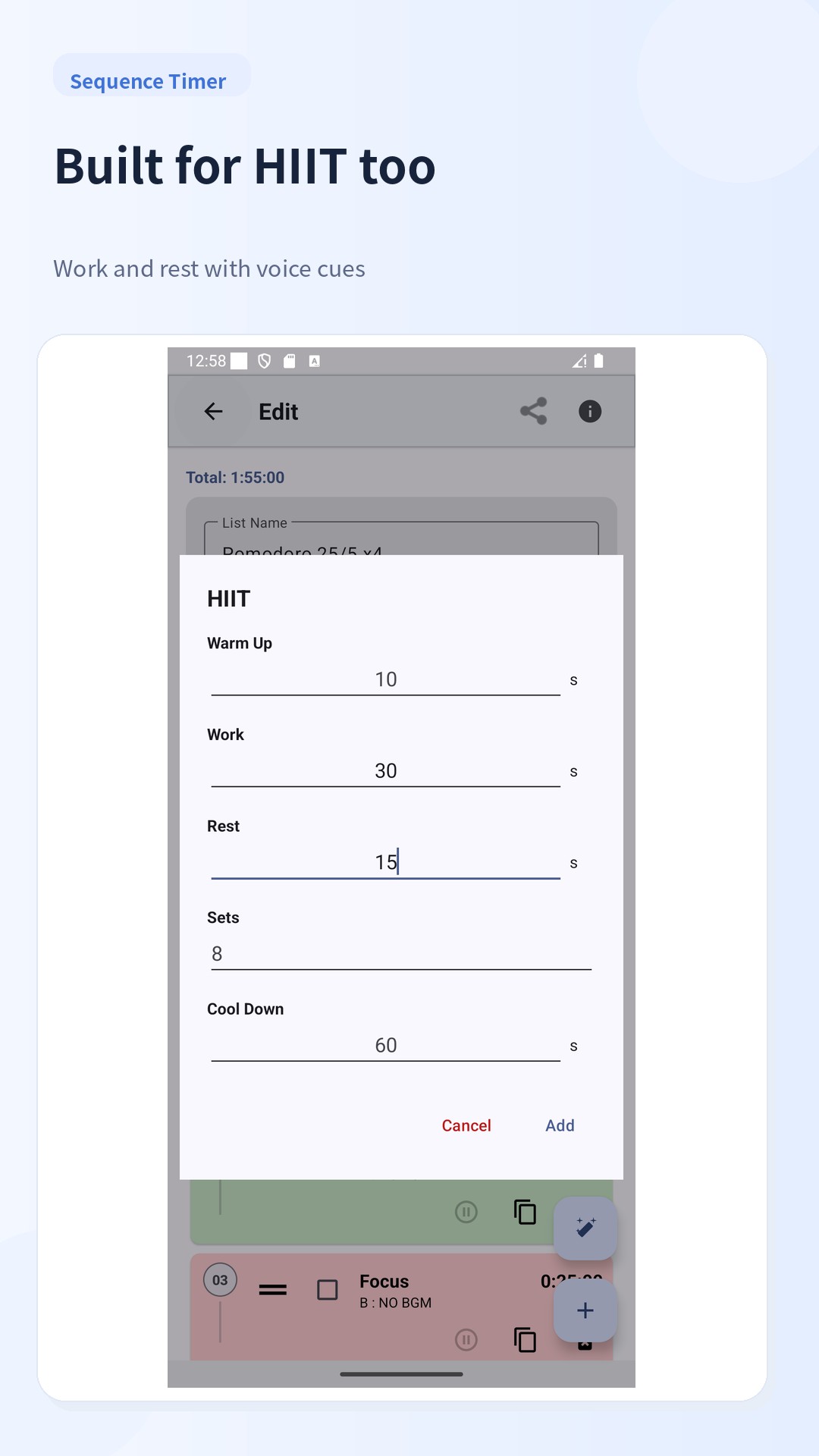
It is designed for people who want to manage routines with a single tap – for example interval training, stretching, study sessions with breaks, or everyday chores.
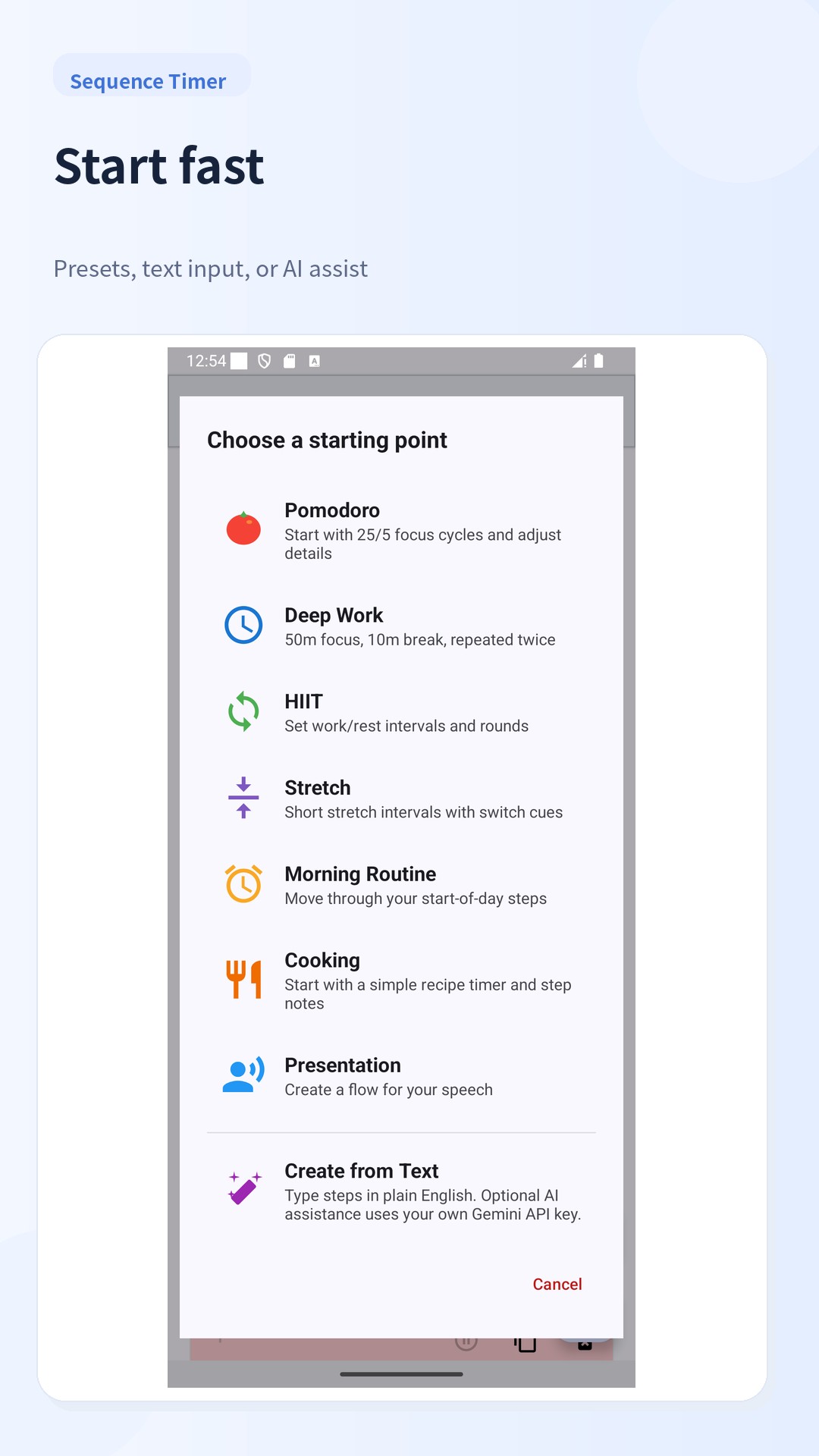
Create timer lists and run them as a sequence
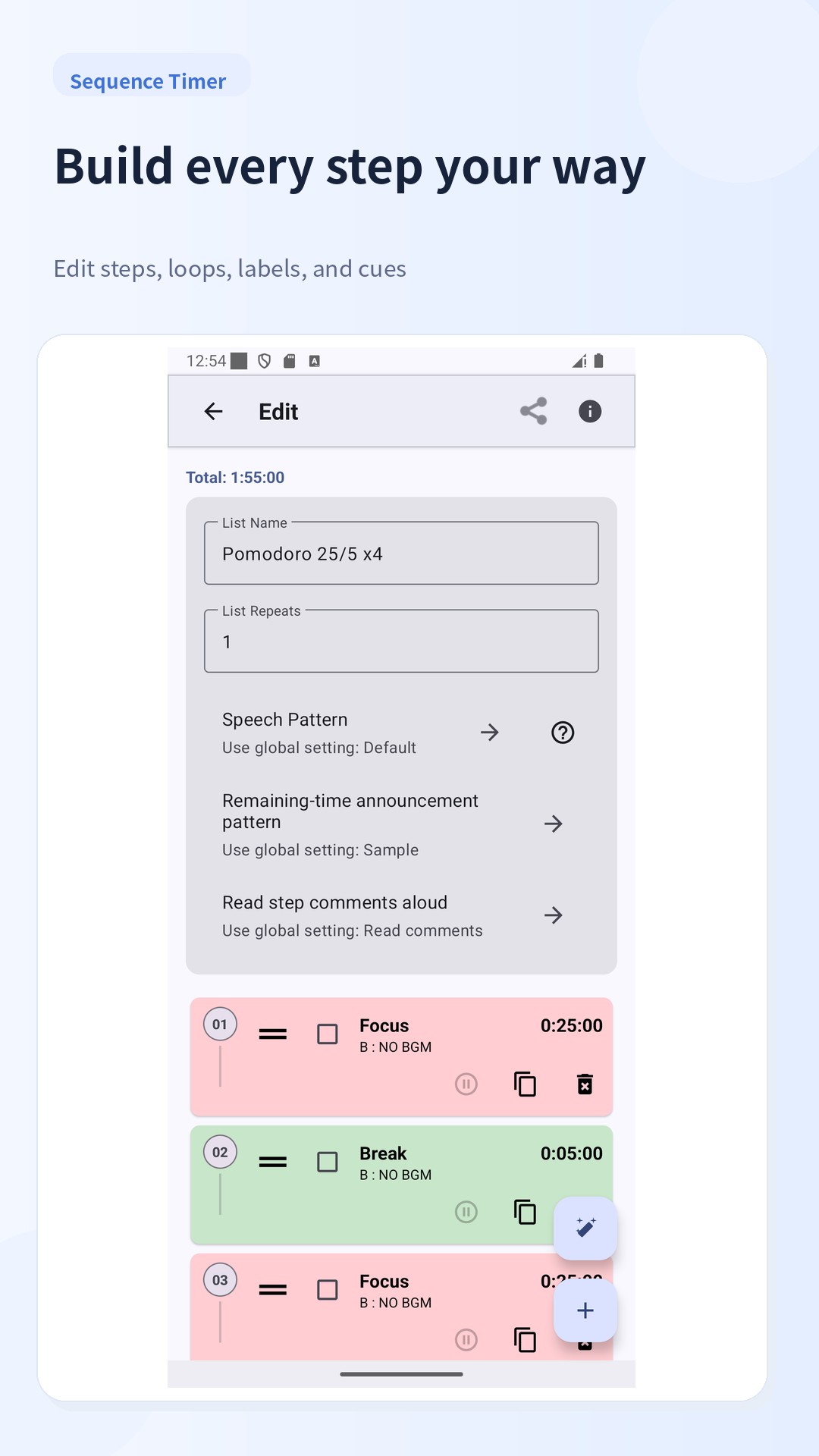
You can add as many timers as you like, give each one a name and duration, and arrange them as a “list”.
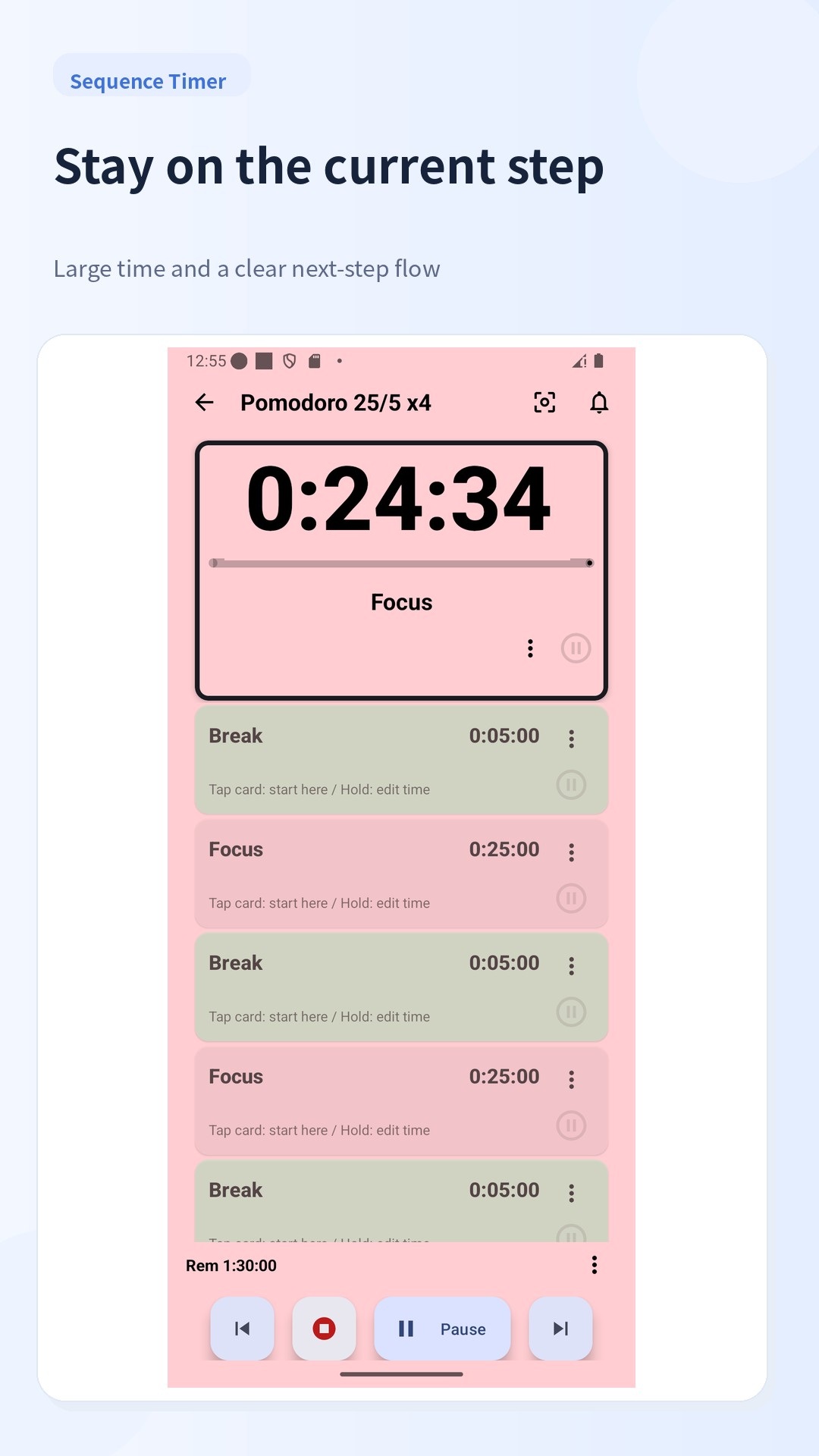
Once a list is created, you can start the whole sequence with one tap instead of setting up timers one by one.
Loops for lists and individual timers
Each list can be set to repeat a specified number of times, and timers can also have their own loop settings.
This helps when you want to repeat the same menu several sets in a row: you decide the loop counts in advance and just follow the flow while the app keeps track of the progress.
Text-to-speech, sound and vibration
Sequence Timer can notify you of timer start/end by:
・Text To Speech
・Sound effects
・Vibration patterns
You can define detailed read-out patterns for remaining time using logical conditions, and edit vibration patterns in milliseconds. This allows you to adjust how the app notifies you, whether you prefer voice guidance, vibration only, or a combination.
BGM playback and audio fine-tuning
You can play background music while timers are running.
Options include turning BGM on/off, playing tracks in order or shuffled within a folder, and automatically ducking (lowering) the BGM volume while speech is playing. These controls help you balance your music and voice guidance for your environment.
Start time reservation and countdown before start
Lists can be scheduled to start at a specified time.
When the reserved time comes, the currently running timer will stop and the reserved timer will start, which is useful when you have routines that always begin at fixed times, such as in the morning or at night.
You can also enable a countdown before the list actually starts.
Control from notifications and home screen widgets
While a timer is running, the notification shows the current state and remaining time, and you can control timers (pause, resume, etc.) directly from the notification.
Home screen widgets (for lists and single timers) let you launch frequently used timers quickly without opening the main app.
History, filtering and backup
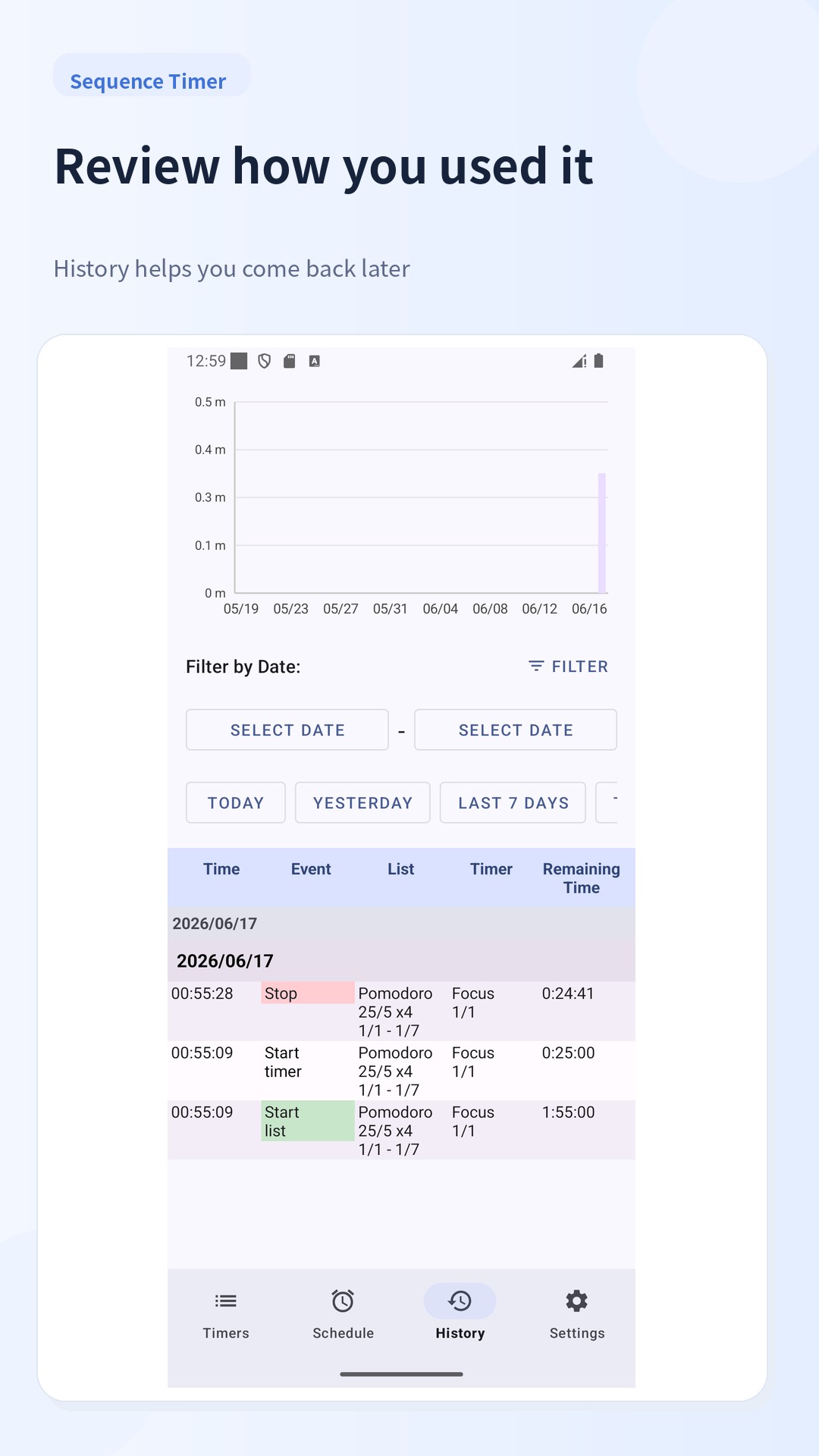
Sequence Timer can save your timer history and filter it by date ranges such as Today, Yesterday, Last 7 days, and Last 30 days.
Backup and restore are supported: you can save the database file to a location of your choice and load it later, for example when moving to another device, so that you can carry over your timer settings.
Built for repeated daily use
By registering your regular routines as lists, you reduce the friction of deciding what to do next and can repeat the same flow more easily.
Combined with history and loop settings, this makes it easier to review how you spend your time and to keep your training, study or other habits on track.
Try creating one routine that you use often and see how it works for you.
Download Sequence Timer and start managing your time in a way that fits your own rhythm.

Sequence Timer 67 Update

* Changed so that a full screen advertisement appears when the list ends and editing ends (once it is displayed, it will not be displayed for 20 minutes)
* Dynamic colors: Create a modern look with colors that match your wallpaper.
* Gray out completed tasks: See progress at a glance.
* Haptic feedback: Adds a pleasant response to button presses.
Read More
Sequence Timer Features
Related Videos
Previous Versions More
sequential timer
sequential timer 67 XAPK APKs
December 16, 2025 5.21 MB

Requires Android: Android 6.0+

Screen DPI: 120-640dpi

SHA1: 45dc6678947012ca1efb23c1e37e6efd3112eeaf

Size: 5.21 MB

What's New:

* Changed so that a full screen advertisement appears when the list ends and editing ends (once it is displayed, it will not be displayed for 20 minutes)
* Dynamic colors: Create a modern look with colors that match your wallpaper.
* Gray out completed tasks: See progress at a glance.
* Haptic feedback: Adds a pleasant response to button presses.
sequential timer
sequential timer 66 XAPK APKs
December 5, 2025 5.71 MB

Requires Android: Android 6.0+

Screen DPI: 120-640dpi

SHA1: 4f8337ac01df93338a83709b01257c94836c29d9

Size: 5.71 MB

What's New:

changed ads code
sequential timer
sequential timer 63 XAPK APKs
September 19, 2025 8.08 MB

Requires Android: Android 6.0+

Screen DPI: 120-640dpi

SHA1: b18bb9504b2efee1fc2b838670ed378fd65c8ee2

Size: 8.08 MB

What's New:

Fixed a bug where elapsed time was not restored correctly when the device was restarted.
sequential timer
sequential timer 62 XAPK APKs
September 17, 2025 8.08 MB

Requires Android: Android 6.0+

Screen DPI: 120-640dpi

SHA1: 790bfdf928f01ada4454b4d697812d3510d3605c

Size: 8.08 MB

What's New:

Fixed a bug that prevented reading out loud.
More Information

Update Date:

Latest Version:

67

Need Update:

Submit latest version

Available on:

Google Play

Requirements:

Android 6.0+