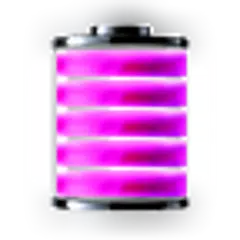
Purple Battery
7.4 30
v1.1 по Chodak
If you find an error or have any questions, write me an email.
After installation, you must manually add the widget to the home screen.
How to add widget to the home screen:
1.On your home screen of your Android device, tap any blank or "empty" area and hold down your finger.
2.The "Add to Home screen" window will appear. Tap on "Widgets".
3.List of all the installed Widgets on your Android device will appear.
4.Select the widget to add to your home screen.
Note: On Android Ice Cream Sandwich add widget by selecting icon widgets menu near apps menu.
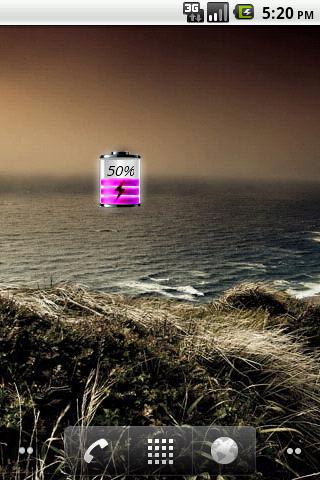


Requires Android: Android 1.6+
Screen DPI: 160dpi
SHA1: 1b2da4085853f49bfead6c6cd3852a8f8b43276b
Size: 79.6 KB
What's New:
Имя пакета:
Категория:
Дата обновления:
2012-06-09
Последняя Версия:
1.1
Требуется обновление:
Требования:
Android 1.6+
Пожаловаться:

Телефон Google
Надежное приложение для звонков с АОН, защитой от спама и другими функциями
8.8 3M+

Clean Master - Антивирус & Очистка кэша и мусора
Оптимизация производительности с антивирусом, чище и экономии заряда батареи
9.4 3M+

Сервисы Google Play
Сервисы Google Play: обновления, безопасность, новые функции для ваших любимых приложений!
8.7 3M+

Попробуйте режим ИИ – наш самый мощный поиск с искусственным интеллектом.
8.0 2M+

Security Master - Antivirus, VPN, AppLock, Booster
Антивирус с блокировкой приложений и бесплатным VPN(ВПН) ускоряет телефон
9.3 1M+

Gboard – Google Клавиатура
Ваше слово — ваше волшебство: Gboard — скорость, универсальность и Google интеллект в одном касании!
9.0 1M+
Moon Battery
Enjoy millions of the latest Android apps, games, music, movies, TV, books, magazines & more. Anytime, anywhere, across your devices.
8.0 24
Transparent Analog Clock
Красивый прозрачный виджет Analog Clock.
8.5 17

Pink Line Battery
Pink Line Battery Widget показывает точный уровень заряда батареи.
7.3 12