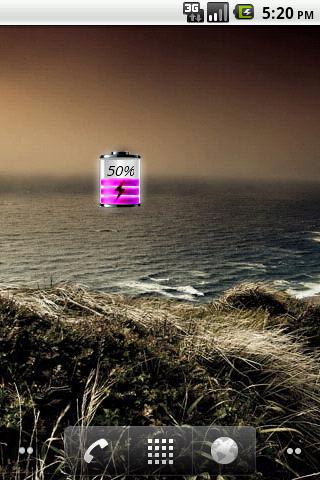
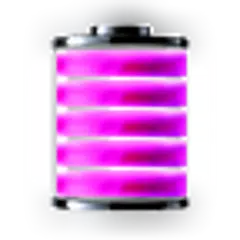
Purple Battery
7.4 30
v1.1 por Chodak
If you find an error or have any questions, write me an email.
After installation, you must manually add the widget to the home screen.
How to add widget to the home screen:
1.On your home screen of your Android device, tap any blank or "empty" area and hold down your finger.
2.The "Add to Home screen" window will appear. Tap on "Widgets".
3.List of all the installed Widgets on your Android device will appear.
4.Select the widget to add to your home screen.
Note: On Android Ice Cream Sandwich add widget by selecting icon widgets menu near apps menu.


Requires Android: Android 1.6+
Screen DPI: 160dpi
SHA1: 1b2da4085853f49bfead6c6cd3852a8f8b43276b
Size: 79.6 KB
What's New:
Nome do Pacote:
Categoria:
Data de Atualização:
2012-06-09
Última Versão:
1.1
Solicite Atualização:
Requisitos:
Android 1.6+
Denunciar:

Telefone do Google
Ligações confiáveis com proteção contra spam, identificador de chamadas e outros
8.8 3M+

Clean Master - Antivírus e Limpeza de Celular
Mantenha seu telefone limpo e seguro com antívirus e limpador de memória e cache
9.4 3M+

Google Play Services
Tenha acesso a uma variedade de recursos e serviços que melhoram o desempenho e a funcionalidade de seus aplicativos.
8.7 3M+

Google App é um portal pessoal para acesso a informações e serviços oferecidos pelo Google de maneira simples e rápida.
8.0 2M+

Security Master - Antivírus, VPN, AppLock, Booster
Mais potente app antivírus e de segurança com AppLock, otimizador e VPN
9.3 1M+

Gboard, o Teclado do Google
Gboard é um teclado virtual popular usado pelos usuários de todo o mundo, desenvolvido pelo Google para dispositivos móveis.
9.0 1M+

Moon Battery
Aproveite milhões de apps, jogos, filmes, músicas, TV, livros e revistas mais recentes para Android. A qualquer momento, em qualquer lugar, em todos os seus dispositivos.
8.0 24
Transparent Analog Clock
Widget Relógio analógico transparente bonito.
8.5 17

Pink Line Battery
Rosa Linha Battery Widget mostra o nível da bateria exata.
7.3 12