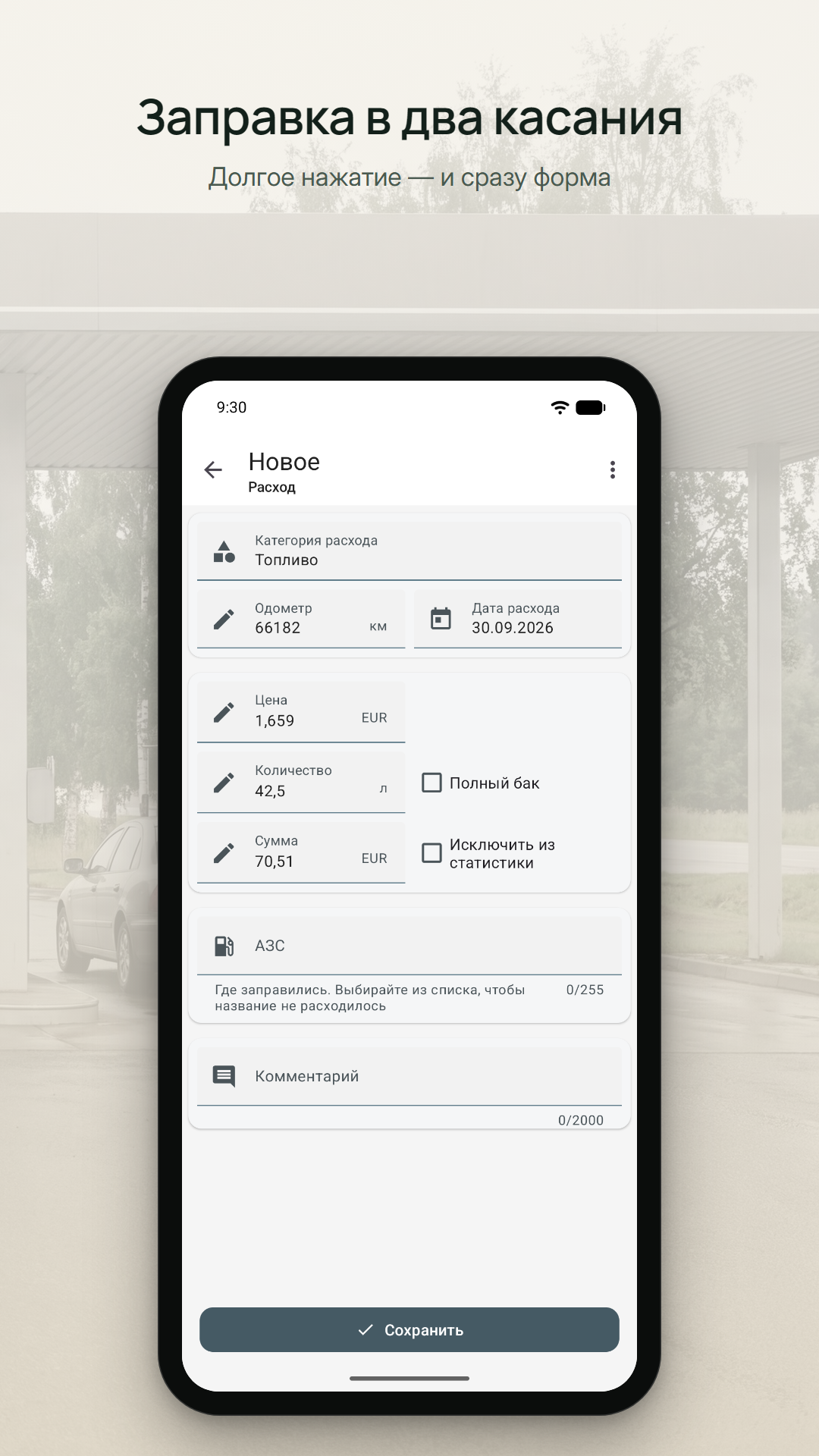
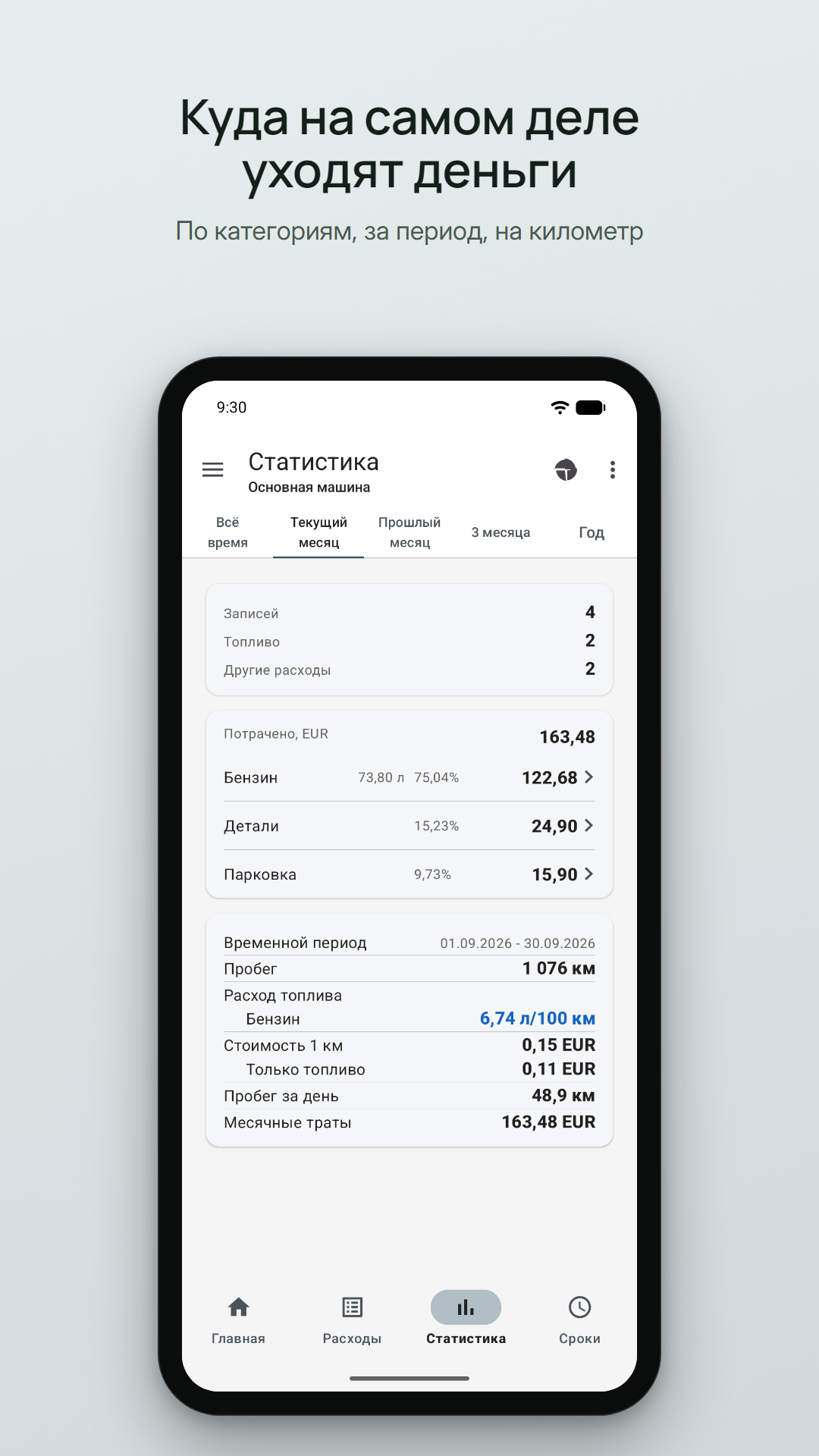
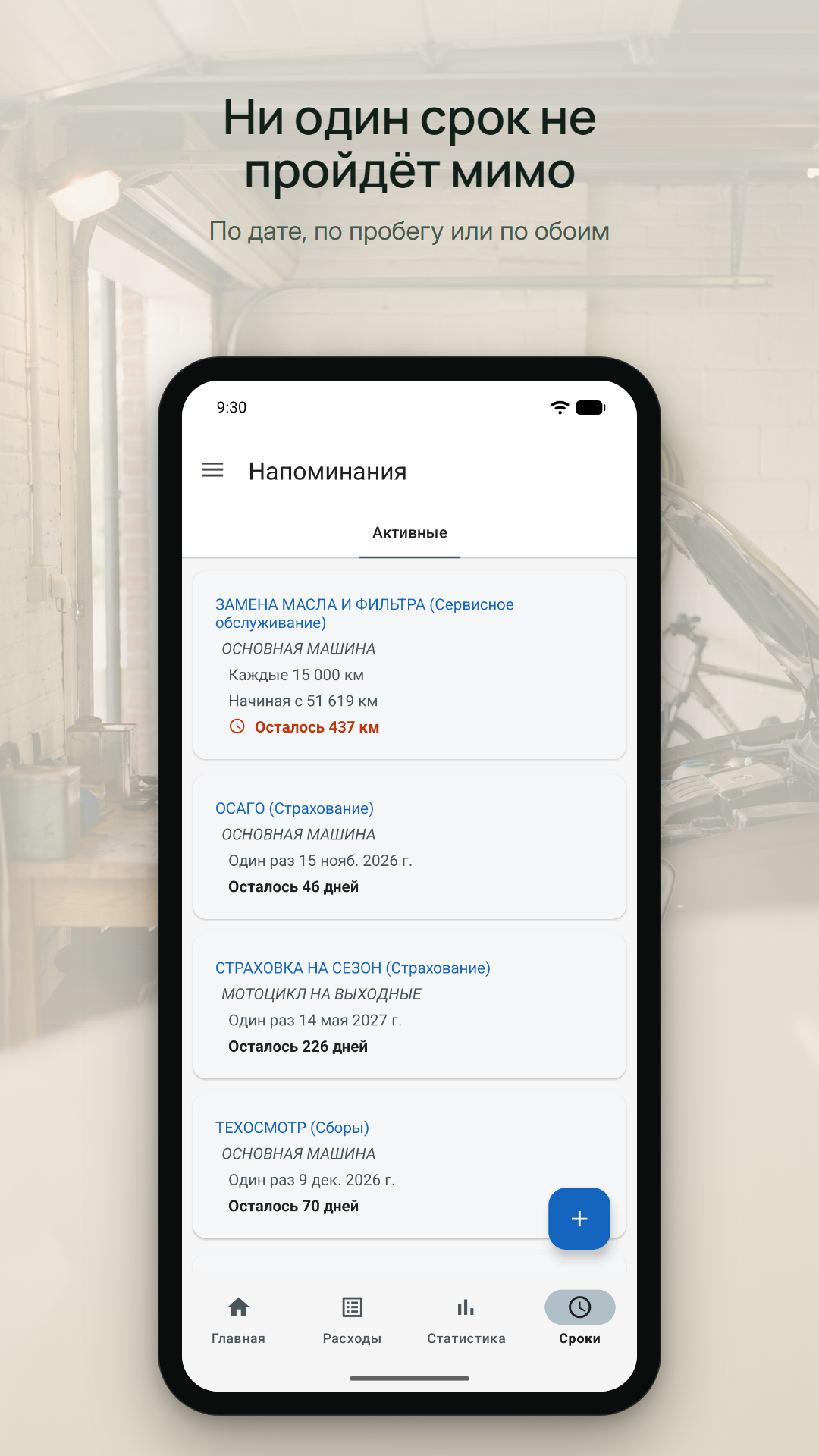
MiExpenses — отличный инструмент для управления бюджетом транспортных средств для всех, кто обеспокоен своими расходами. Разработанный, быть простым и интуитивно понятным, он помогает вам точно управлять расходами на автомобиль, чтобы понимать и принимать разумные решения в будущем. С помощью «Мои Авто Расходы» вы можете: 1. Управляйте списком автомобилей 2. Управляйте списком расходов: топливо, обслуживание, запчасти и т.д. 3. Составьте список категорий расходов. 4. Просмотр статистики транспортных затрат: цена за единицу расстояния, расход топлива и другие. 5. Выберите для отслеживания: еженедельно, ежемесячно или ежегодно. 6. Создавайте напоминания (например: «Замена масла» или «Сезонная замена шин»). 7. Получайте уведомления в соответствии с заранее заданными напоминаниями. 8. Управление доступом: возможность сделать журнал расходов общим для нескольких пользователей. 9. Выберите свою любимую цветовую тему. 10. Экспорт списка расходов. 11. См. Раздел Глобальная статистика: отображение набора статистических показателей для всех собранных данных. MiExpenses Premium — одна покупка, навсегда, на всех устройствах, где вы войдёте: • Месячные лимиты: на всю машину, на тип расхода или на отдельную категорию • Шаблоны и быстрая запись: повторяющийся расход в два касания вместо шести • Лимиты и шаблоны на всех устройствах: войдите на другом телефоне — и они уже там • «Год в цифрах»: суммы, самый дорогой месяц, сравнение с прошлым годом • Мировая статистика без рекламы: сейчас она открывается за ролик, с Premium — сразу Не подписка: повторно ничего не спишется. Всё остальное остаётся бесплатным. Важно: программа использует собственное веб-хранилище для хранения данных. Это означает, что нет необходимости хранить резервную копию в DropBox, Google Диске или любом другом облачном хранилище. Мы постоянно пытаемся улучшить приложение. Если у вас есть отзыв, дайте нам знать.
Обновление Мои Авто Расходы 5.9.0.964
* Choose email or Google on the welcome screen. The email form opens when you select it. * Email codes now appear in six cells. Paste the whole code at once. The cells are highlighted if the code is incomplete or rejected. * The new Dashboard theme combines graphite and amber with a drum-style odometer. * Import Fuelio exports from the Data screen.
* Stats: the Year tab is now By year: spending, distance, consumption and cost per km for each year, and each year opens its own screen. * Year in numbers (Premium, like the comparison with last year): why the year cost what it did, its findings as cards, pictures to share. Without Premium, a preview. In January, a notification when last year's numbers are ready. * Fixes: Monthly charges keep years apart; other or unspecified fuel no longer breaks fuel figures; implausible readings are skipped.
* With two or more vehicles, screens use the vehicle selected on Home instead of asking, and new reminders preselect your default vehicle. * The bottom bar is now a compact floating pill: lists run beneath it, and it steps aside on screens with a Back arrow. * Settings, Data, Premium and screens opened from Stats and Sharing have a Back arrow instead of the tab bar. * If Premium was opened from a Premium feature, its Back arrow returns you there, with the expense you started.
APKFab.com и ссылка для скачивания этого приложения на 100% безопасны. Все ссылки для загрузки приложений, перечисленных на APKFab.com, получены из Google Play Store или предоставлены пользователями. Для приложения из Google Play Store APKFab.com не будет вносить в него никаких изменений. Для приложения, предоставленного пользователями, APKFab.com проверит безопасность его подписи APK перед его выпуском на нашем сайте.