Photo Exif Editor - Metadata

8.2 1K+

v2.6.1 by Banana Studio

Photo Exif Editor - Metadata XAPK download Photo Exif Editor - Metadata XAPK download

About Photo EXIF Editor

Photo EXIF Editor (Package Name: net.xnano.android.photoexifeditor) is developed by Banana Studio and the latest version of Photo Exif Editor - Metadata 2.6.1 was updated on November 3, 2026. Photo Exif Editor - Metadata is in the category of Photography. You can check all apps from the developer of Photo Exif Editor - Metadata and find 200 alternative apps to Photo Exif Editor - Metadata on Android. Currently this app is for free. This app can be downloaded on Android 6.0+ on APKFab or Google Play. All APK/XAPK files on APKFab.com are original and 100% safe with fast download.
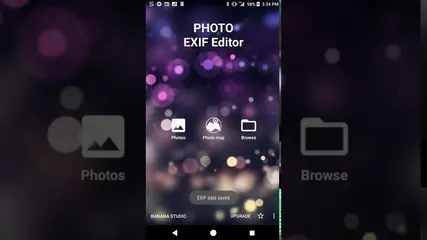
Photo Exif Editor allows you to view, modify and remove the Exif data of your pictures.
You can also change the location of picture to anywhere. In this case, Photo Exif Editor acts as Photo location changer, GPS photo viewer or Photo place editor.
Or to remove/strip all Exif tags inside the photos. In this case, Photo Exif Editor acts as Exif remover, or Photo data stripper.
With the clear user interface, Photo Exif Editor is an easy to use tool that helps you to correct the missing information of your favorite photos.
If you want to support, consider to get the Pro version with no ads and more features.
NOTICE
All the features of our app "EXIF Pro - ExifTool for Android" will be merged into this application soon. It will include the abilities to edit pictures (JPG, PNG, RAW...), audio, video, please be patient!
Android 4.4 (Kitkat) does not allow non-system application to write file to the external sdcard. Please read more at: https://metactrl.com/docs/sdcard-on-kitkat/
To open Camera, long tap on the Gallery button
What is the Exif data of picture?
• It contains Camera settings, for example, static information such as the camera model and make, and information that varies with each image such as orientation (rotation), aperture, shutter speed, focal length, metering mode, and ISO speed information.
• It also includes the GPS ( Global Positioning System) tag for holding location information where the photo was taken.
What can Photo Exif Editor do?
• Browse and view Exif information from Android Gallery or from Photo Exif Editor's integrated photo browser.
• Add or correct the location where photo was taken using Google Maps.
• Batch editing multiple photos.
• Remove all photo information to protect your privacy.
• Add, modify, remove EXIF tags:
- GPS coordinates/GPS location
- Camera model
- Camera maker
- Captured time
- Orientation (rotation)
- Aperture
- Shutter speed
- Focal length
- ISO speed
- White balance.
- And much more tags...
• HEIF, AVIF Converter
- Convert from HEIF, HEIC, AVIF images to JPEG or PNG (Keep exif data)
This is merged from our another app "HEIC/HEIF/AVIF 2 JPG Converter"
Other applications can share directly the HEIF, AVIF images to this app for converting files
File types supported
- JPEG: Read and Write EXIF
- PNG (Extensions to the PNG 1.2 Specification): Read and Write EXIF - Since 2.3.6
- HEIF, HEIC, AVIF: Convert to jpeg, png: Since 2.2.22
What's next?
- Support editing EXIF of WEBP
- Support reading EXIF of DNG
If you're facing any problem, want new feature or have feedback to improve this application, don't hesitate to send it to us via the support email: [email protected]
Permission explanation:
- WiFi Permission: This application requires network connection to load the Map (Google Map).
- Location permission: This is an optional permission to allow the Map to identify your current location.
- (Android 12+) Manage media: With this permission granted, app will not display the write request on each saving
- (Android 9+) Media location (geolocation of media files): Need to read and write geolocation of files.
We do not store, collect or share the location/information of your images/data anywhere!
For example in the case of application Maps", there is a button on the map, when you taps on it, the map moves to your current location.
On Android 6.0 (Marshmallow) and above, you can choose to deny this location permission.

Photo EXIF Editor 2.6.1 Update

What's new in 2.6.1:
• "Set the last modified date to the captured date" works again: ticking it on its own now shows Save and updates the file's date.
• Fixes crashes when saving, in the Photo map and the location editor, in the HEIF converter and when opening photos from the gallery.
• Photos with damaged EXIF data no longer crash the app.
Read More
Photo EXIF Editor Features
Related Videos
Previous Versions More
Photo Exif Editor - Metadata
Photo Exif Editor - Metadata 2.6.1 XAPK APKs
November 2, 2026 25.18 MB
Variant
Arch
Version
DPI
arm64-v8a
Android 6.0+
160-640dpi
arm64-v8a
Android 6.0+
160-640dpi
Photo Exif Editor - Metadata
Photo Exif Editor - Metadata 2.6.0 XAPK APKs
October 30, 2026 23.84 MB
Variant
Arch
Version
DPI
arm64-v8a
Android 6.0+
160-640dpi
arm64-v8a
Android 6.0+
160-640dpi
Photo Exif Editor - Metadata
Photo Exif Editor - Metadata 2.5.9 XAPK APKs
October 25, 2026 23.91 MB

Requires Android: Android 6.0+

Architecture: arm64-v8a

Screen DPI: 160-640dpi

SHA1: 716c7650f5e7a80b2d0d4259952bd40d3052ac4d

Size: 23.91 MB

What's New:

What's new in 2.5.9:
• Stability update. Fixes crashes when returning from the editor on Android 13, when opening the Photo map, when editing a very large selection, and when saving continues in the background.
• Fixes a freeze when leaving the Photo map and a crash while scrolling the file browser.
Photo Exif Editor - Metadata
Photo Exif Editor - Metadata 2.5.5 XAPK APKs
October 22, 2026 23.9 MB

Requires Android: Android 6.0+

Architecture: arm64-v8a

Screen DPI: 160-640dpi

SHA1: c4b4f63eed50c653f5397aa1b871a7360ca86441

Size: 23.9 MB

What's New:

What's new in 2.5.5:
• IPTC for JPEG: view and edit title, description, keywords, creator, copyright, location and more, on one photo or many. Copy IPTC with Copy EXIF, or remove it.
• New dates on scanned and old photos now show correctly in your gallery.
• Safer saving: if a save fails or the app is closed mid-save, your original photo is kept.
• Fixed: picking HEIC/HEIF/AVIF files in the converter on Android 16.
• Fixed: batch editing showed "Multiple values" for Orientation.
More Information

Update Date:

Latest Version:

2.6.1

Need Update:

Submit latest version

Available on:

Google Play

Requirements:

Android 6.0+