Mesailerim (Package Name: com.nevrayazilim.mesailerim) is developed by Nevra Yazılım and the latest version of Mesailerim 4.2.34 was updated on October 15, 2026. Mesailerim is in the category of Business with the feature Productivity. You can check all apps from the developer of Mesailerim and find 1 alternative app to Mesailerim on Android. Currently this app is for free. This app can be downloaded on Android 7.0+ on APKFab or Google Play. All APK/XAPK files on APKFab.com are original and 100% safe with fast download.
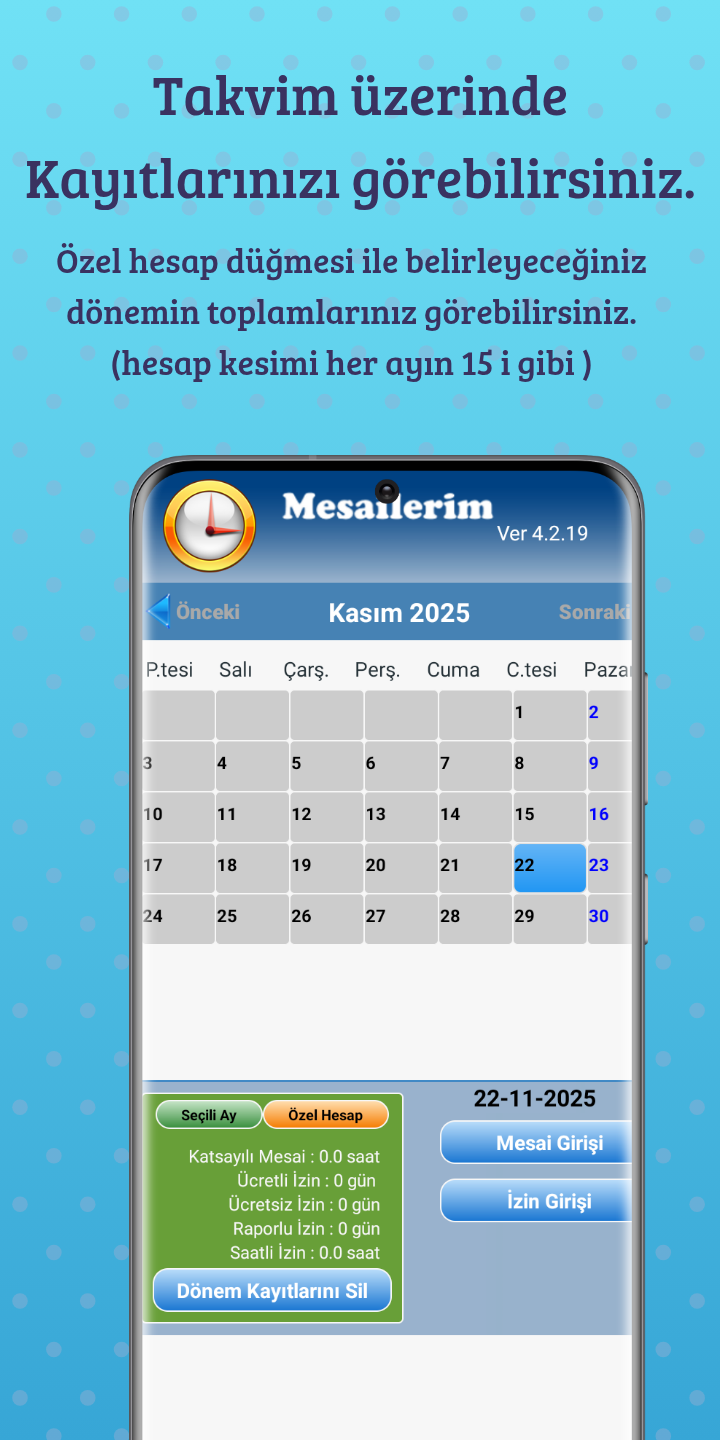
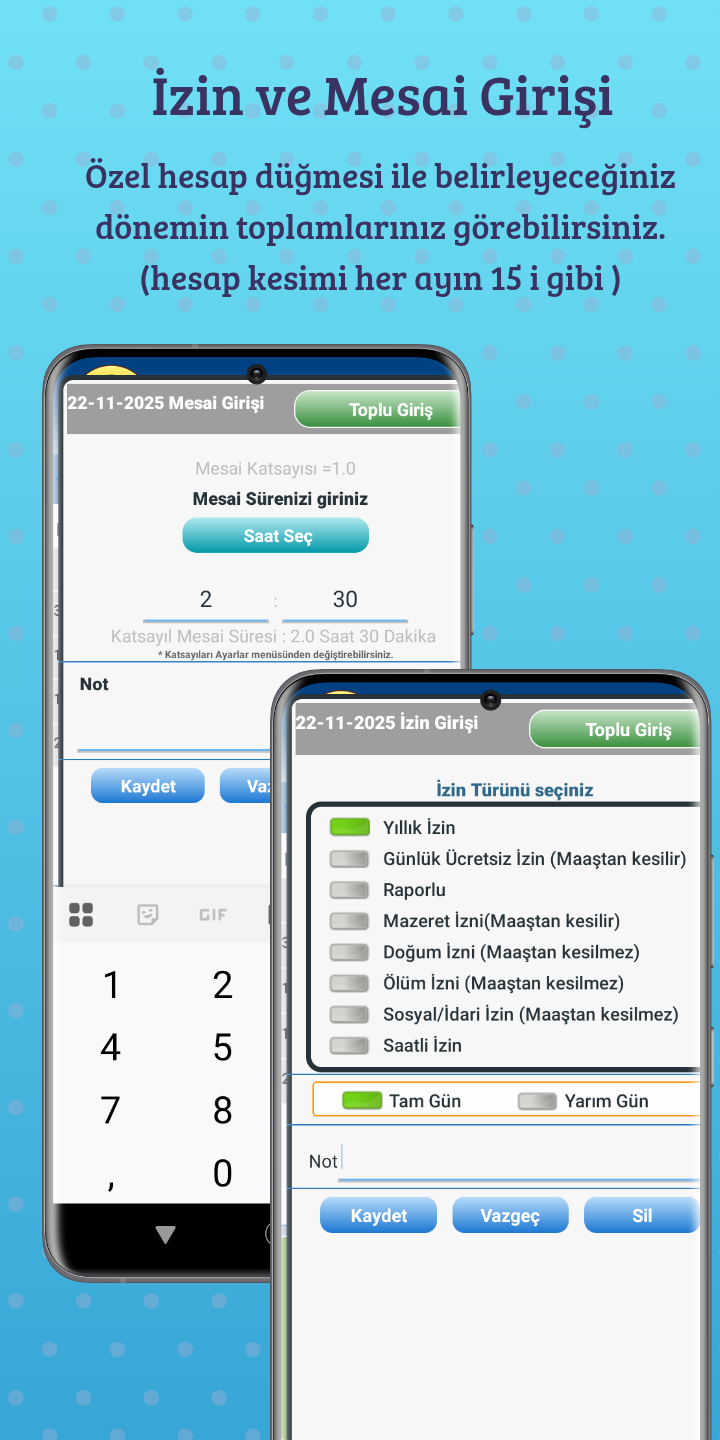
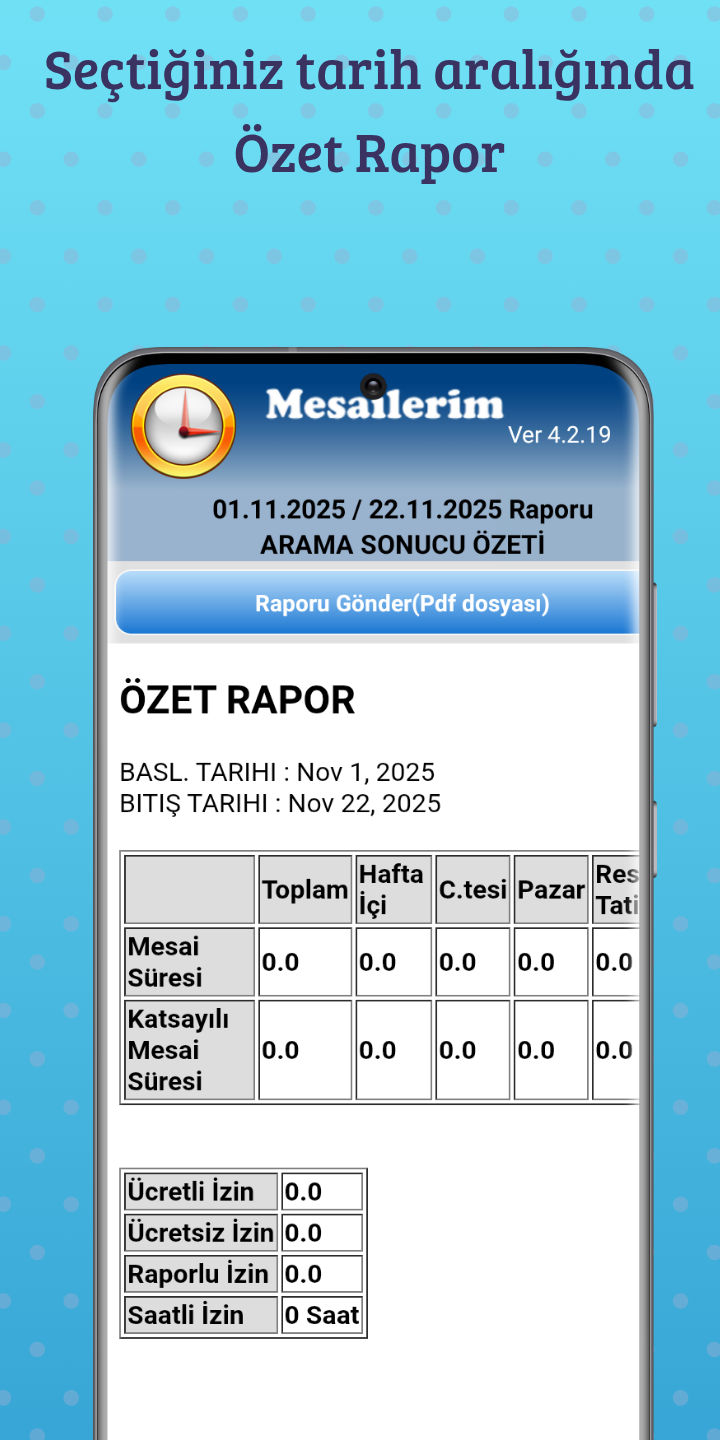
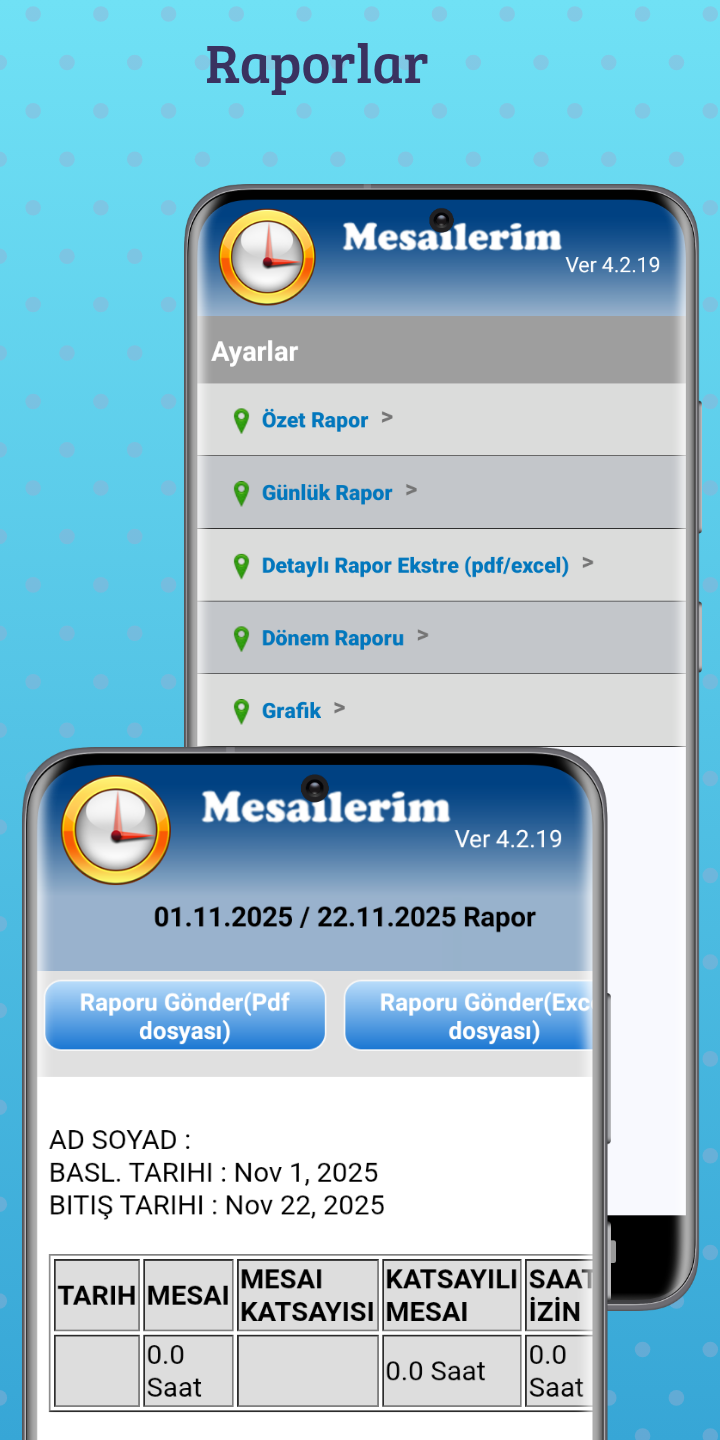
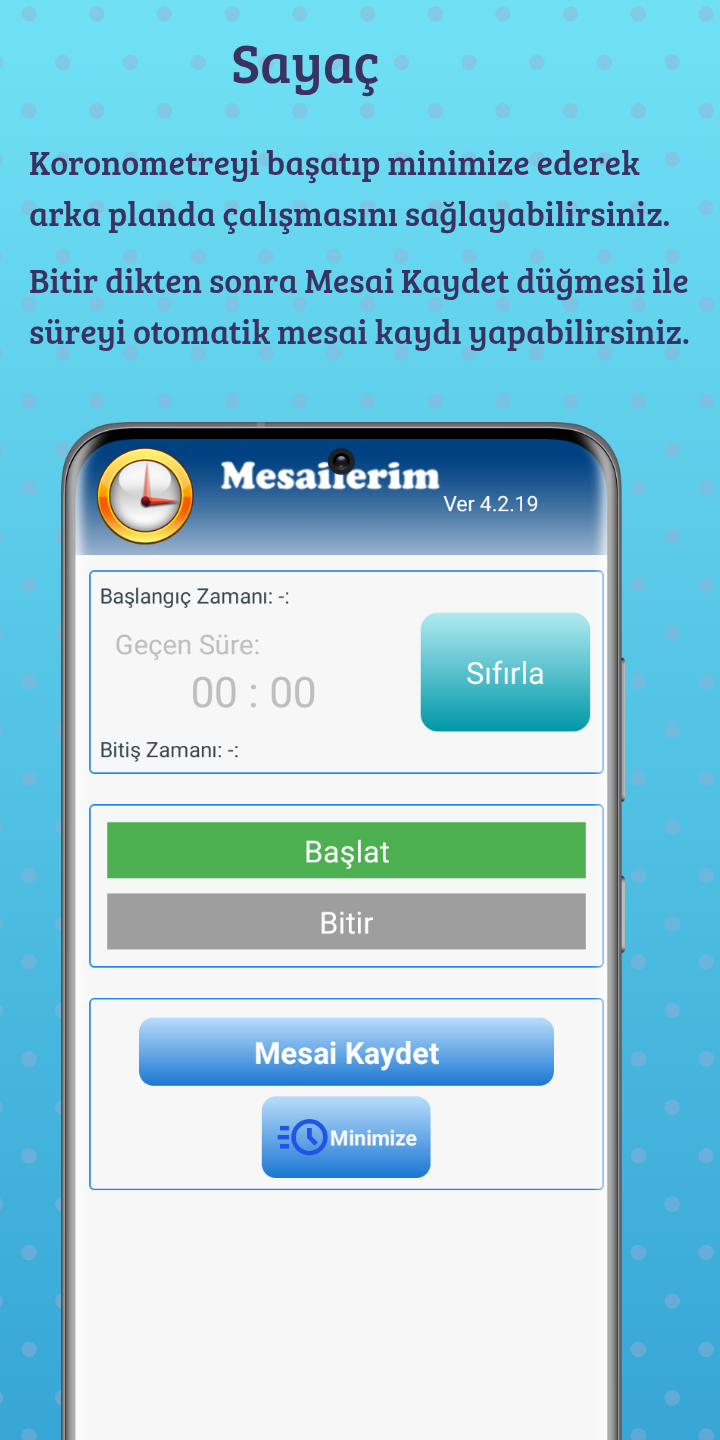
**Try It Now!** Don't wait any longer to take control of your time and earnings! Manage your **overtime**, **leave**, and **shifts** effortlessly with My Overtime and securely track your **salary**. Download it now and open a new chapter in overtime tracking! You can record your daily overtime hours by selecting a day on the calendar and view monthly totals. You can change the calendar month to view totals. You can track your paid (annual) leave, unpaid leave (missing days), hourly leave, and sick leave days. You can track your annual leave. You can track your shifts on the calendar screen. You can calculate your overtime pay by entering your salary or by using the hourly rate. You can change the coefficient options in the settings menu according to your needs. - **Overtime Tracking:** Record your daily overtime hours and keep them under control at all times. The application automatically calculates your **salary** based on overtime hours and provides accurate earnings reports. - **Leave Management:** Manage all **leave** types, such as paid annual leave, unpaid leave, hourly leave, or sick leave, all in one place. View your leave balance in real time and simplify your planning. - **Reports:** Analyze your working hours and leaves in detail. Use reports to evaluate your performance and verify your **salary** calculations. - **Reminder Alerts:** Set reminders to avoid forgetting to enter working hours or leave days. Overtime Entry: Select the day you worked from the calendar and press the Overtime Entry button. In the window that opens, enter your overtime duration in the Duration box and press the Save button. To delete an incorrectly entered overtime entry, select the date from the calendar, press the Overtime Entry button, and press the Delete button on the screen that opens. Leave Entry: Select the day you didn't go to work from the calendar and press the Leave Entry button. Select the Leave Type and press the Save button. Pressing the Delete Monthly Records button will clear the leave and overtime records entered for the selected month. - **Calculate Screen** Calculate by Salary or Hourly Rate. You can also deduct unpaid leave from the calculation using the Detailed calculation screen. - **Required Information** You can see the current Minimum Wage, Income Tax rates, and Public Holidays in the application. - **Required Calculations** You can calculate Severance Pay/Notice Pay, Gross-to-Net, Net-to-Gross salary, Unemployment Benefit, and Short-Time Work Allowance. **Who is it for?** - Employees who want to regularly track their **overtime** - Individuals who want to plan and manage their **leave** days - Professionals who want to verify their **salary** calculations You can subscribe to use all features without ads.
APKFab.com and the download link of this app are 100% safe. All download links of apps listed on APKFab.com are from Google Play Store or submitted by users. For the app from Google Play Store, APKFab.com won't modify it in any way. For the app submitted by users, APKFab.com will verify its APK signature safety before release it on our website.