Json Genie: JSON Viewer/Editor

8.1 1K+

v3.3.0 by Tuyware

Json Genie: JSON Viewer/Editor XAPK download Json Genie: JSON Viewer/Editor XAPK download

About Json Genie

Json Genie (Package Name: com.tuyware.jsongenie) is developed by Tuyware and the latest version of Json Genie: JSON Viewer/Editor 3.3.0 was updated on June 9, 2026. Json Genie: JSON Viewer/Editor is in the category of Tools with the feature Productivity. You can check all apps from the developer of Json Genie: JSON Viewer/Editor and find 200 alternative apps to Json Genie: JSON Viewer/Editor on Android. Currently this app is for free. This app can be downloaded on Android 6.0+ on APKFab or Google Play. All APK/XAPK files on APKFab.com are original and 100% safe with fast download.
Json Genie is a fast JSON file opener, viewer, editor and formatter for Android.
Built by an independent developer and trusted by millions, Json Genie was created for practical JSON work on mobile: open the file, understand the structure, make your changes and move on.
No account. No cloud upload. Your JSON files stay on your device.
Open .json and JSONC files, browse them in a clean JSON tree view, search JSON keys and values, edit JSON data, pretty-print, beautify, minify and share the result.
Your JSON stays local
Json Genie opens, views, edits, searches and formats JSON directly on your device. Your JSON files are not uploaded to our servers just to open, read, edit, pretty-print, minify or inspect them.
That makes Json Genie useful for API responses, configuration files, exported data, logs, backups, app data, test files and JSON content you do not want to paste into an online JSON viewer, JSON formatter or converter.
View JSON clearly
Json Genie turns JSON into a clean object and array tree view that is easier to read on a phone or tablet than raw JSON text.
Browse nested objects, arrays, strings, numbers, booleans and null values in a structured layout without losing track of the data.
Open JSON from anywhere
Use Json Genie as a JSON file opener for files on your device, pasted text, shared content, URLs and supported archives.
Open .json files from downloads, file managers, email attachments, cloud storage apps, shared files or copied JSON text. You can also set Json Genie as your default JSON handler.
Search and understand JSON
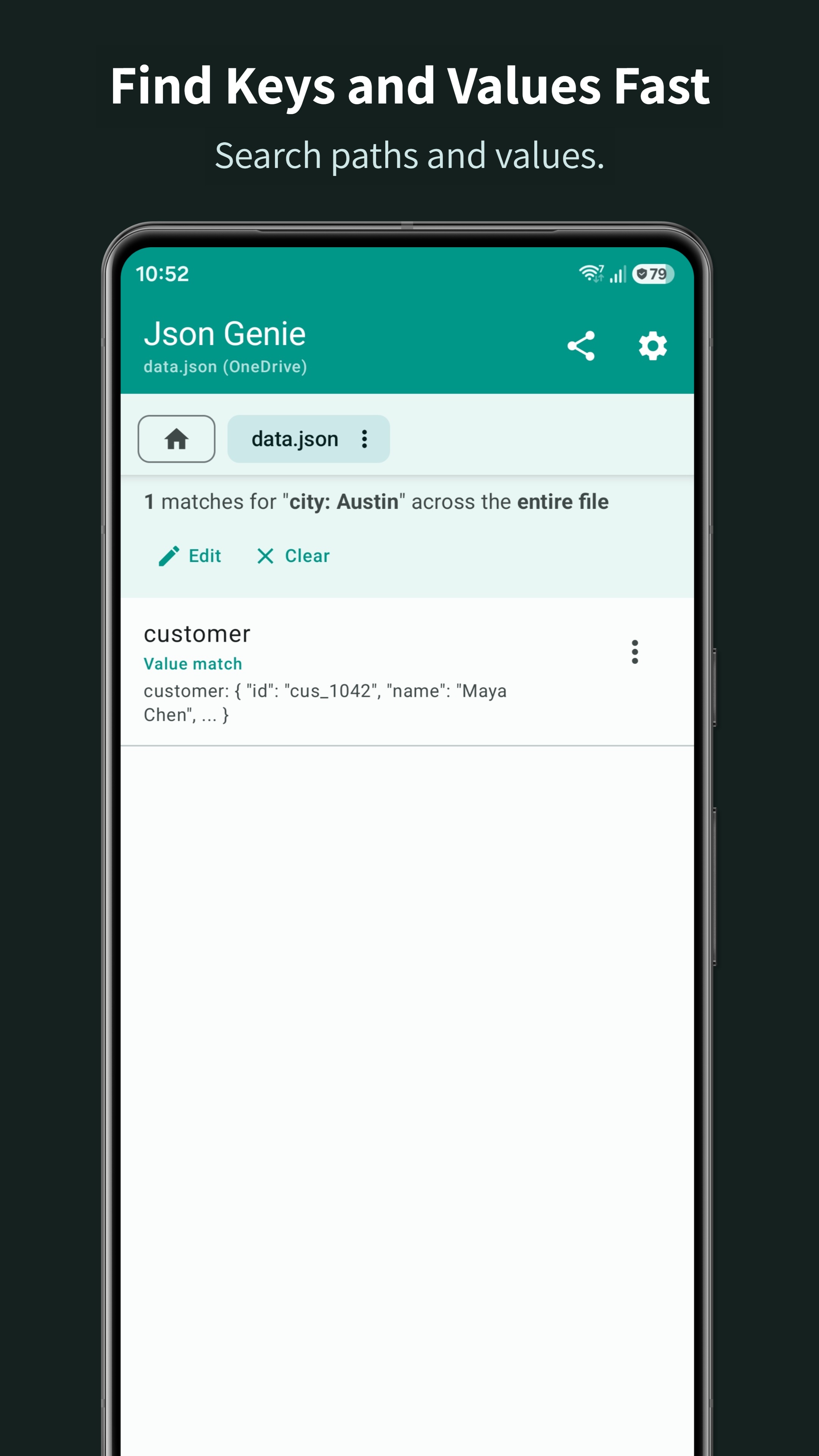
Search through JSON keys, values and paths across your document. Jump to matching results, inspect the surrounding structure and return without losing your place.
Smart filters such as id: 3, game.id: 3 or city: "Austin" help you find specific data faster.
Edit JSON without raw text hassle
Edit JSON files without manually fixing commas, brackets and quotes.
Change strings, numbers, booleans and null values. Add, edit, clone, delete, move and reorder objects, arrays and values while keeping the JSON structure clear.
Format and export JSON
Use Json Genie as a JSON formatter when you need cleaner output, compact JSON, sorted keys or a readable structure before saving or sharing. Pretty-print, beautify, minify, share as text or file, or switch to raw text view when needed.
Fast with small and large JSON files
Speed has always been one of the main goals of Json Genie. It opens small JSON files quickly and is built to handle large, deeply nested JSON documents without getting in your way.
Built by an independent developer
Json Genie is not a bloated corporate editor. It is built by an independent developer, improved through real user feedback and focused on practical JSON work on Android.
What you can do with Json Genie
• Open JSON files from storage, URLs, pasted text, shared content and supported archives
• Use Json Genie as your default JSON file opener
• Work with JSON and JSONC files, including comments
• View JSON in a clean object and array tree view
• Search JSON keys, values and paths
• Use smart search filters like id: 3, game.id: 3 or city: "Austin"
• Edit strings, numbers, booleans, nulls, objects and arrays
• Add, delete, clone, move and reorder JSON entries
• Open multiple JSON files in tabs
• Copy and reuse JSON entries with paste history
• Pretty-print, beautify, minify and sort JSON keys
• Share JSON as formatted text or as a file
• View raw JSON text when needed
Useful for real-world JSON work
Json Genie is useful for developers, testers, students, support teams, power users and anyone who needs to open, inspect, edit or format JSON files on Android.
Use it for API responses, config files, exported data, JSON attachments, logs, test data, backups and other JSON files you need to read or clean up.
Free and Premium
Json Genie is free to use. Premium is optional and removes ads, expands file and tab limits, increases history and unlocks extra themes.

Json Genie 3.3.0 Update

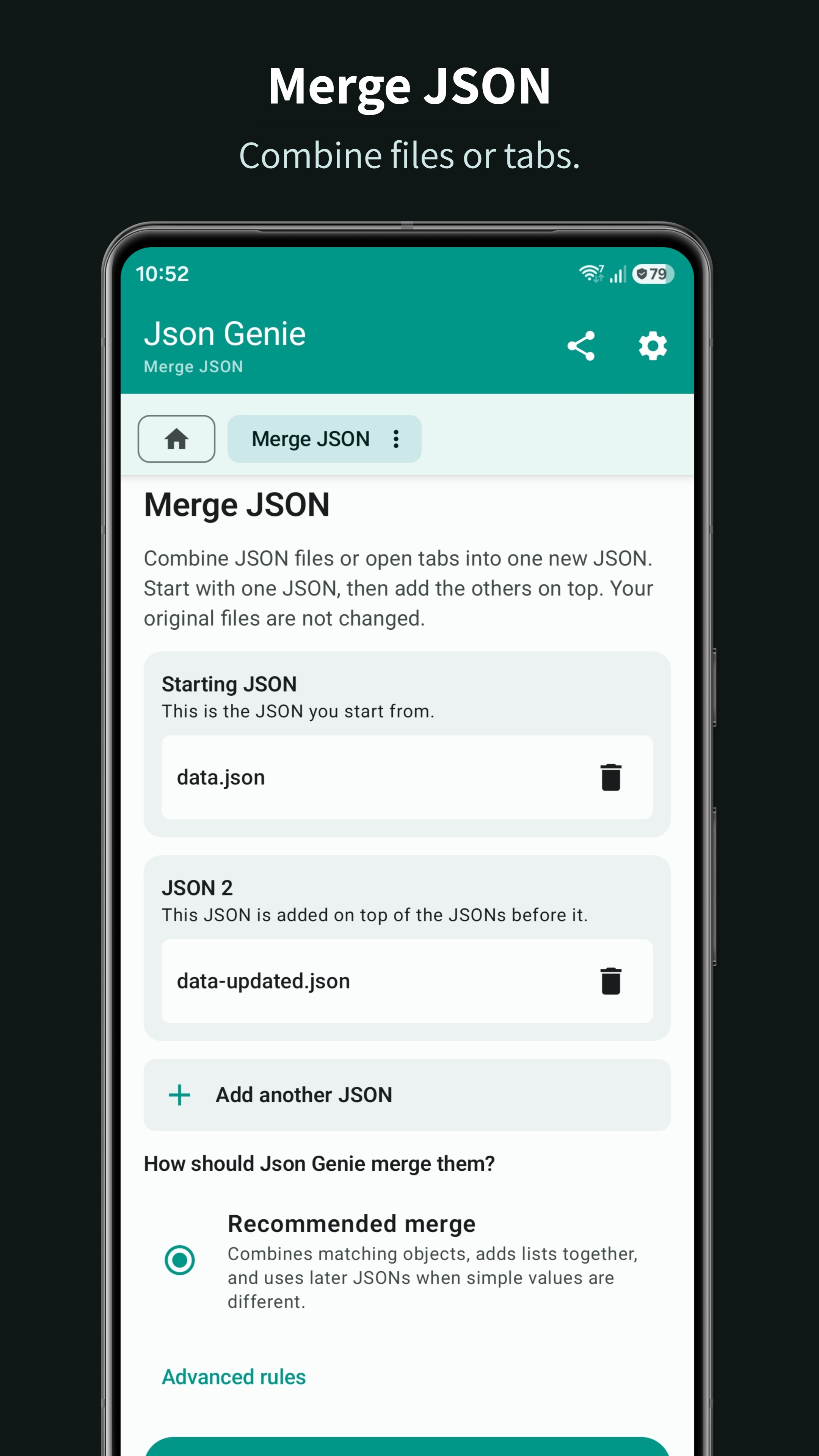
New in 3.3.0: • Merge JSON files, review the summary, and save the result. • Cleaner home screen and edit dialogs. • Dismiss the What's New card; the full update list stays in Settings. • Try sample JSON. • Fixes for opening, editing, and pasting JSON.
Read More
Json Genie Features
Related Videos
Previous Versions More
Json Genie: JSON Viewer/Editor
Json Genie: JSON Viewer/Editor 3.3.0 XAPK APKs
June 8, 2026 9.96 MB
Variant
Arch
Version
DPI
arm64-v8a
Android 6.0+
nodpi
arm64-v8a
Android 6.0+
nodpi
Json Genie: JSON Viewer/Editor
Json Genie: JSON Viewer/Editor 3.2.6 XAPK APKs
May 20, 2026 9.62 MB

Requires Android: Android 6.0+

Architecture: arm64-v8a

Screen DPI: nodpi

SHA1: aa21ed2b091fc5eea53192cbb325c4a6f4423dd2

Size: 9.62 MB

What's New:

Need to work with XML? The home screen now includes a quick link to Xml Genie for viewing and editing XML files.
We also gave the app a small polish pass and fixed a few smaller issues.
Json Genie: JSON Viewer/Editor
Json Genie: JSON Viewer/Editor 3.2.5 XAPK APKs
May 19, 2026 9.61 MB

Requires Android: Android 6.0+

Architecture: arm64-v8a

Screen DPI: nodpi

SHA1: b2f0dff70bfc36d2e8a09e14fbfcd3b3a0413f66

Size: 9.61 MB

What's New:

Search results that open in a dialog now let you open their parent list from the More menu.
Json Genie: JSON Viewer/Editor
Json Genie: JSON Viewer/Editor 3.2.1 XAPK APKs
May 15, 2026 9.74 MB

Requires Android: Android 6.0+

Architecture: arm64-v8a

Screen DPI: nodpi

SHA1: ddd587c801632e4283c41608cfa1fa1d01317303

Size: 9.74 MB

What's New:

This update brings some of our biggest quality-of-life improvements yet:
• Edit with more confidence using new Undo and Redo support, plus a clearer history of unsaved changes.
• Upgrade to Premium directly inside Json Genie. No separate app needed.
• Full-screen ads are now timed better, so they feel less clustered during active use.
More Information

Package Name:

com.tuyware.jsongenie

Category:

Tools Apps

Update Date:

Latest Version:

3.3.0

Need Update:

Submit latest version

Available on:

Google Play

Requirements:

Android 6.0+