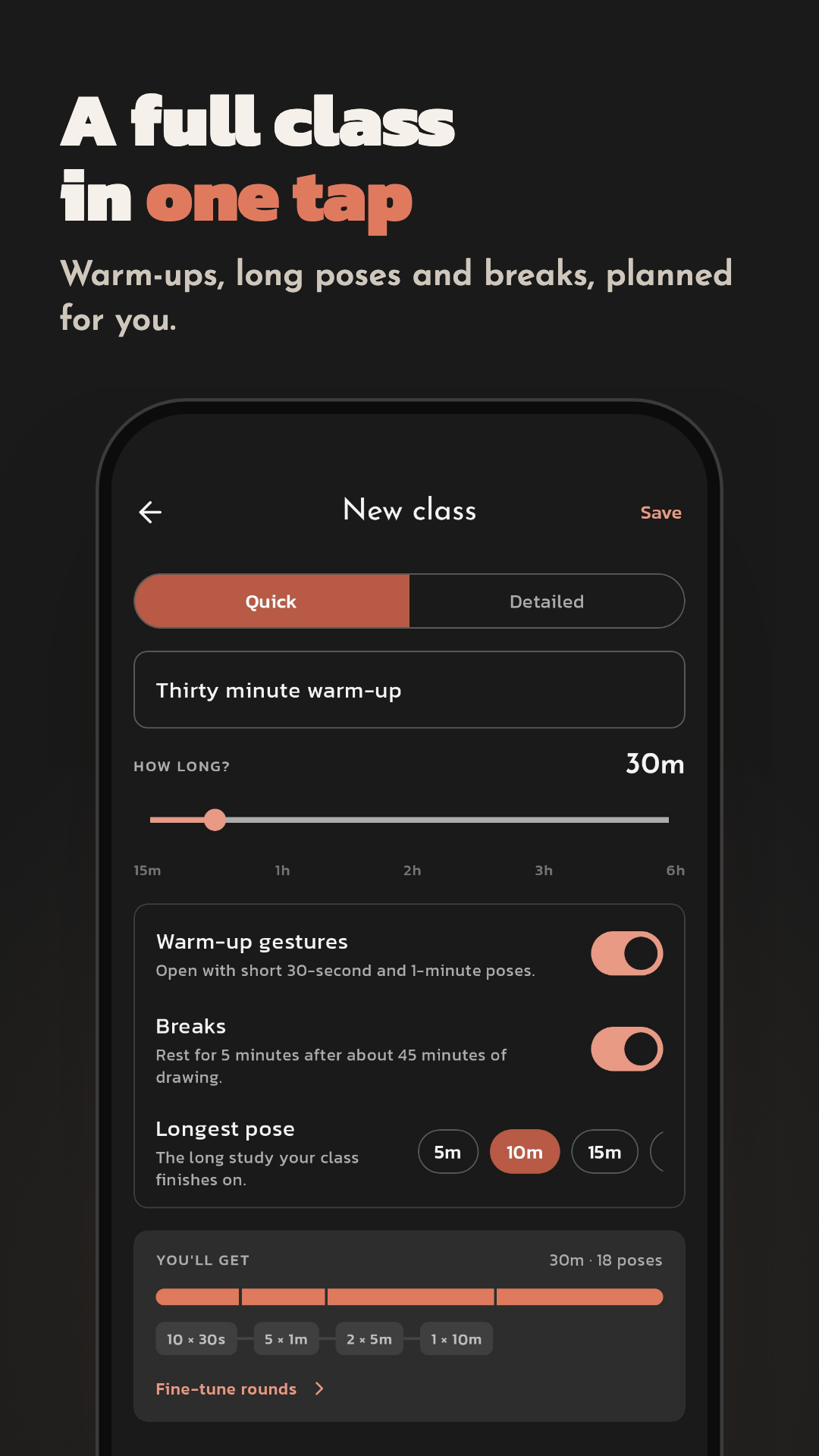
Draw Gestures is a pose reference and timer app for gesture drawing and figure drawing practice. Pick a pose, set a drawing timer, and quick sketch just like a real life drawing class. Whether you are a beginner learning figure drawing or a pro warming up before a studio session, Draw Gestures gives you the structured quick sketch and croquis practice that animators, illustrators and concept artists use every day. How it works 1. Choose your pose reference - figure drawing poses, animals, faces, hands, or your own photos 2. Set your timer - 30 seconds to 10 minutes per pose 3. Draw and improve - track your gesture drawing progress over time Daily drawing practice of 15 minutes builds confidence, speed and flow. Included for everyone - Timed gesture drawing sessions with a built-in sketch timer - Built-in pose reference library, plus your own photos and device folders - Draw straight onto the reference image, with tracing mode included - A real sketch canvas with brushes, layers, eraser and undo - Grid overlay for proportions and line of action - Streaks, practice heatmap and full session history - Daily practice reminders to build a drawing habit - Sessions run up to 30 minutes with up to 20 reference images Pro features - Unlimited reference images and practice libraries - Unlimited session length - Cloud reference libraries from Pinterest, Google Drive and Dropbox - Classroom mode to simulate art school life drawing sessions - Quantity mode and custom intervals - Relaxed mode to practice with no timer pressure - Side-by-side and floating reference layouts - Left-hand mode - Shuffle your pose reference order - Export without a watermark - Import your own paper textures Built for artists who practice - Art students studying anatomy drawing and figure drawing - Illustrators and concept artists warming up with quick sketch drills - Animators practicing gesture, movement and action poses - Character designers studying art poses and silhouettes - Anyone doing daily croquis or 30-second gesture drills Practice on your phone, tablet, desktop or the web at drawgestures.com - one Pro subscription unlocks every device you sign in on. Your pose reference, your pace, your practice. drawgestures.com
Actualización de Gesture Drawing Practice 9.0.1
What's New: - Fixed: a Lasso selection can be moved, scaled and rotated again - A new drawing engine, with brush packs and brush import (.dgbrush, .dgpack) - Fewer repeats: sessions start with the images you've drawn least - Lasso tool: select, move and transform part of your drawing - Change a session's length, pose count, class or layout while it runs - Layer menu: lock, clear and merge down layers - Delete single sketches, 15-second poses, and erase with your finger
What's New: - A new drawing engine, with brush packs and brush import (.dgbrush, .dgpack) - Fewer repeats: sessions start with the images you've drawn least - Lasso tool: select, move and transform part of your drawing - Change a session's length, pose count, class or layout while it runs - Layer menu: lock, clear and merge down layers - Delete single sketches, and practice with 15-second poses - Erase with your finger, and a redesigned Settings
What's New: - Fixed the app freezing while the drawing canvas resizes - Fixed a freeze when finishing a practice session - Bug fixes and stability improvements
- Start no longer reopens the session you just finished - The Background row in Layers now matches the paper on your canvas - Bug fixes and stability improvements
APKFab.com y el enlace de descarga de esta aplicación son 100% seguros. Todos los enlaces de descarga de aplicaciones que aparecen en APKFab.com son de Google Play Store o enviados por los usuarios. Para la aplicación desde Google Play Store, APKFab.com no lo modificará de ninguna manera. Para la aplicación enviada por los usuarios, APKFab.com verificará la seguridad de la firma de APK antes de publicarla en nuestro sitio web.