DSC Auto Rename (Package Name: ro.ciubex.dscautorename) is developed by Ciubex and the latest version of DSC Auto Rename 6.0.10 was updated on January 30, 2018. DSC Auto Rename is in the category of Tools. You can check all apps from the developer of DSC Auto Rename and find 51 alternative apps to DSC Auto Rename on Android. Currently this app is for free. This app can be downloaded on Android 4.0+ on APKFab or Google Play. All APK/XAPK files on APKFab.com are original and 100% safe with fast download.
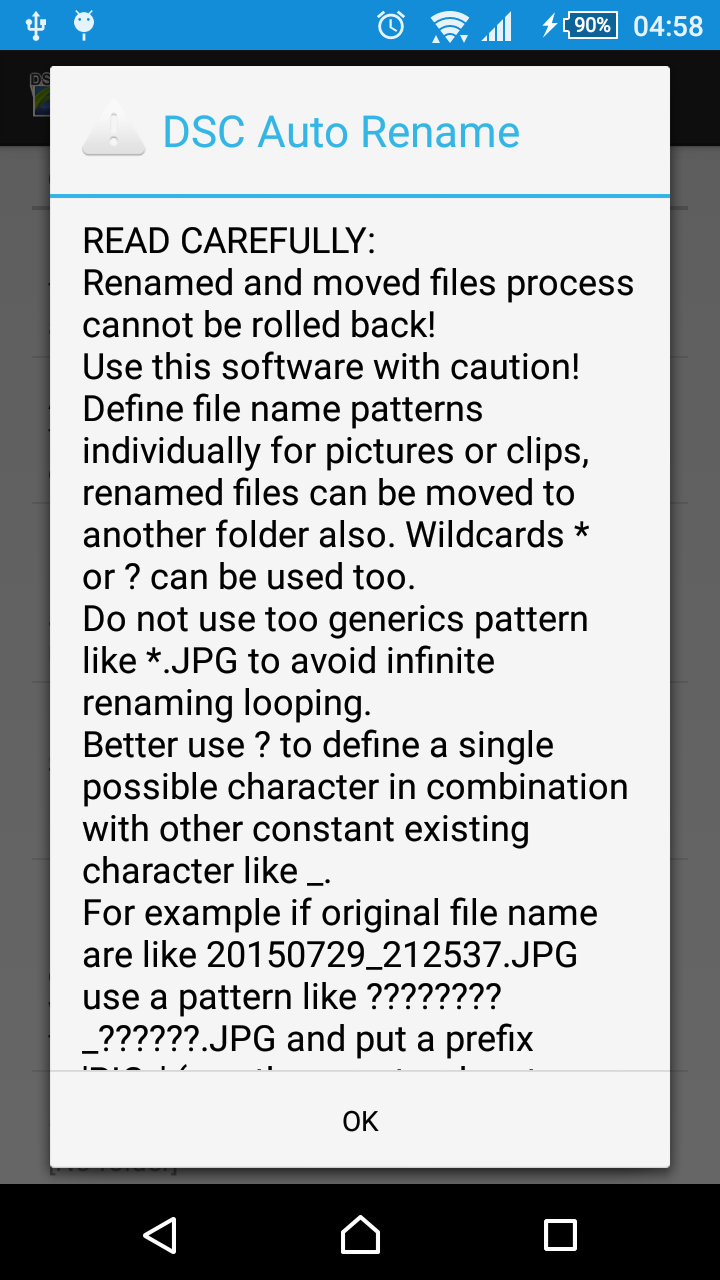
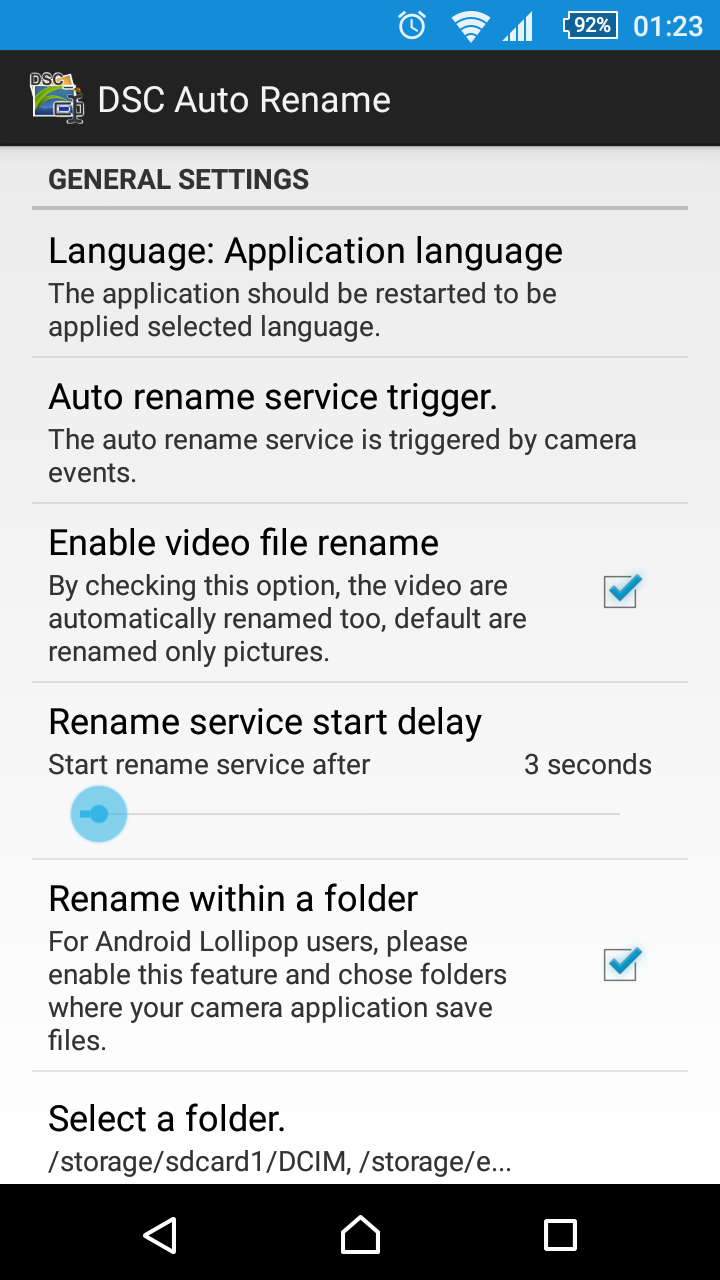
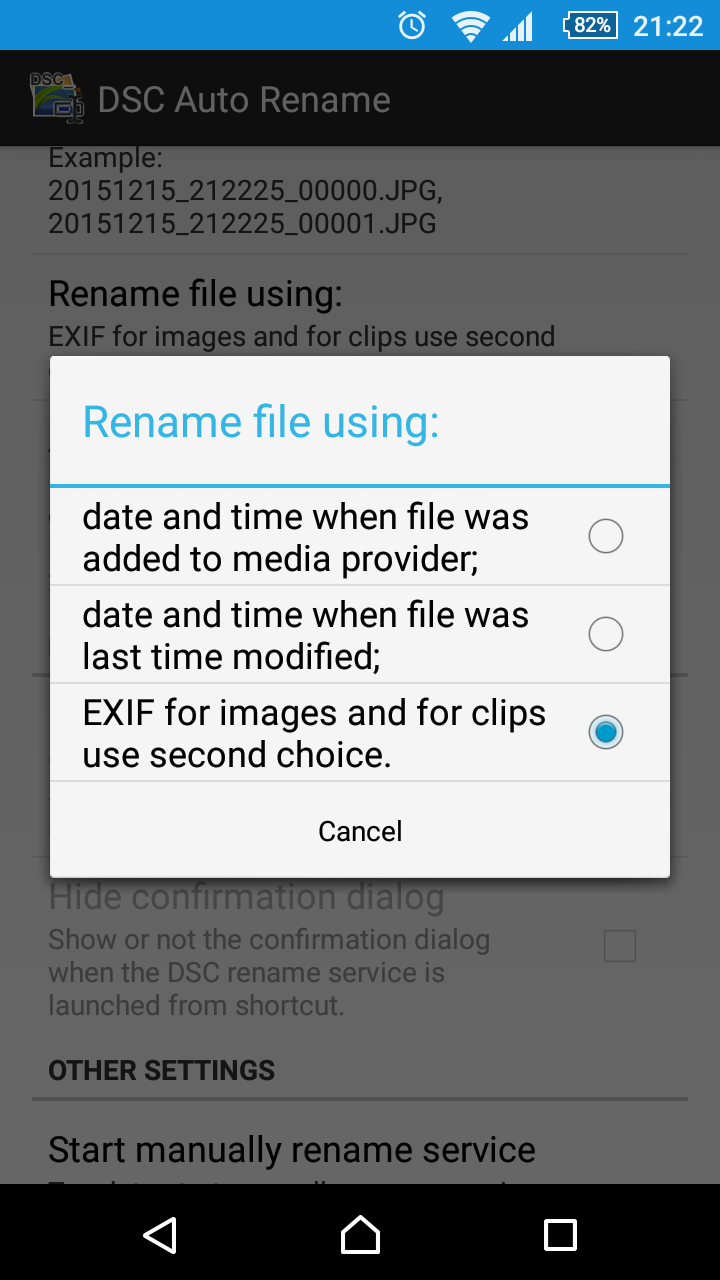
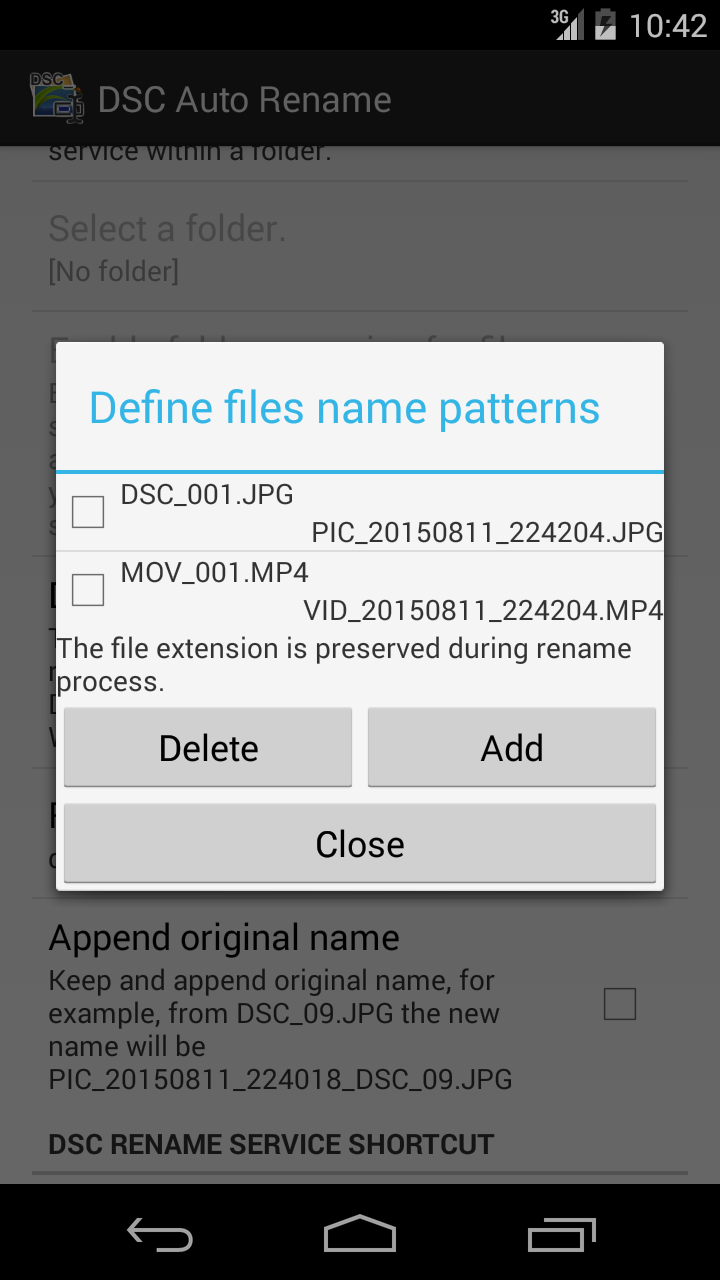
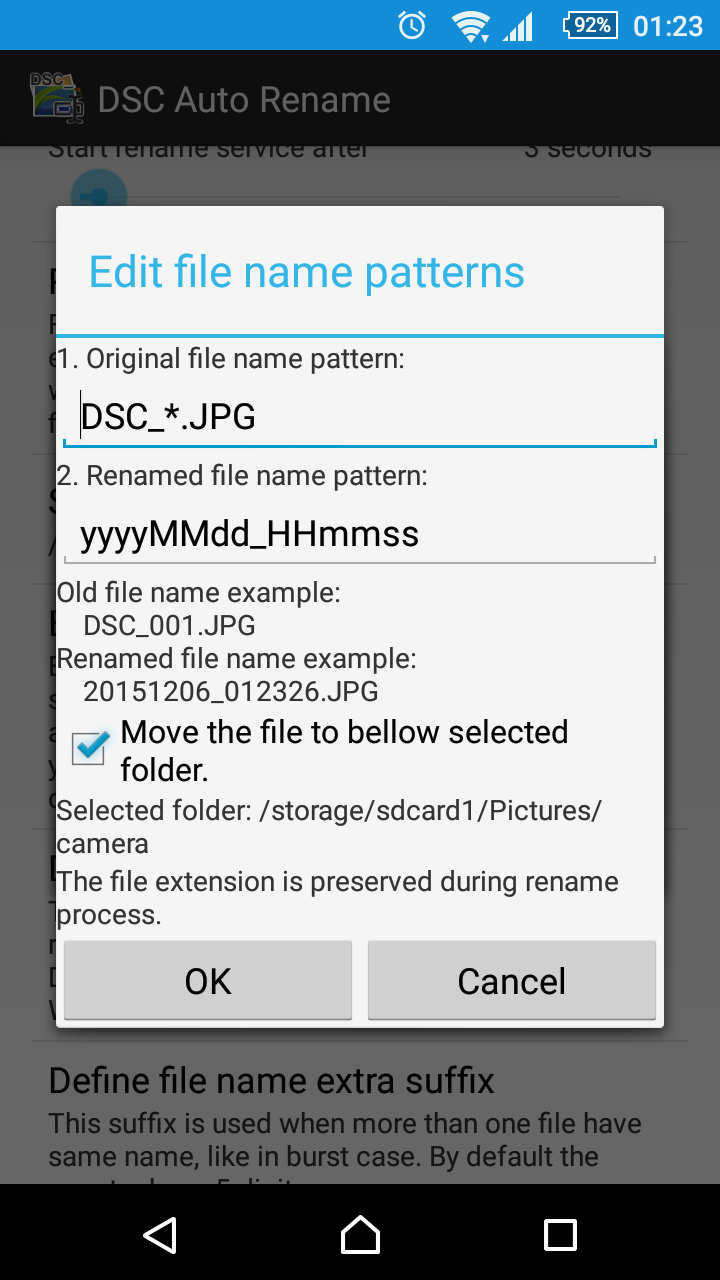
This application can be used to rename ALL the images and clips files taken by the camera. Read carefully all description! Android 11: This application DOESN'T work on Android 11! Renamed and moved files process cannot be rolled back! Use this software with caution! The application do not store the old names because will cause conflicts: the default camera application use a counter which is reset each time when files are removed/renamed. As a workaround can be selected the option "Append original name". If you have issues, try to reinstall the application. I developed this application for an oldest phone, for KitKat and Lollipop I use Android Emulator so I can not test the application on real devices due to costs. KitKat advice Application can rename files stored on internal memory only! The application do not have access on SD card files by default. Read paragraph: "What changed after KitKat?" from http://goo.gl/0xr7qI Lollipop advice Please uninstall and reinstall the application! As on KitKat case, the application can rename files from internal memory. For external memory should be enabled the "Rename within a folder" and should be selected which folder are used by your camera app to save files. For consistency please select also folders from internal memory. If you have issues on Lollipop, select only DCIM folder and not the subfolder, like 100ANDRO, make a selection only like: SD Card/DCIM Android 7 (Nougat ) advice Set the rename service trigger to "Media content observer" to have files automatically renamed if the service is not triggered when the camera events it is selected. Description I made this application to rename pictures and clips from my phone Sony Xperia V automatically based on date and time of file, from DSC_0001.JPG or MOV_0001.mp4 to 20150414_213616.JPG or 20150414_090523.mp4. Rename file using the date and time: - when the file was added to the media provider; - when the file was last modified; - ONLY for the pictures can be used EXIF info, clips do not have support for it. The user can limit the rename process within some desired folders, including the subfolders, using the option: "Rename within a folder". The file rename format use Java date and time formats: - yyyy for years; - MM for month; - dd for day; - HH for hour; - mm for minutes; - ss for seconds; - SSS for milliseconds. See more format information: http://docs.oracle.com/javase/6/docs/api/java/text/SimpleDateFormat.html Unfortunately due to EXIF specifications and Android file name date time the milliseconds are not used internally. Define file name patterns individually for pictures or clips. Wildcards * or ? can be used too, the pattern matching is not case sensitive so can be used lower or upper case or combined, the result will be the same. Do not use too generics pattern like *.JPG to avoid infinite renaming looping. The rename service, if is enabled, automatically is triggered when the image or movie file is saved on the device media storage using two ways: 1. events send by the camera, but the camera application must send com.android.camera.NEW_PICTURE or android.hardware.action.NEW_PICTURE, otherwise, the rename service is not triggered. 2. events send by the Media content changes, this imply a service which observ all changes on the media content. The application sources are available at: https://github.com/ciubex/dscautorename The oldest APK versions are available on the page https://github.com/ciubex/dscautorename/commits/master/apk I made this application for my own proposes and I want to share with other users. For translations please use: https://hosted.weblate.org/projects/dsc-auto-rename/strings/ Original English file: https://goo.gl/6D13FR Thank you for your support and feedback!
DSC Auto Rename 6.0.10 Update
Version 6.0.10 1. Minor label changes. Many thanks for translations! (please use Weblate for translations) Please read application help and description from Google Play page carefully. Please report or mail me as soon as you notice some issues, do not forget to include a description, thank you! DO NOT send empty email, I will ignore them! Oldest version history: http://bit.ly/1OGIWcY
Version 6.0.10 1. Minor label changes. Many thanks for translations! (please use Weblate for translations) Please read application help and description from Google Play page carefully. Please report or mail me as soon as you notice some issues, do not forget to include a description, thank you! DO NOT send empty email, I will ignore them! Oldest version history: http://bit.ly/1OGIWcY
Version 6.0.8 1. Added a confirmation dialog window when user select "Enable folder scanning for files.". Many thanks for translations! (please use Weblate for translations) Please read application help and description from Google Play page carefully. Please report or mail me as soon as you notice some issues, do not forget to include a description, thank you! DO NOT send empty email, I will ignore them! Oldest version history: http://bit.ly/1OGIWcY
Version 6.0.7 1. Replaced the WebView component for Help, About, Privacy and Licence with a custom TextView. Many thanks for translations! (please use Weblate for translations) Please read application help and description from Google Play page carefully. Please report or mail me as soon as you notice some issues, do not forget to include a description, thank you! DO NOT send empty email, I will ignore them! Oldest version history: http://bit.ly/1OGIWcY
Version 6.0.6 1. Fix for Sharp devices which use Android O. 2. Moved the About, Licence, Privacy and Help on WebView components. Many thanks for translations! (please use Weblate for translations) Please read application help and description from Google Play page carefully. Please report or mail me as soon as you notice some issues, do not forget to include a description, thank you! DO NOT send empty email, I will ignore them! Oldest version history: http://bit.ly/1OGIWcY
APKFab.com and the download link of this app are 100% safe. All download links of apps listed on APKFab.com are from Google Play Store or submitted by users. For the app from Google Play Store, APKFab.com won't modify it in any way. For the app submitted by users, APKFab.com will verify its APK signature safety before release it on our website.