ColorMinis (Package Name: com.figuromo.colorminiscollections) is developed by ColorMinis 3D and the latest version of ColorMinis: 3D Painting Studio 1.0 was updated on September 2, 2026. ColorMinis: 3D Painting Studio is in the category of Art & Design with the feature Entertainment. You can check all apps from the developer of ColorMinis: 3D Painting Studio and find 156 alternative apps to ColorMinis: 3D Painting Studio on Android. Currently this app is for free. This app can be downloaded on Android 6.0+ on APKFab or Google Play. All APK/XAPK files on APKFab.com are original and 100% safe with fast download.
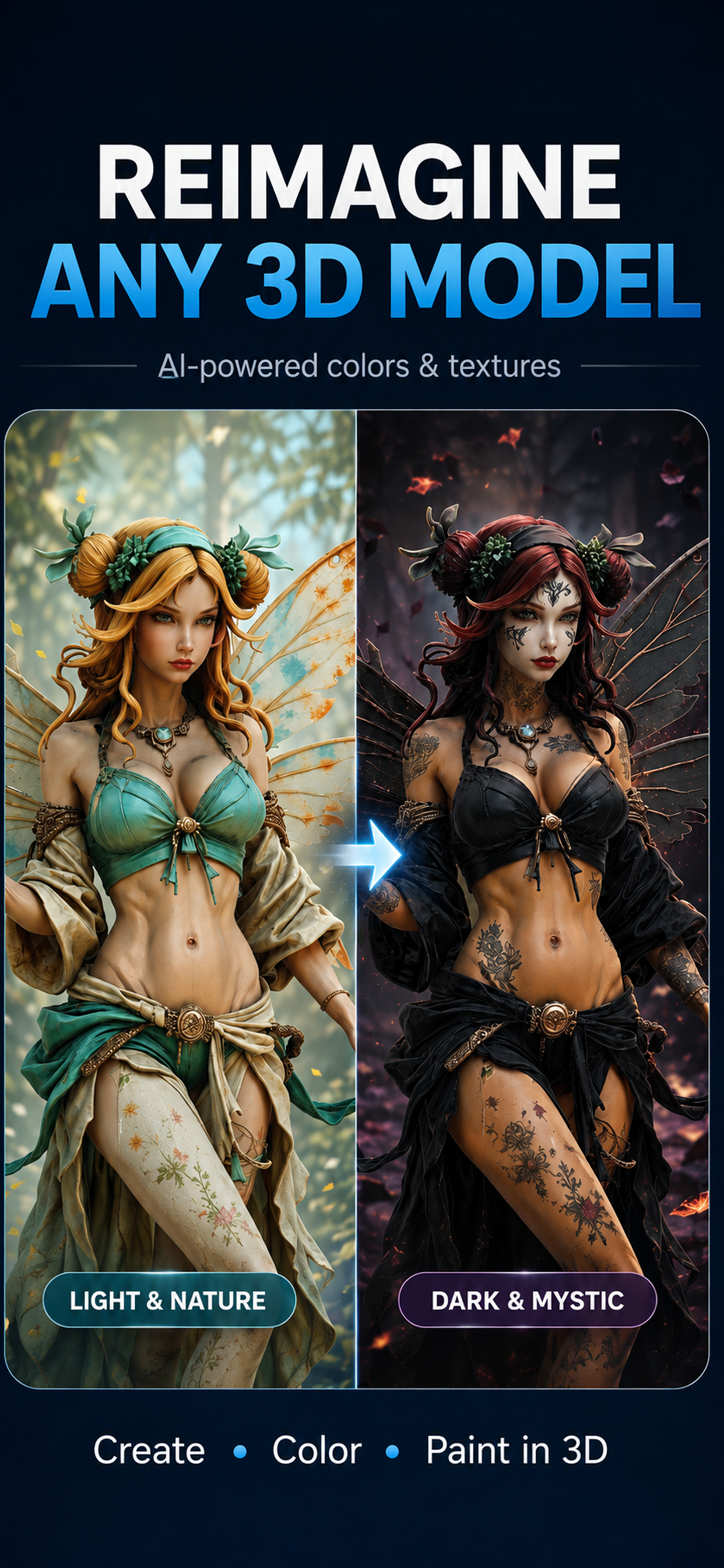
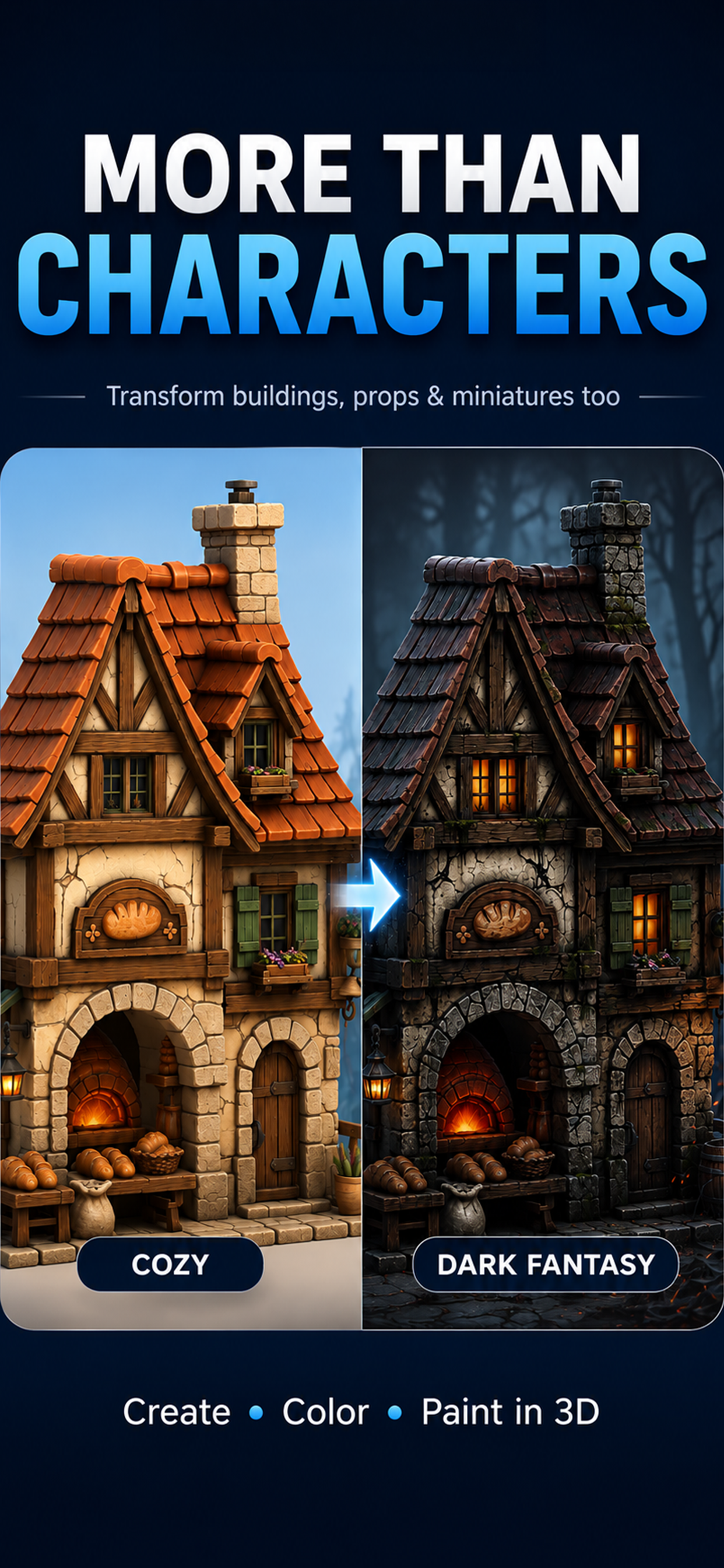
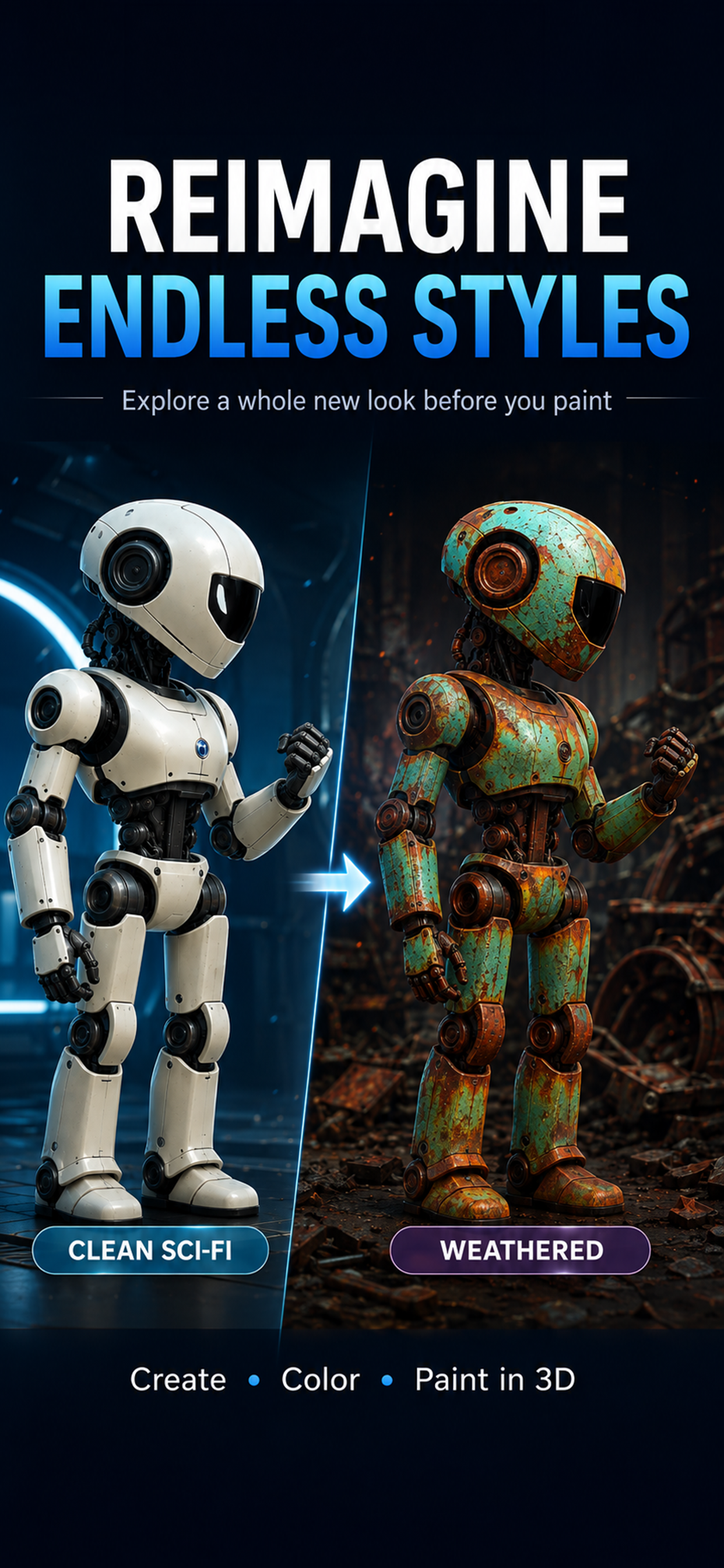
WHAT DO YOU WANT TO PAINT? ColorMinis makes 3D painting simple. Choose from 800+ characters, miniatures, creatures, buildings, collectibles and other models ready to paint — or create your own 3D model from a prompt or image. Rotate. Zoom. Pick a color. Start painting. No complicated 3D workflow. No technical setup. Choose something you love and make it yours. CREATE YOUR OWN 3D MODEL Have an idea for a cyberpunk samurai, fantasy dragon, collectible figure or miniature? Create a high-detail 3D model from: • A text prompt • One reference image • Multiple reference images AI generation gets you the model. ColorMinis lets you keep creating after generation. STOP REGENERATING JUST TO CHANGE THE COLORS Generated something that is almost right? Keep the model you like and change the colors, materials and details yourself. Try another palette. Add weathering. Repaint one area. Create a completely different look without starting over. Save multiple versions and choose your favorite. PAINT DIRECTLY IN 3D Paint right on your model with intuitive creative tools: • Brush for precise painting • Airbrush for smooth color, gradients and shading • Fill for instant color changes and base coats • Dry Brush for raised highlights and edges • Ink Brush for recessed details and crevices • Blend and Erase for cleanup and finishing • Masks for controlled painting areas Rotate and zoom while you work. Paint the whole model or focus on the smallest details. EXPLORE COLOR SCHEMES Not sure which colors work? Try completely different looks on the same 3D model. Turn a clean robot into a weathered machine. Give a fantasy character a light natural palette or a dark gothic finish. Test a miniature color scheme before painting the real thing. COLOR + MATERIALS Go beyond flat color with metallic, matte, satin, glossy and polished material finishes. Use AI Brush to bring selected details from an AI-generated texture into your own painting, or keep your work completely manual. YOUR PERSONALIZED 3D COLORING BOOK Explore 800+ models spanning fantasy, anime, tabletop, characters, collectibles, buildings and more. Use ColorMinis for relaxing 3D coloring, miniature painting ideas, character design, color-scheme planning or simply experimenting with 3D art without learning complicated 3D software. SAVE, SHARE & EXPORT Save different painted versions and come back whenever inspiration strikes. Share your finished looks. Models you personally generate can also be exported as textured GLB files for your own projects. Artist-created library models are available for in-app coloring and creative reference and cannot be exported. PAINT, THEN PLAY Turn a painted save into a Paintball color-reveal experience. Launch paint, collect power-ups and uncover your finished design directly on the model. Choose it. Create it. Paint it. Make it yours. AI model and texture generation may require generation credits or separate in-app purchases. A subscription may be required to unlock the full artist library and premium tools. Generated models and textures may be used commercially where you hold the necessary rights to the prompts, references and source material used to create them.
ColorMinis 1.0 Update
Our biggest update yet! • Generate high-detail 3D models from text, one image, or multiple references • Paint with Brush, Airbrush, Dry Brush, Ink Brush, masks, and PBR materials • Blend AI texture details into your own painting with AI Brush • Turn painted saves into a paintball color-reveal game • Export your generated models as textured GLB files • New collections, interface improvements, performance updates, and bug fixes
Our biggest update yet! • Generate high-detail 3D models from text, one image, or multiple references • Paint with Brush, Airbrush, Dry Brush, Ink Brush, masks, and PBR materials • Blend AI texture details into your own painting with AI Brush • Turn painted saves into a paintball color-reveal game • Export your generated models as textured GLB files • New collections, interface improvements, performance updates, and bug fixes
Our biggest update yet! • Generate high-detail 3D models from text, one image, or multiple references • Paint with Brush, Airbrush, Dry Brush, Ink Brush, masks, and PBR materials • Blend AI texture details into your own painting with AI Brush • Turn painted saves into a paintball color-reveal game • Export your generated models as textured GLB files • New collections, interface improvements, performance updates, and bug fixes
Our biggest update yet! • Generate high-detail 3D models from text, one image, or multiple references • Paint with Brush, Airbrush, Dry Brush, Ink Brush, masks, and PBR materials • Blend AI texture details into your own painting with AI Brush • Turn painted saves into a paintball color-reveal game • Export your generated models as textured GLB files • New collections, interface improvements, performance updates, and bug fixes
Our biggest update yet! • Generate high-detail 3D models from text, one image, or multiple references • Paint with Brush, Airbrush, Dry Brush, Ink Brush, masks, and PBR materials • Blend AI texture details into your own painting with AI Brush • Turn painted saves into a paintball color-reveal game • Export your generated models as textured GLB files • New collections, interface improvements, performance updates, and bug fixes
Our biggest update yet! • Generate high-detail 3D models from text, one image, or multiple references • Paint with Brush, Airbrush, Dry Brush, Ink Brush, masks, and PBR materials • Blend AI texture details into your own painting with AI Brush • Turn painted saves into a paintball color-reveal game • Export your generated models as textured GLB files • New collections, interface improvements, performance updates, and bug fixes
Our biggest update yet! • Generate high-detail 3D models from text, one image, or multiple references • Paint with Brush, Airbrush, Dry Brush, Ink Brush, masks, and PBR materials • Blend AI texture details into your own painting with AI Brush • Turn painted saves into a paintball color-reveal game • Export your generated models as textured GLB files • New collections, interface improvements, performance updates, and bug fixes
Our biggest update yet! • Generate high-detail 3D models from text, one image, or multiple references • Paint with Brush, Airbrush, Dry Brush, Ink Brush, masks, and PBR materials • Blend AI texture details into your own painting with AI Brush • Turn painted saves into a paintball color-reveal game • Export your generated models as textured GLB files • New collections, interface improvements, performance updates, and bug fixes
Our biggest update yet! • Generate high-detail 3D models from text, one image, or multiple references • Paint with Brush, Airbrush, Dry Brush, Ink Brush, masks, and PBR materials • Blend AI texture details into your own painting with AI Brush • Turn painted saves into a paintball color-reveal game • Export your generated models as textured GLB files • New collections, interface improvements, performance updates, and bug fixes
Our biggest update yet! • Generate high-detail 3D models from text, one image, or multiple references • Paint with Brush, Airbrush, Dry Brush, Ink Brush, masks, and PBR materials • Blend AI texture details into your own painting with AI Brush • Turn painted saves into a paintball color-reveal game • Export your generated models as textured GLB files • New collections, interface improvements, performance updates, and bug fixes
Our biggest update yet! • Generate high-detail 3D models from text, one image, or multiple references • Paint with Brush, Airbrush, Dry Brush, Ink Brush, masks, and PBR materials • Blend AI texture details into your own painting with AI Brush • Turn painted saves into a paintball color-reveal game • Export your generated models as textured GLB files • New collections, interface improvements, performance updates, and bug fixes
Our biggest update yet! • Generate high-detail 3D models from text, one image, or multiple references • Paint with Brush, Airbrush, Dry Brush, Ink Brush, masks, and PBR materials • Blend AI texture details into your own painting with AI Brush • Turn painted saves into a paintball color-reveal game • Export your generated models as textured GLB files • New collections, interface improvements, performance updates, and bug fixes
Our biggest update yet! • Generate high-detail 3D models from text, one image, or multiple references • Paint with Brush, Airbrush, Dry Brush, Ink Brush, masks, and PBR materials • Blend AI texture details into your own painting with AI Brush • Turn painted saves into a paintball color-reveal game • Export your generated models as textured GLB files • New collections, interface improvements, performance updates, and bug fixes
Our biggest update yet! • Generate high-detail 3D models from text, one image, or multiple references • Paint with Brush, Airbrush, Dry Brush, Ink Brush, masks, and PBR materials • Blend AI texture details into your own painting with AI Brush • Turn painted saves into a paintball color-reveal game • Export your generated models as textured GLB files • New collections, interface improvements, performance updates, and bug fixes
Our biggest update yet! • Generate high-detail 3D models from text, one image, or multiple references • Paint with Brush, Airbrush, Dry Brush, Ink Brush, masks, and PBR materials • Blend AI texture details into your own painting with AI Brush • Turn painted saves into a paintball color-reveal game • Export your generated models as textured GLB files • New collections, interface improvements, performance updates, and bug fixes
Our biggest update yet! • Generate high-detail 3D models from text, one image, or multiple references • Paint with Brush, Airbrush, Dry Brush, Ink Brush, masks, and PBR materials • Blend AI texture details into your own painting with AI Brush • Turn painted saves into a paintball color-reveal game • Export your generated models as textured GLB files • New collections, interface improvements, performance updates, and bug fixes
Our biggest update yet! • Generate high-detail 3D models from text, one image, or multiple references • Paint with Brush, Airbrush, Dry Brush, Ink Brush, masks, and PBR materials • Blend AI texture details into your own painting with AI Brush • Turn painted saves into a paintball color-reveal game • Export your generated models as textured GLB files • New collections, interface improvements, performance updates, and bug fixes
Our biggest update yet! • Generate high-detail 3D models from text, one image, or multiple references • Paint with Brush, Airbrush, Dry Brush, Ink Brush, masks, and PBR materials • Blend AI texture details into your own painting with AI Brush • Turn painted saves into a paintball color-reveal game • Export your generated models as textured GLB files • New collections, interface improvements, performance updates, and bug fixes
Our biggest update yet! • Generate high-detail 3D models from text, one image, or multiple references • Paint with Brush, Airbrush, Dry Brush, Ink Brush, masks, and PBR materials • Blend AI texture details into your own painting with AI Brush • Turn painted saves into a paintball color-reveal game • Export your generated models as textured GLB files • New collections, interface improvements, performance updates, and bug fixes
Our biggest update yet! • Generate high-detail 3D models from text, one image, or multiple references • Paint with Brush, Airbrush, Dry Brush, Ink Brush, masks, and PBR materials • Blend AI texture details into your own painting with AI Brush • Turn painted saves into a paintball color-reveal game • Export your generated models as textured GLB files • New collections, interface improvements, performance updates, and bug fixes
APKFab.com and the download link of this app are 100% safe. All download links of apps listed on APKFab.com are from Google Play Store or submitted by users. For the app from Google Play Store, APKFab.com won't modify it in any way. For the app submitted by users, APKFab.com will verify its APK signature safety before release it on our website.