Vibrate Mode - Tile & Widget

7.7 13

v4.3.4 by NB Applications

Vibrate Mode - Tile & Widget XAPK 下載 Vibrate Mode - Tile & Widget XAPK 下載

關於 Vibrate Mode QS Tile

Vibrate Mode QS Tile(包名:com.nb.qsvibratemode)開發者是NB Applications,Vibrate Mode QS Tile的最新版本4.3.4更新時間為2026年07月22日。Vibrate Mode - Tile & Widget的分類是工具。您可以查看Vibrate Mode - Tile & Widget的開發者下的所有應用。目前這個應用免費。該應用可以從APKFab或Google Play下載到Android 7.0+。APKFab.com的所有APK/XAPK文檔都是原始文檔並且100%安全下載的資源。
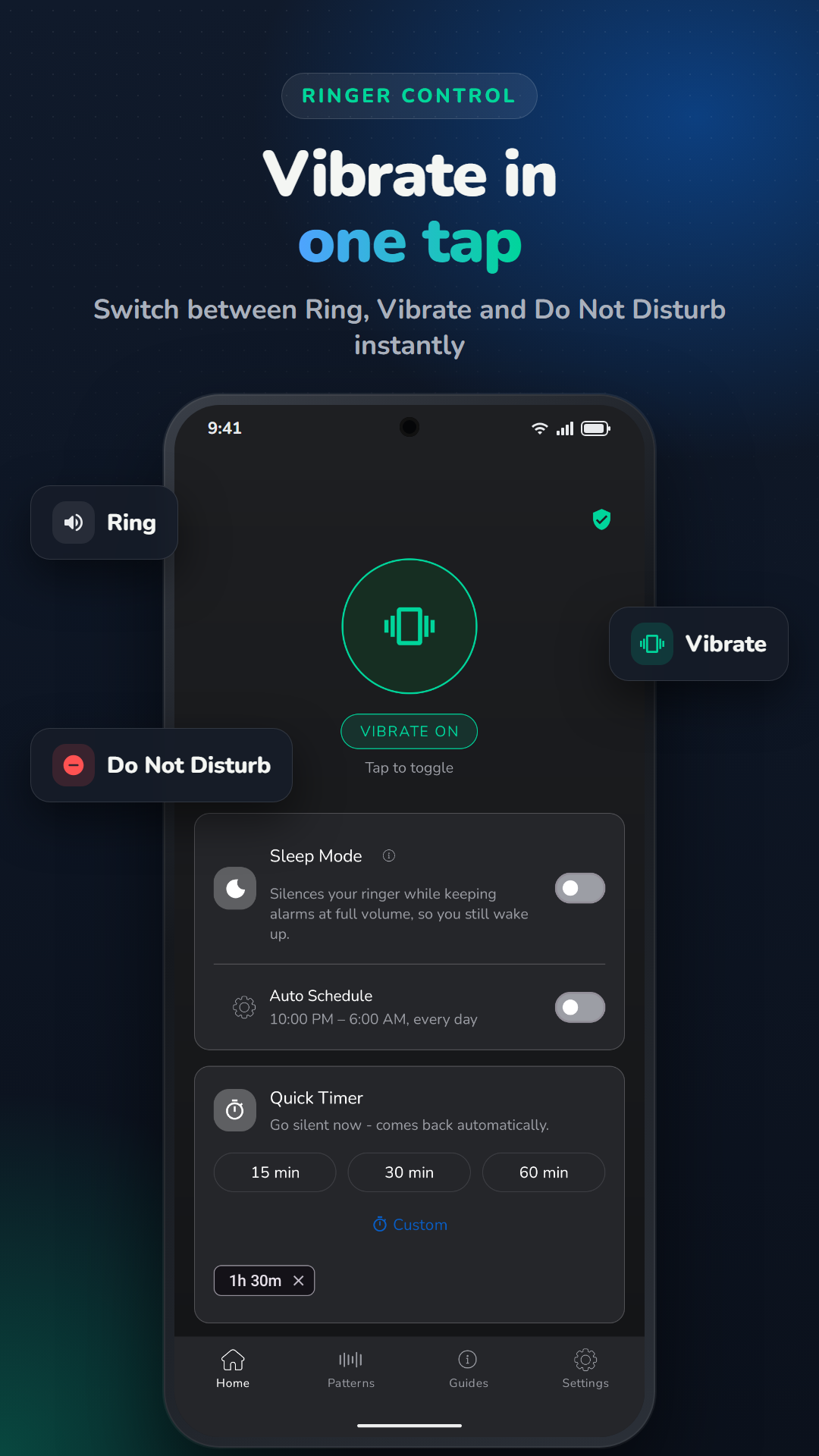
一鍵切換鈴聲和震動模式-直接在快速設定面板或主螢幕小工具中操作。無需在設定中翻找,也無需摸索音量按鈕。
🆕 完美相容於 Android 17 和 Google Pixel 設備
由於近期 Android 更新改變了通知列和聲音快捷方式的運作方式,許多用戶發現系統自帶的鈴聲切換按鈕反應較慢或難以觸及。這款應用程式為您提供了一個專用且可靠的震動模式切換按鈕,即插即用——磁貼或小部件,任您選擇。
🔧 主要功能
- 從快速設定磁貼快速切換震動模式
- 無需打開面板即可一鍵存取的主螢幕小工具
- 快速切換響鈴和震動模式(響鈴模式切換)
- 無需root權限 — 開箱即用
- 輕巧便捷,僅2MB安裝包,後台零耗電
- 相容於Android 7.0至Android 17
- 專為會議、教室、劇院和靜音區域設計
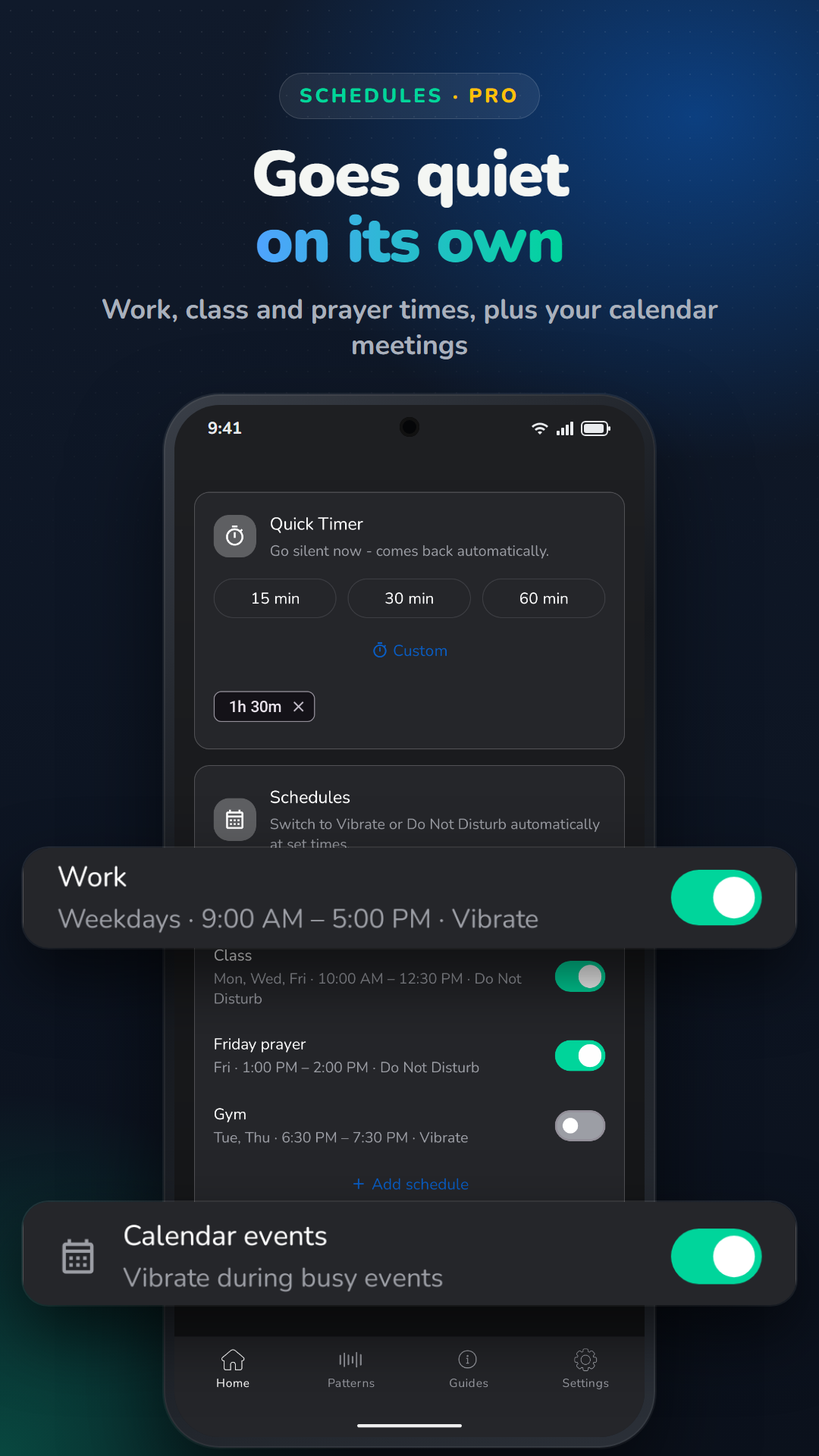
- 螢幕鎖定小工具 — 一鍵鎖定螢幕,如同軟電源鍵(專業版功能)
📌 如何設定快速設定磁貼
1. 安裝應用
2. 下拉通知欄
3. 點擊鉛筆/編輯圖標
4. 將「振動模式」磁貼拖曳到活動磁貼中
5. 隨時點擊即可切換響鈴↔震動
📌 如何新增主畫面小工具
1. 長按主螢幕
2. 點選“小工具”
3. 找到「振動模式」並將其拖曳到活動磁貼中螢幕
4. 一鍵切換聲音模式,無需面板
🔒 螢幕鎖定小工具(震動專業版)
非常適合電源鍵磨損或難以觸及的情況。將鎖定小工具新增至主螢幕,隨時點擊即可立即鎖定螢幕——就像按電源鍵一樣,只不過操作位置取決於您放置小工具的位置。
此功能僅使用 Android 的輔助使用服務 API 來執行螢幕鎖定操作。這是非系統應用程式無需設備管理員權限即可鎖定螢幕的唯一 API。該服務不會讀取或監控螢幕內容,不會與其他應用程式交互,不會收集或傳輸任何數據,也不會在後台運行,除了響應小部件點擊操作之外,不會用於任何其他目的。在請求啟用此權限之前,您將看到清晰的應用程式內說明,您可以隨時在「設定」→「輔助功能」中停用它。
🛡️ 隱私至上
不收集數據。不共享數據。不進行後台追蹤。此應用程式的功能只有一個——切換鈴聲模式——除此之外,別無其他。
✨無論您是要參加會議、上課,還是在 Android 17 更新後想要更快地切換鈴聲/振動,這款磁貼 + 小部件組合都能滿足您的需求。

Vibrate Mode QS Tile 4.3.4 更新

• Fixed the Quick Settings tile sometimes not responding when tapped on certain devices
• Added a "Keep Panel Open" setting to control whether Quick Settings stays open when toggling vibrate mode
• Fixed vibrate/ring status not displaying correctly when Do Not Disturb is on
查看更多
Vibrate Mode QS Tile 資訊
歷史版本 更多
Vibrate Mode - Tile & Widget
Vibrate Mode - Tile & Widget 4.3.4 XAPK APKs
2026年07月22日 13.8 MB

Requires Android: Android 7.0+

Architecture: armeabi-v7a

Screen DPI: 160-640dpi

SHA1: 2aa2408fadb0770ea3a615dfcc34ee72e81d99d1

Size: 13.8 MB

What's New:

• Fixed the Quick Settings tile sometimes not responding when tapped on certain devices
• Added a "Keep Panel Open" setting to control whether Quick Settings stays open when toggling vibrate mode
• Fixed vibrate/ring status not displaying correctly when Do Not Disturb is on
Vibrate Mode - Tile & Widget
Vibrate Mode - Tile & Widget 4.2.0 XAPK APKs
2026年07月13日 8.54 MB

Requires Android: Android 7.0+

Architecture: armeabi-v7a

Screen DPI: 160-640dpi

SHA1: a17ae917aff48d8d473d596cf17b9d2f8a92d2c6

Size: 8.54 MB

What's New:

- Fixed the Quick Settings tile, home screen widget, and app icon to show a distinct "sound on" icon when Vibrate is switched off, instead of reusing the vibrate icon
- General improvements and bug fixes
Vibrate Mode - Tile & Widget
Vibrate Mode - Tile & Widget 4.0.1 XAPK APKs
2026年06月16日 7.94 MB

Requires Android: Android 7.0+

Architecture: armeabi-v7a

Screen DPI: 160-640dpi

SHA1: d995690df3b987c7b8ec0ceb9a6145d6fb414b1a

Size: 7.94 MB

What's New:

- Fresh new look — Redesigned home screen with smooth animations and modern Material 3 UI
- Always in sync — Widget and Quick Settings tile now instantly reflect Do Not Disturb and ringer state changes, even when changed from outside the app
- Vibrate Pro — One-time upgrade: go completely ad-free + unlock Auto Close
- Auto Close — Toggle vibrate and the app disappears. No extra tap needed. (Pro)
- Step-by-step setup guide — Built-in guide shows exactly how to add the tile to Quick Settings
Vibrate Mode - Tile & Widget
Vibrate Mode - Tile & Widget 3.10.0 XAPK APKs
2026年05月11日 10.05 MB

Requires Android: Android 7.0+

Architecture: arm64-v8a

Screen DPI: 160-640dpi

SHA1: a2d7295fddbe364231dd0285432c4bbc326ec9fb

Size: 10.05 MB

What's New:

- Added brand new home screen Vibrate Mode Widget
- Tile state now reflects system ringer mode
- Added auto-close feature with Free Pro mode
- Improved haptic feedback implementation
更多資訊

更新日期:

最新版本:

4.3.4

請求更新:

提交最新版本

Available on:

Google Play

系統要求:

Android 7.0+