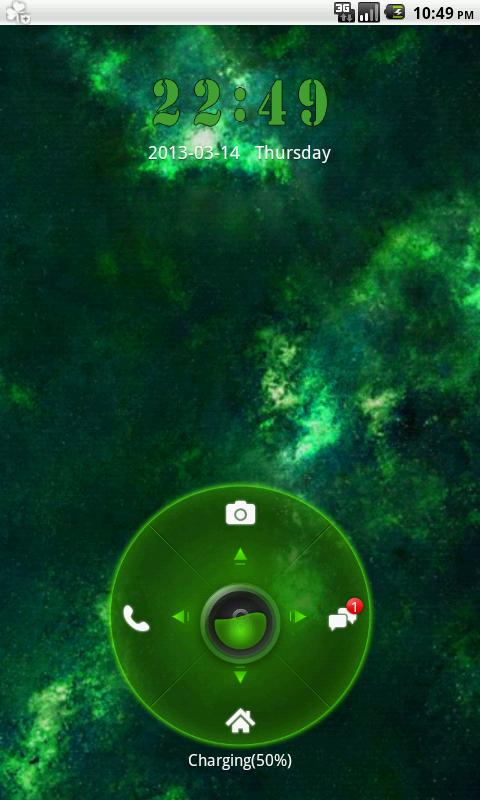
- How to run GO Locker Theme Planets (This theme will work only with GO Locker which You can download for free from Google Play.) 1 Go to GO Launcher EX home page. 2 Click menu button on Your device. 3 Click "theme" button. 4 Click "Locker" tuck 4 Click "Installed" tuck. 5 Click on Planets theme view. 6 Click "Apply". 7 Have fun ;) 8 If You like it please rate it. ^^^ FREE GO Locker Planets theme This theme is maintained in fashion green nebula color. It shows beauty of nebula and space. It is designed especially for peoples who likes look to the sky, admire space, nebula, cosmos, stars, planets, moons and all universe. Have You ever wondered about universe? How big and beauty is it. Now you can get part of this magic nebula and planet on your phone for free ^^ This is only a part of whole Planets theme so CHECK OUT also our matching themes: - GO SMS PRO Planets theme - GO Launcher EX Planets theme ^^ Check out also our others themes: - GO SMS PRO Lovely Hearts - GO Launcher Lovely Hearts - GO Locker Lovely Hearts ^^ Themes are uploaded regularly so don't forget to check out our developer account. ^^ This free theme is supported by ads like notification / icon. Permissions are for them.
APKFab.com和該應用的下載連結是100%安全的。APKFab.com上列出的所有應用下載連結均來自Google Play Store或由用戶提交。對於來自Google Play商店的應用,APKFab.com不會對其進行任何形式的修改。對於用戶提交的應用,APKFab.com會在網站上發佈之前驗證其APK簽名的安全性。