スイーツ デイ

9.1 11

v1.7.2.0 by Randomwork

スイーツ デイ APK 下載 スイーツ デイ APK 下載

關於 Sweets Day

Sweets Day(包名:com.nextapps.widget03)開發者是Randomwork,Sweets Day的最新版本1.7.2.0更新時間為2012年04月17日。スイーツ デイ的分類是個人化。您可以查看スイーツ デイ的開發者下的所有應用。目前這個應用免費。該應用可以從APKFab或Google Play下載到Android 2.2+。APKFab.com的所有APK/XAPK文檔都是原始文檔並且100%安全下載的資源。
キュートなスイーツでケータイをデコっちゃおう♪
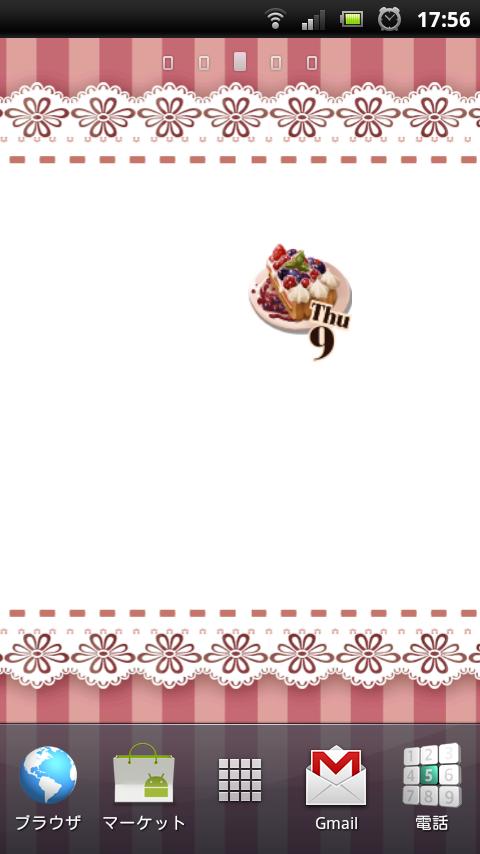
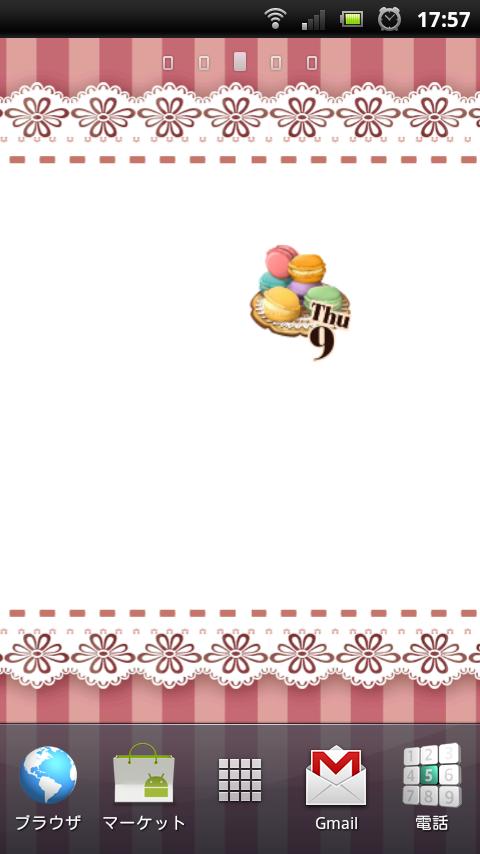
あなたのホーム画面をもっとかわいくしちゃう日付と曜日を表示するウィジェットです。11種類のスイーツと4種類の壁紙から好きなものを選んでカスタマイズできちゃいます。
"スイーツ大好き!かわいいもの大好き!他の人と同じものじゃイヤ!"
そんなあなたにピッタリのウィジェットです。
■スイーツ画像の変え方
1.ウィジェットとして配置されているスーツをタップするとダイアログが出てきます。
2.ダイアログに表示されている「設定」をタップします。
3.好きな画像をタップすれば画像が反映されます。
■壁紙の変え方
1.ウィジェットとして配置されているスイーツ画像をタップするとダイアログが出てきます。
2.ダイアログにある「壁紙」をタップすると壁紙の変更画面が出てきます。
3.上に表示されている画像は壁紙の全体像です。下に表示されているのがサムネイルです。サムネイルの部分をスライドさせて壁紙を選択します。
4.「壁紙に設定する」ボタンを押せば壁紙が変わります。
■カレンダーアプリの起動方法
1.ウィジェットとして配置されているスイーツ画像をタップするとダイアログが出てきます。
2.ダイアログにある「カレンダー」をタップするとカレンダーが起動します(カレンダーアプリはAndroid標準のものを起動しますが、インストールされていない、または存在していない場合は起動しませんのでご了承下さい)。
※ウィジェットの表示方法は各ホームアプリによって異なりますので、ご使用中のホームアプリの説明などを参考にしていただければ幸いです。
※「スイーツデイ」はウィジェットのみの提供となっております。パネル画面にアプリケーションのアイコンは表示されませんのでご了承下さい。
※一部環境で日付が更新されない可能性があります。原因は「スイーツデイ」のサービスを何かしらが削除しているものだと思われます。この症状は各環境によって異なるので何が原因かは特定できませんので、あらかじめご了承下さい。

Sweets Day 1.7.2.0 更新

· Added a picture of cheesecake.

Suites for the bug that occurred in Day:
v1.5.1.0 bug occurred in all was fixed. Restart If you can not resolve even after re-installing with who you have already installed, so there is a possibility that remains a process of the previous version (has started restart the terminal after uninstalling the "Sweets Day" Please then reinstall) will turn off completely the behavior of the process you. Thank you and I hope that it will be sorry to trouble you.

查看更多
Sweets Day 資訊
歷史版本 更多
スイーツ デイ
スイーツ デイ 1.7.2.0 APK
2015年10月16日 484.09 KB

Requires Android: Android 2.2+

Screen DPI: 160-240dpi

SHA1: 596286f8042cea14d42976dffd0d19f16d98d14f

Size: 484.09 KB

What's New:

· Added a picture of cheesecake.

Suites for the bug that occurred in Day:
v1.5.1.0 bug occurred in all was fixed. Restart If you can not resolve even after re-installing with who you have already installed, so there is a possibility that remains a process of the previous version (has started restart the terminal after uninstalling the "Sweets Day" Please then reinstall) will turn off completely the behavior of the process you. Thank you and I hope that it will be sorry to trouble you.
更多資訊

更新日期:

最新版本:

1.7.2.0

請求更新:

提交最新版本

Available on:

Google Play

系統要求:

Android 2.2+