Trinity Incからリリースされた『Virtual Buttons』は仕事効率化アプリだ。apkfab.com/jpから『Virtual Buttons』のファイルサイズ(APKサイズ):2.43 MB、スクリーンショット、詳細情報などを確認できる。apkfab.com/jpではTrinity Incより配信したアプリを簡単に検索して見つけることができる。『Virtual Buttons』に似ているアプリや類似アプリは71個を見つける。現在、Virtual Buttons For Android appのダウンロードも基本プレイも無料だ。『Virtual Buttons』のAndroid要件はAndroid 2.3.4+なので、ご注意ください。APKFabあるいはGooglePlayから『Virtual Buttons For Android apk』の最新バージョンを高速、安全にダウンロードできる。APKFab.com/jpでは全てのAPK/XAPKファイルがオリジナルなものなので、高速、安全にダウンロードできる。
What if some of your hardware buttons are not functional and yet you are able to use them with a single tap on the screen?
WHY THIS APP?
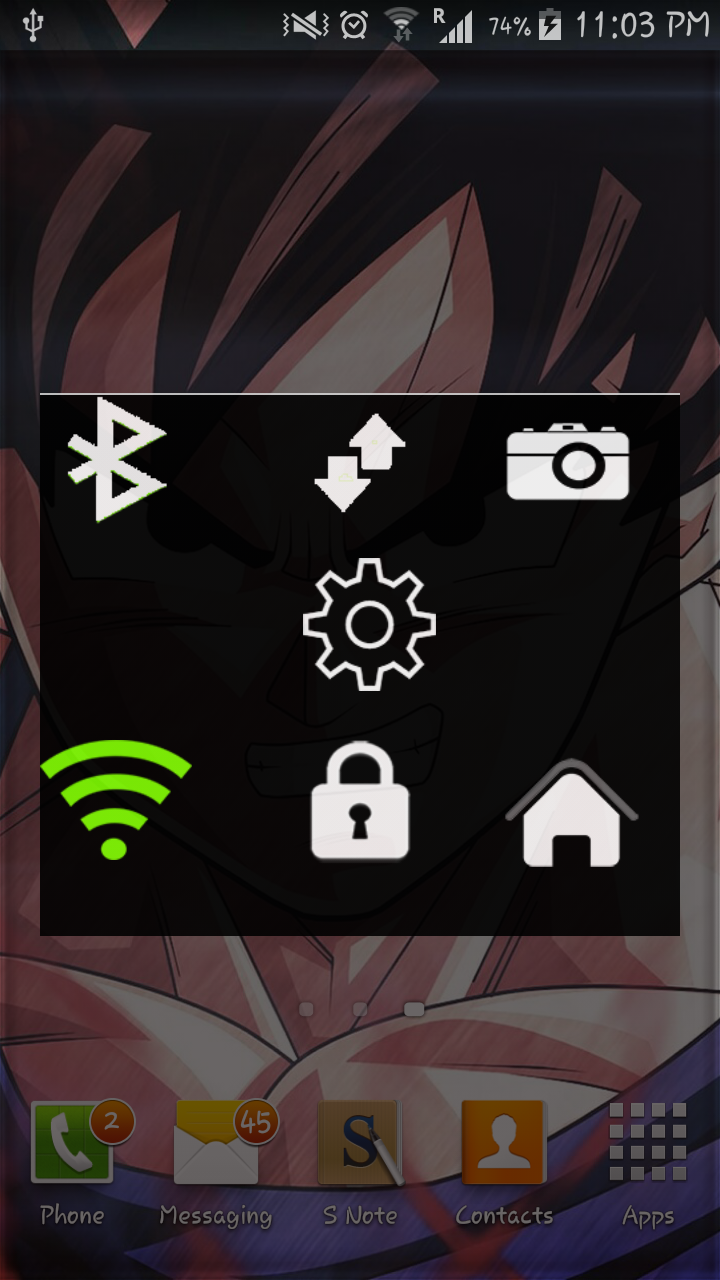
This app just do it for you. It makes easy for you to go to the home screen or to lock the screen or even unlocking the screen without even touching the hardware buttons. Not only this, it also makes easy for you to find all the major options available to you at one place and in just a single tap on the floater. Providing the main options of Wifi , Bluetooth, Data-Connection , Camera , Lock button and the home button
It also has the option of making the floater invisible when u don't want to use it.
Features Available :-
- Home Button
- Lock Button
- Camera
- Wifi
- Bluetooth
- Mobile Data
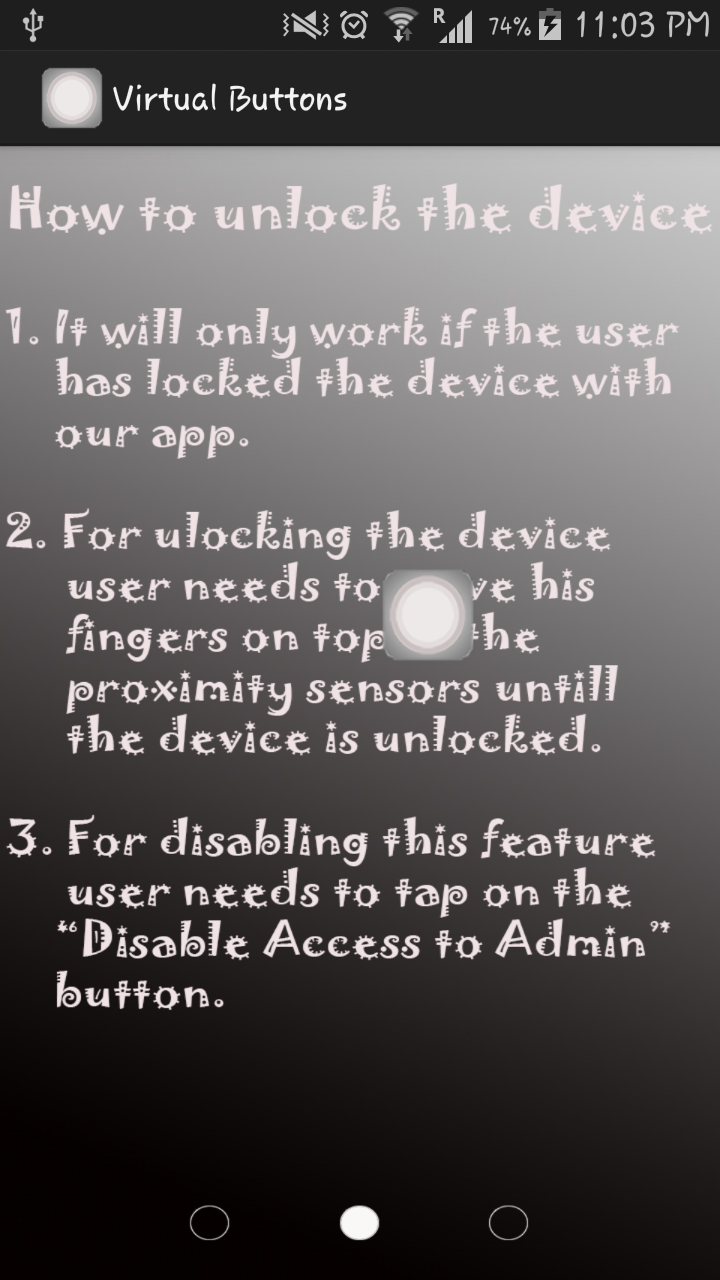
- Unlock using the proximity sensors(move fingers approximately 5 times over the proximity sensors)
how it works?
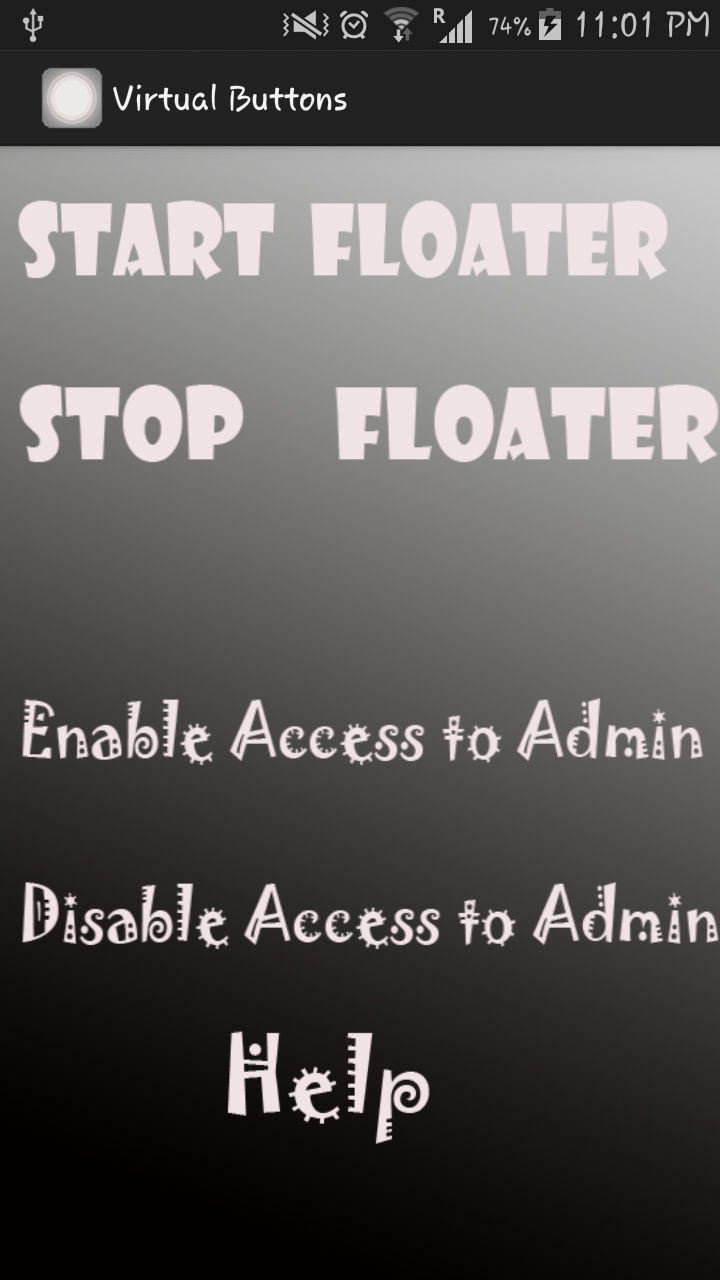
all you need is to download the app and click on "Start Floater" button and you are done. you will see the floater
on your home screen then, just tap the floater and you are there.! You can then use all the options except for the option of lock.
How does lock work??
For the proper working of the lock button you need to grant the admin permission to the app. This can be done by tapping on the "Enable Access to Admin " button.
This will help you to lock the screen without the hardware button. But now you must be thinking how to unlock the screen.. Well !!! for this you just need to move the finger on top of the proximity sensors and there you go. the app does it for you. it unlocks the screen for you.
Keep in mind !!!
for unlocking the screen through finger gesture you first need to lock the screen by our app only. if you have locked it using the hardware button then the gesture feature might not work for you. So for UNLOCKING u need to LOCK with the help of the app only.
How to uninstall the app.
Well we are writing the procedure because this app needs admin permission and hence users might face problems if the want to uninstall the app( Hope users never come to the phase when they want to uninstall our app)
So for uninstalling you must first click on the "Disable Access to Admin" button and then try to do the un-installation
CONTENT POLICY: This app uses many permissions to give all the options on just a single click. It also needs the admin permission
For any suggestions or queries, feel free to contact us at :
[email protected]Your valuable comments are most welcomed and highly acknowledged.Please rate us to encourage us for developing more free live wallpapers.
Thank You!!