OMX Remote (Raspberry Pi)

9.3 23

v1.9 by 10cars Software

OMX Remote (Raspberry Pi) アプリダウンロード OMX Remote (Raspberry Pi) アプリダウンロード

OMX Remoteの詳細

10cars Softwareからリリースされた『OMX Remote』は動画プレーヤー&エディタアプリだ。apkfab.com/jpから『OMX Remote』のファイルサイズ(APKサイズ):901.91 KB、スクリーンショット、詳細情報などを確認できる。apkfab.com/jpでは10cars Softwareより配信したアプリを簡単に検索して見つけることができる。『OMX Remote』に似ているアプリや類似アプリは139個を見つける。現在、OMX Remote (Raspberry Pi) appのダウンロードも基本プレイも無料だ。『OMX Remote』のAndroid要件はAndroid 2.2+なので、ご注意ください。APKFabあるいはGooglePlayから『OMX Remote (Raspberry Pi) apk』の最新バージョンを高速、安全にダウンロードできる。APKFab.com/jpでは全てのAPK/XAPKファイルがオリジナルなものなので、高速、安全にダウンロードできる。
Remotely control OMX Player on your Raspberry Pi.
If you don't own a Raspberry Pi, or you don't know what it is, keep moving, there is nothing to see here... If you do, stay tuned!
What is it?
- a simple way to watch videos on the Raspberry Pi with minimal overhead
- all you need is an SSH server (you will probably have this anyway) and OMX Player (naturally)
What is it not?
- a full-blown media player
- a generic SSH client
- a remote control for any other things on the Raspberry Pi, like GPIO pins, system monitor, etc.
I want to know more!
- large remote control for convenience, with alternative layouts
- supports hardware volume buttons
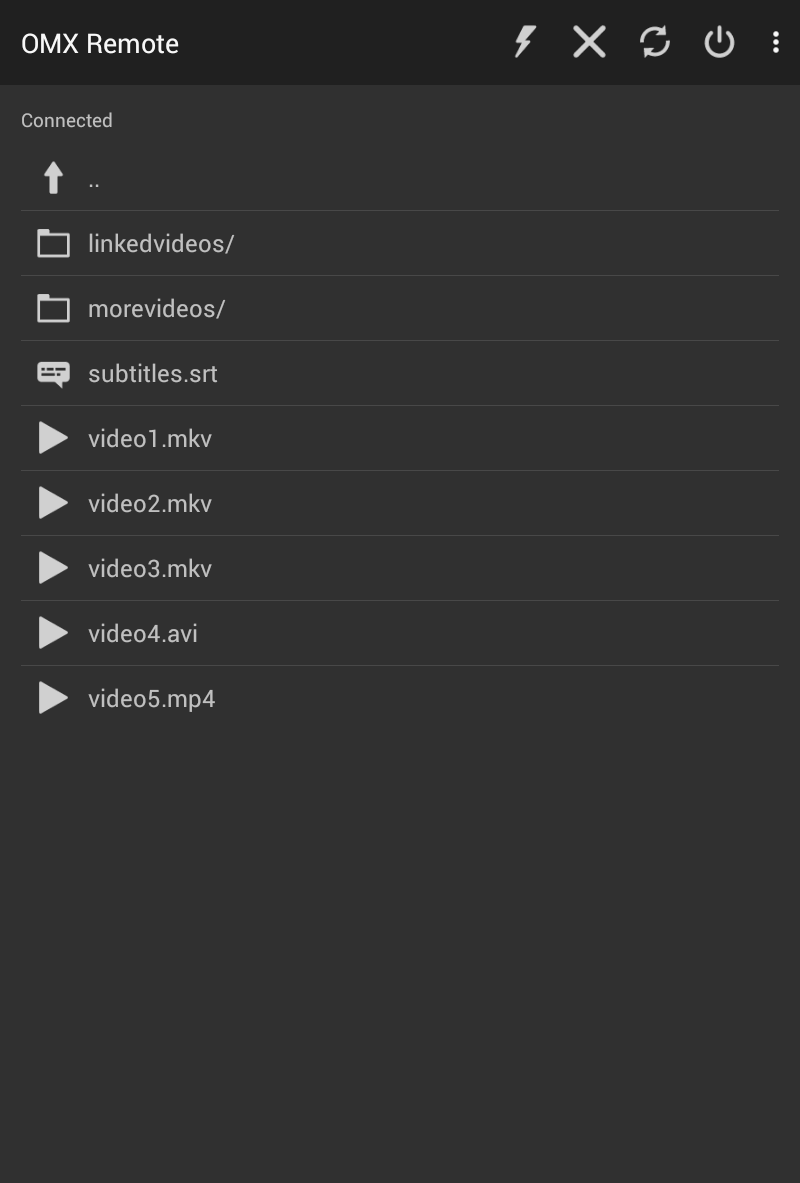
- keep browsing files while watching videos
- OMX Player connection running in the background to free up your device to do other things
- quick access to remote control via notification
- support for subtitles and multiple audio streams
- optional "screen" support to re-attach lost connections
- password based or public key SSH login
- support "killall" as a last resort to get rid of a running OMX Player that you somehow have lost control over (try the "screen" option if your connection is prone to drop frequently)
- reboot/shutdown and TV on/off functions for convenience
- integrated IMDb lookup (IMDb app needs to be installed)
- folder play, i.e. auto advance to next item
- URL play (add/edit/delete URLs manually, view/share URLs with OMX Remote from external app, configure multiple URL play commands)
- experimental playback of videos on device (share from Photos or Gallery app)
Help, I'm stuck!
- if you cannot get a file listing, try to log in to your Raspberry Pi using a generic SSH client with the same connection and user details
- if you get a file listing but cannot play any files, try to run OMX Player manually on the Raspberry Pi
- if that does not help, drop us an email
Oh, by the way, thanks for reading this far, and of course...
have a nice day ;)

OMX Remote 1.9 アップデート

- experimental playback of videos on device (share from Photos or Gallery app)
- recognize file types by extension (configurable in preferences)
- only play video files
- optionally hide unknown files
- show specific icons in directory list
- optionally hide hidden files
- follow symbolic links
- material design
- minor GUI changes
続きを読む
OMX Remote 特徴
バージョン履歴 もっと見る
OMX Remote (Raspberry Pi)
OMX Remote (Raspberry Pi) 1.9 APK
2015年08月11日 901.91 KB

Requires Android: Android 2.2+

Screen DPI: 160-640dpi

SHA1: 5d68030cac8404feeb82937737d8441b023a8c04

Size: 901.91 KB

What's New:

- experimental playback of videos on device (share from Photos or Gallery app)
- recognize file types by extension (configurable in preferences)
- only play video files
- optionally hide unknown files
- show specific icons in directory list
- optionally hide hidden files
- follow symbolic links
- material design
- minor GUI changes
追加情報

更新日:

最新バージョン:

1.9

バージョンアップ申請:

最新版提出

で手に入れよう:

Google Play

Android要件:

Android 2.2+