Lucky Artからリリースされた『Futuristic Theme GO Weather EX』はカスタマイズアプリだ。apkfab.com/jpから『Futuristic Theme GO Weather EX』のファイルサイズ(APKサイズ):4.71 MB、スクリーンショット、詳細情報などを確認できる。apkfab.com/jpではLucky Artより配信したアプリを簡単に検索して見つけることができる。現在、Futuristic Theme GO Weather EX appのダウンロードも基本プレイも無料だ。『Futuristic Theme GO Weather EX』のAndroid要件はAndroid 2.2+なので、ご注意ください。APKFabあるいはGooglePlayから『Futuristic Theme GO Weather EX apk』の最新バージョンを高速、安全にダウンロードできる。APKFab.com/jpでは全てのAPK/XAPKファイルがオリジナルなものなので、高速、安全にダウンロードできる。
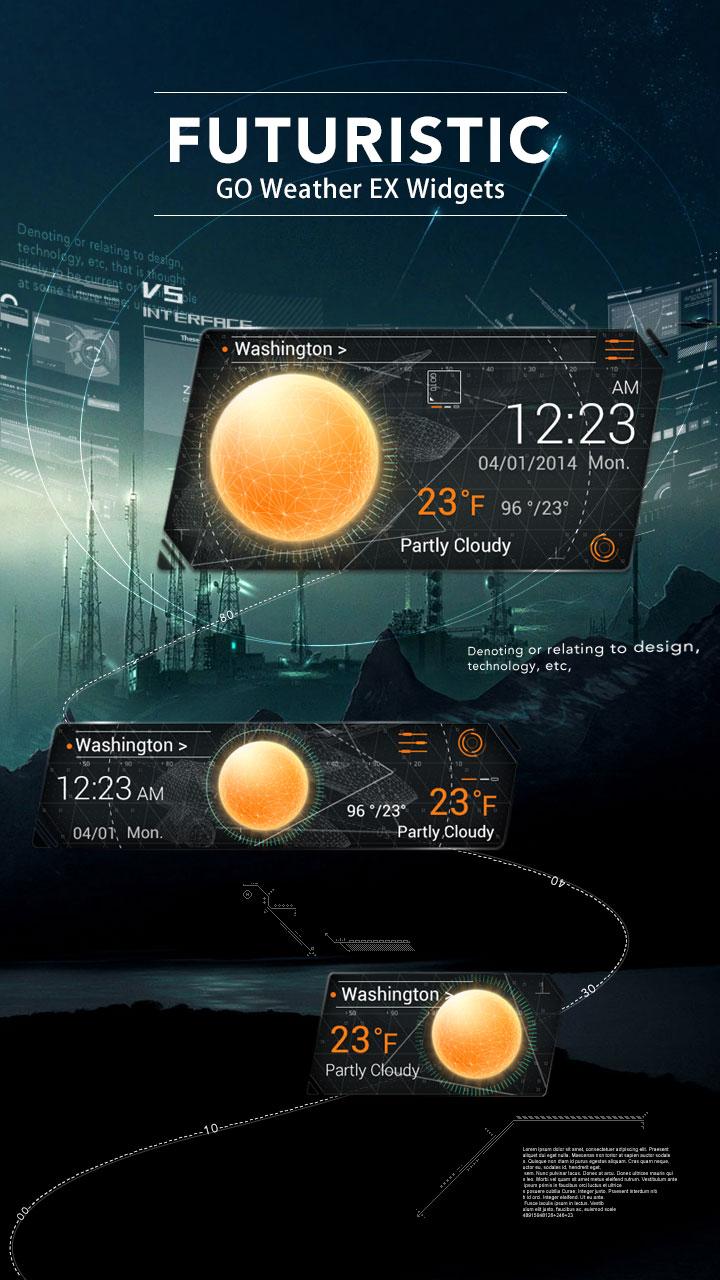
Futuristic, supports 4*1, 4*2, 2*1 sizes. A New Way telling you the weather with Futuristic Way. GO Weather EX - To Be Your Best Weather Prophet Forever! ◆How to apply the theme? 1. Make sure you have installed the latest version of GO Weather EX 2. Open the GO Weather EX->Open the Personalized Page->Click the "Local" Tab->Click the "Widget" 3. Select the theme in "Widget" and click to apply it. 4. GO to the launcher homescreen and add the GO Weather EX system widget ◆How to add a Systerm Widget? 1. Long press the homescreen - choose “Widgets” - Find GO Weather EX 2. Make sure you have enough space for the widgets