Call Recorder

8.6 1K+

v1.5.26 von Super Solution

Call Recorder APK Herunterladen Call Recorder APK Herunterladen

Über Gesprächs Recorder

Gesprächs Recorder (Paketname: com.supersolution.supercallrecorder) wird von Super Solution entwickelt und die neueste Version von Call Recorder 1.5.26 wurde am 14. Juli 2018 aktualisiert. Call Recorder liegt in der Kategorie von Kommunikation. Sie können alle Apps von dem Entwickler der Call Recorder durchsuchen. Derzeit ist diese APP kostenlos. Diese App kann auf Android 4.0+ auf APKFab oder Google Play heruntergeladen werden. Alle APK/XAPK Dateien auf APKFab.com sind original und 100% sicher, schnell herunterzuladen.
Call Recorder is one of the best call recorder application at Google Play Store. You can use call recorder to record incoming and outgoing calls automatically. Record any phone call you want to record and choose any call you want to skip with super call recorder. You can set which call to record and which to be ignored. Listen to the call recording and share it. Clear phone recorder conversation app for both sides. Call recorder is unique in design and best call recording software for android phone with lot of super features.
✓. Record your call automatically while calling or ask every-time to record new call.
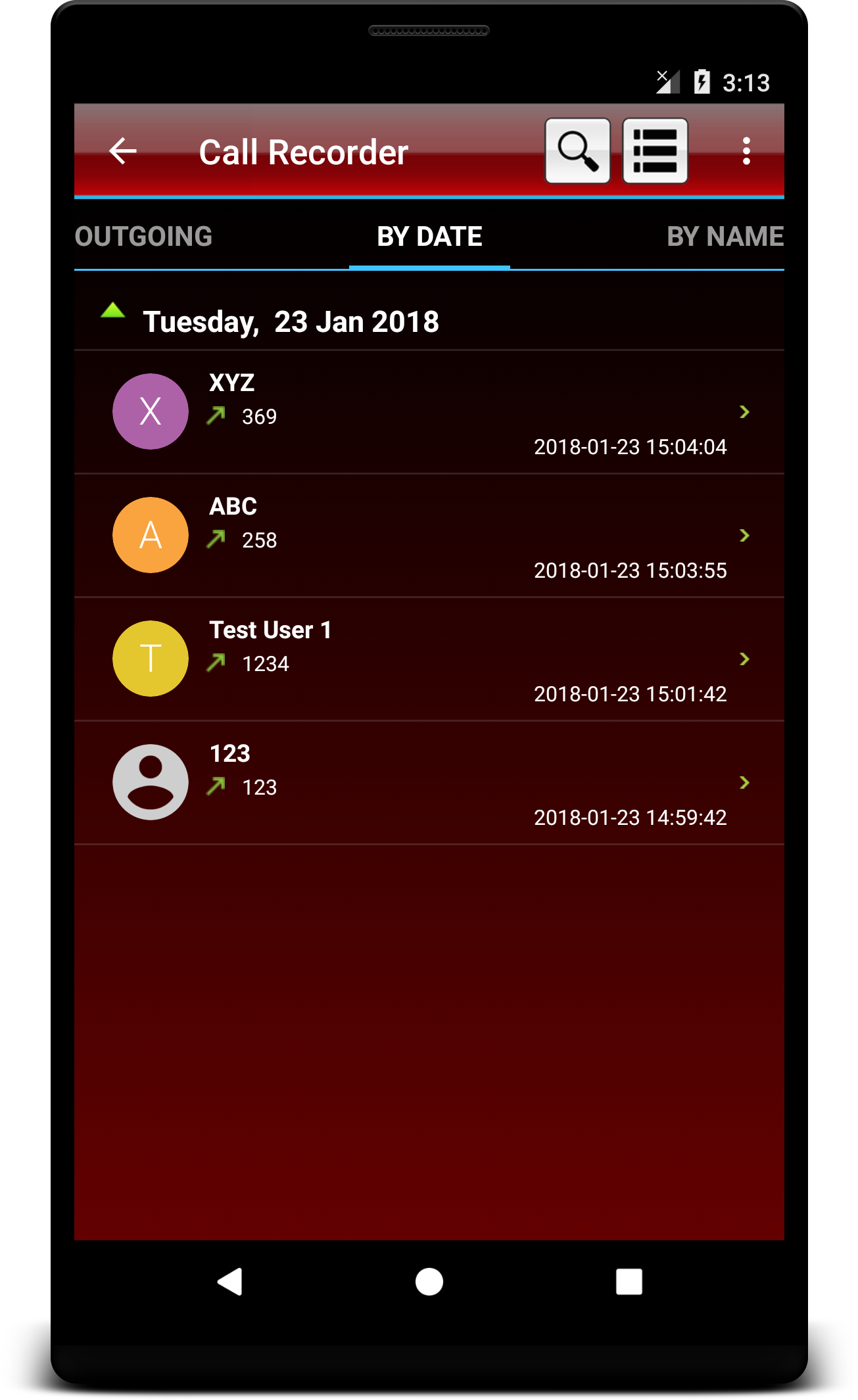
✓. Organise your call records. You can see calls as all calls records, only incoming, only outgoing, date and time and by name easily.
✓. Share recording to Bluetooth, Message etc.
✓. Play, save and delete, call recording
✓. Ignore recording for specific contact or phone number
✓. Add caller phone number to contacts
✓. See caller history
✓. Record your call or calls in MP3, WAV, MP4, AMR or 3GPP file formats.
✓. Save your files on your SD card im mp3, wav, mp4, amr or 3gpp format.
✓. Notification with caller image.
✓. Automatically on device speaker to record better quality voice.
✓. Password protection of call recording using app lock link added.
✓. It’s FREE!
CALL RECORDER NOT WORKING OR RECORDING CLEARLY:
1. Please note that some devices particularly some Samsung devices are not compatible or not allow to record calls.
2. Please confirm that your device should not have more than one call recording application, otherwise it can create issues.
3. If call recorder does not record call, please restart your device to try again. If it does not record again then your device might not support call recording.
4. Some devices record low voice of other party, in this problem, please enable automatic speaker, on start of call recording by going application and then more settings.
5. This app might not be working when you are using other apps to record something.
6. You can select WAV, 3GPP, MP4 or AMR audio encoding format, if MP3 recording not working properly on some devices.
7. If you get error "msg_create_file_error", then please test, Have your device been with sdcard or memory card? If not, please change recordings destination path to any other path by going into more settings and recording path and change it correctly.
8. If you get "Sorry recording starting failed", please try other recording options like change Audio source or sample rate.
9. If you select option Always ask from settings, then after selecting this option, you will be ask every-time to record call after one second on outgoing call and after one second after you pick or answer incoming call.
10. If you select WAV file format then try sample rate 44.1kHz. This action will increase the file size but quality of audio become very crystal clear.
TIP : In case recording not work on Samsung, KitKat and above devices try these recommended settings: Go to settings and change Audio source : from MIC to Voice_Call, Format : MP4, Quality: 11kHz and check Auto Speaker On option.

Gesprächs Recorder 1.5.26 Update

Bug fixed.
Note:Devices not recording calls should try all options in settings if non work then try theses options:
1. Choose Always Ask from Menu->Settings->Default Recording Mode->Always Ask
2. Now on each call select to record after call picked up.
In any problem contact:[email protected] (Good luck)
Mehr lesen
Gesprächs Recorder Besonderheiten
Frühere Versionen Mehr
Call Recorder
Call Recorder 1.5.26 APK
16. Juli 2018 2.62 MB

Requires Android: Android 4.0+

Architecture: armeabi, armeabi-v7a

Screen DPI: 160-640dpi

SHA1: e49d055b44a23da5f43878f4827f64bdbd1cb9a3

Size: 2.62 MB

What's New:

Bug fixed.
Note:Devices not recording calls should try all options in settings if non work then try theses options:
1. Choose Always Ask from Menu->Settings->Default Recording Mode->Always Ask
2. Now on each call select to record after call picked up.
In any problem contact:[email protected] (Good luck)
Call Recorder
Call Recorder 1.5.25 APK
17. Juni 2018 2.62 MB

Requires Android: Android 4.0+

Architecture: armeabi, armeabi-v7a

Screen DPI: 160-640dpi

SHA1: 1eb188c4d481585a9f58dd1cd27a1d0104bcd5c1

Size: 2.62 MB

What's New:

1. Bug fixed.
2. Support all most 90% phones.
Note:Devices not recording calls should try all options in settings if non work then try theses options:
1. Choose Always Ask from Menu->Settings->Default Recording Mode->Always Ask
2. Now on each call select to record after call picked up.
In any problem contact:[email protected] (Good luck)
Call Recorder
Call Recorder 1.5.24 APK
7. Mai 2018 2.62 MB

Requires Android: Android 4.0+

Architecture: armeabi, armeabi-v7a

Screen DPI: 160-640dpi

SHA1: 9dfb4d81abb18ce74f6543b3839275b3fb049ecd

Size: 2.62 MB

What's New:

1. Bug fixed.
2. Support all most 90% phones.
Note:Devices not recording calls should try all options in settings if non work then try theses options:
1. Choose Always Ask from Menu->Settings->Default Recording Mode->Always Ask
2. Now on each call select to record after call picked up.
In any problem contact:[email protected] (Good luck)
Call Recorder
Call Recorder 1.5.23 APK
1. April 2018 2.56 MB

Requires Android: Android 4.0+

Architecture: armeabi, armeabi-v7a

Screen DPI: 160-640dpi

SHA1: 5429d390f22a2650d99a8b89ce5afe3b812f2904

Size: 2.56 MB

What's New:

1. Bug fixed.
2. Support all most 90% phones.
Note:Devices not recording calls should try all options in settings if non work then try theses options:
1. Choose Always Ask from Menu->Settings->Default Recording Mode->Always Ask
2. Now on each call select to record after call picked up.
In any problem contact:[email protected] (Good luck)
Mehr Information

Verfügbar bei:

Kommunikation Apps

Aktualisierungsdatum:

Letzte Version:

1.5.26

Anforderungen:

Android 4.0+