Little Blue Point Keyboard
8.1
v1.3 por keyboardthai
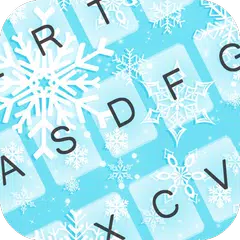
Our very talented designers created the Little Blue theme ever: Little Blue Point Keyboard! we guarantee you that this cute Little Blue graphic will put a smile on your face every time you pick up your phone!
You can see how to change a theme from the screenshots or follow the steps below.
Easy steps to change your theme:
- After the installation is completed, go to Setting.
- Select Language & input.
- Select our application's name, that is, Little Blue Point Keyboard.
- Click to select Default English (United States) - Little Blue Point Keyboard.
- A pop-up page will be displayed asking you to select the input method. Please select the name of the application that you have installed.
- Enjoy using it.
Please bear in mind that sometimes the menu of the tablets or mobile phones are different from brands to brands. However, the general menu has something in common so you will not be confused for sure.


Requires Android: Android 2.2+
Screen DPI: 160-480dpi
SHA1: 47b824575592dbf2b1dd89a57433e9f397afbb8b
Size: 3.76 MB
Nome do Pacote:
Categoria:
Data de Atualização:
2015-04-22
Última Versão:
1.3
Solicite Atualização:
Requisitos:
Android 2.2+
Denunciar:

Zedge™ Papéis de Parede
Encontre milhões de papéis de parede, toques, sons de alarme e notificação
9.4 1M+

CM Launcher 3D - Personalizado, seguro
🏆Launcher 3D com temas GRÁTIS, papeis de parede Gerenciador de aplicativos
8.8 611K+

GO Launcher2016 Tema Wallpaper
Moderna substituição da tela&Recursos inteligentes
8.4 750K+